Thousands of top best android apps on 9Apps! 20,000+ users downloaded QrCodeWhatScan latest version on 9Apps for free every week! More apps are free download here! This hot app was released on 2018-05-29. Why not download and have a try?
Would you like to open two account in same device or same account in multiple devices then WhatScan made for you.
WhatScan Latest allows you to run two whatsapp accounts in a single device OR You can also run the same whatsapp account on multiple devices. It is entirely up to you. WhatScan - QR Scanner This application with use of it you can browse another whatszapp account in your phone easily and securely. It is too easy to use 2nd whatzapp account in your phone with this Dual Whatzweb application.
With Whatscan For whatsweb app you can:
* Dual Account in your phone at same time, same place.
* If your Account is at home, you can use it anywhere in the world.
* You can have dual whatsap in single device!
* Full access to contacts, chats, chat history, messages, photos and files on multiple devices.
* Easy to use and do not want any technical details.
* Works on every device.
* Easy to control children whatsapp with clone whatsapp account with whatsweb for whatsaup.
* Whatscan for whatsup secured with your Password.
* whatsweb - Double Whats, double the fun!
How to use WhatScan QR scanner :
Open WhatsApp on your computer or visit web.whatsapp.com .
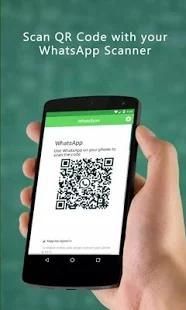
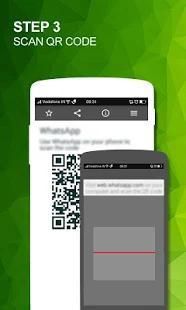
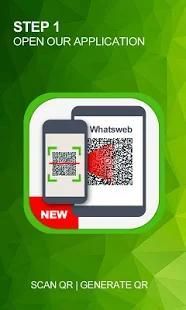
When prompted with a QR code, use the QR scanner within WhatsApp to scan the QR code.
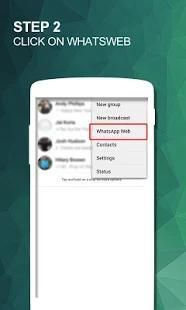
To do so, open WhatsApp on your mobile.
in the Chats screen > Menu > WhatsApp Web.
Scan the QR Code on your computer screen from your phone.
WhatScan - QR Scanner - This is Amazing Application to Save Story Of Whatsup of You Friends.
Disclaimer:
- Whatscan for whatsapp web is created by us, and it not an official WhatsApp application and not associated with WhatsApp Inc.
- This app is not official whatsapp app but this app uses Whatsapp Public API.
Apakah Anda ingin membuka dua akun di perangkat yang sama atau akun yang sama di beberapa perangkat kemudian WhatScan dibuat untuk Anda.
WhatScan terbaru memungkinkan Anda untuk menjalankan dua account whatsapp dalam satu perangkat atau Anda juga dapat menjalankan akun whatsapp yang sama pada beberapa perangkat. Hal ini sepenuhnya terserah Anda. WhatScan - QR Scanner Aplikasi ini dengan penggunaan itu Anda dapat menelusuri akun whatszapp lain dalam ponsel Anda dengan mudah dan aman. Hal ini terlalu mudah untuk menggunakan account whatzapp 2 di ponsel Anda dengan aplikasi dual Whatzweb ini.
Dengan Whatscan Untuk aplikasi whatsweb Anda dapat:
* Ganda Akun di telepon Anda pada waktu yang sama, tempat yang sama.
* Jika Akun Anda di rumah, Anda dapat menggunakannya di mana saja di dunia.
* Anda dapat memiliki ganda whatsap di perangkat tunggal!
* Akses penuh ke kontak, chatting, riwayat chatting, pesan, foto dan file pada beberapa perangkat.
* Mudah digunakan dan tidak ingin ada rincian teknis.
* Bekerja pada setiap perangkat.
* Mudah untuk mengontrol anak whatsapp dengan clone whatsapp memperhitungkan dengan whatsweb untuk whatsaup.
* Whatscan untuk whatsup diamankan dengan Password Anda.
* Whatsweb - Double Whats, dua kali lipat menyenangkan!
Cara menggunakan WhatScan QR scanner:
Buka WhatsApp di komputer Anda atau kunjungi web.whatsapp.com.
Ketika diminta dengan kode QR, menggunakan QR scanner dalam WhatsApp untuk memindai kode QR.
Untuk melakukannya, WhatsApp terbuka pada ponsel Anda.
di layar Chatting> Menu> Web WhatsApp.
Memindai QR Code di layar komputer Anda dari ponsel Anda.
WhatScan - QR Scanner - ini adalah Amazing Aplikasi Simpan Story Of WhatsUp dari Anda Friends.
Penolakan:
- Whatscan untuk web whatsapp dibuat oleh kami, dan itu bukan aplikasi WhatsApp resmi dan tidak terkait dengan WhatsApp Inc.
- Aplikasi ini bukan aplikasi whatsapp resmi, tetapi aplikasi ini menggunakan Whatsapp Umum API.
* Fully secure
* Quickly scanning





9Apps 4.9