
Following is the introduction of a wonderful App. 20,000+ users downloaded Whats Web Scan latest version on 9Apps for free every week! It is a wonderful app that amazes every player. This hot app was released on 2018-08-22. You can also find some other similar apps here.
WhatScan +
WhatScan + is an application with use of it you can browse another whatszapp account in your phone easily and securely. It is too easy to use 2nd whatzapp account in your phone with this Dual Whatzweb application.
This application allow you to view your friends recent stories,share stories,images and videos and GIF.
Scan QR Code Same Account in Two Different Mobile Phone use and Chat messenger Application dual Account in One Devices.
What you can make by whats web for whatscan :
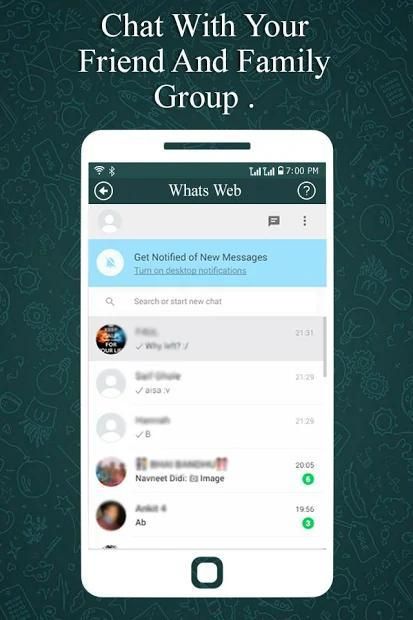
- Messages Read / reply and Send
- Profile Picture and Status Changes
- Images / Videos Downloads and Forward
- Send Images from Gallery, camera
- document Files and Contacts sending
This awesome application allows you to use multiple accounts of any users on your Phone, nothing needed more than 2 steps:
- Open the QR Scanner on their Application
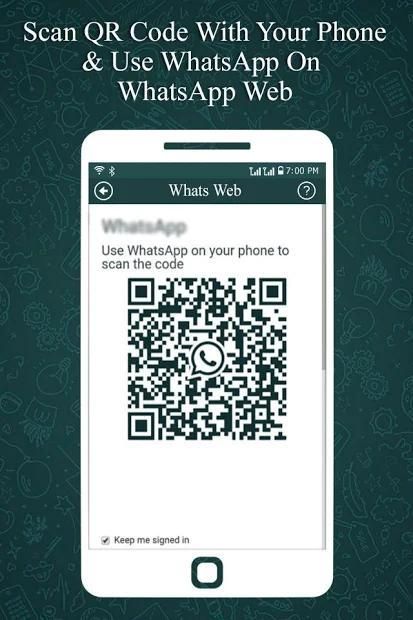
- Open the Whatscan Web Scanner App, and scan the QR Code appears on it!!
How to use :
- Install and open this application on your Android mobile.
- Open whatszapp web.
- Open chats screen >> menu >> whatszapp web.
- On android phone: go to settings >> whatszapp web.
- Scan the QR code on whatscan app screen from the other Android phone.
- Now you will get Full access to other whatszapp account.
SIMPLE TO USE
There are simple steps that you need to perform to have two whatsapp in one phone or the same whatsapp on 2nd phones. With few taps you can use whatsapp normally but from 2 phones or from 2 accounts. All normal functions are kept as it is and you can easily send messages, pictures, videos etc.
Thanks for support...
WhatScan +
WhatScan + adalah aplikasi dengan penggunaannya Anda dapat menelusuri akun whatszapp lain di ponsel Anda dengan mudah dan aman. Sangat mudah menggunakan akun whatzapp kedua di ponsel Anda dengan aplikasi Dual Whatzweb ini.
Aplikasi ini memungkinkan Anda untuk melihat teman-teman Anda cerita terbaru, berbagi cerita, gambar dan video dan GIF.
Pindai Rekaman Kode QR Akun yang Sama dalam Dua Penggunaan Telepon Seluler yang berbeda dan Aplikasi utusan chat Akun ganda dalam Satu Perangkat.
Apa yang dapat Anda lakukan dengan whats web untuk whatscan:
- Pesan Baca / balas dan Kirim
- Gambar Profil dan Perubahan Status
- Unduhan Gambar / Video dan Maju
- Kirim Gambar dari Galeri, kamera
- pengiriman dokumen File dan Kontak
Aplikasi mengagumkan ini memungkinkan Anda untuk menggunakan banyak akun dari pengguna mana pun di Ponsel Anda, tidak ada yang membutuhkan lebih dari 2 langkah:
- Buka Pemindai QR pada Aplikasi mereka
- Buka Aplikasi Pemindai Web Whatscan, dan pindai Kode QR muncul di atasnya !!
Bagaimana cara menggunakan :
- Instal dan buka aplikasi ini di ponsel Android Anda.
- Buka web whatszapp.
- Buka obrolan layar >> menu >> whatszapp web.
- Pada ponsel android: masuk ke pengaturan >> whatszapp web.
- Pindai kode QR di layar aplikasi apa saja dari ponsel Android lainnya.
- Sekarang Anda akan mendapatkan akses penuh ke akun whatszapp lainnya.
SEDERHANA UNTUK MENGGUNAKAN
Ada langkah-langkah sederhana yang perlu Anda lakukan untuk memiliki dua whatsapp dalam satu ponsel atau whatsapp yang sama pada ponsel kedua. Dengan beberapa ketukan, Anda dapat menggunakan whatsapp secara normal tetapi dari 2 ponsel atau dari 2 akun. Semua fungsi normal disimpan sebagaimana adanya dan Anda dapat dengan mudah mengirim pesan, gambar, video, dll.
Terima kasih atas dukungannya...
WhatScan + is an application with use of it you can browse another whatszapp account in your phone easily and securely. It is too easy to use 2nd whatzapp account in your phone with this Dual Whatzweb application.



9Apps 4.9










