



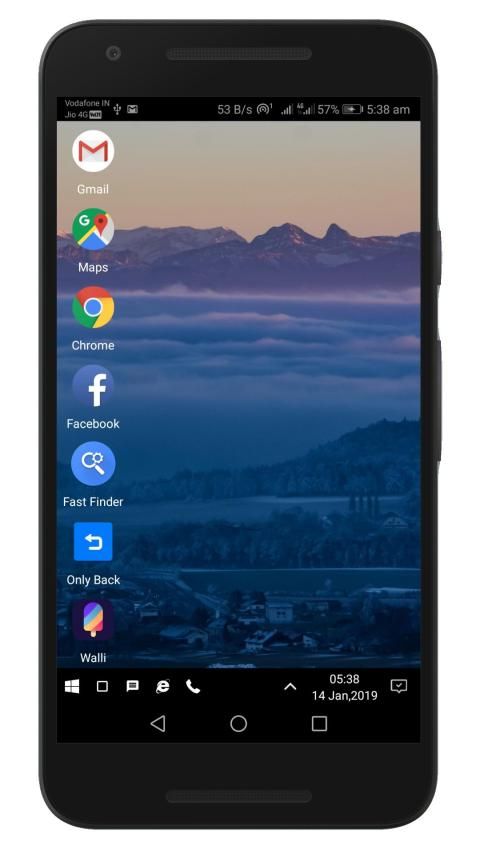
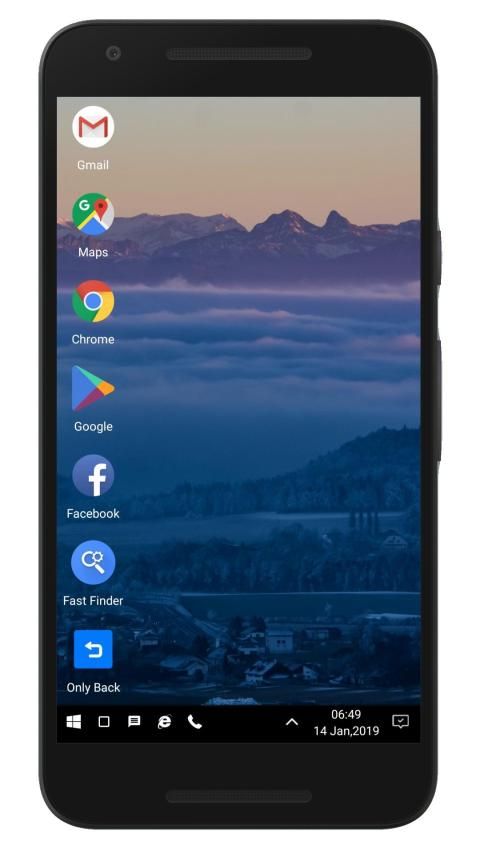
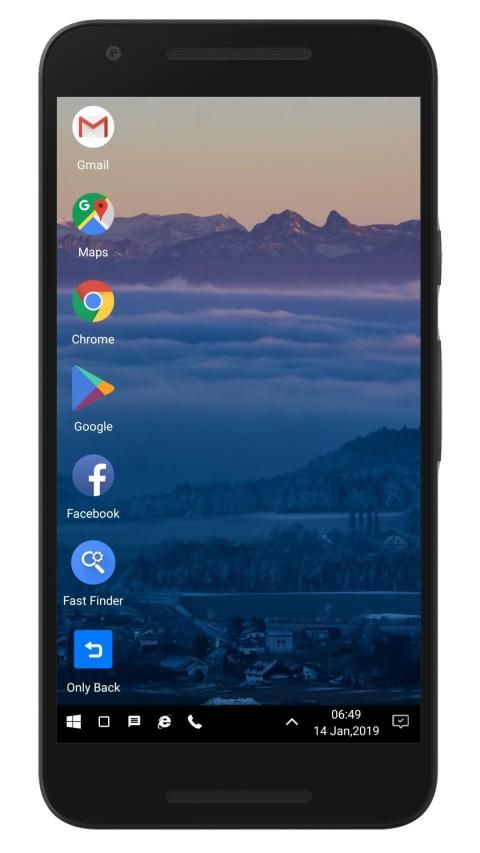
What makes me unbelievable is that 20,000+ users downloaded WX Launcher latest version on 9Apps for free every week! It's not only an app it also teaches you how to use it. This hot app was released on 2019-01-19. Remember it’s the app with great joy!
Experience the feel and comfort of Windows in your new Windows style launcher for Android.
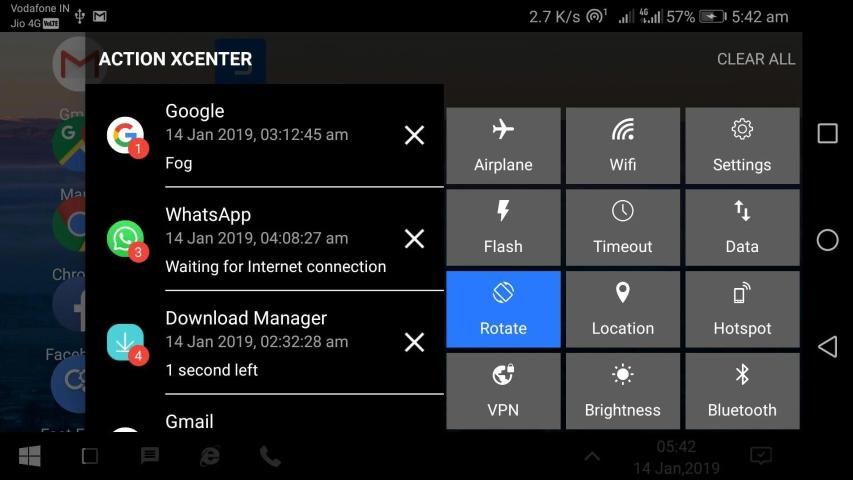
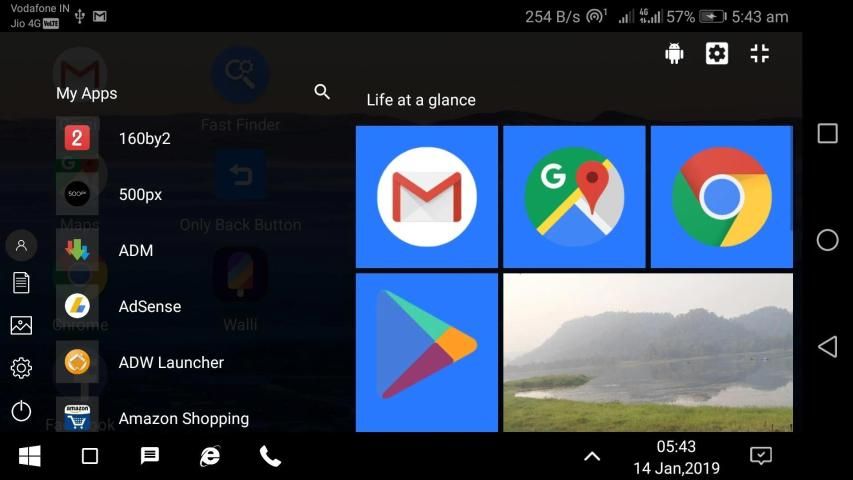
WX Launcher - A Windows style launcher for Android with powerful Start Menu, Action XCenter to replace your home screen.
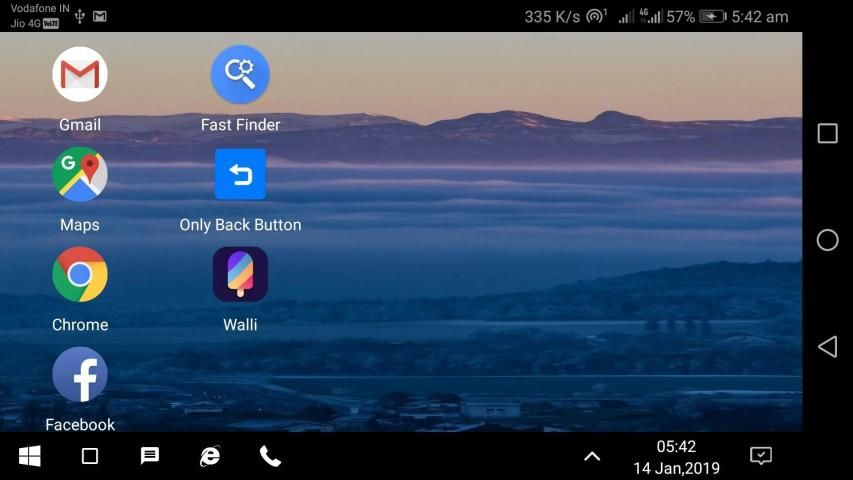
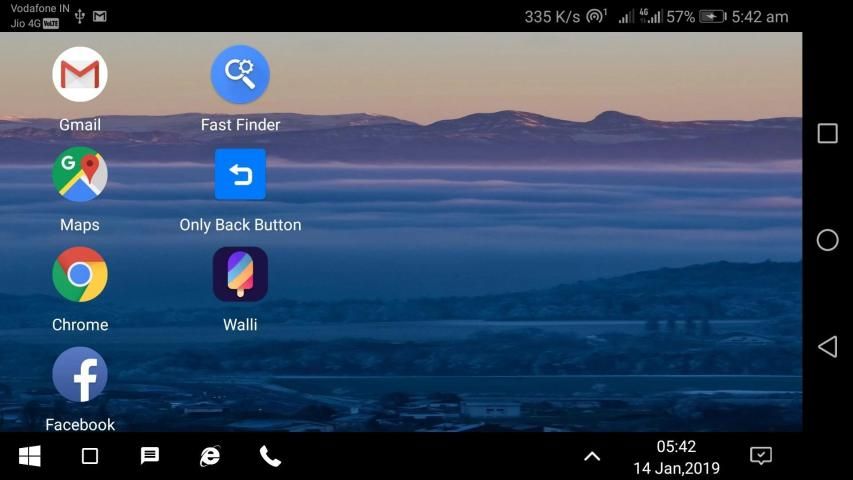
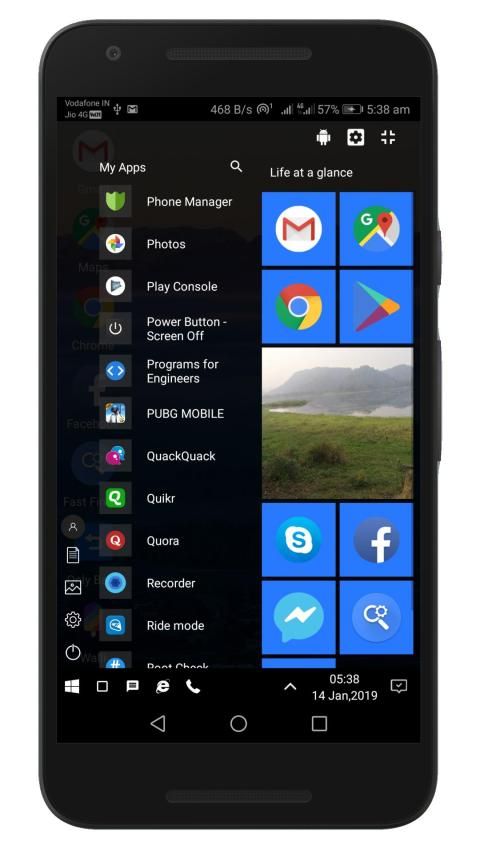
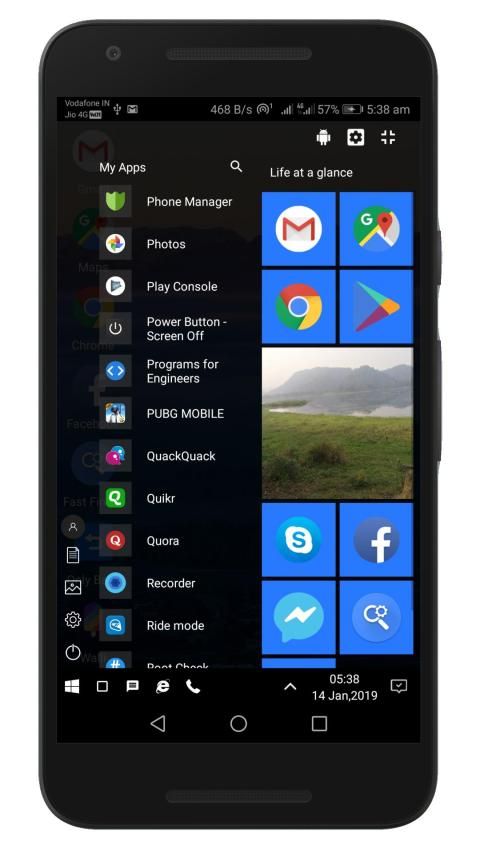
WX Launcher replaces your Home screen with a windows styled desktop which you can control and customize easily. Change colors, layouts, grid size and more in your new Windows style launcher for your smart Android device.
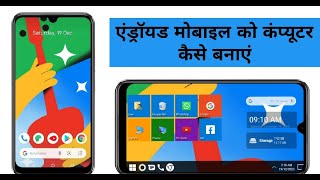
WX Launcher - The new Computer Launcher for Android with Windows 10 style. WX Launcher is a Windows 10 style based launcher with all the Windows basic features. WX Launcher aims to present the best of Window 10 Desktop features for your Android Device. It transforms your current Home screen into a computer like Windows 10 styled Home screen.
WX Launcher offers the following main features of Windows 10 OS:
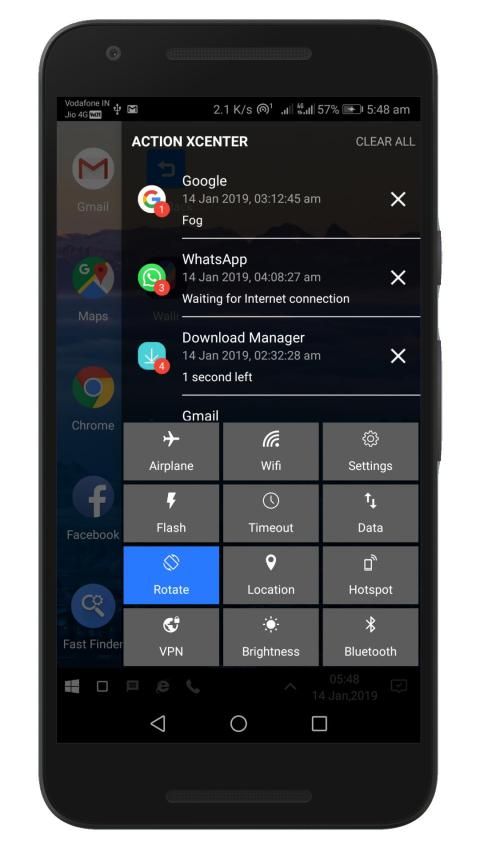
★ Powerful Action XCenter
★ Useful Pinned Apps
★ Smart Start Menu
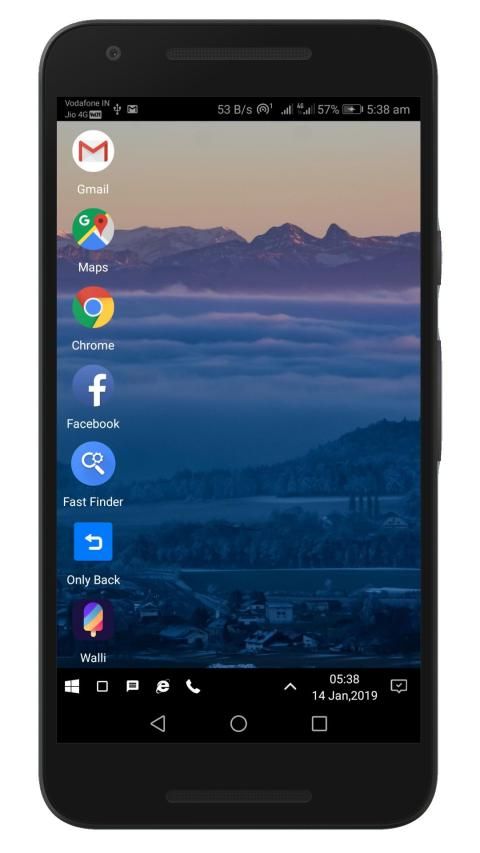
★ Beautiful Desktop
★ Fast Animations
★ Taskbar
Features worth mentioning about WX Launcher, your new 2019 Windows 10 style launcher –
★ Toggle device rotation from action XCenter tiles directly without going to device Settings.
★ Network, Wi-Fi, Bluetooth, Sound, Battery and Portable Hotspot hidden shortcuts in taskbar just like your favorite Windows 10.
★ Easy taskbar clock with seconds and date.
★ One tap to show/hide Start Menu & Action XCenter.
★ No use of Hardware buttons after installing WX Launcher.
★ Screen off in one tap from Windows 10 style start menu.
★ WX Launcher also supports Traditional app drawer. Available in WX Launcher settings.
★ Customizable tiles in start menu with animations.
★ Live Photos tile in start Menu
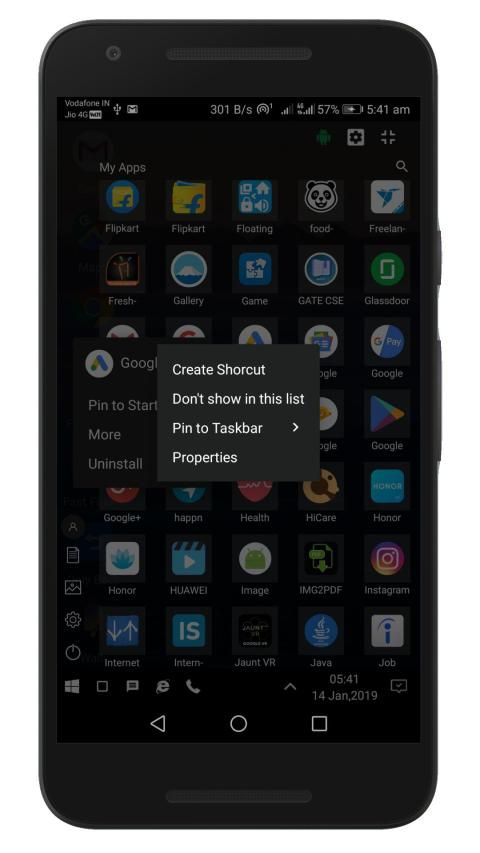
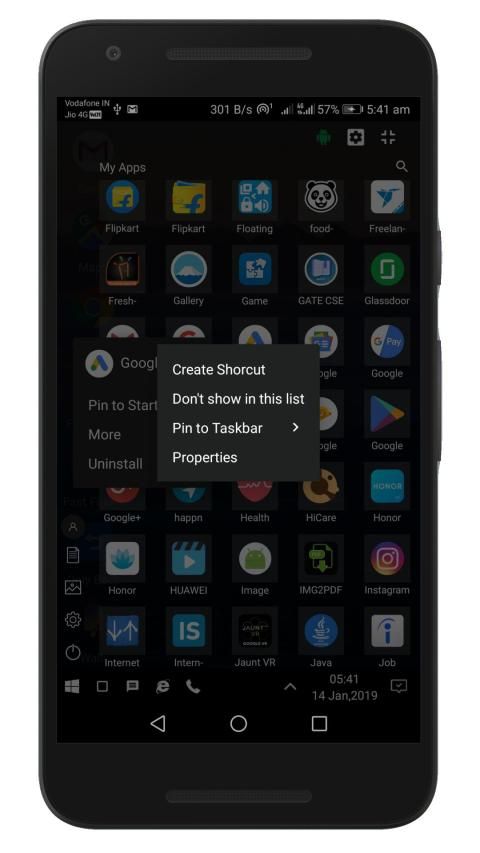
★ Long click on icon to view Application options.
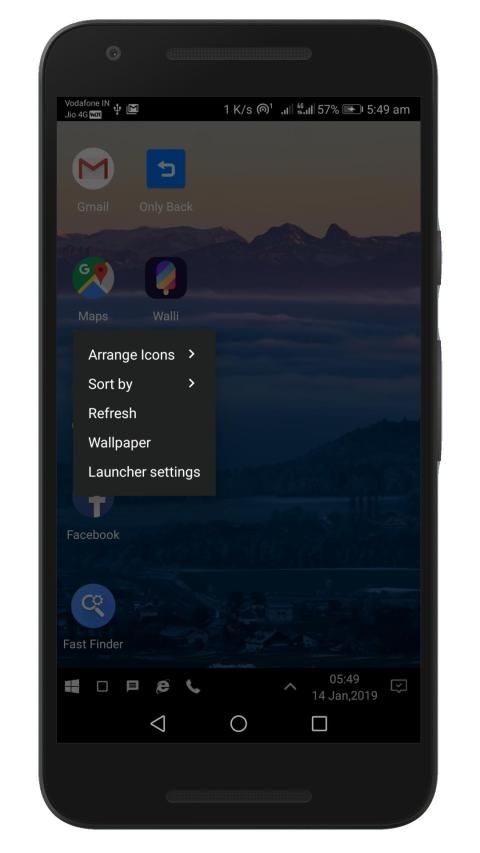
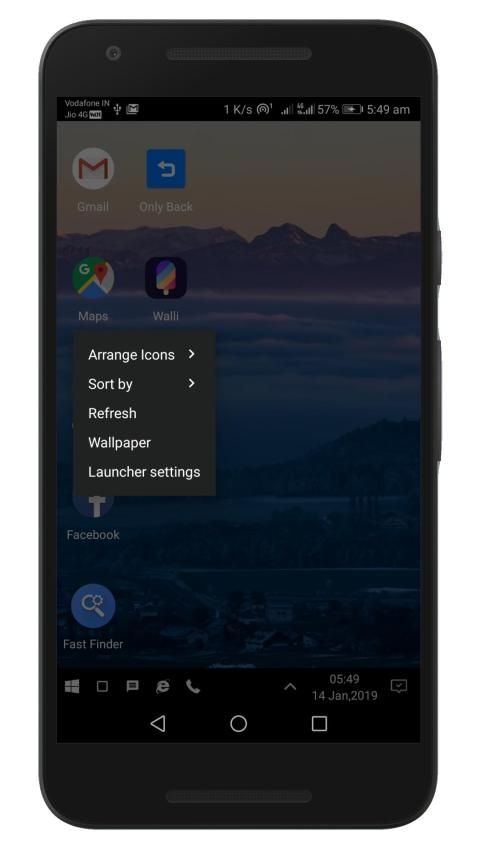
★ Options to arrange and sort WX Launcher Desktop icons easily.
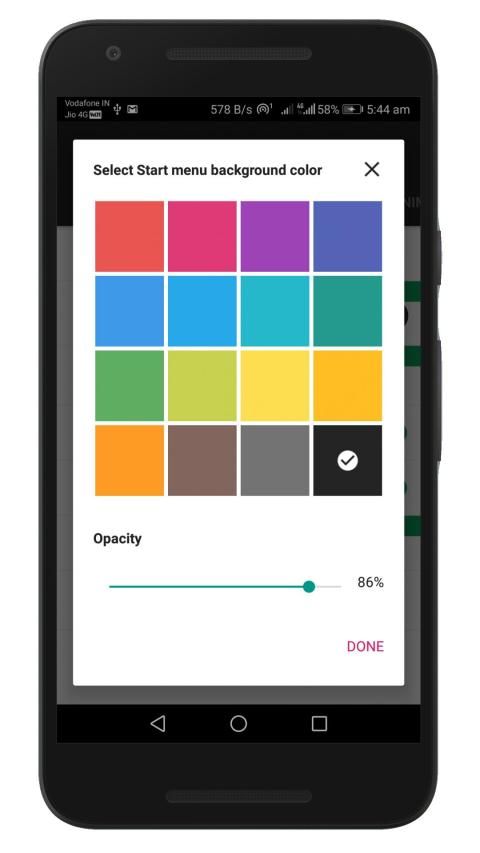
★ Choose colors from the best of available material colors.
★ Supports both Portrait as well as Landscape Orientation.
★ Change desktop Wallpaper easily.
★ Recent Apps Widget.
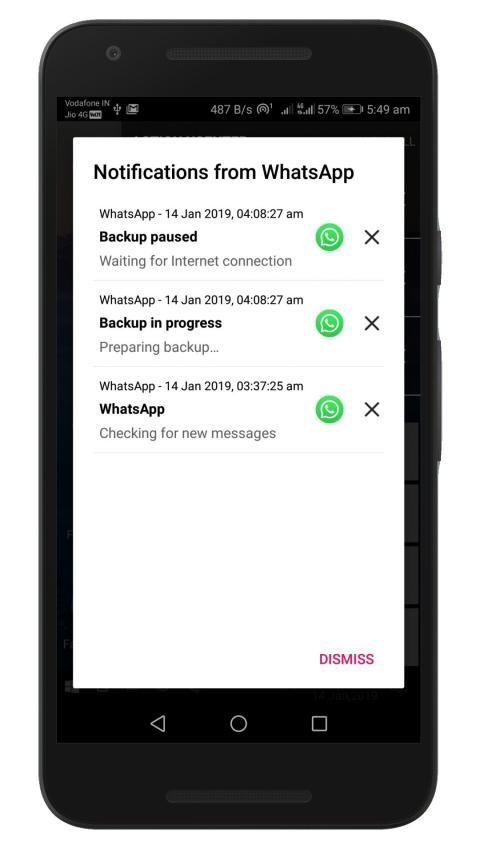
★ Auto saving of Smart Action XCenter Notifications for later use
★ Windows style & Traditional style App Drawer.
★ Adjustable Windows Start Menu size.
★ Enable / disable windows 10 like animations.
★ And many more you find them out :)
WX Launcher Pro
Unlock the following features by purchasing WX Launcher Pro
★ No Ads guaranteed.
★ Action XCenter Smart Notifications
★ Toggle Recent Apps
★ Customize the color and transparency for Action XCenter tiles,Start Menu,Taskbar.
★ Customize Traditional app drawer Grid.
★ Keep a clean app drawer by hiding never used apps or secret apps.
★ Future updates and new features.
Coming soon in Pro Version
★ Windows File Explorer
★ My Documents
★ All bugs will be fixed for Pro users in WX Launcher Settings > Device Support
Permission used:
★ android.permission.WRITE_EXTERNAL_STORAGE – for enabling live photos tile in Start Menu optional WX Launcher Wallpaper change functionality used by the user.
★ android.permission.WRITE_SETTINGS - for optional rotate screen functionality.
★ android.permission.BLUETOOTH_ADMIN & android.permission.BLUETOOTH – for toggling Bluetooth from Action XCenter.
Note:
★WX Launcher uses Device administrator permission for optional screen off/lock functionality.
★WX Launcher uses Accessibility permission for optional recent apps functionality.
★WX Launcher uses Notification access permission for optional smart notifications functionality.
★WX Launcher uses WRITE_SETTINGS permission for optional rotate screen and other functionalities.
★In case of any issues, you can contact us at the given email address.
★Drop me your issue and I’ll be happy to fix it.
★Do leave 5 stars if you enjoy WX Launcher – A Windows Style Launcher
Thank you for your support.
Rasakan nuansa dan kenyamanan Windows dalam peluncur gaya Windows baru Anda untuk Android.
Peluncur WX - Peluncur gaya Windows untuk Android dengan Start Menu yang kuat, Action XCenter untuk mengganti layar beranda Anda.
WX Launcher menggantikan layar Beranda Anda dengan desktop bergaya windows yang dapat Anda kontrol dan sesuaikan dengan mudah. Ubah warna, tata letak, ukuran kisi, dan lainnya di peluncur gaya Windows baru Anda untuk perangkat Android pintar Anda.
WX Launcher - Peluncur Komputer baru untuk Android dengan gaya Windows 10. WX Launcher adalah peluncur berbasis gaya Windows 10 dengan semua fitur dasar Windows. WX Launcher bertujuan untuk menghadirkan yang terbaik dari fitur Window 10 Desktop untuk Perangkat Android Anda. Ini mengubah layar Beranda Anda saat ini menjadi komputer seperti layar Utama bergaya Windows 10.
WX Launcher menawarkan fitur utama Windows 10 OS berikut:
★ Aksi Kuat XCenter
★ Aplikasi Sematan yang Berguna
★ Menu Mulai Pintar
★ Desktop Yang Cantik
★ Animasi Cepat
★ Bilah Tugas
Fitur yang layak disebutkan tentang Peluncur WX, peluncur gaya 10 Windows 2019 Anda yang baru -
★ Beralih rotasi perangkat dari ubin tindakan XCenter langsung tanpa pergi ke Pengaturan perangkat.
★ Jaringan, Wi-Fi, Bluetooth, Suara, Baterai, dan Hotspot portabel Hotspot tersembunyi di taskbar seperti halnya Windows 10 favorit Anda.
★ jam taskbar mudah dengan detik dan tanggal.
★ Satu ketuk untuk menampilkan / menyembunyikan Start Menu & Action XCenter.
★ Tidak menggunakan tombol Perangkat Keras setelah menginstal WX Launcher.
★ Layar mati dalam satu ketukan dari menu mulai gaya Windows 10.
★ WX Launcher juga mendukung laci aplikasi Tradisional. Tersedia dalam pengaturan WX Launcher.
★ Ubin yang dapat disesuaikan di menu mulai dengan animasi.
★ Foto Live ubin di Menu mulai
★ Klik lama pada ikon untuk melihat opsi Aplikasi.
★ Opsi untuk mengatur dan mengurutkan ikon Desktop WX Launcher dengan mudah.
★ Pilih warna dari warna material terbaik yang tersedia.
★ Mendukung Portrait dan Orientasi Lansekap.
★ Ubah Wallpaper desktop dengan mudah.
★ Widget Aplikasi Terbaru.
★ Penyimpanan otomatis Pemberitahuan Tindakan Cerdas XCenter untuk digunakan nanti
★ Gaya Windows & Laci Aplikasi gaya Tradisional.
★ Ukuran Menu Mulai Windows yang dapat disesuaikan.
★ Mengaktifkan / menonaktifkan windows 10 seperti animasi.
★ Dan banyak lagi yang Anda temukan :)
WX Launcher Pro
Buka kunci fitur berikut dengan membeli WX Launcher Pro
★ Tidak ada iklan yang dijamin.
★ Aksi XCenter Pemberitahuan Cerdas
★ Beralih Aplikasi Terbaru
★ Sesuaikan warna dan transparansi untuk ubin Action XCenter, Start Menu, Taskbar.
★ Sesuaikan Grid laci aplikasi tradisional.
★ Simpan laci aplikasi yang bersih dengan menyembunyikan aplikasi yang tidak pernah digunakan atau aplikasi rahasia.
★ Pembaruan masa depan dan fitur baru.
Segera hadir dalam Versi Pro
★ Windows File Explorer
★ Dokumen Saya
★ Semua bug akan diperbaiki untuk pengguna Pro di Pengaturan WX Launcher> Dukungan Perangkat
Izin digunakan:
★ android.permission.WRITE_EXTERNAL_STORAGE - untuk mengaktifkan ubin foto langsung di Menu Mulai opsional WX Launcher Wallpaper mengubah fungsi yang digunakan oleh pengguna.
★ android.permission.WRITE_SETTINGS - untuk fungsionalitas layar putar opsional.
★ android.permission.BLUETOOTH_ADMIN & android.permission.BLUETOOTH - untuk mengaktifkan Bluetooth dari Action XCenter.
Catatan:
★ Peluncur WX menggunakan izin administrator perangkat untuk fungsionalitas layar mati / kunci opsional.
★ Peluncur WX menggunakan izin aksesibilitas untuk fungsionalitas aplikasi terbaru opsional.
★ Peluncur WX menggunakan izin akses Pemberitahuan untuk fungsionalitas pemberitahuan cerdas opsional.
★ Peluncur WX menggunakan izin WRITE_SETTINGS untuk layar putar opsional dan fungsi lainnya.
★ Dalam hal terjadi masalah, Anda dapat menghubungi kami di alamat email yang diberikan.
★ Jatuhkan masalah Anda dan saya akan senang memperbaikinya.
★ Jangan tinggalkan 5 bintang jika Anda menikmati WX Launcher - A Windows Style Launcher
Terima kasih atas dukungan Anda.
★ Several bug fixes.
★ One tap to show/hide Start Menu or Action XCenter.
★ Screen off in one tap from Windows 10 style start menu.
★ Live Photos tile in start Menu
★ Choose colors from the best of available material colors.
★ Change desktop Wallpaper easily.
★ Auto saving of Smart Action XCenter Notifications for later use
★ Windows style & Traditional style App Drawer.
★ Adjustable Windows Start Menu size.
★ And many more you find them out

9Apps 4.9