Download the latest application of india here. 20,000+ users downloaded WPSconnect wifi latest version on 9Apps for free every week! By use it, you can upgrade your abilities smartly. This hot app was released on 2019-01-18. Don’t be hesitate, download and install it on your mobile phone now!
wps connect wifi
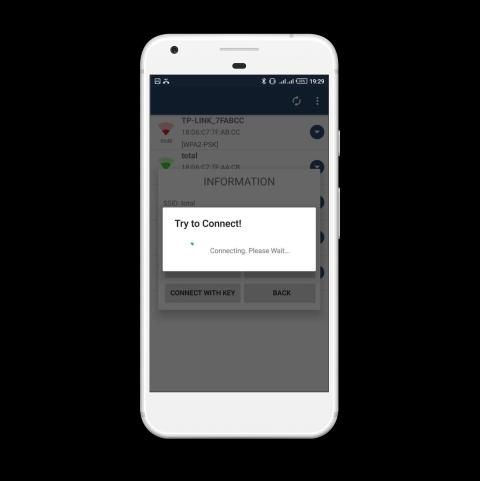
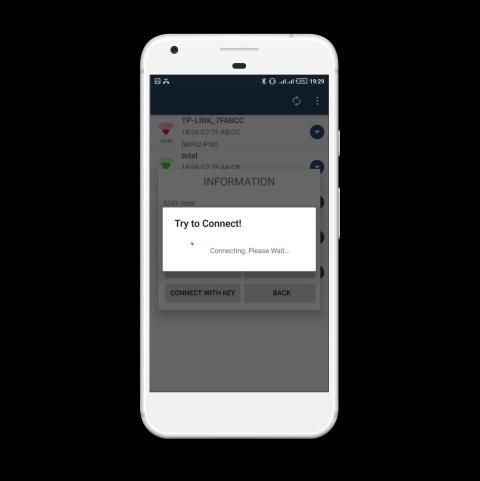
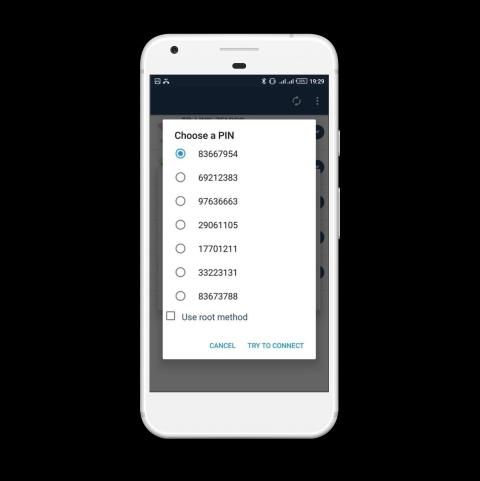
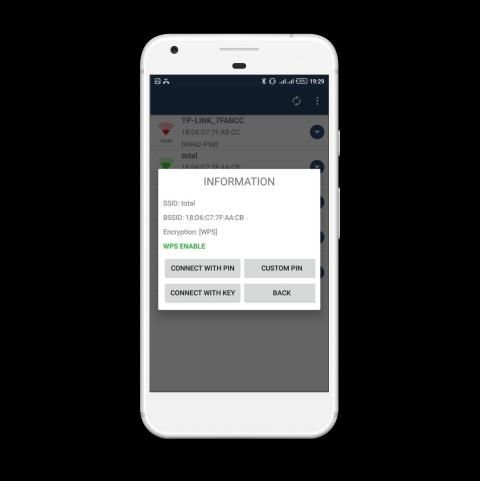
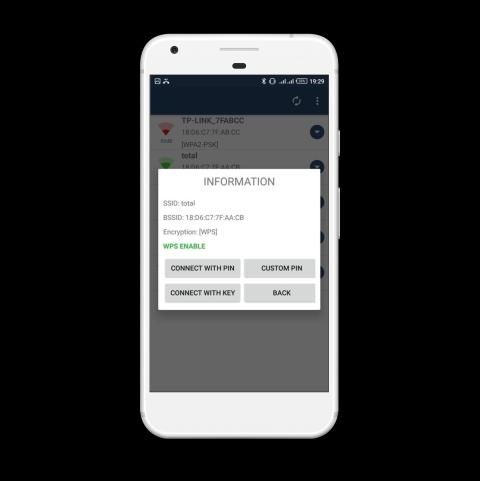
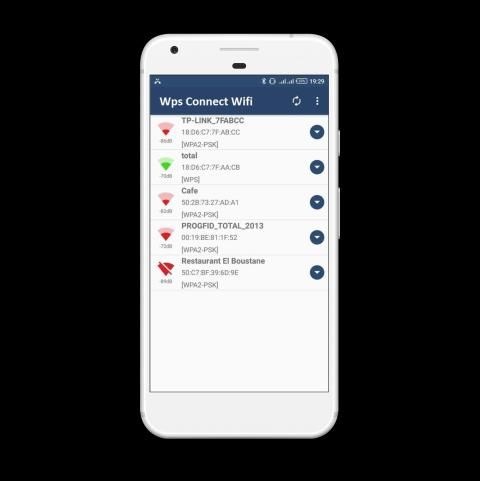
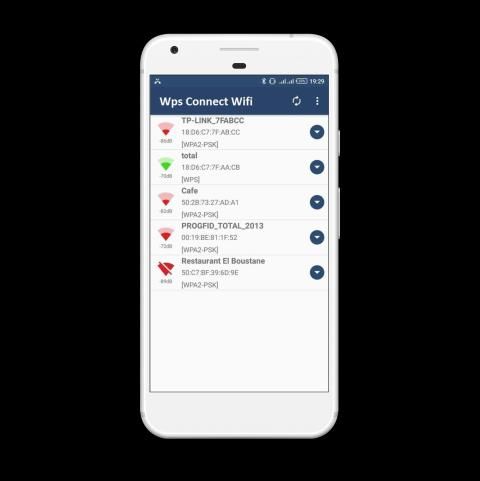
With this app you'll can connect to WiFi networks which have WPS protocol enabled.
With Application Wps Wifi Connect you'll can connect to WiFi networks which have WPS protocol enabled.
Hacking anything is forbidden in all religions -
I AM NOT RESPONSIBLE FOR ANY MISUSE, INTRUSION INTO FOREIGN NETWORKS IS PUNISHABLE BY LAW.
WPS Dumpper is focused on verifying if your router is vulnerable to a default PIN. Many routers that companies install own vulnerabilities in this aspect. With this application you can check if your router is vulnerable or not and act accordingly.
The router has a function called WPS. If its WiFi with WPS open, we can call this wifi 'WPS WiFi'. Unlike password,
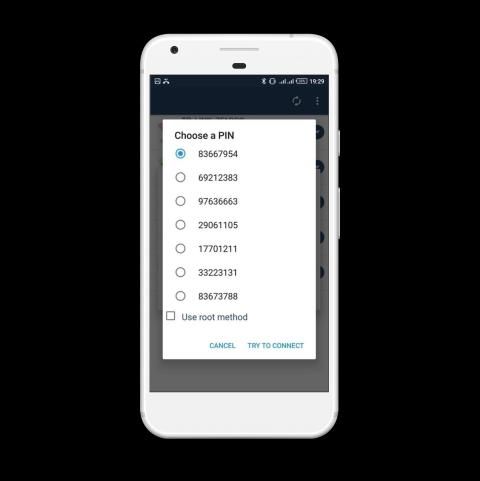
WPS WiFi can be accessed by using 8 digits PIN which is usually fixed. e.g. 12345678. People can use PIN to connect WPS WiFi and ignore any password changes.
WiFi WPS Tester is a utility which helps you detect the potential risk of the WiFi, which include password risk and WPS risk.
Shipped with more than 30 PIN algorithms and 50000 known PINs, WiFi WPS Tester helps you detect the potential WPS risk. And with millions of hotspots, WiFi WPS Tester may find the possible Password risk. We don't store your original key, neither do we share with other users. But if your WPS WiFi can be connected without manual inputs, it is suggesting that you should change the key to a more complicated one or turn off WPS.
***ROOT is NOT totally required****
**** Location Permission is required for Wifi Network Scanning By Android*****
The application has two methods to connect:
- Root Method : Supported all android version but should be rooted.
- No Root Method : supports only Android 5 (Lollipop) and up.
For Android 5 (Lollipop) and up:
- If you are not rooted you can use the application to connect, but you cannot show password unless you are rooted.
- If you are rooted will be alerted to choose either Root Method or No Root Method. , you can show the password using both methods
For Android 4.4 and earlier:
- You have to be ROOTED for both connecting and showing password
- If Your are not Rooted , then you cannot use the application
================================================
- (Only Rooted Users ) You can show passwords for your current saved networks , just go to Menu then choose ( Saved Networks)
if you already know the WPS PIN you can use the app to connect and get the password using your PIN]
This protocol allows you to connect to a WiFi network using an 8-digit pin number that usually is predefined in the router, the problem is that the pin of many routers from different companies is known or is known how to calculate it
With this application you can connect to WiFi networks that have the WPS protocol enabled. This feature was only available in version 4.1.2 of Android.
Application developed for educational purposes. I am not responsible for the misuse that can be given to you.
Licensed under CC BY-NC-ND 4.0 license: https://creativecommons.org/licenses/by-nc-nd/4.0/deed.as
WPS: http://en.wikipedia.org/wiki/Wi-Fi_Protected_Setup
WPS Connect is focused on verifying if your router is vulnerable to a default PIN. Many of the routers that the companies install, have vulnerabilities regarding the PIN that they use. With this application you will be able to check if your router is vulnerable, or not, and act accordingly.
It includes default PINs for known routers, as well as algorithms such as Zhao Chesung (ComputePIN) and Stefan Viehböck (easyboxPIN), among others.
Tested on:
- LG G2
- Nexus 5
- Samsung Galaxy s3/s4/s5/s7
- Lenovo Zuk Z2
- Samsung J5/J7
-UMIDIGI Z1
IMPORTANT:
A list Of default pin will be added soon.
Before giving a rating, understand what the application is for.
wps menghubungkan wifi
Dengan aplikasi ini Anda akan dapat terhubung ke jaringan WiFi yang memiliki protokol WPS diaktifkan.
Dengan Aplikasi Wps Wifi Connect Anda dapat terhubung ke jaringan WiFi yang memiliki protokol WPS diaktifkan.
Meretas apapun dilarang di semua agama -
SAYA TIDAK BERTANGGUNG JAWAB ATAS MISUSE, INTRUSI KE JARINGAN LUAR NEGERI DIMINTA OLEH HUKUM.
WPS Dumpper difokuskan untuk memverifikasi jika router Anda rentan terhadap PIN default. Banyak router yang perusahaan instal kerentanannya sendiri dalam aspek ini. Dengan aplikasi ini Anda dapat memeriksa apakah router Anda rentan atau tidak dan bertindak sesuai.
Router memiliki fungsi yang disebut WPS. Jika WiFi-nya dengan WPS terbuka, kita bisa menyebut wifi ini 'WPS WiFi'. Tidak seperti kata sandi,
WPS WiFi dapat diakses dengan menggunakan PIN 8 digit yang biasanya diperbaiki. misalnya 12345678. Orang-orang dapat menggunakan PIN untuk menghubungkan WPS WiFi dan mengabaikan perubahan kata sandi.
WiFi WPS Tester adalah utilitas yang membantu Anda mendeteksi potensi risiko WiFi, yang mencakup risiko kata sandi dan risiko WPS.
Dikirim dengan lebih dari 30 algoritma PIN dan 50000 PIN yang dikenal, WiFi WPS Tester membantu Anda mendeteksi risiko WPS yang potensial. Dan dengan jutaan hotspot, WiFi WPS Tester dapat menemukan risiko Kata sandi yang mungkin. Kami tidak menyimpan kunci asli Anda, kami juga tidak berbagi dengan pengguna lain. Tetapi jika WiFi WPS Anda dapat dihubungkan tanpa input manual, Anda disarankan untuk mengubah kunci yang lebih rumit atau mematikan WPS.
*** ROOT TIDAK sepenuhnya diperlukan ****
**** Izin Lokasi diperlukan untuk Pemindaian Jaringan Wifi Oleh Android *****
Aplikasi memiliki dua metode untuk menghubungkan:
- Metode Root: Mendukung semua versi android tetapi harus di-root.
- Tanpa Metode Root: hanya mendukung Android 5 (Lollipop) dan lebih tinggi.
Untuk Android 5 (Lollipop) dan lebih tinggi:
- Jika Anda tidak di-rooting, Anda dapat menggunakan aplikasi untuk terhubung, tetapi Anda tidak dapat menampilkan kata sandi kecuali jika Anda di-rooting.
- Jika Anda di-root akan diberi tahu untuk memilih Metode Root atau Metode Root. , Anda dapat menampilkan kata sandi menggunakan kedua metode
Untuk Android 4.4 dan sebelumnya:
- Anda harus ROOTED untuk menghubungkan dan menampilkan kata sandi
- Jika Anda tidak di-Root, maka Anda tidak dapat menggunakan aplikasi
==============================================
- (Hanya Pengguna yang Di-Root) Anda dapat menampilkan kata sandi untuk jaringan tersimpan saat ini, cukup buka Menu lalu pilih (Jaringan Tersimpan)
jika Anda sudah mengetahui PIN WPS Anda dapat menggunakan aplikasi untuk menghubungkan dan mendapatkan kata sandi menggunakan PIN Anda]
Protokol ini memungkinkan Anda untuk terhubung ke jaringan WiFi menggunakan nomor pin 8 digit yang biasanya sudah ditentukan di router, masalahnya adalah bahwa pin dari banyak router dari perusahaan yang berbeda diketahui atau diketahui cara menghitungnya
Dengan aplikasi ini Anda dapat terhubung ke jaringan WiFi yang mengaktifkan protokol WPS. Fitur ini hanya tersedia di Android versi 4.1.2.
Aplikasi yang dikembangkan untuk tujuan pendidikan. Saya tidak bertanggung jawab atas penyalahgunaan yang dapat diberikan kepada Anda.
Dilisensikan di bawah lisensi CC BY-NC-ND 4.0: https://creativecommons.org/licenses/by-nc-nd/4.0/deed.as
WPS: http://en.wikipedia.org/wiki/Wi-Fi_Protected_Setup
WPS Connect berfokus pada verifikasi jika router Anda rentan terhadap PIN default. Banyak router yang dipasang perusahaan, memiliki kerentanan terkait PIN yang mereka gunakan. Dengan aplikasi ini Anda akan dapat memeriksa apakah router Anda rentan, atau tidak, dan bertindak sesuai.
Ini termasuk PIN default untuk router yang dikenal, serta algoritma seperti Zhao Chesung (ComputePIN) dan Stefan Viehböck (easyboxPIN), antara lain.
Diuji pada:
- LG G2
- Nexus 5
- Samsung Galaxy s3 / s4 / s5 / s7
- Lenovo Zuk Z2
- Samsung J5 / J7
-UMIDIGI Z1
PENTING:
Daftar pin default akan ditambahkan segera.
Sebelum memberikan peringkat, pahami untuk apa aplikasi itu.

9Apps 4.9