
It’s time to update your mobile application. 20,000+ users downloaded Volume Control Widget latest version on 9Apps for free every week! More features are involved in this new version. This hot app was released on 2018-06-27. Download in official websites like 9apps and you'll never miss it!
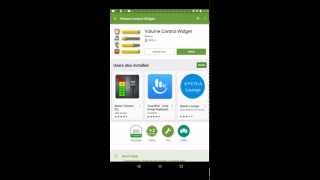
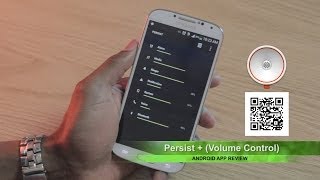
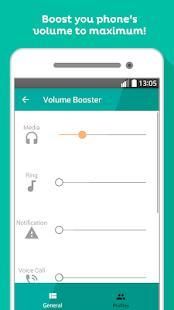
"Volume Control Widget" is a tool app that allows you instantly see on your desktop and quickly adjust the current volume levels of alarm, voice call, media player, ringer and system notifications.
You could choose between two types of widgets with different sizes : 1x1 or 4x1.
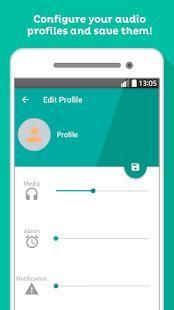
Make and customize your own volume profiles. You can have several volume profiles created and quickly select them when you need them, for example: night, office ...
Install manually the widget to the desired location of the desktop for your device in an easy way:
1. Go to home screen
2. Perform a long click on an empty side from desktop or press menu and choose "add"
3. Choose "widgets"
4. Scroll down and choose "Volume Control Widget"
FEATURES:
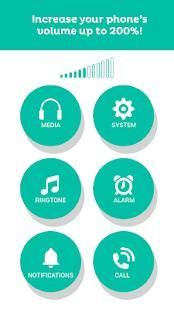
- Control and modify volumes of ringtone, media, notification, alarm, system and voice call.
-Make and customize your own volume profiles.
- Two widgets sizes.
- Position of the slider can be changed.
-Quick open, set and close.
- Vibrate mode setting supported.
Download now for free and click on the widget to set the volume level of any channel(s) in one touch!
"Volume Control Widget" adalah aplikasi alat yang memungkinkan Anda langsung melihat pada desktop Anda dan dengan cepat menyesuaikan tingkat volume saat alarm, panggilan suara, media player, dering dan pemberitahuan sistem.
Anda bisa memilih antara dua jenis widget dengan ukuran yang berbeda: 1x1 atau 4x1.
Membuat dan menyesuaikan profil volume Anda sendiri. Anda dapat memiliki beberapa profil volume yang dibuat dan cepat memilih mereka ketika Anda membutuhkan mereka, misalnya: malam, kantor ...
Instal secara manual widget ke lokasi yang diinginkan dari desktop untuk perangkat Anda dengan cara yang mudah:
1. Pergi ke layar awal
2. Lakukan klik panjang di sisi kosong dari menu desktop atau tekan dan pilih "add"
3. Pilih "widget"
4. Gulir ke bawah dan pilih "Volume Control Widget"
FITUR:
- Kontrol dan memodifikasi volume ringtone, media, pemberitahuan, alarm, sistem dan panggilan suara.
-Membuat dan menyesuaikan profil volume Anda sendiri.
- Dua widget ukuran.
- Posisi slider dapat diubah.
-Cepat terbuka, mengatur dan menutup.
- Modus getar pengaturan yang didukung.
Download sekarang gratis dan klik pada widget untuk mengatur tingkat volume setiap channel (s) dalam satu sentuhan!

9Apps 4.9