


9Apps supports free android apps apk download. 20,000+ users downloaded Voice Assist PC keyboard latest version on 9Apps for free every week! This app was totally funny. This hot app was released on 2018-05-13. Don’t wait any longer– the application will shock you.
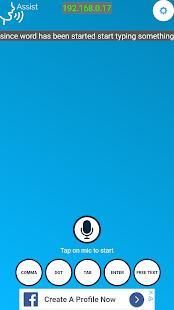
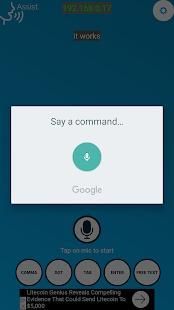
Voice Assist PC Keyboard is a hands free keyboard for your PC. you can just start speaking in app and it converts your voice in to text and send the text to your PC.
you will have to install the listener app on your PC.
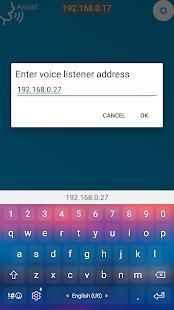
after starting the listener program on PC, enter the address of your PC in the app configuration and you are good to go.
you must install the Listener program for PC. please download it from
http://www.grtlabs.com/voiceassist.html
After you download the PC listener program for PC, start it. it will print some address (ip address), enter this IP address in your app ( by clicking setting button).
there are two modes to send the text to PC
1. Speak
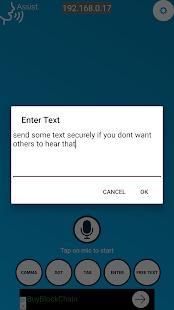
2. Type the text in app ( you will have to choose the free text in the app, then enter the text and click ok).
you can also give some commands to your PC, all you just have to do is,
say HEY APP (command name). this command is configured in your PC. there is a command list file. this file has command name and action to perform.
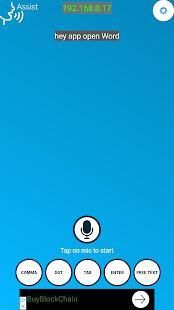
for ex. in app say "HEY APP OPEN WORD" ( it will open Ms word)
in you command list file
OPEN_WORD="C:\\program files\\ms_office\\winword.exe".
for command configuration refer to
http://www.grtlabs.com/voiceassist.html
there are some other options in app for inserting frequently used characters like
comma, enter tab etc. when you press these it will insert that character in your PC.
Voice Assist Keyboard PC adalah tangan Keyboard gratis untuk PC Anda. Anda bisa mulai berbicara dalam aplikasi dan mengkonversi suara Anda ke teks dan mengirim pesan teks ke PC Anda.
Anda akan harus menginstal aplikasi pendengar pada PC Anda.
setelah memulai program pendengar pada PC, masukkan alamat PC Anda dalam konfigurasi aplikasi dan Anda baik untuk pergi.
Anda harus menginstal program Pendengar untuk PC. silahkan download dari
http://www.grtlabs.com/voiceassist.html
Setelah Anda men-download program PC pendengar untuk PC, memulainya. itu akan mencetak beberapa alamat (address ip), alamat IP ini dalam aplikasi Anda (dengan mengklik tombol pengaturan).
ada dua mode untuk mengirim teks ke PC
1. Bicara
2. Ketik teks dalam aplikasi (Anda harus memilih teks bebas di aplikasi, kemudian masukkan teks dan klik ok).
Anda juga dapat memberikan beberapa perintah ke PC Anda, semua Anda hanya perlu lakukan adalah,
mengatakan HEY APP (nama perintah). perintah ini dikonfigurasi dalam PC Anda. ada file daftar perintah. file ini memiliki nama perintah dan tindakan untuk melakukan.
untuk mantan. di app mengatakan "HEY APP OPEN WORD" (itu akan membuka kata Ms)
dalam daftar perintah yang Anda berkas
OPEN_WORD = "C: \\ program files \\ ms_office \\ winword.exe".
untuk konfigurasi perintah mengacu
http://www.grtlabs.com/voiceassist.html
ada beberapa pilihan lain di aplikasi untuk memasukkan karakter yang sering digunakan seperti
koma, masukkan tab dll ketika Anda menekan itu ini akan menyisipkan karakter yang di PC Anda.



9Apps 4.9









