
Millions of free Android apps are provide on 9apps. 20,000+ users downloaded Video ko Kate latest version on 9Apps for free every week! The app has also been given a bit of a visual makeover, too This hot app was released on 2018-10-19. Why not download and play it now?
Easy Video Cutter is a video editing tool without watermark in edited videos.
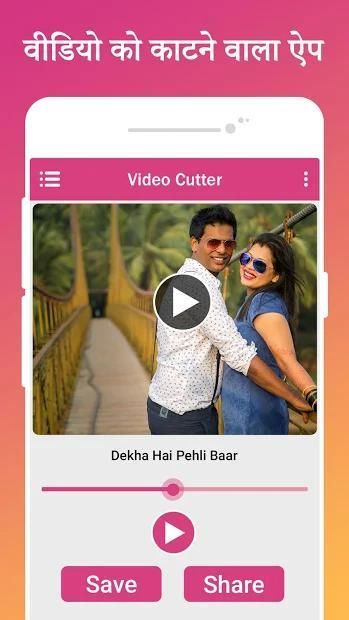
Video Cutter app cuts video, audio with simple steps and save file to your phone.
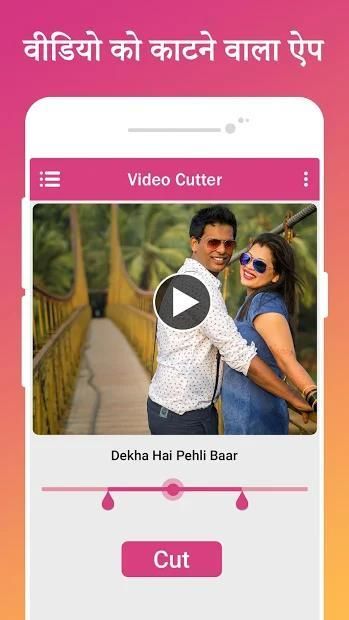
video cutter app is a simple and easy to used to just select start from and end from the video and you just press on Cut video and your new cutter video ready for show.
Supports all standard video formats including AVI, MOV, WMV, VOB, MP4, FLV, 3GP, FLV and many more. When you want to trim unwanted scenes and send the extracted parts to your friends, video splitter will become your excellent helper.
Main Features :
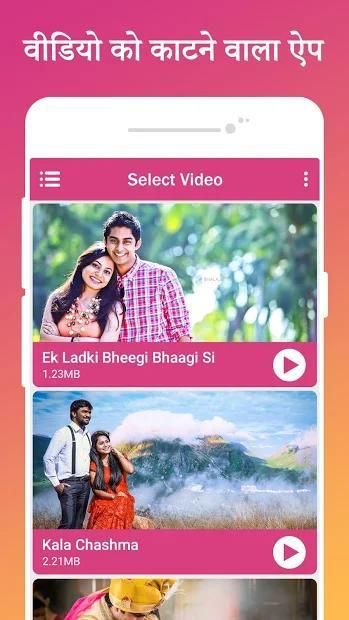
- List all the videos from the SD card.
- Choose the video from the list.
- Cutting a video.
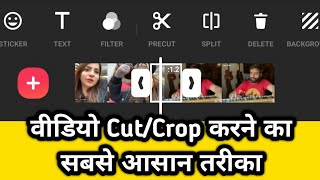
- Cut the video using forward and backward selector.
- Playing video before cutting.
- Merge two or more video into a single video.
- Drag and drop to change the location of videos, swipe to delete a song from the merging list.
- Save the edited video to SD card.
- You can rename, delete the edited video.
- You can share.
- Supports many video formats to trim your video.
- Easy to use with user friendly UI.
- And more...
it will help you to trime your video & convert to audio format.
total video to total mp3 maker which can shows spotify mp3 format.
You like video song also you share your festival video with your friends or families.
through social app but some app no share big video you must cut your video and share this video.
video ko katne wala app, video clip banaye, video ke part banaye.
Video Cutter and Trimmer for android which can able to cut your video from starting point to ending point, Don’t worry if you want to create part of video from other video. No worry about quality of video, it become HD Quality Video Cutter. Very fast and easy to use, select the start and end of the video and click cut button.
Select the video file from library and cut simply by selecting starting and ending point.
Easy Video Cutter adalah alat pengeditan video tanpa watermark dalam video yang diedit.
Aplikasi Video Cutter memotong video, audio dengan langkah sederhana dan menyimpan file ke telepon Anda.
aplikasi pemotong video sederhana dan mudah digunakan untuk hanya memilih mulai dari dan berakhir dari video dan Anda cukup tekan pada Potong video dan video cutter baru Anda siap untuk ditampilkan.
Mendukung semua format video standar termasuk AVI, MOV, WMV, VOB, MP4, FLV, 3GP, FLV dan banyak lagi. Ketika Anda ingin memangkas adegan yang tidak diinginkan dan mengirim bagian yang diekstraksi ke teman-teman Anda, splitter video akan menjadi pembantu Anda yang sangat baik.
Fitur utama :
- Buat daftar semua video dari kartu SD.
- Pilih video dari daftar.
- Memotong video.
- Potong video menggunakan pemilih maju dan mundur.
- Memutar video sebelum memotong.
- Gabungkan dua atau lebih video ke dalam satu video.
- Seret dan lepaskan untuk mengubah lokasi video, geser untuk menghapus lagu dari daftar penggabungan.
- Simpan video yang sudah diedit ke kartu SD.
- Anda dapat mengganti nama, menghapus video yang diedit.
- Anda dapat berbagi.
- Mendukung banyak format video untuk memangkas video Anda.
- Mudah digunakan dengan UI yang mudah digunakan.
- Dan lagi ...
ini akan membantu Anda memangkas video & mengonversi ke format audio.
total video untuk pembuat mp3 total yang dapat menunjukkan format spotify mp3.
Anda suka lagu video juga Anda berbagi video festival Anda dengan teman atau keluarga Anda.
melalui aplikasi sosial tetapi beberapa aplikasi tidak berbagi video besar Anda harus memotong video Anda dan membagikan video ini.
video ko katne wala app, banaye video klip, video ke bagian banaye.
Pemotong Video dan Pemangkas untuk android yang dapat memotong video Anda dari titik awal ke titik akhir, Jangan khawatir jika Anda ingin membuat bagian dari video dari video lain. Tidak perlu khawatir tentang kualitas video, itu menjadi Pemotong Video Berkualitas HD. Sangat cepat dan mudah digunakan, pilih awal dan akhir video dan klik tombol potong. Pilih file video dari pustaka dan potong cukup dengan memilih titik awal dan akhir.



9Apps 4.9









