

Recently, we found a very popular application. 20,000+ users downloaded Video Screen Recorder - Screenshot latest version on 9Apps for free every week! More features are involved in this new version. This hot app was released on 2018-08-09. Here are some guides of this app:
Get the new Amazing Video Screen Recorder - Screenshot App, Its the best App on Appstore for Screen Video Recording and catching the activities of your phones and keeps it as memories for you.
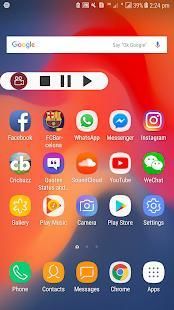
Everybody can easily use it and its very firendly (user easy to use). It doesn't require root and also it doesn't have any watermark logo for it. It will have the floating control buttons which will appear after pressing the record button, through which you can play/pause/stop video recordings from there.
How to use?
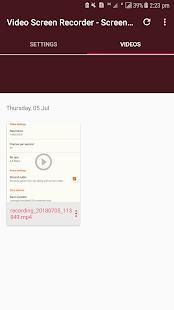
Install the App and open it. Then allow its permissions which are required for running the app to work perfectly. Then press the record button, after completing the task then press the stop button and save the video.
Features:
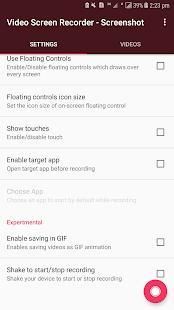
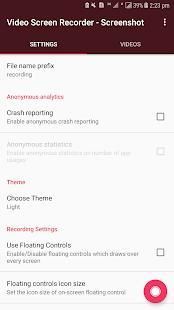
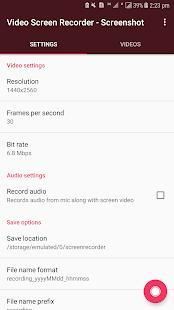
1, Choose the resolution quality of recording.
2, Set frames per seconds of your choice and aslo bit rate.
3, Turn on/off mic for recording audio.
4, Floating control buttons visbilty and size changes.
5, Show finger touches on screen and many more
Kindly rate us with five stars if this app works perfectly for you and aslo leave your review for the App. Thanks!
Dapatkan Perekam Video Layar Menakjubkan Baru - Aplikasi Screenshot, Ini adalah Aplikasi terbaik di Appstore untuk Perekaman Video Layar dan menangkap aktivitas ponsel Anda dan menyimpannya sebagai kenangan untuk Anda.
Semua orang dapat dengan mudah menggunakannya dan itu sangat firendly (user mudah digunakan). Tidak perlu root dan juga tidak memiliki logo watermark untuk itu. Ini akan memiliki tombol kontrol mengambang yang akan muncul setelah menekan tombol rekam, di mana Anda dapat memutar / menghentikan sementara / menghentikan rekaman video dari sana.
Bagaimana cara menggunakan?
Instal Aplikasi dan buka. Kemudian izinkan izinnya yang diperlukan untuk menjalankan aplikasi agar bekerja dengan sempurna. Kemudian tekan tombol rekam, setelah menyelesaikan tugas lalu tekan tombol stop dan simpan videonya.
Fitur:
1, Pilih kualitas resolusi perekaman.
2, Atur frame per detik dari pilihan Anda dan tingkat bit aslo.
3, Mengaktifkan / menonaktifkan mikrofon untuk merekam audio.
4, Mengambang kontrol tombol visbilty dan perubahan ukuran.
5, Tampilkan sentuhan jari di layar dan banyak lagi
Mohon beri kami peringkat dengan lima bintang jika aplikasi ini bekerja dengan sempurna untuk Anda dan juga meninggalkan ulasan Anda untuk Aplikasi. Trims!



9Apps 4.9










