
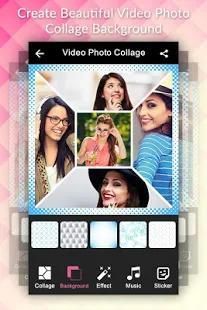
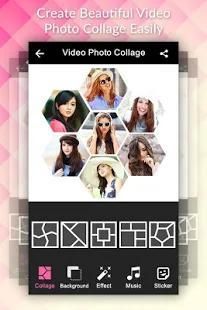
The No.1 store for free apps, games & videos. 20,000+ users downloaded Video Collage latest version on 9Apps for free every week! This app was totally funny. This hot app was released on 2018-04-08. Remember it’s the app with great joy!
Video photo collage is easiest way to create, edit and share amazing photo music video and stories. Create photo collage using photo editor and then make video from that collage.
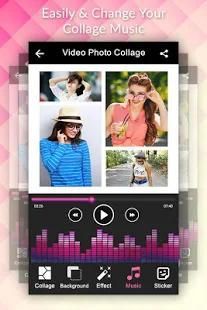
Also add your favourite music to the video.
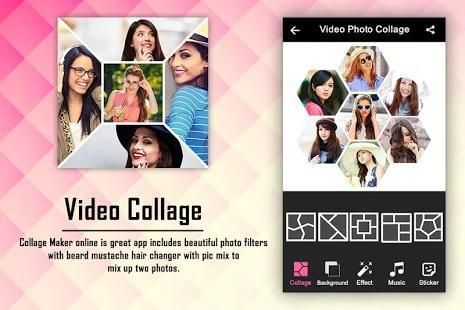
Video Collage Maker is free, easy to use, fast and perfect for any size video to create video grids. you can select custom collage layouts as you like. you have preview of video collage before creating.
With Video Collage, you can put up to 6 videos together, or mix photos with videos, you can mix with many different collage templates. You can also add stickers on the video.
Video Collage select music track from selected videos or add other music from gallery for video collage making. Also can trim and edit video to select part of video for video collage maker.
Video Collage Maker applications through you convert your photo or image to video. You just convert all photos to video or Video Collage Maker. You just select photo from camera and gallery and convert photo to video Collage maker.
Features :
PHOTO COLLAGE :
# Make collage of photos up to 8 photos.
# 20+ frames.
# 100+ Stickers.
# 10+ Layouts in each category.
# Set Ratio of collage.
# Add wonderful text to your collage.
# Add background color or Pattern.
# 50+ Background Patterns.
# Adjust size of border of collage.
# Create in collage in a second.
# Smooth and easy gesture to adjust photo in frame.
VIDEO MAKER :
# Get atleast 4 photo collage to make video.
# Set Timeslot between frames.
# Set frame over video story.
# Add music from your gallery.
# Cut Audio easily and smoothly.
# Add stickers on video.
# Add custom text to slideshow.
# Preview, play and pause video to make it better.
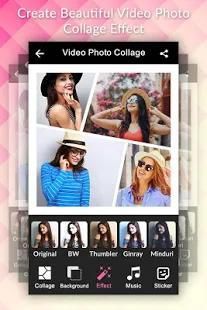
# Awesome overlay to give better look of video.
# Easy save and share.
How to use?
1. Select photos from your gallery. you can select a single photo also.
2. Make beautiful photo collage using our powerful tools.
3. Set any layout of your choice for collage making.
4. Set ratio of collage from our set of ratios.
5. Set background color of your choice or set patter from our 50+ beautiful patterns.
6. Add custom text to your collage for caption, quote and thought.
7. Set border of photo collage.
8. Add your emotions to collage by adding stickers to it.
9. Add Frame over collage. We have 20+ frames.
10. Create collage in single click.
11. Make atleast 4 collage to make small video. To make it large make more collages.
12. Select photos from your collages and go to video maker screen.
13. Set timeslot to make video fast/slow.
14. Add audio from your Gallery to video. You can cut any Audio using our Audio Cutter very smoothly.
15. Set frame over video.
16. You can also add sticker on video. We have all emotions, Cliparts and more stickers.
17. Add text to video. We have Powerful text maker.
18. Apply beautiful overlay on video.
19. You can change position of your images anytime by using position button.
20. Create video in minutes very fastly.
Keywords :
Photo Collage Video Maker ,Video Photo Collage ,Photo Video Editor ,Music Video Maker ,Photo Grid, Photo Collage Slideshow, Photo Video Editor
If you enjoy using our app. Please take a moment to review us and give your comment to help us further development. Thanks for your support!
If you like this app, then share with your friends and family as many as you can.
Regarding any query and problem of this Video Collage Editor app, then mail us. We happy to help you to solve any query and problem.
Thank You…
foto Video kolase adalah cara termudah untuk membuat, mengedit dan berbagi foto menakjubkan musik video dan cerita. Buat foto kolase dengan menggunakan editor foto dan kemudian membuat video dari kolase itu.
Juga menambahkan musik favorit Anda ke video.
Video Collage Maker adalah gratis, mudah digunakan, cepat dan sempurna untuk setiap ukuran video untuk membuat grid video. Anda dapat memilih layout kolase kustom yang Anda inginkan. Anda memiliki pratinjau video kolase sebelum membuat.
Dengan Video Collage, Anda dapat menempatkan hingga 6 video bersama, atau campuran foto dengan video, Anda dapat mencampur dengan banyak template kolase yang berbeda. Anda juga dapat menambahkan stiker pada video.
Video Collage pilih musik lagu dari video yang dipilih atau menambah musik lainnya dari galeri untuk pengambilan video yang kolase. Juga dapat memotong dan mengedit video yang untuk memilih bagian dari video untuk video maker kolase.
Video Collage pembuat aplikasi melalui Anda mengkonversi foto atau gambar untuk video. Anda hanya mengkonversi semua foto ke video atau Video Collage Maker. Anda hanya memilih foto dari kamera dan galeri dan mengkonversi foto ke video maker Collage.
Fitur :
FOTO COLLAGE:
# Membuat kolase dari foto hingga 8 foto.
# 20 + frame.
# 100 + Stiker.
# 10 + Layouts di setiap kategori.
# Set Rasio kolase.
# Tambahkan teks yang indah untuk kolase Anda.
# Tambahkan warna latar belakang atau Pola.
# 50 + Latar Belakang Pola.
# Sesuaikan ukuran perbatasan kolase.
# Buat di kolase dalam hitungan detik.
# Halus dan mudah isyarat untuk menyesuaikan foto dalam bingkai.
PEMBUAT VIDEO :
# Dapatkan minimal 4 foto kolase untuk membuat video.
# Set Timeslot antara frame.
# Mengatur bingkai lebih cerita video.
# Tambahkan musik dari galeri Anda.
# Cut Audio dengan mudah dan lancar.
# Tambahkan stiker di video.
# Tambahkan teks kustom untuk slideshow.
# Preview, play dan pause video untuk membuat lebih baik.
# Mengagumkan overlay untuk memberikan tampilan yang lebih baik dari video.
# Mudah menyimpan dan berbagi.
Bagaimana cara menggunakan?
1. Pilih foto dari galeri Anda. Anda dapat memilih satu foto juga.
2. Membuat indah kolase foto menggunakan alat kami kuat.
3. Mengatur layout pilihan Anda untuk membuat kolase.
4. rasio Set kolase dari kita set rasio.
5. Atur warna latar belakang pilihan Anda atau mengatur derai dari 50 + pola yang indah.
6. Tambahkan teks kustom untuk kolase Anda untuk caption, kutipan dan pemikiran.
7. Set perbatasan foto kolase.
8. Tambah emosi Anda untuk kolase dengan menambahkan stiker untuk itu.
9. Tambah Bingkai lebih kolase. Kami memiliki 20 + frame.
10. Buat kolase di klik.
11. Membuat atleast 4 kolase untuk membuat video kecil. Untuk membuatnya besar membuat lebih kolase.
12. Pilih foto dari kolase Anda dan pergi ke layar pembuat video.
13. Set timeslot untuk membuat video cepat / lambat.
14. Tambah audio dari Galeri Anda ke video. Anda dapat memotong setiap Audio menggunakan kami Audio Cutter sangat lancar.
15. Set bingkai atas video.
16. Anda juga dapat menambahkan stiker di video. Kami memiliki semua emosi, cliparts dan lebih stiker.
17. Tambahkan teks ke video. Kami memiliki pembuat teks Powerfull.
18. Oleskan overlay indah di video.
19. Anda dapat mengubah posisi gambar Anda kapan saja dengan menggunakan tombol posisi.
20. Buat video dalam menit yang sangat pesat.
Kata kunci:
Foto Kolase Video Maker, Video Kolase Foto, Foto Video Editor, Music Video Maker, Photo Grid, foto Collage Slideshow, Foto Video Editor
Jika Anda menikmati menggunakan aplikasi kami. Silakan luangkan waktu untuk meninjau kami dan memberi komentar Anda untuk membantu kami pengembangan lebih lanjut. Terima kasih atas dukunganmu!
Jika Anda menyukai aplikasi ini, kemudian berbagi dengan teman dan keluarga sebanyak yang Anda bisa.
Mengenai setiap permintaan dan masalah aplikasi Video Collage Editor ini, maka email kami. Kami senang untuk membantu Anda untuk memecahkan query dan masalah.
Terima kasih…



9Apps 4.9











