As we all know, 20,000+ users downloaded FVD latest version on 9Apps for free every week! Fortunately, It's easy to get this popular app. This hot app was released on 2019-02-09. 9Apps believe you can enjoy yourself in this funny app.
Offline playback of Facebook videos facilitates smoother viewing, compared with online watching. It can be achieved by downloading the videos from Facebook.
You can check below for a detailed guide on how to download Facebook videos in MP4 with "Video Downloader For Facebook Video Downloader".
How to Download Selected Videos from a Facebook Feed in High Quality MP4
Follow the instruction below to easily download Facebook video for free.
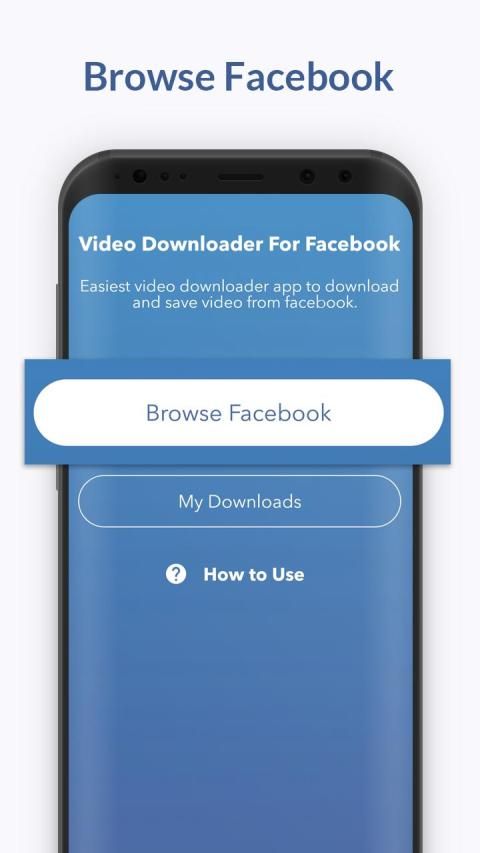
Step 1 - Click on "Browse Facebook" button.
> Browse facebook feed for videos
Step 2 - Click on video thumbnail
> Choose option "Download".
Step 3 - After download, you can watch offline and share media with your friends and family.
Step 4 - Enjoy :)
Features of "Video Downloader For Facebook Video Downloader":
1- Awesome UI and easy to use.
2- fast, secure and light weight.
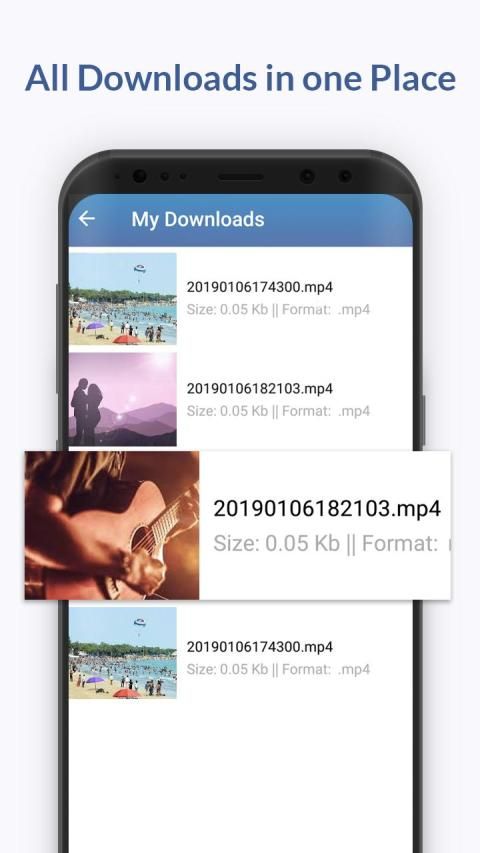
3- Give you ability to save videos to watch and share them later.
Most Important Notice:
- This app is NOT affiliated with or endorsed by the Facebook official network.
- Any unauthorized re-uploading or downloading of contents and/or violations of Intellectual property rights is the sole responsibility of the user.
- This app is intended to be used by people aged 12+
- This Video Downloader works for Facebook only.
Pemutaran offline video Facebook memfasilitasi menonton lebih halus, dibandingkan dengan menonton online. Itu bisa dicapai dengan mengunduh video dari Facebook.
Anda dapat memeriksa di bawah ini untuk panduan terperinci tentang cara mengunduh video Facebook dalam MP4 dengan "Video Downloader For Facebook Video Downloader".
Cara Mengunduh Video yang Dipilih dari Umpan Facebook dalam MP4 Kualitas Tinggi
Ikuti instruksi di bawah ini untuk mengunduh video Facebook dengan mudah secara gratis.
Langkah 1 - Klik pada tombol "Browse Facebook".
> Jelajahi umpan facebook untuk video
Langkah 2 - Klik thumbnail video
> Pilih opsi "Unduh".
Langkah 3 - Setelah mengunduh, Anda dapat menonton offline dan berbagi media dengan teman dan keluarga Anda.
Langkah 4 - Nikmati :)
Fitur "Pengunduh Video Untuk Pengunduh Video Facebook":
1- UI yang mengagumkan dan mudah digunakan.
2- cepat, aman dan ringan.
3- Memberi Anda kemampuan untuk menyimpan video untuk menonton dan membagikannya nanti.
Pemberitahuan Paling Penting:
- Aplikasi ini TIDAK berafiliasi dengan atau didukung oleh jaringan resmi Facebook.
- Setiap pengunggahan ulang yang tidak sah atau mengunduh konten dan / atau pelanggaran hak kekayaan intelektual adalah tanggung jawab pengguna.
- Aplikasi ini dimaksudkan untuk digunakan oleh orang berusia 12+
- Pengunduh Video Ini hanya berfungsi untuk Facebook.
Awesome UI and Performance improved.

9Apps 4.9


![Cara Mudah Download Video & Reels Facebook [PC/LAPTOP] screenshot 3](https://i.ytimg.com/vi/4RmKGJY0qcg/mqdefault.jpg)