
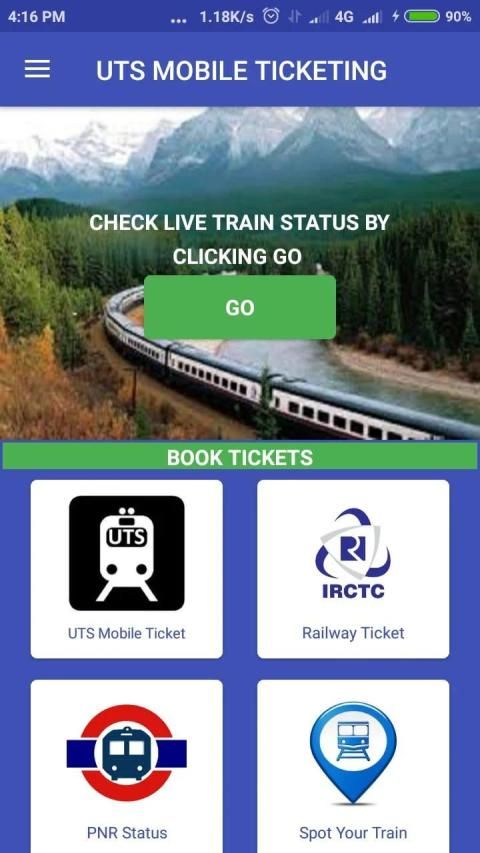
Browse and download apps to your android phone from the App Store. 20,000+ users downloaded UTS MOBILE TICKETING latest version on 9Apps for free every week! It shouldn't be surprising to find a app popular faithfully This hot app was released on 2019-03-23. 9Apps believe you can enjoy yourself in this funny app.
UTS MOBILE TICKETING app is for Indian Railways android mobile ticketing app to book unreserved train tickets.
Who can use uts mobile ticketing application?
The service is not available to a person under the age of Seventeen or previously suspended or removed from the services by Indian Railway.
By accepting the Terms & Conditions or by otherwise using the Service or the website, it would be deemed that the concerned person is at least Seventeen years of age and have not been previously suspended or removed from the Services by Indian Railway. The Person represents and warrants that he has the right, authority, and capacity to enter into this Agreement and to abide by all of the terms and conditions of this Agreement. The person shall not impersonate any other person or entity, or falsely state or otherwise misrepresent identity, age or affiliation with any other person or entity.
Pre-requisites to avail the uts mobile ticketing app service:
Presently, uts mobile ticketing app is available in Android, Windows & iOS versions.
The Smartphone should have good GPRS connectivity.
In order to avail paperless mode of tickets, the Smartphone should be GPS enabled.
Registration Process:
User Registration for availing the above services can be done through the uts mobile ticketing app or the website (https://www.utsonmobile.indianrail.gov.in).
The passenger needs to provide information like Mobile Number, Name, Password, Gender, Date of Birth for the one time registration process.
The mobile application would send an OTP to the mobile number specified against the USER ID field to ensure the validity of the mobile number. After successful registration, an SMS will be sent informing the user about the successful registration.
Login Process:
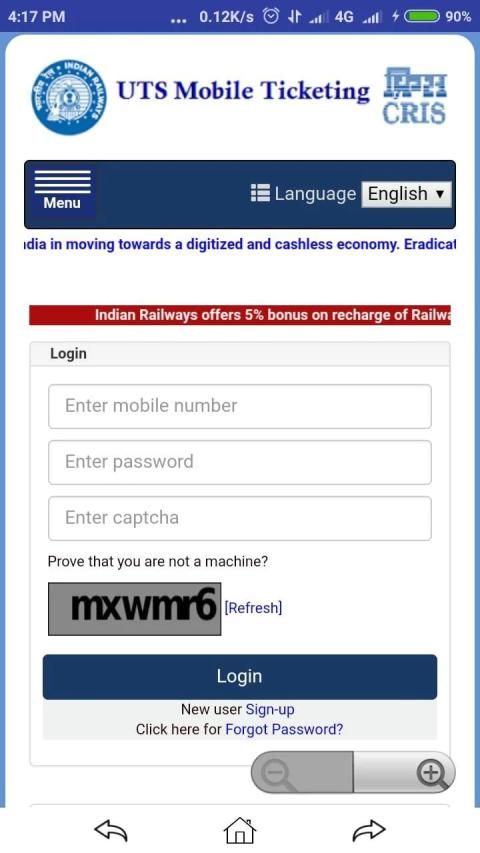
After the registration, the passenger needs to enter the credentials in the login page for entering into the uts mobile ticketing app.
Services offered by uts ticketing mobile app:
1. Book Ticket:
Normal Booking(Journey and Return tickets)
Quick Booking (Journey and Return tickets)
Platform Ticket
Season Ticket
QR Booking (Platform Tickets, Journey and Return Tickets)
2. Cancellation of Ticket :-
Paper Ticket with booking amount greater then cancellation charges can be cancelled using uts ticketing mobile app before printing of ticket. Cancellation of Paperless Ticket is not allowed.
3. Booking History
4. Traveling regularly
5. Profile:
Change city
Change Frequent travel Route
Change Journey Details
Change Password
Change Handset Request
Change Personal Details
Sync Ticket
6. Show Booked Ticket:
Using 'show ticket' feature the ticket can be showed to the TTE(Travelling Ticket Examiner) or TC. Off-line mode is also available to show the paperless ticket if Internet connection not available in the mobile.
7. Pnr check status irctc
Search your train irctc
Train schedule irctc
Live station irctc
Trains between station irctc
Reschedule trains
Note:-
Paperless ticket booking(Book and Travel) is not allowed inside train or within station premises to avoid ticket booking just by seeing TTE(Travelling Ticket Examiner) or TC.
For booking of paperless ticket user should be away from Station premises/Railway track.
For Paper Ticket(Book and Print) mode of booking, It is mandatory to take printout of the ticket from ATVM/CoTVM kiosks or General Booking counters at station before boarding the Train.
Aplikasi UTS MOBILE TICKETING adalah untuk aplikasi tiket seluler android Indian Railways untuk memesan tiket kereta api tanpa pagu harga.
Siapa yang dapat menggunakan aplikasi tiket seluler uts?
Layanan ini tidak tersedia untuk seseorang di bawah usia tujuh belas tahun atau yang sebelumnya ditangguhkan atau dihapus dari layanan oleh Indian Railway.
Dengan menerima Syarat & Ketentuan atau dengan menggunakan Layanan atau situs web, akan dianggap bahwa orang yang bersangkutan setidaknya berusia 17 tahun dan belum pernah diskors atau dihapus dari Layanan oleh Indian Railway. Orang tersebut menyatakan dan menjamin bahwa ia memiliki hak, wewenang, dan kapasitas untuk masuk ke dalam Perjanjian ini dan untuk mematuhi semua syarat dan ketentuan Perjanjian ini. Orang tersebut tidak boleh menyamar sebagai orang atau entitas lain, atau secara salah menyebutkan identitas, usia atau afiliasi dengan orang atau entitas lain.
Prasyarat untuk memanfaatkan layanan aplikasi tiket seluler uts:
Saat ini, aplikasi tiket seluler tersedia dalam versi Android, Windows & iOS.
Smartphone harus memiliki konektivitas GPRS yang baik.
Untuk memanfaatkan mode tiket tanpa kertas, Smartphone harus diaktifkan GPS.
Proses registrasi:
Registrasi Pengguna untuk availing layanan di atas dapat dilakukan melalui aplikasi tiket seluler uts atau situs web (https://www.utsonmobile.indianrail.gov.in).
Penumpang perlu memberikan informasi seperti Nomor Ponsel, Nama, Kata Sandi, Jenis Kelamin, Tanggal Lahir untuk proses pendaftaran satu kali.
Aplikasi seluler akan mengirim OTP ke nomor ponsel yang ditentukan berdasarkan bidang ID PENGGUNA untuk memastikan validitas nomor ponsel. Setelah pendaftaran berhasil, SMS akan dikirim menginformasikan pengguna tentang pendaftaran berhasil.
Proses Login:
Setelah registrasi, penumpang harus memasukkan kredensial di halaman login untuk masuk ke aplikasi tiket seluler uts.
Layanan yang ditawarkan oleh aplikasi seluler uts ticketing:
1. Tiket Buku:
Pemesanan Normal (Tiket Perjalanan dan Pengembalian)
Pemesanan Cepat (Tiket Perjalanan dan Pengembalian)
Tiket Platform
Musim tiket
Pemesanan QR (Tiket Platform, Perjalanan dan Tiket Kembali)
2. Pembatalan Tiket: -
Tiket Kertas dengan jumlah pemesanan lebih besar daripada biaya pembatalan dapat dibatalkan menggunakan aplikasi seluler uts ticketing sebelum mencetak tiket. Pembatalan Tiket Tanpa Kertas tidak diizinkan.
3. Riwayat Pemesanan
4. Bepergian secara teratur
5. Profil:
Ubah kota
Ubah Rute perjalanan yang sering
Ubah Detail Perjalanan
Ganti kata sandi
Ubah Permintaan Handset
Ubah Detail Pribadi
Sinkronkan Tiket
6. Tampilkan Tiket yang Sudah Dipesan:
Dengan menggunakan fitur 'tiket pertunjukan', tiket tersebut dapat ditunjukkan ke TTE (Penguji Tiket Perjalanan) atau TC. Mode off-line juga tersedia untuk menunjukkan tiket tanpa kertas jika koneksi internet tidak tersedia di ponsel.
7. Periksa status irctc
Cari irctc kereta Anda
Jadwal latihan irctc
Irctc stasiun langsung
Melatih antar stasiun irctc
Menjadwal ulang kereta
Catatan:-
Pemesanan tiket tanpa kertas (Buku dan Perjalanan) tidak diperbolehkan di dalam kereta atau di dalam stasiun untuk menghindari pemesanan tiket hanya dengan melihat TTE (Penguji Tiket Perjalanan) atau TC.
Untuk pemesanan tiket tanpa kertas, pengguna harus jauh dari tempat Stasiun / jalur Kereta Api.
Untuk mode pemesanan Tiket Kertas (Buku dan Cetak), Anda wajib mengambil cetakan tiket dari kios ATVM / CoTVM atau konter Pemesanan Umum di stasiun sebelum naik Kereta.




9Apps 4.9










