
Big event coming! 20,000+ users downloaded USB OTG File Manager latest version on 9Apps for free every week! You'll found many people are using it. This hot app was released on 2018-07-31. Certainly you will love it after play.
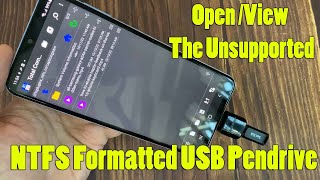
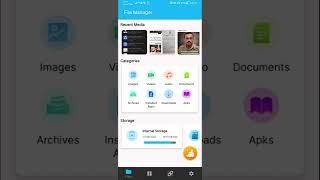
USB OTG File Manager app lets you to read USB flash drives as well as card readers from your phone or tablets. All you have to do is connect the flash drive to an OTG (On-the-go) cable then open this app you will see all files in USB drive and you can open them.
Now there is no need to find PC for backup your important files pesent in your phone. You can back up by directly connecting pen drive to your phone and copy the contents.
USB OTG File Manager for android allows you to open and copy files from any USB mass storage device with a FAT32 or NTFS file system using the USB OTG port of your device, tablet or phone.
Easy to access OTG devices through OTG File Explorer application. The application will launch on attaching OTG device to your mobile,There are various OTG (On The Go) devices available in the market .
Features:
* Audios:- You can manage all music and sound related files. (Supported file formats: mp3, ogg, flac, m4p, wav, wma and etc).
* Videos:- You can manage all video files in your device. (Supported file formats: asf, avi, flv, mp4, mpeg, wmv and etc).
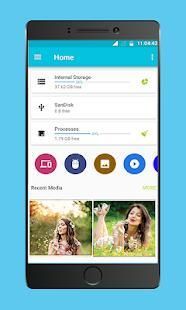
* Images:- You can manage image and picture files in your storage. Image preview is available. (Supported file formats: bmp, gif, jpg, png and etc).
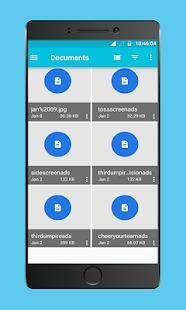
* Documents:- You can manage all document files in your device. (Supported file formats: doc, ppt, pdf, and etc).
* File Browser:- OTG File Explorer helps you manage all your files efficiently! With an intuitive interface, File Manager allows you to handle any file or folder whether they are stored in your device, microSD card, or cloud storage accounts.
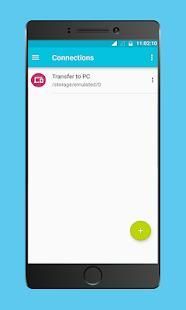
* File Transfer:- OTG File Explorer support connect applications to Computer and You can access remote or shared storage.
USB OTG File Manager aplikasi memungkinkan Anda untuk membaca USB flash drive serta pembaca kartu dari ponsel atau tablet. Yang harus Anda lakukan adalah menghubungkan flash drive ke OTG (On-the-go) kabel kemudian buka aplikasi ini Anda akan melihat semua file dalam USB drive dan Anda dapat membukanya.
Sekarang tidak perlu untuk menemukan PC untuk backup file-file penting Anda pesent di telepon Anda. Anda dapat membuat cadangan dengan langsung menghubungkan pen drive ke ponsel Anda dan menyalin isi.
USB OTG File Manager untuk android memungkinkan Anda untuk membuka dan menyalin file dari USB perangkat penyimpanan massal dengan FAT32 atau sistem file NTFS menggunakan port USB OTG dari perangkat Anda, tablet atau telepon.
Mudah untuk mengakses perangkat OTG melalui aplikasi File Explorer OTG. Aplikasi akan diluncurkan pada melampirkan perangkat OTG ke ponsel Anda, Ada berbagai OTG (On The Go) perangkat tersedia di pasar.
Fitur:
* Audio: - Anda dapat mengatur semua musik dan file suara terkait. (Format file yang didukung: mp3, ogg, flac, m4p, wav, wma dan sebagainya).
* Video: - Anda dapat mengatur semua file video di perangkat Anda. (Format file yang didukung: asf, avi, flv, mp4, mpeg, wmv dan lain-lain).
* Gambar: - Anda dapat mengatur gambar dan file gambar dalam penyimpanan Anda. pratinjau gambar tersedia. (Format file yang didukung: bmp, gif, jpg, png dan sebagainya).
* Dokumen: - Anda dapat mengelola semua file dokumen perangkat Anda. (File yang didukung format: doc, ppt, pdf, dan lain-lain).
* File Browser: - OTG File Explorer membantu Anda mengelola semua file Anda secara efisien! Dengan antarmuka yang intuitif, File Manager memungkinkan Anda untuk menangani file atau folder apakah mereka disimpan dalam rekening perangkat, kartu microSD, atau penyimpanan awan Anda.
* File Transfer: - OTG Berkas dukungan Explorer menghubungkan aplikasi untuk komputer dan Anda dapat mengakses penyimpanan jauh atau bersama.




9Apps 4.9









