I'm glad to tell you that 20,000+ users downloaded Hisense TV Remote latest version on 9Apps for free every week! It's not only an app it also teaches you how to use it. This hot app was released on 2018-04-29. Besides, you can also select other popular apps you like here!
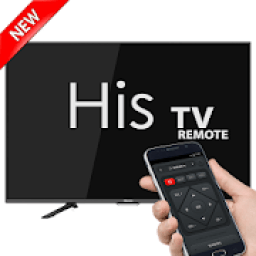
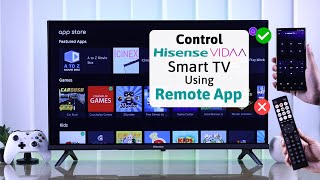
hisense tv remote, easily converts your Android phone or tablet into a hisense tv remote for your TV.
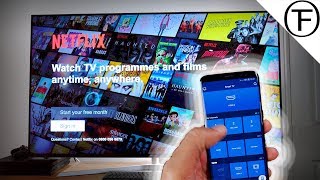
Do you want to control TV with your phone? You can now do it with hisense tv remote!
Configure the application
- Easy to use with typical common command buttons, you can change channels, volume up and down, adjust the menu ... etc
It works with Samsung Galaxy S4 , S5 , S6 , Note 3 , 4 , Mega , hisense G2 ( Android 5.0 or higher ), G3 , G4 , G5 , V10 , V20 ,
hisense G Flex2 , Xiaomi Mi 4 , 5 , Redmi Note 2 , 3 , Gionee Marathon M5 , Oppo Mirror 5 , Lenovo Vibe X3 , ZTE Grand X Max+ and some other with IR emitter.
hisense tv remote, converts easily your Android phone into a hisense tv remote. It's simple and easy to configure and use, the mode of use is exactly the same as hisense remote.
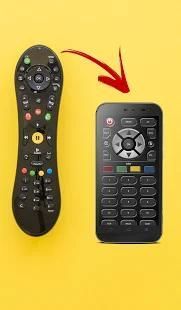
hisense remote is a tool which can replace your physical tv remote. Whenever you can not find your remote or want to fun like fooling your friends than Tv remote control will be there to help you. It is always good and easy to use a single remote control device to control all you electronic equipment.
hisense remote control supported all type of connection mode like IP, IR Port or Wifi connections. hisense remote control Supported all brands.
Just right before that one of your favorite seasons of television or show is about to begin, OR your favorite sports game is about to begin, or if you want to watch the news and the hisense tv remote control remote are not within your reach. mobile remote hisense Relegate the remotes to the closet through enforcement hisense smart tv remote. This last control your TV and even your Home Theater in some cases depending on the availability of your models in his large library of devices perpetually updated.
How to Configure hisense remote control :
- Select TV from Tv List
- Select Connection like IP, IR Port or Wifi connection.
- Wait for a seconds until your connection done successful.
Awesome Features of Remote Control for Tv :
- Power On / Off control
- Volume Up / Down control
- Channel Up / Down control
- Menu Button with Up / Down and Left / Right controls.
The operation is the same as the real TV remote.
Don't need external hardware in order to use this app.
From today don't worry if you children hale lost or broken your TV remote because with some easy step you can drive your TV from your phone.
Hisense tv remote, mudah mengkonversi ponsel Android atau tablet menjadi Hisense tv remote untuk TV Anda.
Apakah Anda ingin mengontrol TV dengan telepon Anda? Sekarang Anda dapat melakukannya dengan Hisense tv remote!
Mengkonfigurasi aplikasi
- Mudah digunakan dengan tombol perintah umum yang khas, Anda dapat mengubah saluran, volume naik dan turun, menyesuaikan menu ... dll
Ia bekerja dengan Samsung Galaxy S4, S5, S6, Catatan 3, 4, mega, Hisense G2 (Android 5.0 atau lebih tinggi), G3, G4, G5, V10, V20,
Hisense G Flex2, Xiaomi Mi 4, 5, redmi Catatan 2, 3, Gionee Marathon M5, Oppo Cermin 5, Lenovo Vibe X3, ZTE Grand X Max + dan beberapa lainnya dengan IR emitter.
Hisense tv remote, mengkonversi dengan mudah ponsel Android Anda menjadi sebuah remote Hisense tv. Ini sederhana dan mudah untuk mengkonfigurasi dan digunakan, modus penggunaan persis sama dengan Hisense terpencil.
Hisense terpencil adalah alat yang dapat menggantikan tv remote fisik Anda. Setiap kali Anda tidak dapat menemukan remote atau ingin menyenangkan seperti membodohi teman-teman Anda daripada Tv remote control akan berada di sana untuk membantu Anda. Itu selalu baik dan mudah untuk menggunakan perangkat remote control untuk mengontrol semua yang Anda peralatan elektronik.
Hisense remote control didukung semua jenis modus sambungan seperti IP, IR Pelabuhan atau koneksi Wifi. Hisense remote control yang didukung semua merek.
Tepat sebelum itu salah satu musim favorit Anda dari televisi atau acara segera dimulai, OR permainan olahraga favorit Anda adalah tentang untuk memulai, atau jika Anda ingin menonton berita dan Hisense tv remote control jarak jauh tidak berada dalam jangkauan Anda. ponsel Hisense terpencil membuang remote ke lemari melalui penegakan Hisense pintar tv remote. Kontrol ini terakhir TV Anda dan bahkan Home Theater Anda dalam beberapa kasus tergantung pada ketersediaan model Anda di perpustakaan besar nya perangkat menerus diperbarui.
Bagaimana Konfigurasi Hisense remote control:
- Pilih TV dari Daftar Tv
- Pilih Connection seperti IP, IR Pelabuhan atau koneksi Wifi.
- Tunggu beberapa detik hingga sambungan Anda selesai sukses.
Fitur mengagumkan dari Remote Control untuk Tv:
- Power On / Off kontrol
- Volume Up / kontrol Bawah
- Saluran Atas / Bawah Kendali
- Tombol Menu dengan Up / Down dan kontrol Kanan Kiri /.
Operasi ini sama dengan remote TV yang nyata.
Tidak perlu hardware eksternal untuk menggunakan aplikasi ini.
Mulai hari ini jangan khawatir jika Anda anak-anak sehat hilang atau rusak remote TV karena dengan beberapa langkah mudah Anda dapat berkendara TV Anda dari ponsel Anda.

9Apps 4.9

![Use your phone as the remote for Hisense Google TV! [iOS & Android] screenshot 2](https://i.ytimg.com/vi/We_e6FoKvrk/mqdefault.jpg)