

Download and enjoy our service, 20,000+ users downloaded Touch to remove latest version on 9Apps for free every week! This is one of my favorite apps. This hot app was released on 2019-03-25. 9Apps allows you to download more apps and updated daily!
select your best Photo from gallery using Touch Retouch app: Remove Unwanted Photos app and retouch-Touch to remove content or lines from photo which you select.
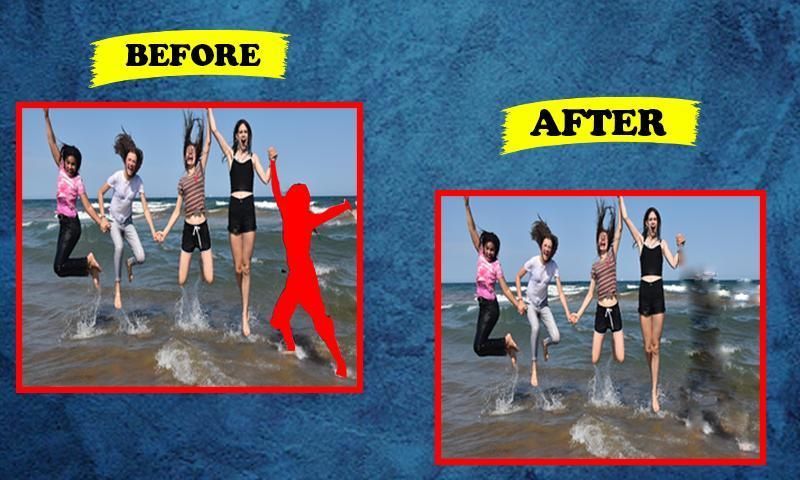
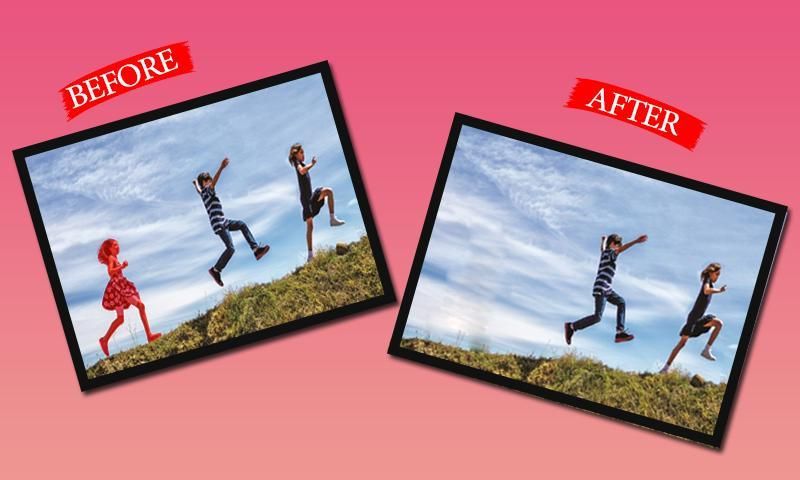
Touch To Erase - Photo Retouch Blemish Remove .Remove people from best photo, Remove clothes editor is an object removal app , You have no need to precise It the app will find the line automatically. If you want to erase photo, erase only a part of line, Use Segment Remover. Set your line Thickness and thick for better performance: Remove Unwanted Photos is one of best app you ever use for remover.
Features Add.
1=Easy to use this application
2=User friendly user interface
3=Remove unwanted part of your image with Eraser
4=Remove pimples and skin blemishes easily
5=Remove text and colour from your image
6=Remove whatever you feel is spoiling your photos
7=Object eraser on photo, images to become beauty
8=Option to remove image part with lasso tools
9= Set eraser with scale ratio
10=Quick repair your image
pilih foto terbaik Anda dari galeri menggunakan aplikasi Touch Retouch: Hapus aplikasi Foto yang Tidak Diinginkan dan sentuh-Touch untuk menghapus konten atau garis dari foto yang Anda pilih.
Touch To Erase - Retouch Foto Blemish Hapus .Hapus orang dari foto terbaik, Hapus pakaian editor adalah aplikasi penghapusan objek, Anda tidak perlu tepat Ini aplikasi akan menemukan garis secara otomatis. Jika Anda ingin menghapus foto, hapus hanya bagian dari garis, Gunakan Segment Remover. Tetapkan garis Anda Ketebalan dan tebal untuk kinerja yang lebih baik: Hapus Foto yang Tidak Diinginkan adalah salah satu aplikasi terbaik yang pernah Anda gunakan untuk penghapus.
Fitur Tambah.
1 = Mudah digunakan aplikasi ini
2 = Antarmuka pengguna yang ramah pengguna
3 = Hapus bagian yang tidak diinginkan dari gambar Anda dengan Eraser
4 = Menghilangkan jerawat dan cacat kulit dengan mudah
5 = Hapus teks dan warna dari gambar Anda
6 = Hapus apa pun yang Anda rasakan merusak foto Anda
7 = Penghapus objek pada foto, gambar menjadi indah
8 = Opsi untuk menghapus bagian gambar dengan alat laso
9 = Setel penghapus dengan rasio skala
10 = Perbaiki gambar Anda dengan cepat





9Apps 4.9











