

With the updating of mobile application, 30,000+ users downloaded Subtitles latest version on 9Apps for free every week! This indicates many people like this application. This hot app was released on 2018-12-10. I believe that if you are an android apps lover, you would not miss it.
Search and download subtitles for movies in various languages.
The Subtitle file
.srt
will be downloaded in the
Movie-Subtitles
folder in the sdcard or phone memory.
You will be needing a file explorer app to go to the folder where subtitle is downloaded.
Please go through the help section in the app which is having step by step guide with screenshots on how to use this app.
How to use this app
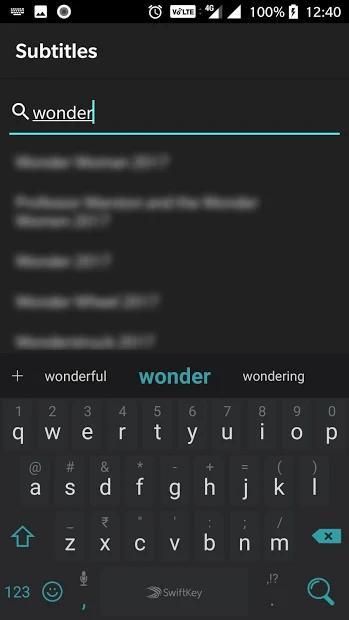
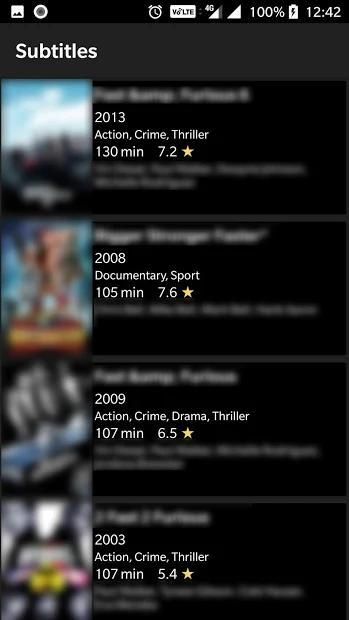
1. Search for the movie by clicking on the top search icon, then click on search icon in the keyboard, this will return list of matching movies. You can also select the movie from the search bar drop down results.
2. Tap the highest rated result of the language of your choice and the subtitle will be downloaded.
3. Click on
OPEN FOLDER
button and you can see both the zip file and the unzipped
srt
file in the
Movie-Subtitles
folder in the sdcard or phone memory.
4. You will be needing a file explorer to go to the folder where subtitle is downloaded.
5. The Subtitle file (.srt) will be downloaded in the
Movie-Subtitles
folder in the sdcard or phone memory.
6. Use the file explorer to copy this
srt
file to the folder of your video/movie file and rename the subtitle file same as the movie file name.
7. Suppose the movie file name is
movier_2018_BluRay.mp4
then rename the subtitle file as
movie_2018_BluRay.srt
. Now open the movie file with MXPlayer/VLC or any other media player of your choice and enjoy your movie with subtitles.
This app requires storage access to save downloaded subtitles.
Cari dan unduh subtitle untuk film dalam berbagai bahasa.
File Subtitle
.srt akan diunduh dalam folder
Movie-Subtitles di dalam sdcard atau memori telepon.
Anda akan membutuhkan aplikasi file explorer untuk masuk ke folder tempat subtitle diunduh.
Harap buka bagian bantuan di aplikasi yang memiliki panduan langkah demi langkah dengan tangkapan layar tentang cara menggunakan aplikasi ini.
Cara menggunakan aplikasi ini
1. Cari film dengan mengklik ikon pencarian teratas, lalu klik ikon pencarian di keyboard, ini akan mengembalikan daftar film yang cocok. Anda juga dapat memilih film dari hasil drop-down bar pencarian.
2. Ketuk nilai tertinggi dari bahasa pilihan Anda dan subtitle akan diunduh.
3. Klik pada tombol
OPEN FOLDER dan Anda dapat melihat file zip dan file unchipped
srt dalam folder
Movie-Subtitles di sdcard atau memori telepon.
4. Anda akan membutuhkan file explorer untuk masuk ke folder tempat subtitle diunduh.
5. File Subtitle (.srt) akan diunduh dalam folder
Movie-Subtitles di dalam sdcard atau memori telepon.
6. Gunakan file explorer untuk menyalin file
srt ini ke folder file video / film Anda dan ubah nama file subtitle yang sama dengan nama file film.
7. Misalkan nama file film adalah
movier_2018_BluRay.mp4 kemudian ganti nama file subtitle sebagai
movie_2018_BluRay.srt . Sekarang buka file film dengan MXPlayer / VLC atau pemutar media apa pun pilihan Anda dan nikmati film Anda dengan teks.
Aplikasi ini membutuhkan akses penyimpanan untuk menyimpan subtitel yang diunduh.
Bugs fixes for older devices and minor improvements.




9Apps 4.9










