

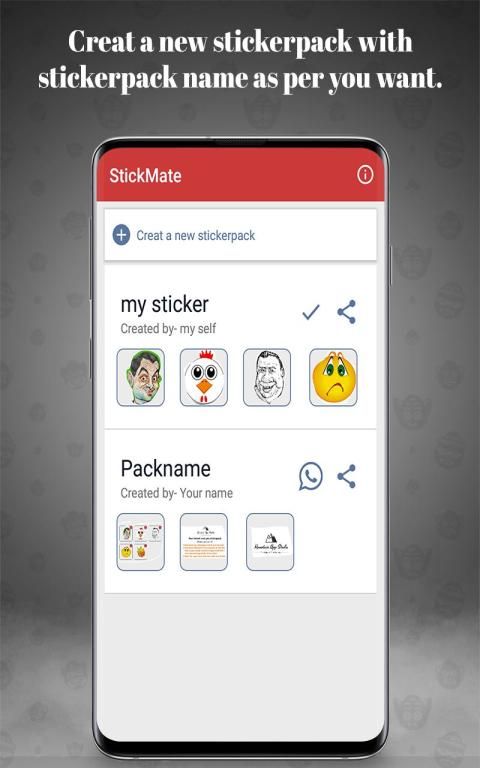
Download the latest application of india here. 20,000+ users downloaded StickMate latest version on 9Apps for free every week! You can enjoy it by use in your own phone. This hot app was released on 2019-03-31. Certainly you will love it after play.
StickMate is sticker maker application developed by Mountain App Studio. if you want to create Awesome sticker from your gallery images and want to share that sticker to your friends on whatsapp than you choose right application.
StickMate is very simple and easy to use and it is your mobile friendly app. Lets know how can we make sticker from StickMate.
How to use StickMate application:
1.First install the StickMate application from google play store and touch on app icon
2.Click the "Create a new sticker pack", after then add your stickerpack name and your name.
3. Newer forget to give allow Storage permission required by the StickMate unless you won't able to add sticker pack.
4.Now select the tray image icon which is just for your pack icon not use in whatsappp
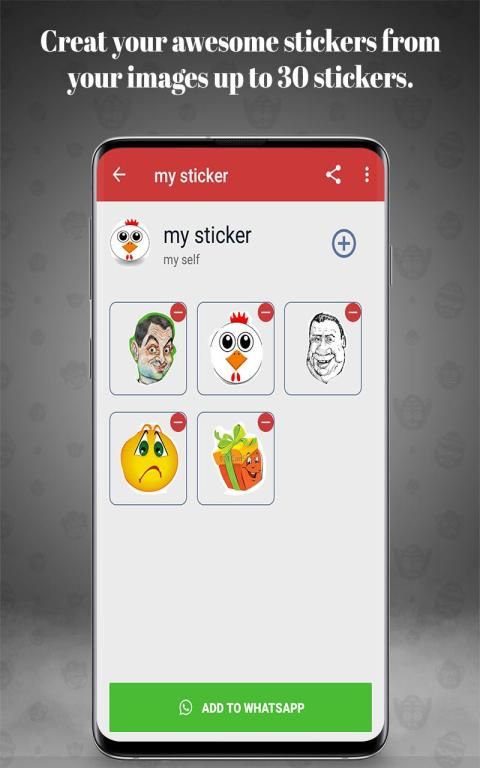
5. On your Sticker pack screen click on + button to make sticker from your gallery image.
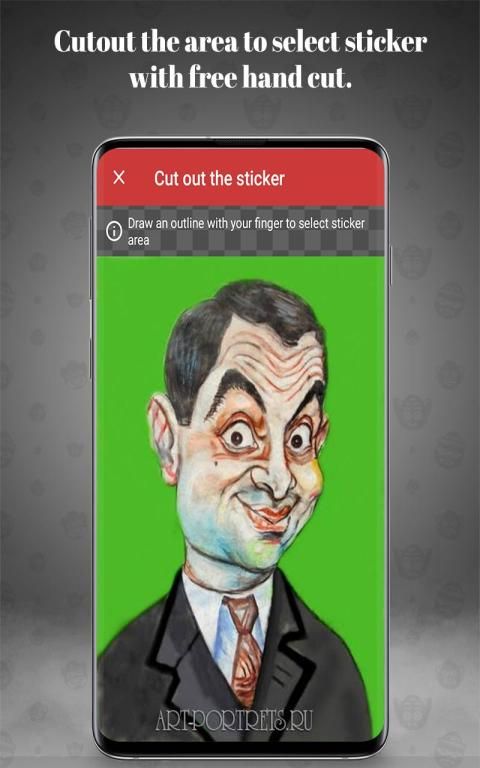
6. Select the image from which you want to cutout the sticker.
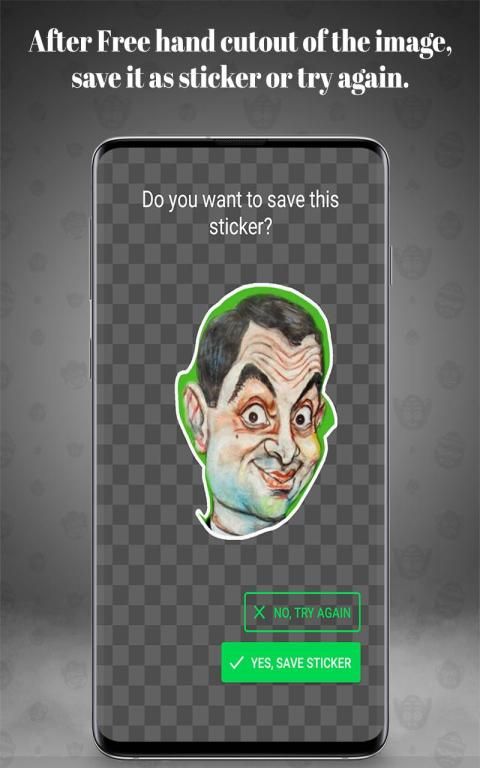
7.Cutout the sticker using your finger and just save it as a sticker, you can recreate that sticker if you can't cut as you need and also can delete later.
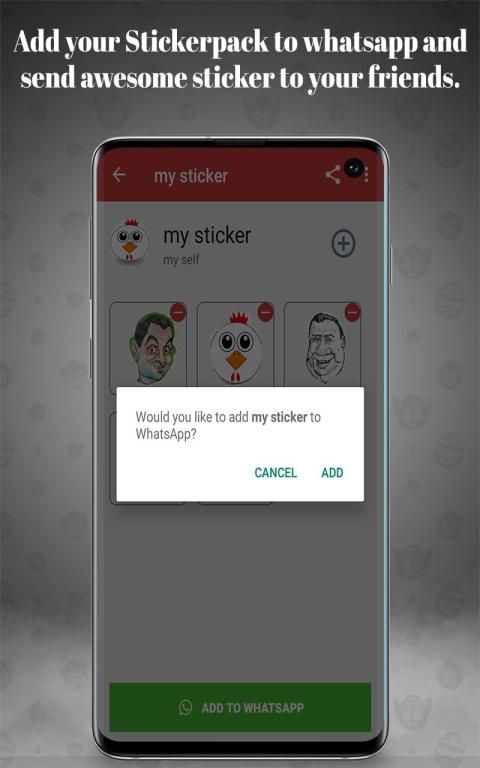
8.After creating minimum 3 sticker you are now able to add that sticker pack to your whatsapp application, Click on "Add to Whatsapp" and that's cool, enjoy that sticker.
9. you can also share that sticker pack to your friends.
Features:
- Create any numbers of packs with a minimum 3 and maximum of 30 stickers per pack
- Create funny memes or emojis stickers of your friends' faces.
- Use your camera to capture photos or select from your library
- Draw the outline of the sticker with your finger
- Rotate image to create most funniest stickers and emoticons
- Support text stickers
-Share Whole sticker pack to your friends in .zip format
StickMate adalah aplikasi pembuat stiker yang dikembangkan oleh Mountain App Studio. jika Anda ingin membuat stiker yang luar biasa dari gambar galeri Anda dan ingin membagikan stiker itu kepada teman-teman Anda di whatsapp daripada Anda memilih aplikasi yang tepat.
StickMate sangat sederhana dan mudah digunakan dan itu adalah aplikasi ramah seluler Anda. Mari kita tahu bagaimana kita bisa membuat stiker dari StickMate.
Cara menggunakan aplikasi StickMate:
1. Pertama, instal aplikasi StickMate dari google play store dan sentuh ikon aplikasi
2. Klik "Buat paket stiker baru", setelah itu tambahkan nama stickerpack Anda dan nama Anda.
3. Baru lupa memberikan izin penyimpanan yang diperlukan oleh StickMate kecuali Anda tidak dapat menambahkan paket stiker.
4. Sekarang pilih ikon gambar baki yang hanya untuk ikon paket Anda tidak digunakan di whatsappp
5. Pada layar Paket stiker Anda klik tombol + untuk membuat stiker dari gambar galeri Anda.
6. Pilih gambar dari mana Anda ingin memotong stiker.
7.Potong stiker menggunakan jari Anda dan simpan saja sebagai stiker, Anda dapat membuat ulang stiker itu jika Anda tidak dapat memotongnya sesuai kebutuhan dan juga dapat menghapusnya nanti.
8.Setelah membuat minimum 3 stiker Anda sekarang dapat menambahkan paket stiker itu ke aplikasi whatsapp Anda, Klik "Tambahkan ke Whatsapp" dan itu keren, nikmati stiker itu.
9. Anda juga dapat membagikan paket stiker itu kepada teman-teman Anda.
Fitur:
- Buat jumlah paket dengan minimum 3 dan maksimum 30 stiker per bungkus
- Buat meme lucu atau stiker emoji dari wajah teman Anda.
- Gunakan kamera Anda untuk mengambil foto atau memilih dari perpustakaan Anda
- Gambar garis besar stiker dengan jari Anda
- Putar gambar untuk membuat stiker dan emotikon paling lucu
- Dukungan stiker teks
Paket stiker Utuh -Share Seluruh ke teman Anda dalam format .zip

9Apps 4.9










