

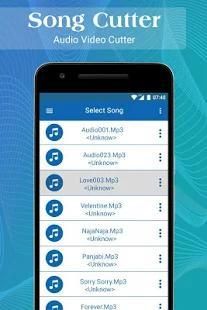
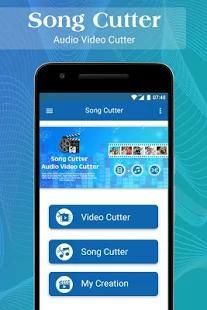
We access you a main official website for app download. 20,000+ users downloaded Audio Video Cutter latest version on 9Apps for free every week! The application is severely widely use. This hot app was released on 2018-04-29. I believe that if you are an android apps lover, you would not miss it.
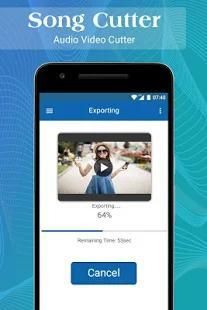
Video Audio cutter is for cutting video and MP3 files easily. select the video file from library and cut simply by selecting starting and ending point. You can also cut your audio song and save it as your Ringtone. fast rendering, easy to use and all videos are accessible from your video library
Cut the best part of your audio song or MP4 video and save it as your Ringtone/Alarm/Music File/Notification Tone.
Make your own MP3 ringtones/Notifications/Alarms fast and easy with this app.
Supports MP3, WAV and most other music formats. This app is also a music editor/alarm tone maker/ ringtone cutter and notification tone creator.
Why its more useful app for All the users:
=> Video Audio Cutter is simple step to follows to cut audio file and video file.
=> Delete Functionality easily implemented in Video Audio Cutter.
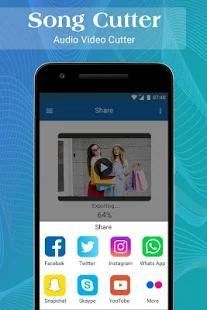
=> You can easily share your Mp3 cutter file via social link.
Steps to add audio to video.
-> Open our Audio Video Mixer.
-> Click on Audio Video Mixer Button.
-> Trim Video by seek bar(Optional)
-> Click on Add Audio button and Select mp3 file.
-> Click Play button to preview ( Optional)
-> Click the top save tick button to merge audio and video together.
* You can also mute the audio in video by clicking mute button.
Steps to trim video.
-> Open our Audio Video Mixer.
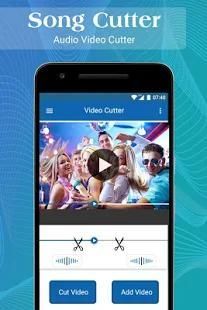
-> Click on Video cutter Button.
-> Trim Video by seek bar.
-> Click Play button to preview ( Optional)
-> Click the top save tick button to trim video.
How to Implement your Video Audio Cutter app in your phone:
1. Tap to start button for getting all the video/audio list from your sd card or phone memory.
2. In the list of video/audio you have to select at least one video/audio whatever you like to video audio cutter.
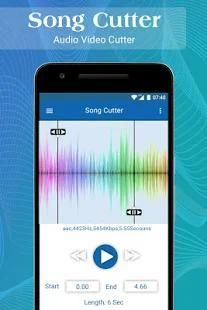
3. You have to just select start point and end point of that audio/video cutter.
4. You can get Mp3 file from audio/video which you selected to cut options.
5. All the list of Mp3 cutting files getting in one list at the start of the screen.
This application is also known as:
* Any Video Cutter
* Video File Cutter
* Any Audio Cutter
* Any Video Audio Cutter
* Mp3 Ringtone maker from Video
* Video to MP3 Converter
Video Audio Cutter is download in your phone and apply cutter functionality that you like to cut it...!
Enjoy Video Audio cutter!!
Video Audio cutter adalah untuk memotong video dan MP3 file dengan mudah. pilih file video dari perpustakaan dan memotong hanya dengan memilih memulai dan titik akhir. Anda juga dapat memotong lagu audio Anda dan menyimpannya sebagai Ringtone Anda. render cepat, mudah digunakan dan semua video dapat diakses dari perpustakaan video Anda
Potong bagian terbaik dari lagu audio atau video MP4 dan menyimpannya sebagai Anda Ringtone / Alarm / File musik / Pemberitahuan Nada.
Membuat sendiri nada dering MP3 Anda / Pemberitahuan / Alarm mudah dan cepat dengan aplikasi ini.
Mendukung MP3, WAV dan sebagian besar format musik lainnya. Aplikasi ini juga merupakan editor musik / nada alarm pembuat / ringtone cutter dan nada notifikasi pencipta.
Mengapa aplikasi lebih berguna untuk Semua pengguna:
=> Video Audio Cutter adalah langkah sederhana untuk mengikuti untuk memotong file audio dan file video.
=> Hapus Fungsi mudah diimplementasikan di Video Audio Cutter.
=> Anda dapat dengan mudah berbagi berkas cutter Mp3 Anda melalui link sosial.
Langkah-langkah untuk menambahkan audio ke video.
-> Buka kami Audio Video Mixer.
-> Klik pada Audio Video Mixer Button.
-> Potong Video by mencari bar (Opsional)
-> Klik tombol Add Audio dan Pilih file mp3.
-> Klik tombol Play untuk melihat (Opsional)
-> Klik top save tombol centang untuk menggabungkan audio dan video bersama-sama.
* Anda juga dapat menonaktifkan audio dalam video dengan mengklik tombol bisu.
Langkah-langkah untuk memangkas video.
-> Buka kami Audio Video Mixer.
-> Klik Tombol Video cutter.
-> Potong Video by mencari bar.
-> Klik tombol Play untuk melihat (Opsional)
-> Klik top save tombol centang untuk memangkas video.
Bagaimana Menerapkan aplikasi Video Audio Cutter Anda di ponsel Anda:
1. Tekan untuk tombol start untuk mendapatkan semua video / audio dari daftar kartu sd atau memori telepon.
2. Dalam daftar video / audio Anda harus memilih setidaknya satu video / audio apa pun yang Anda ingin cutter video audio.
3. Anda harus hanya memilih titik awal dan titik akhir yang cutter audio / video.
4. Anda bisa mendapatkan Mp3 file dari audio / video yang Anda pilih untuk memotong pilihan.
5. Semua daftar Mp3 memotong file mendapatkan dalam satu daftar pada awal layar.
Aplikasi ini juga dikenal sebagai:
* Setiap Video Cutter
* File Video Cutter
* Setiap Audio Cutter
* Setiap Video Audio Cutter
* Mp3 Ringtone maker dari Video
* Video ke MP3 Converter
Video Audio Cutter adalah men-download di ponsel Anda dan menerapkan fungsi cutter yang Anda ingin memotongnya ...!
Nikmati Video Audio cutter !!
Bug Fixed






9Apps 4.9










