





Discover apps for Android here, 20,000+ users downloaded Smoke Photo Effect latest version on 9Apps for free every week! It is a wonderful app that amazes every player. This hot app was released on 2019-10-31. Certainly you will love it after play.
Photo-editing apps come up with exciting editing features like costumes, blur, emoji, background, billboard, etc. Yet, the Android team have implemented an extravagant photo editing app involving smoke effects i.e., Smoke Photo Effect app.
Smoke Photo Effect app is a high-utility feature-driven photo-editing app that enfolds black & white smoke photo effects, gradient smoke effects photo frames, color smoke effects, smoke effect stickers, text effects, smoky filters etc to provide the best exposure and experience for creating effective and realistic smoke effect photo frames.
Smoke Photo Effect app has an attractive and latest material design along with addictive and user-friendly GUI. Smoke Photo Effect app is an efficient and reliable smoke effect photo maker, photo editor and background changer app!
Steps to create Smoke photo effect:-
Step 1: Install the Smoke Photo Effect app.
Step 2: Click on the Select photo option.
Step 3: To browse an image from phone gallery, click on Gallery option.
Step 4: Otherwise, to capture an image, click on Camera option.
Step 5: Modify the size of the image via crop tool. Rotate the image in any direction via the rotate option embedded in the crop tool.
Step 6: Click on smoke option to fetch the smoke effects. Three smoke effect features namely: Black & White, Gradient, Color.
Step 7: Black & White section presents vivid collection smoke photo effects in black & white theme. To invoke black & white smoke effect, click on any of the enlisted black & white smoke effect photo frames.
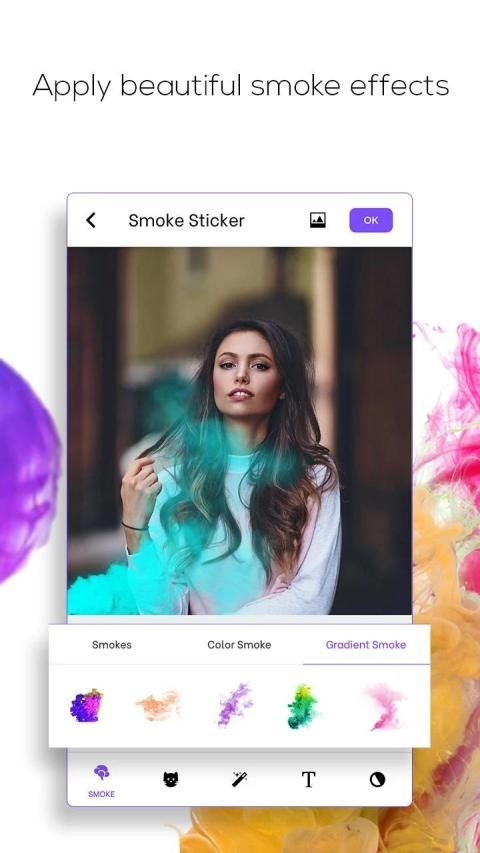
Step 8: Gradient smoke effects come up with eye-catchy smoke effects. Click on any of the gradient smoke effects photo to add them in the smoke photo effect photo frame.
Step 9: Click on any of the vibrant smoke photo effects presented by the color smoke effect section to add it in the smoke effect photo frame.
Step 10: Click on the sticker section. Sticker section provides realistic and interesting sticker options.
Step 11: Tap on the stickers you wish to embed in the Smoke photo effect photo frame.
Step 12: Employ simple touch gestures to adjust the size, position, and orientation of the stickers in the Smoke photo effect photo montage.
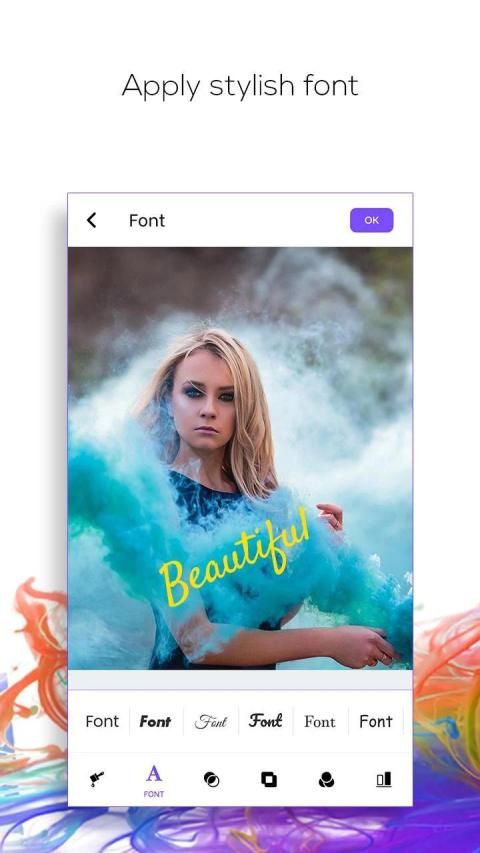
Step 13: Click on text section to invoke text effects in stylish font styles and vibrant color options.
Step 14: Employ simple touch gestures to adjust the size, position, and orientation of the text effects in the Smoke effect photo frame.
Step 15: Select filter section. Various filter effects to intensify the smoke effect photo frame.
Step 16: Adjust the brightness, contrast and saturation via the sliders.
Step 17: Easily save the created Smoke effect photo frame.
Step 18: Click on share option to share the smoke photo effect photo frame over various social media platforms or click on the delete option to remove the created Smoke effect photo frame.
Smoke Photo Effect app is one of the most trendy and artistic photo-editing Android apps that invoke smoke effects in photo frames. Smoke Photo Effect app employs feature-rich tools like smoke effect photo maker, smoke effect photo editor, background remover, background changer, smoke effect background editor to create extravagant smoke effect photo frame photo montages.
Smoke Photo Effect app has an intuitive collection of smoke effects, smoke stickers and text effects, filter options that reflect an intense smoke effect photo-editing platform. Smoke Photo Effect app is compatible with almost all screen resolutions of mobile and tablet devices.
Hurry!!! Create interesting and eye-catchy smoke effect photo frames instantly!
Install the Smoke Photo Effect app NOW!!!
Aplikasi pengeditan foto hadir dengan fitur pengeditan yang menarik seperti kostum, blur, emoji, latar belakang, papan iklan, dll. Namun, tim Android telah menerapkan aplikasi pengeditan foto mewah yang melibatkan efek asap, yaitu aplikasi Smoke Photo Effect.
Aplikasi Smoke Photo Effect adalah aplikasi pengeditan foto yang digerakkan oleh fitur-utilitas tinggi yang mencakup efek foto asap hitam & putih, bingkai foto efek asap gradien, efek asap warna, stiker efek asap, efek teks, filter berasap dll untuk memberikan paparan terbaik dan pengalaman untuk membuat bingkai foto efek asap yang efektif dan realistis.
Aplikasi Smoke Photo Effect memiliki desain material yang menarik dan terbaru bersama dengan GUI yang adiktif dan ramah pengguna. Aplikasi Smoke Photo Effect adalah pembuat foto efek asap, editor foto dan aplikasi pengubah latar belakang yang efisien dan andal!
Langkah-langkah untuk membuat efek foto asap: -
Langkah 1: Instal aplikasi Efek Foto Asap.
Langkah 2: Klik pada opsi Select photo.
Langkah 3: Untuk menelusuri gambar dari galeri ponsel, klik opsi Galeri.
Langkah 4: Jika tidak, untuk mengambil gambar, klik opsi Kamera.
Langkah 5: Ubah ukuran gambar melalui alat potong. Putar gambar ke segala arah melalui opsi putar yang tertanam di alat potong.
Langkah 6: Klik pada opsi asap untuk mengambil efek asap. Tiga fitur efek asap yaitu: Hitam & Putih, Gradien, Warna.
Langkah 7: Bagian Hitam & Putih menyajikan efek foto asap koleksi hidup dalam tema hitam putih. Untuk memohon efek asap hitam & putih, klik pada salah satu bingkai foto efek asap hitam & putih.
Langkah 8: Efek asap gradien muncul dengan efek asap yang menarik perhatian. Klik pada salah satu foto efek asap gradien untuk menambahkannya dalam bingkai foto efek foto asap.
Langkah 9: Klik pada salah satu efek foto asap hidup yang disajikan oleh bagian efek asap warna untuk menambahkannya dalam bingkai foto efek asap.
Langkah 10: Klik pada bagian stiker. Bagian stiker menyediakan opsi stiker yang realistis dan menarik.
Langkah 11: Ketuk stiker yang ingin Anda sematkan di bingkai foto efek foto Asap.
Langkah 12: Gunakan gerakan sentuh sederhana untuk menyesuaikan ukuran, posisi, dan orientasi stiker di montase foto efek foto Asap.
Langkah 13: Klik pada bagian teks untuk memanggil efek teks dalam gaya font yang stylish dan pilihan warna yang cerah.
Langkah 14: Gunakan gerakan sentuh sederhana untuk menyesuaikan ukuran, posisi, dan orientasi efek teks dalam bingkai foto Efek asap.
Langkah 15: Pilih bagian filter. Berbagai efek filter untuk mengintensifkan bingkai foto efek asap.
Langkah 16: Sesuaikan kecerahan, kontras, dan saturasi melalui bilah geser.
Langkah 17: Dengan mudah menyimpan bingkai foto Efek asap yang dibuat.
Langkah 18: Klik opsi bagikan untuk berbagi bingkai foto efek foto asap di atas berbagai platform media sosial atau klik opsi hapus untuk menghapus bingkai foto efek asap yang dibuat.
Aplikasi Smoke Photo Effect adalah salah satu aplikasi Android pengeditan foto yang paling trendi dan artistik yang memunculkan efek asap dalam bingkai foto. Aplikasi Efek Foto Asap menggunakan alat kaya fitur seperti pembuat foto efek asap, editor foto efek asap, penghapus latar belakang, pengubah latar belakang, editor latar belakang efek asap untuk membuat montase foto efek montok foto efek asap yang luar biasa.
Aplikasi Smoke Photo Effect memiliki koleksi intuitif efek asap, stiker asap dan efek teks, opsi filter yang mencerminkan platform pengeditan foto efek asap yang intens. Aplikasi Smoke Photo Effect kompatibel dengan hampir semua resolusi layar perangkat seluler dan tablet.
Cepat !!! Buat bingkai foto efek asap yang menarik dan menarik secara instan!
Pasang aplikasi Efek Foto Asap SEKARANG !!!





9Apps 4.9











