

9Apps is the free store of application, 30,000+ users downloaded AppLock latest version on 9Apps for free every week! With unexpected, recently it has become very popular in India. This hot app was released on 2019-11-20. Get the latest version now!
AppLocker - Free Privacy Guard! With App Lock to lock apps to keep your phone security and safe.
Want to protect your privacy? Let's lock it!
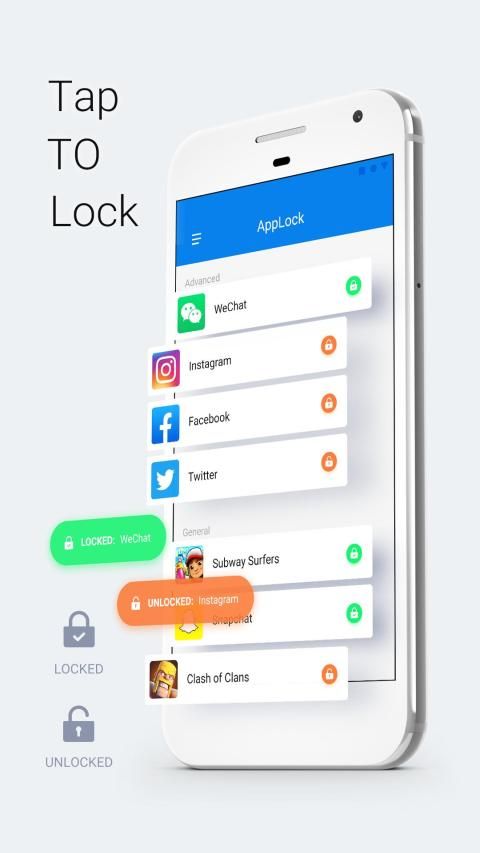
✔ Smart AppLock can lock Facebook, Whatsapp, Gallery, Messenger, Snapchat, Instagram, SMS, Contacts, Gmail, Settings, incoming calls and any app you choose. Prevent unauthorized access and guard privacy. Ensure security.
——FEATURE——
Smart AppLock can lock Social apps
: Facebook, Whatsapp, Messenger, Instagram, Tumblr, WeChat and so on. No one can peep at your private chat anymore;
Smart AppLock can lock System apps
: Gallery, SMS, Contacts, Gmail, Settings, incoming calls and any app you choose. Prevent unauthorized access and guard privacy;
Smart AppLock has multiple lock options
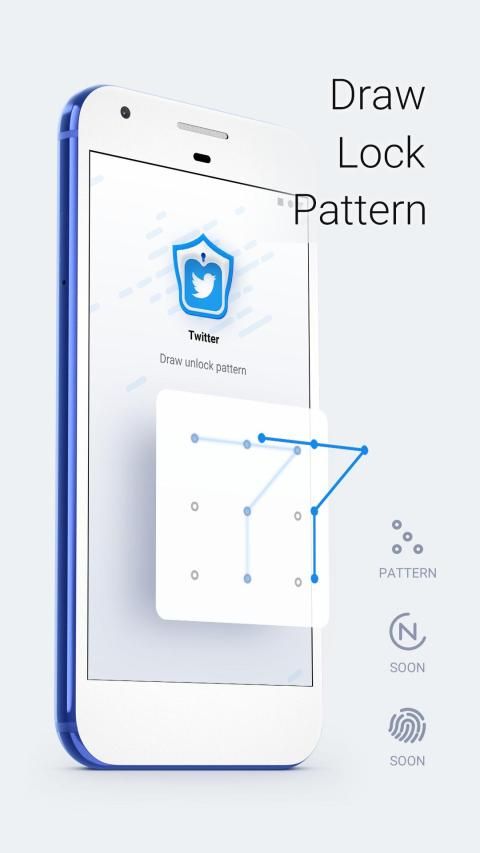
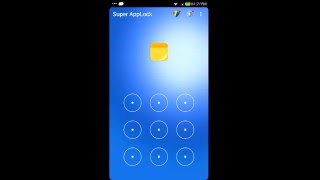
: Choose your favorite style to lock apps with invisible pattern lock;
Smart AppLock support screen lock
: Prevent strangers from using your phone without your permission.
Smart AppLock, professional AppLock with
App Locks
,
Camera Lock
,
Password Lock
,
Messages Lock
,
Photo Locker
, helps protect your privacy and guards your phone 24/7! It supports security features to lock apps and keep your phone high secure.
——FAQ——
How to protect my phone ?
Choose the app you want to protect from snooper, and LOCK with one click.
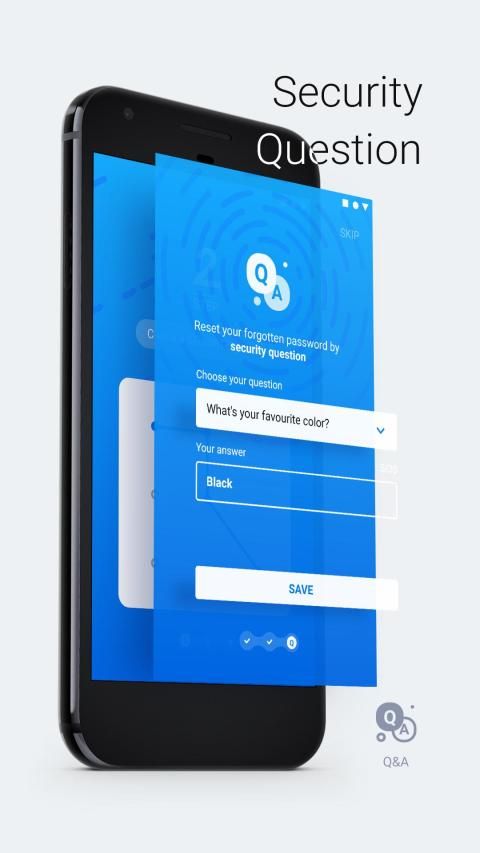
I forgot password, how to find it ?
You have to record the security question first. To password for apps, open the Smart AppLock, click menu Settings then chose Change password. After answering the security question, you can change password as you want.
How to change password ?
To password for apps, open the Smart AppLock, click menu Settings then chose Change password.
How to set my password at the first time?
Choose apps that you want to protect.
Draw your pattern twice to confirm your password.
Setting Apps with usage access-APP Lock-Permit usage access.
Done!
AppLocker - Penjaga Privasi Gratis! Dengan App Lock untuk mengunci aplikasi untuk menjaga keamanan dan keamanan ponsel Anda.
Ingin melindungi privasi Anda? Mari kita menguncinya!
✔ AppLock Cerdas dapat mengunci Facebook, Whatsapp, Galeri, Messenger, Snapchat, Instagram, SMS, Kontak, Gmail, Pengaturan, panggilan masuk dan aplikasi apa pun yang Anda pilih. Cegah akses yang tidak sah dan jaga privasi. Pastikan keamanan.
—— FITUR ——
Smart AppLock dapat mengunci aplikasi Sosial
: Facebook, Whatsapp, Messenger, Instagram, Tumblr, WeChat, dan sebagainya. Tidak ada yang bisa mengintip chat di obrolan pribadi Anda lagi;
Smart AppLock dapat mengunci aplikasi Sistem
: Galeri, SMS, Kontak, Gmail, Pengaturan, panggilan masuk dan aplikasi apa pun yang Anda pilih. Mencegah akses yang tidak sah dan menjaga privasi;
Smart AppLock memiliki beberapa opsi kunci
: Pilih gaya favorit Anda untuk mengunci aplikasi dengan kunci pola yang tidak terlihat;
Kunci layar dukungan Smart AppLock : Mencegah orang asing menggunakan ponsel Anda tanpa izin Anda.
Smart AppLock, AppLock profesional dengan
Kunci Aplikasi
,
Kunci Kamera
,
Kunci Kata Sandi
,
Kunci Pesan
,
Foto Locker
, membantu melindungi privasi Anda dan menjaga ponsel Anda 24/7! Ini mendukung fitur keamanan untuk mengunci aplikasi dan menjaga ponsel Anda tetap aman.
—— FAQ ——
Bagaimana cara melindungi ponsel saya?
Pilih aplikasi yang ingin Anda lindungi dari pengintai, dan KUNCI dengan satu klik.
Saya lupa kata sandi, bagaimana cara menemukannya?
Anda harus merekam pertanyaan keamanan terlebih dahulu. Untuk kata sandi untuk aplikasi, buka Smart AppLock, klik menu Pengaturan lalu pilih Ubah kata sandi. Setelah menjawab pertanyaan keamanan, Anda dapat mengubah kata sandi seperti yang Anda inginkan.
Bagaimana cara mengubah kata sandi?
Untuk kata sandi untuk aplikasi, buka Smart AppLock, klik menu Pengaturan lalu pilih Ubah kata sandi.
Bagaimana cara mengatur kata sandi saya pertama kali?
Pilih aplikasi yang ingin Anda lindungi.
Gambar pola Anda dua kali untuk mengonfirmasi kata sandi Anda.
Mengatur Aplikasi dengan akses penggunaan-APP Lock-Izin akses penggunaan.
Selesai!
1.Bug fix




9Apps 4.9










