

It is said that 20,000+ users downloaded Android Developer Option latest version on 9Apps for free every week! It works great even on 2G. This hot app was released on 2018-05-06. You can find more interesting apps at 9Apps!
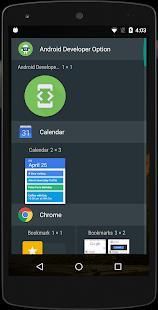
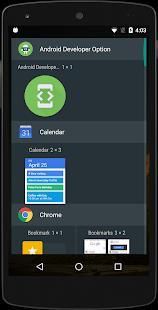
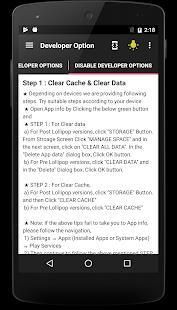
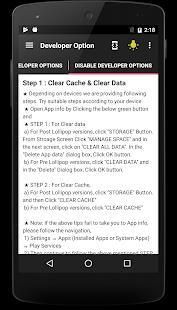
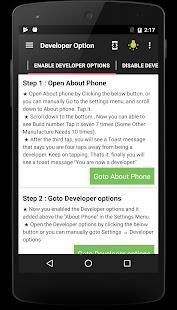
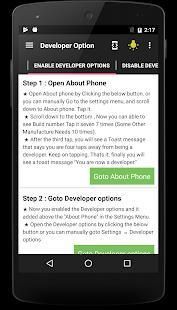
★ Shortcut and Widget to Developer Options Settings by One Click.
★ Simple, Convenient App to instant access the Hidden Developer Options efficiently
★ Small utility app for android developers.
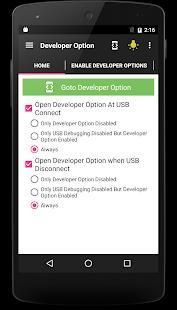
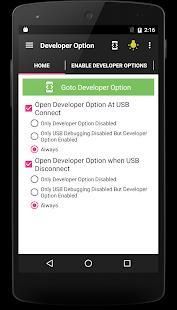
★ This app is the shortcut to view the developer option even though developer option not enabled
★ Originally we developed this utility app for internal purposes of YnotVcan to save time of Android Developers. Later we decided to publish it on Google Play Store. So that all users will get benefit from this app.
★ Developer Options is not only for Developer. It is for normal people who have curiosity to do something differently in their mobile like enable mock location Force RTL layout etc
★ If you are frustrating or feel annoyed to enable, disable Developer Options & USB debugging every time when you plug in and plug out your mobile from the USB, You are in the correct Place.
★ (If you are using your own mobile for development, you will easily understand difficulties every time when disabling and enabling the Developer Option USB debugging. Ynotvcan gives the best solution)
★ Our App helps the developer when they Plugin & Plug out mobile via USB, it automatically pop up the developer options. So no need to go in to the developer option via settings every time for enabling the USB debugging.
★ We are damn sure that this little app will save your precious development time & it will avoid your frustration and disgusting moment.
★ Developer Options
⇒ Developer Option App is the shortcut, used to view the following useful developer options
⇒ You should install the Android Debug Bridge (adb) Driver for corresponding mobile model
★ General options
⇒ Quick settings developer tiles
⇒ Memory
⇒ Take bug report
⇒ System UI demo mode
⇒ Desktop backup password
⇒ Stay awake
⇒ Running services
★ Debugging
⇒ Enable USB debugging
⇒ Revoke USB debugging authorizations
⇒ Bug report shortcut
⇒ Select mock location app
⇒ Enable view attribute inspection
⇒ Select debug app
⇒ Wait for Debugger
⇒ Verify apps over USB
⇒ Logger buffer sizes
⇒ Store logger data persistently on device
★ Input
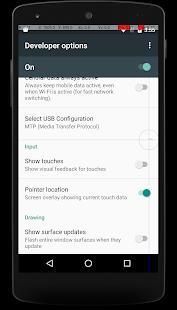
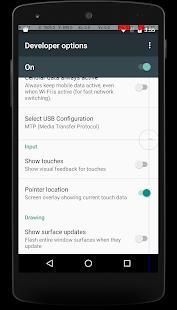
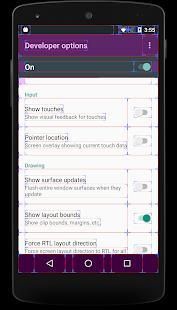
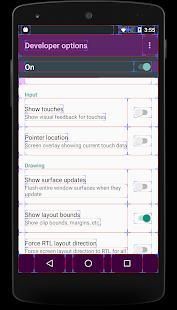
⇒ Show Touches
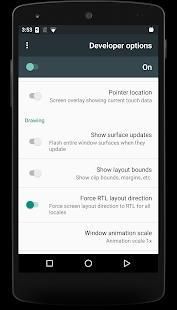
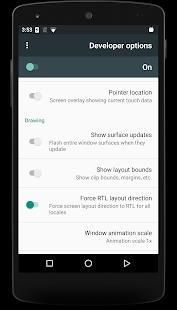
⇒ Pointer Location
★ Drawing
⇒ Show surface updates & Layout Bounds
⇒ Force RTL layout direction
⇒ Transition animation scale
⇒ Simulate secondary displays
★ Hardware accelerated rendering
⇒ GPU Options
⇒ Show hardware layers updates
⇒ Debug non-rectangular clip operations
⇒ Force 4x MSAA
⇒ Disable HW overlays
⇒ Simulate color space
★ Media
⇒ Disable USB audio routing
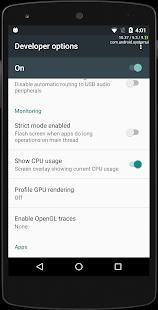
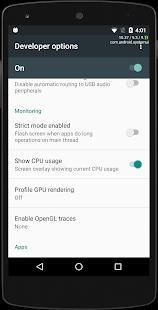
★ Monitoring
⇒ Strict mode enabled
⇒ Show CPU usage
⇒ Profile GPU Rendering
★ Apps
⇒ Don't keep activities
⇒ Background process limit
⇒ Show all ANRs
⇒ Inactive apps
⇒ Reset Shortcut Manager rate-limiting
★ Developer Options not Available
⇒ Some of the company removed the developer options from the ROM. For that devices, you can’t enable the developer options
★ Note
⇒ Given Developer options are based on Android Version OREO.
⇒ Be calm, developer option varies based on Android version and Mobile Phone Company model.
⇒ It will show the only options that your ROM supported
★ Shortcut dan Widget untuk Pengembang Pilihan Pengaturan oleh One Click.
★ Sederhana, Nyaman App untuk akses cepat Options Developer Tersembunyi efisien
★ aplikasi utilitas Kecil untuk pengembang android.
★ Aplikasi ini adalah shortcut untuk melihat opsi pengembang meskipun opsi pengembang tidak diaktifkan
★ Awalnya kami mengembangkan aplikasi utilitas ini untuk tujuan internal YnotVcan untuk menghemat waktu Pengembang Android. Kemudian kami memutuskan untuk mempublikasikannya di Google Play Store. Sehingga semua pengguna akan mendapatkan manfaat dari aplikasi ini.
★ Pilihan Pengembang tidak hanya untuk Developer. Ini adalah untuk orang normal yang memiliki rasa ingin tahu untuk melakukan sesuatu yang berbeda di ponsel mereka seperti mengaktifkan lokasi mock Angkatan RTL tata letak dll
★ Jika Anda frustasi atau merasa terganggu untuk mengaktifkan, menonaktifkan Developer Options & USB debugging setiap kali ketika Anda pasang di dan pasang keluar ponsel Anda dari USB, Anda berada di tempat yang benar.
★ (Jika Anda menggunakan ponsel Anda sendiri untuk pengembangan, Anda akan dengan mudah memahami kesulitan setiap kali ketika menonaktifkan dan memungkinkan Developer Option USB debugging. Ynotvcan memberikan solusi yang terbaik)
★ App kami membantu pengembang ketika mereka Plugin & Plug keluar mobile melalui USB, maka secara otomatis muncul pilihan pengembang. Jadi tidak perlu pergi ke opsi pengembang melalui pengaturan setiap kali untuk memungkinkan USB debugging.
★ Kami sangat yakin bahwa aplikasi kecil ini akan menghemat waktu pengembangan berharga Anda & itu akan menghindari frustrasi dan saat menjijikkan.
★ Pilihan Developer
⇒ Option Developer App adalah jalan pintas, yang digunakan untuk melihat pilihan berikut pengembang berguna
⇒ Anda harus menginstal Android Debug Bridge (adb) Driver untuk sesuai model yang seluler
★ Pilihan Umum
⇒ Cepat ubin pengembang pengaturan
Memory ⇒
⇒ laporan bug Ambil
Modus demo ⇒ Sistem UI
⇒ sandi Desktop backup
⇒ Tetap terjaga
⇒ layanan Menjalankan
★ Debugging
⇒ Aktifkan USB debugging
⇒ Cabut USB debugging otorisasi
⇒ shortcut laporan Bug
⇒ Pilih aplikasi lokasi mock
⇒ Aktifkan pemeriksaan atribut tampilan
⇒ Pilih aplikasi debug
⇒ Tunggu Debugger
⇒ Verifikasi aplikasi melalui USB
⇒ ukuran buffer Logger
⇒ Data logger Toko terus-menerus pada perangkat
★ Masukan
⇒ Tampilkan Touches
⇒ Pointer Lokasi
★ Menggambar
⇒ Tampilkan permukaan update & Layout Bounds
arah tata letak ⇒ Angkatan RTL
skala animasi ⇒ Transisi
⇒ Simulasikan menampilkan sekunder
★ Hardware accelerated rendering
⇒ GPU Pilihan
⇒ lapisan Tampilkan hardware update
⇒ Debug non-persegi panjang operasi clip
⇒ Angkatan 4x MSAA
⇒ Nonaktifkan HW overlay
⇒ ruang warna Simulasikan
★ Media
⇒ Nonaktifkan audio USB routing yang
★ Pemantauan
⇒ Mode ketat diaktifkan
⇒ Tampilkan penggunaan CPU
⇒ Profil GPU Rendering
★ Apps
⇒ Jangan menyimpan kegiatan
⇒ batas proses Background
⇒ Tampilkan semua ANR
⇒ aplikasi aktif
⇒ Atur ulang tingkat-membatasi Shortcut Manajer
★ Pilihan Pengembang tidak tersedia
⇒ Beberapa perusahaan dihapus opsi pengembang dari ROM. Untuk perangkat itu, Anda tidak dapat mengaktifkan opsi pengembang
★ Catatan
⇒ Mengingat Opsi pengembang didasarkan pada Android Versi OREO.
⇒ Jadilah tenang, pilihan pengembang bervariasi berdasarkan versi Android dan model Mobile Phone Perusahaan.
⇒ Ini akan menunjukkan satu-satunya pilihan yang ROM Anda didukung
✔ Build with Latest SDK
✔ Rendering Speed, Stability and Performance Improved
✔ Developer experience is awesome even in small level of ram memory like 512 or 1gb



9Apps 4.9










