Recently, we found a very popular application. 20,000+ users downloaded Server for irplus LAN latest version on 9Apps for free every week! It is the app that defined the best for a generation. This hot app was released on 2019-12-26. More similar hot applications can be found here too.
I have been very happy using binarymode's fine,
universal remote app
but my new phone lacks an IR Blaster. Thankfully, binrarymode created a
wifi version of his app
to support sending IR codes to a server for actual transmission. binarymode provides a python-based server to work with his client app. But it relies on a custom hardware solution that was beyond my skill level.
I realized that binarymode's efforts would enable me to use my old IR-equipped phone to create a virtual IR emitter for use with binarymode's LAN app on my new phone. All I needed to do was create a server app that runs on my old phone to capture the codes binarymode's client app sends and route those codes to my phone's IR Blaster. This app is the result.
When you install and run this app, it MUST be on a device that contains a built-in IR Blaster that can be recognized and used within the confines of Android's IR support. Sorry but this will exclude any of the IR emitters driven by audio through a headphone jack. This also means that only Android 4.3 and above can be supported as there was no built-in IR support in Android prior to this.
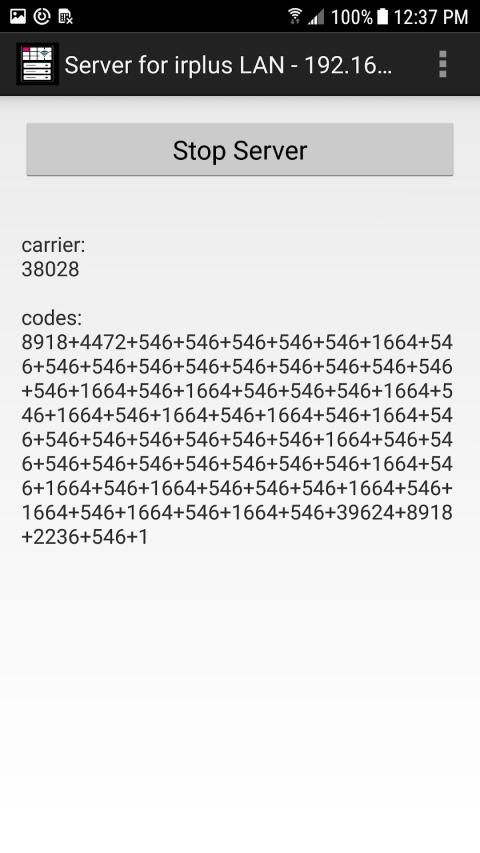
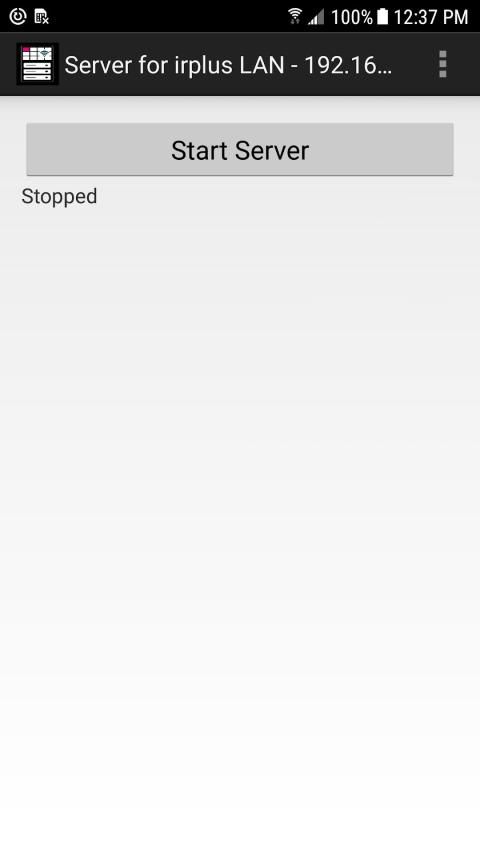
Using this app could not be easier. Just install it on your IR-equipped device, enable wifi, open the app, note the server's IP & port on the title bar (might help to see this using landscape mode), and press the Start Server button. Position your IR-equipped device somewhere with a good line of sight to the components you wish to control (I point it at my entertainment center) and you are ready to use binarymode's app on another device to send IR codes to this app for transmission.
Once you have installed binarymode's LAN app on another device located on the same network as the IR-equipped device running this app, you should tap the options menu, choose settings, and put the IP & port shown in this app into the proper entry. Once done, you should be able to tap a button on a remote control and see a response on this app's main page. But more importantly, if all goes well, you should see your components respond to the IR code that was sent.
Because the IP must be the same for both this app and binarymode's app, it makes good sense to assign a static IP to the device running this app. In that way, the IP should not change unexpectedly and you will always know what the value should be. Instructions for doing this can easily be found for most wifi routers via a web search.
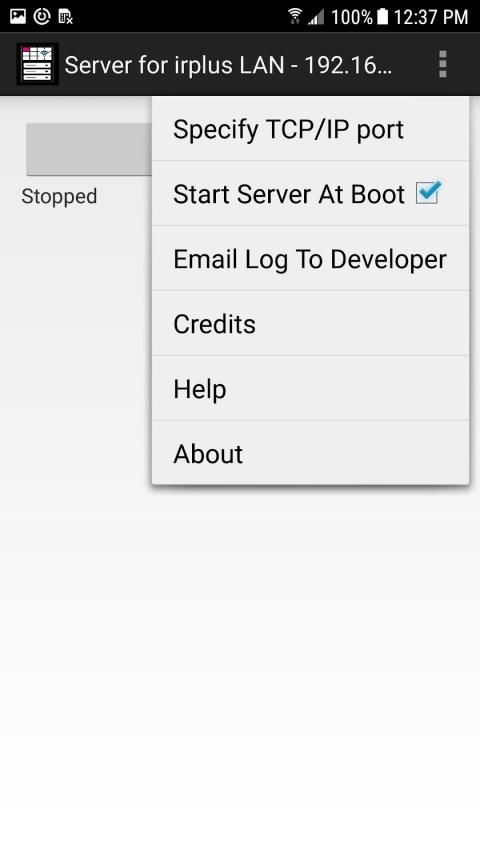
The menu in this app provide limited options. The one that I find important is the checkbox to have this app's server run automatically after each device boot. That way it should be ready when you are. However, please be aware that some devices have been found that do NOT properly notify apps when the boot process is complete. I know that the BLU Vivo XL2 is one such device. This is due to the device maker's decisions not mine and there is nothing I can do about it.
This app does not need to be visible and the screen can be off and it should still work fine. However, I do recommend that you keep the device running this app plugged into a charger to ensure that the server is alive and well when you want it. This is not required but merely a suggestion.
Also note that some of the built-in IR emitters found in devices have very narrow beams of operation and lower power levels. This means that the device running this app must be pointed directly at the components being controlled. It also means that IR signals may not penetrate glass or plastic. There is nothing I can do about that. One device that I have found to be outstanding with high power and a wide beam of operation is the Samsung Galaxy S6. But I am sure there are many others.
Please use the email address provided to let me know how this works for you. I will try to resolve problems when I can.
Saya sangat senang menggunakan denda binarymode,
aplikasi jarak jauh universal
tetapi ponsel baru saya tidak memiliki IR Blaster. Untungnya, binrarymode membuat
versi wifi aplikasinya
untuk mendukung mengirim kode IR ke server untuk transmisi aktual. binarymode menyediakan server berbasis python untuk bekerja dengan aplikasi kliennya. Tapi itu bergantung pada solusi perangkat keras khusus yang berada di luar tingkat keahlian saya.
Saya menyadari bahwa upaya binarymode akan memungkinkan saya untuk menggunakan telepon lama saya yang dilengkapi IR untuk membuat pemancar IR virtual untuk digunakan dengan aplikasi LAN binarymode di telepon baru saya. Yang perlu saya lakukan adalah membuat aplikasi server yang berjalan di ponsel lama saya untuk mengambil kode yang dikirim aplikasi klien binarymode dan merutekan kode-kode itu ke IR Blaster ponsel saya. Aplikasi ini adalah hasilnya.
Ketika Anda menginstal dan menjalankan aplikasi ini, itu HARUS berada di perangkat yang berisi IR Blaster internal yang dapat dikenali dan digunakan dalam batas-batas dukungan IR Android. Maaf, tetapi ini akan mengecualikan pemancar IR yang digerakkan oleh audio melalui jack headphone. Ini juga berarti bahwa hanya Android 4.3 dan di atas yang dapat didukung karena tidak ada dukungan IR bawaan di Android sebelum ini.
Menggunakan aplikasi ini sangat mudah. Cukup instal pada perangkat yang dilengkapi IR Anda, aktifkan wifi, buka aplikasi, catat IP & port server pada judul bar (mungkin membantu untuk melihat ini menggunakan mode lansekap), dan tekan tombol Mulai Server. Posisikan perangkat yang dilengkapi IR di suatu tempat dengan pandangan yang baik ke komponen yang ingin Anda kendalikan (saya arahkan ke pusat hiburan saya) dan Anda siap menggunakan aplikasi binarymode di perangkat lain untuk mengirim kode IR ke aplikasi ini untuk transmisi.
Setelah Anda menginstal aplikasi LAN binarymode pada perangkat lain yang terletak di jaringan yang sama dengan perangkat yang dilengkapi IR yang menjalankan aplikasi ini, Anda harus mengetuk menu opsi, memilih pengaturan, dan menempatkan IP & port yang ditunjukkan dalam aplikasi ini ke entri yang tepat. Setelah selesai, Anda harus dapat mengetuk tombol pada remote control dan melihat respons di halaman utama aplikasi ini. Tetapi yang lebih penting, jika semuanya berjalan dengan baik, Anda akan melihat komponen Anda merespons kode IR yang dikirim.
Karena IP harus sama untuk aplikasi ini dan aplikasi binarymode, masuk akal untuk menetapkan IP statis ke perangkat yang menjalankan aplikasi ini. Dengan cara itu, IP seharusnya tidak berubah secara tiba-tiba dan Anda akan selalu tahu berapa nilainya. Petunjuk untuk melakukan ini dapat dengan mudah ditemukan untuk sebagian besar router wifi melalui pencarian web.
Menu dalam aplikasi ini menyediakan opsi terbatas. Yang saya temukan penting adalah kotak centang untuk menjalankan server aplikasi ini secara otomatis setelah setiap perangkat melakukan boot. Dengan begitu harus siap ketika Anda berada. Namun, perlu diketahui bahwa beberapa perangkat telah ditemukan yang TIDAK memberi tahu aplikasi dengan benar ketika proses booting selesai. Saya tahu bahwa BLU Vivo XL2 adalah salah satu perangkat tersebut. Ini karena keputusan pembuat perangkat itu bukan milik saya dan tidak ada yang bisa saya lakukan.
Aplikasi ini tidak perlu terlihat dan layarnya bisa mati dan itu masih berfungsi dengan baik. Namun, saya sarankan Anda menjaga perangkat yang menjalankan aplikasi ini tetap terhubung ke pengisi daya untuk memastikan bahwa server hidup dan baik ketika Anda menginginkannya. Ini tidak diperlukan tetapi hanya saran.
Perhatikan juga bahwa beberapa pemancar IR internal yang terdapat pada perangkat memiliki pancaran operasi yang sangat sempit dan tingkat daya yang lebih rendah. Ini berarti bahwa perangkat yang menjalankan aplikasi ini harus diarahkan langsung ke komponen yang dikontrol. Ini juga berarti bahwa sinyal IR mungkin tidak menembus kaca atau plastik. Tidak ada yang bisa saya lakukan tentang itu. Satu perangkat yang saya temukan luar biasa dengan daya tinggi dan operasi yang luas adalah Samsung Galaxy S6. Tapi saya yakin masih banyak yang lainnya.
Silakan gunakan alamat email yang disediakan untuk memberi tahu saya cara kerjanya bagi Anda. Saya akan mencoba menyelesaikan masalah ketika saya bisa.
Initial release. Tested and working on Samsung S6, Samsung Note 3 (domestic US), Samsung Note 3 (international), and Blu Vivo XL2 (however, does not start at boot). Please use the email address supplied for support.


9Apps 4.9