

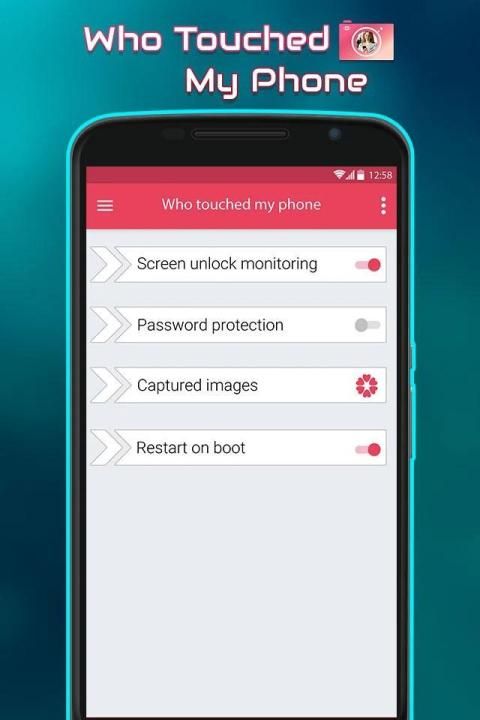
I wants to share an app for all of you. 20,000+ users downloaded Who Touch My Phone latest version on 9Apps for free every week! It is the app that defined the best for a generation. This hot app was released on 2019-07-19. Just use it when absolutely necessary.
Secret Camera and Screen Video Recorder
Best Security Apps Find Who is trying to Unlock Your Phone and also records a screen activity by screen recorder.
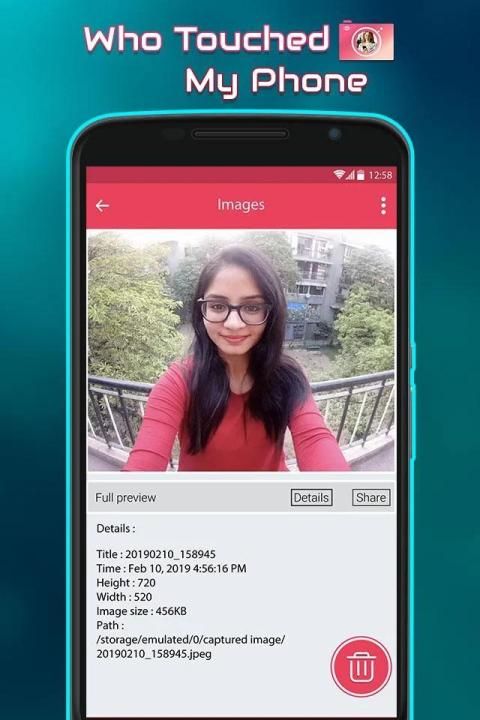
Ever suspected someone of trying to unlock your phone while you’re away, but haven’t been able to prove anything? One of these apps might come in handy. They take a picture with the front-facing camera when someone enters in phone.
How To Capture Someone’s Picture Who Tries to Unlock Your Phone, this app will capture a photo of the intruder each time he/she tries to unlock your device. Use this app and catch all the mobile snoopers with ease. Third Eye app will ease your task of catching your friends and family while they try to access your mobile.
Application allows you to find out, who took your phone without your permission. Being activated, it will take a photo of anybody, who unlocks your phone.
Discover who was that — your friend, wife or curious baby? Nobody will be unnoticed!
Images taken are not displayed in public Gallery.
Features:
-After taking a photo, application silently goes to the background
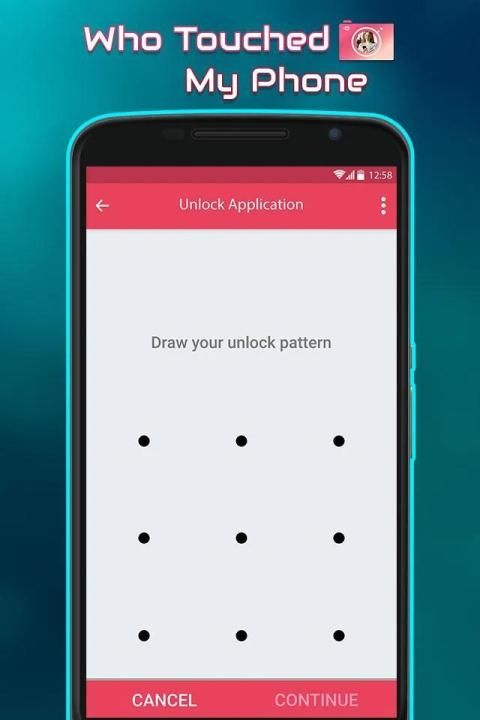
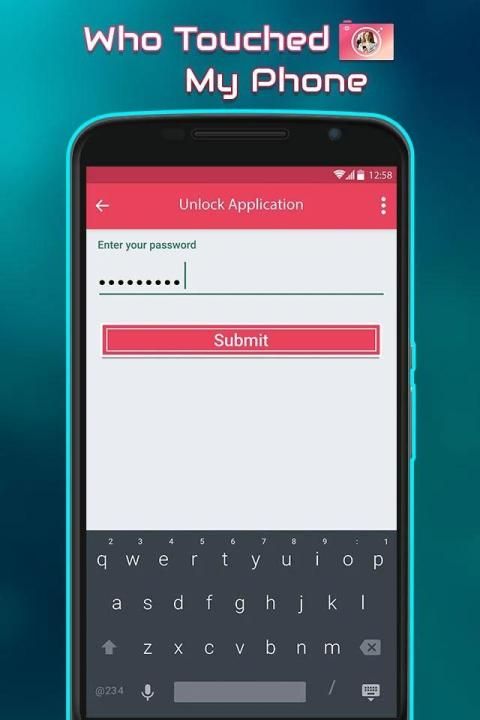
- Password protected app so nobody will see the string operation;
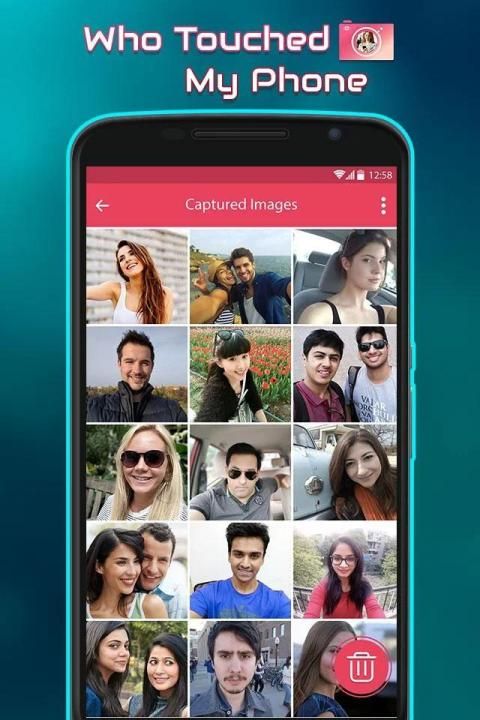
- Manage all captured photos
- You Can Easily Share the things happen in your mobile
How to use:
- Start an app
- Enable option Screen unlock monitoring that is the key option
- Close an app
- Press power button - phone will be locked
- Press power button again and unlock phone with swipe or whatever you have
- After a short delay the photo will be taken
- Now you can enter the app again to check for captured images
- Don’t touch my phone
- Who touch my phone click photos
- who tried to unlock my phone
-Who Touched My Phone
- Anti theft Intruder Selfie
- take photo when wrong password.
- Take photo of people trying to unlock phone
- Anti Theft
If anyone unlock your phone then his/her photo will captured automatically but by Screen Video Recorder you have a proof that which activity done on your phone by third person.
Screen Recorder is a free easy to use screen recording app to record and capture your mobile screen in video formats with or without front camera. With front camera enabled you can record video of mobile screen alongside your own video.
Here is Screen video recorder which will help you to capture and save screen actions in mp4 format. There is option to save and share captured video using screen recorder.
Secret Video Recorder does background recording, NO preview, so you can use your phone as normal and NO ONE can tell you are in recording video.
How to use Screen Recorder:
- To user app first open app and press video button on screen --> allow capture screen
- To stop record you can click notification or open app again after press pause button on screen
Thank you…
Kamera rahasia dan Screen Video Recorder
Terbaik Keamanan Aplikasi Cari Siapa yang mencoba Aktifkan Telepon Anda dan juga mencatat aktivitas layar dengan perekam layar.
diduga pernah seseorang dari mencoba untuk membuka ponsel Anda saat Anda pergi, tapi belum mampu membuktikan apa-apa? Salah satu aplikasi ini mungkin akan berguna. Mereka mengambil gambar dengan kamera menghadap ke depan ketika seseorang memasuki di telepon.
Cara Capture Gambar Seseorang Siapa Mencoba Aktifkan Telepon Anda, aplikasi ini akan menangkap foto dari penyusup setiap kali ia / dia mencoba untuk membuka kunci perangkat Anda. Gunakan aplikasi ini dan menangkap semua snoopers mobile dengan mudah. Aplikasi Third Eye akan memudahkan tugas Anda untuk menangkap teman dan keluarga sementara mereka mencoba untuk mengakses ponsel Anda.
Aplikasi memungkinkan Anda untuk mencari tahu, yang mengambil telepon Anda tanpa izin Anda. Sedang diaktifkan, ia akan mengambil foto dari siapa pun, yang membuka telepon Anda.
Temukan siapa adalah bahwa - teman Anda, istri atau bayi penasaran? Tak seorang pun akan diperhatikan!
Gambar yang diambil tidak ditampilkan di Galeri publik.
Fitur:
-Setelah mengambil foto, aplikasi diam-diam pergi ke latar belakang
- Password aplikasi dilindungi sehingga tidak ada yang akan melihat operasi string;
- Mengelola semua foto diambil
- Anda Mudah Bisa Bagikan hal terjadi di ponsel Anda
Bagaimana cara menggunakan:
- Mulai aplikasi
- Aktifkan opsi Layar pemantauan membuka yang merupakan pilihan utama
- Menutup aplikasi
- Tekan tombol daya - ponsel akan terkunci
- Tekan tombol power lagi dan membuka ponsel dengan menggesek atau apa pun yang Anda miliki
- Setelah penundaan singkat foto akan diambil
- Sekarang Anda dapat memasukkan aplikasi lagi untuk memeriksa foto yang diambil
- Jangan sentuh ponsel saya
- Siapa yang menyentuh saya Foto telepon klik
- yang mencoba untuk membuka ponsel saya
-Siapa Tersentuh My Phone
- Anti pencurian Intruder Selfie
- mengambil foto ketika password yang salah.
- Ambil foto dari orang yang mencoba untuk membuka ponsel
- Anti pencurian
Jika ada yang membuka ponsel Anda maka / nya fotonya akan ditangkap secara otomatis tetapi oleh Screen Recorder Video Anda memiliki bukti bahwa yang kegiatan yang dilakukan pada ponsel Anda dengan orang ketiga.
Screen Recorder adalah mudah bebas untuk menggunakan aplikasi rekaman layar untuk merekam dan menangkap layar ponsel Anda dalam format video dengan atau tanpa kamera depan. Dengan kamera depan diaktifkan Anda dapat merekam video dari layar ponsel bersama video Anda sendiri.
Berikut adalah perekam video Screen yang akan membantu Anda untuk menangkap dan menyimpan tindakan layar dalam format mp4. Ada pilihan untuk menyimpan dan berbagi video yang diambil menggunakan perekam layar.
Rahasia Perekam Video tidak merekam latar belakang, pratinjau NO, sehingga Anda dapat menggunakan telepon seperti biasa dan tidak ada yang dapat memberitahu Anda berada di rekaman video.
Cara menggunakan Perekam Layar:
- Untuk aplikasi pengguna pertama kali membuka aplikasi dan tekan tombol video di layar -> memungkinkan screen capture
- Untuk menghentikan rekaman Anda dapat mengklik pemberitahuan atau aplikasi terbuka lagi setelah tekan tombol pause pada layar
Terima kasih…



9Apps 4.9










