
Discover apps for Android here, 30,000+ users downloaded Screen Shot Capture latest version on 9Apps for free every week! Therefore, people are willing to accept this latest version. This hot app was released on 2018-07-28. To read more information, you can go to 9Apps.
Screenshot Capture & Screen Recorder
Take Screenshot and record screen activity by one click
Screenshot Capture & Screen Recorder is the simplest and easiest way to capture edit and share your device's screen with friends. Take screen and voice recorder and screenshot app all in one, can you believe it?
With our application, everything will become possible. Now, you can take screenshots with a single touch. Moreover, you will have a video recording that will record while you re playing games with face camera. On the other hand, it is a camera that can record your face and screen
Key features of Screenshot Capture & Screen Recorder:
★ Face cam and recorder screen recording with internal audio
- Open the app to start to record on screen. Our toolbar will appear on the screen for you to customize such as turning on the camera, drawing to screen or pause at any time. It is simple and intuitive to record games on your phone, sound and facecam at the same time.
- After recording, you can optionally edit recording screen video. We support editing: cut video, effects, speed or add music to make your video truly impressive & unique.
★ Screen shot captures and edit screenshots:
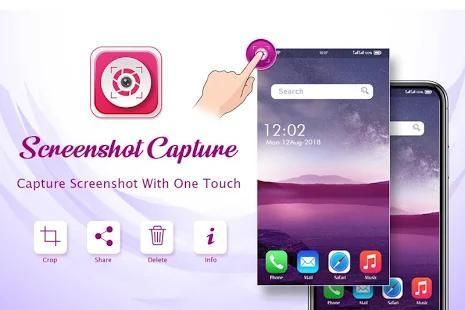
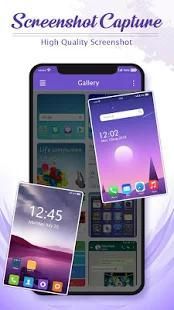
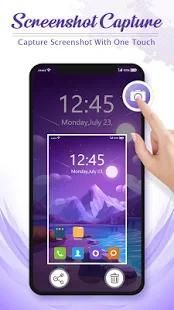
- Take a screenshot of your phone with a single touch
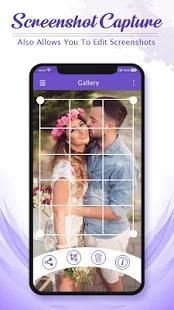
- Support editor screenshot app with blur, cutting or grafting…….
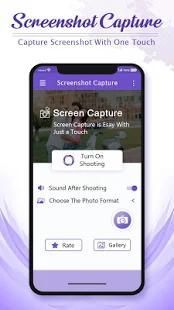
★ Manage video screen capture format settings
- You can choose to save video recorder and editor in many formats with high quality resolution such as HD, Full HD ...
- Overlay button
An easy to capture button that is displayed on top of everything.
- Shake
Shake the device to take a screenshot.
- Buttons Combo
Press POWER + VOLUME DOWN or POWER + HOME buttons at the same time to take a screenshot.
- Browser
Capture scrollable web pages into a single image with an in app browser.
- Drawing
Add meaning to the screenshot by drawing text and shapes on top of it. Draw all kinds of shapes including line, circle, rectangle etc.
- Cropping
Crop important things out of your screenshot.
Depending on your device you can use the following triggers:
- Hold 'Power button' and 'Volume-down button' for 2 seconds
- Hold 'Power button' and 'Home button' for 2 seconds
- Overlay icon
- Notification icon click
- Shake
- Camera hardware button
- Long click search hardware button
- Custom shortcut
- Widget
- Locale, Taker plug-in support
- Power connect/disconnect
Do you want to know how to record your screen, want to make mobile video tutorial or have video call recording? If you are still struggling for the best solution to high quality screen recorder, come to our recording screen app no root. Screen recorder with audio will be much easier and faster. What's more, a great app that captures all your lovely moments with your smartphone. So, download the screen recording app right now to have a great experience!
Thanks for Support...
Tangkap Screenshot & Perekam Layar
Ambil Screenshot dan layar rekaman aktivitas dengan satu kali klik
Screenshot Tangkap & Screen Recorder adalah cara paling sederhana dan termudah untuk menangkap mengedit dan berbagi layar perangkat Anda dengan teman-teman. Ambil layar dan perekam suara dan aplikasi screenshot semua dalam satu, dapat Anda percaya?
Dengan aplikasi kami, semuanya akan menjadi mungkin. Sekarang, Anda dapat mengambil screenshot dengan satu sentuhan. Selain itu, Anda akan memiliki rekaman video yang akan merekam saat Anda sedang bermain game dengan kamera wajah. Di sisi lain, itu adalah kamera yang dapat merekam wajah dan layar
Fitur utama dari Screenshot Tangkap & Perekam Layar:
★ Wajah cam dan layar perekam merekam dengan audio internal yang
- Buka aplikasi untuk mulai merekam pada layar. toolbar kita akan muncul di layar bagi Anda untuk menyesuaikan seperti menyalakan kamera, gambar ke layar atau jeda setiap saat. Hal ini sederhana dan intuitif untuk merekam game di ponsel Anda, suara dan FaceCam pada saat yang sama.
- Setelah merekam, Anda dapat opsional mengedit layar video rekaman. Kami mendukung editing: memotong video, efek, kecepatan atau menambahkan musik untuk membuat video Anda benar-benar mengesankan & unik.
★ Screen shot menangkap dan mengedit screenshot:
- Ambil screenshot dari ponsel Anda dengan satu sentuhan
- Dukungan Editor screenshot aplikasi dengan blur, pemotongan atau okulasi .......
★ Mengelola video yang pengaturan format layar capture
- Anda dapat memilih untuk menyimpan perekam video dan editor dalam berbagai format dengan resolusi kualitas tinggi seperti HD, Full HD ...
- tombol Overlay
Mudah untuk menangkap tombol yang ditampilkan di atas segalanya.
- Kocok
Kocok perangkat untuk mengambil screenshot.
- Tombol Combo
Tekan tombol POWER + VOLUME BAWAH atau DAYA + HOME tombol pada saat yang sama untuk mengambil screenshot.
- Browser
Menangkap halaman web digulir ke dalam satu gambar dengan di browser aplikasi.
- Menggambar
Tambahkan berarti screenshot dengan menggambar teks dan bentuk di atasnya. Menarik segala macam bentuk termasuk garis, lingkaran, persegi panjang dll
- Tanam
Tanaman hal penting dari screenshot Anda.
Tergantung pada perangkat Anda, Anda dapat menggunakan pemicu berikut:
- Hold 'Tombol Power' dan 'tombol Volume-down' selama 2 detik
- Hold 'Tombol Power' dan 'tombol Home' selama 2 detik
- ikon Overlay
- Pemberitahuan ikon klik
- Kocok
- tombol hardware Kamera
- tombol hardware pencarian klik Panjang
- shortcut Kustom
- Widget
- Lokal, dukungan Taker plug-in
- Power menghubungkan / memutuskan
Apakah Anda ingin tahu bagaimana untuk merekam layar Anda, ingin membuat video tutorial mobile atau memiliki rekaman video call? Jika Anda masih berjuang untuk solusi terbaik untuk perekam layar berkualitas tinggi, datang ke aplikasi layar rekaman kami tidak berakar. Layar perekam dengan audio akan lebih mudah dan lebih cepat. Terlebih lagi, aplikasi bagus yang menangkap semua momen indah Anda dengan smartphone Anda. Jadi, download aplikasi perekaman layar sekarang untuk memiliki pengalaman yang hebat!
Terima kasih atas dukungannya...



9Apps 4.9










