
There's no denying the fact that 30,000+ users downloaded Screenshot Capture latest version on 9Apps for free every week! The application is severely widely use. This hot app was released on 2018-09-23. I believe that if you are an android apps lover, you would not miss it.
Screenshot Capture
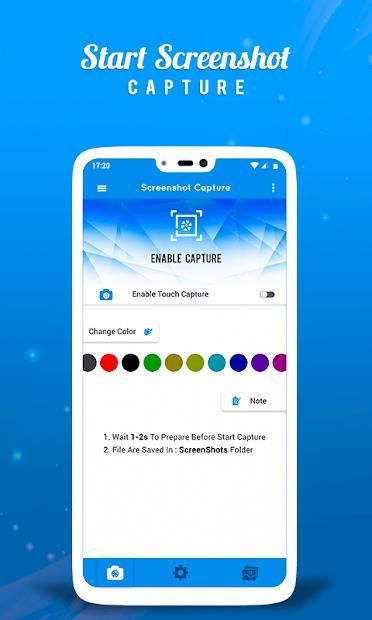
is the simplest and easiest way to capture screenshot of your device's screen and save this screenshot to your phone. An easy to capture button that is displayed on top of everything.
Screenshot Capture
lets you take screenshots on your tablet, phone or other Android device the easy way! Use the easiest screenshot app to not only take screenshots but also view and share them directly. There is an Overlay button to capture screen that is displayed on top of everything. You can start or stop screenshot capture by one click. You can take the screenshot easily with one touch on the screen. Capture the screen in several apps such as games, wallpapers or any type of apps or videos. Overlay button always remain on the top of the screen so you can capture easily at any time.
Features
:-
>> Easy to start or stop
>> Overlay button always remain on screen
>> Capture screenshot easily
>> Save in your phone.
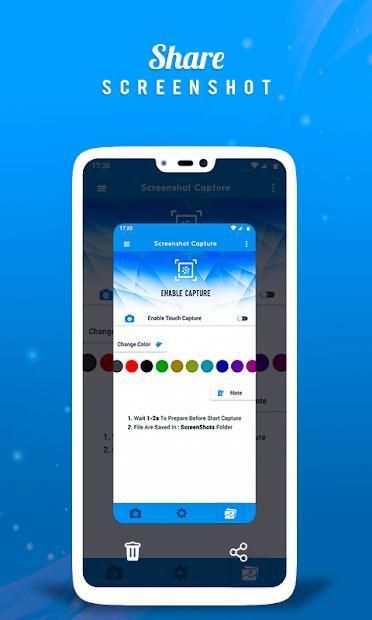
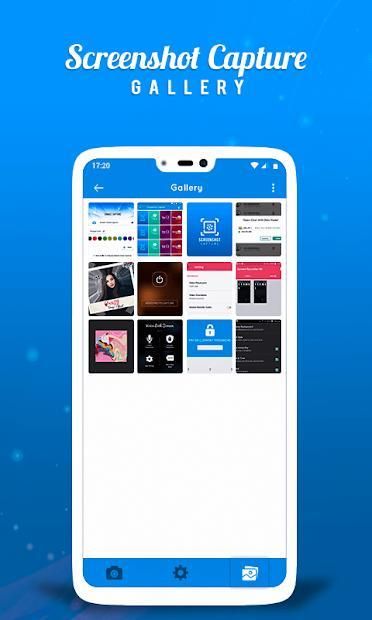
>> View and Share captured screenshot to your friends and family via email or any social networks.
Cuplikan Tangkapan Layar adalah cara termudah dan termudah untuk menangkap tangkapan layar perangkat Anda dan menyimpan tangkapan layar ini ke ponsel Anda. Tombol mudah untuk memotret yang ditampilkan di atas segalanya.
Cuplikan Tangkapan Layar memungkinkan Anda mengambil tangkapan layar di tablet, ponsel, atau perangkat Android lainnya dengan cara yang mudah! Gunakan aplikasi tangkapan layar yang paling mudah untuk tidak hanya mengambil tangkapan layar, tetapi juga melihat dan membagikannya secara langsung. Ada tombol Overlay untuk menangkap layar yang ditampilkan di atas segalanya. Anda dapat memulai atau menghentikan tangkapan layar dengan satu klik. Anda dapat mengambil tangkapan layar dengan mudah dengan satu sentuhan di layar. Abadikan layar di beberapa aplikasi seperti game, wallpaper, atau jenis aplikasi atau video apa pun. Tombol Overlay selalu berada di bagian atas layar sehingga Anda dapat mengabadikannya dengan mudah kapan saja.
Fitur : -
>> Mudah untuk memulai atau berhenti
>> Tombol Overlay selalu berada di layar
>> Tangkap tangkapan layar dengan mudah
>> Simpan di ponsel Anda.
>> Lihat dan Bagikan tangkapan screenshot ke teman dan keluarga Anda melalui email atau jejaring sosial apa pun.



9Apps 4.9









