

Are you finding some interesting apps? 20,000+ users downloaded Screen Recorder latest version on 9Apps for free every week! You will feel better when you start playing This hot app was released on 2019-09-15. It is a very popular app on India now.
Video Recorder for Fortnite - Video player , Edit
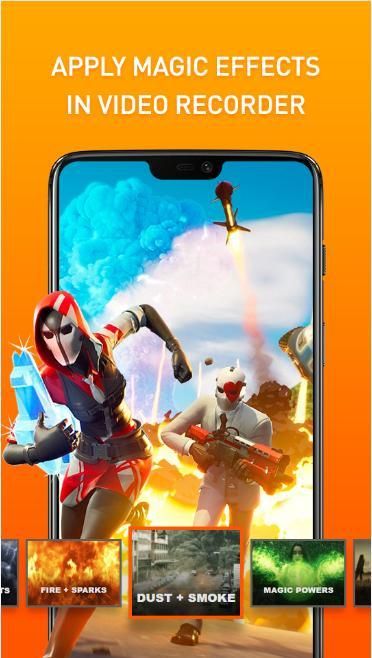
screenshot capture, professional video and photo editing, that's what you'll experience when using our screen recorder with audio app. Leading-edge technology, bringing the ultimate in screen-recording experience.. Do not hesitate to download screen recorder with facecam app!
Screen Recorder for Fortnite - Video player , Edit
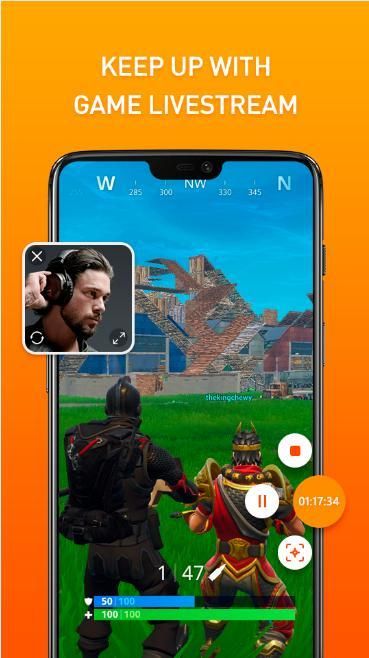
allows smooth and stable screen recording. You can record videos of popular mobile games; You can record video calls with family and friends; You can also record popular shows on Twitch and Periscope.
FEATURES OF
Screen Recorder for Fortnite :
1. Video recorder for Fortnite
✓You can easily hide the record window for frameless video while recording or capturing screen, change the aspect ratio to widescreen, vertical or square.
✓It's a stable screen video recorder for you to record video, record the tutorials of any app and capture screen video.
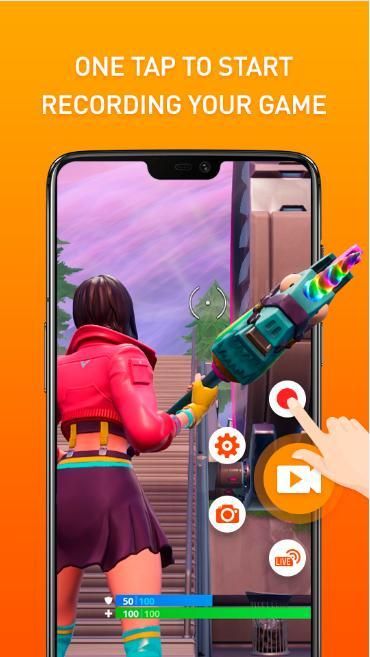
✓It only takes one touch to start recording everything on your phone with sound, one single tap to pause/resume at any time.
✓Simple interface, super easy to record games while playing, record video calls or live shows, capture screenshots, rec screen and edit images.
✓High quality and customized settings: 1440p Resolution, 12.0Mbps Quality, 60 FPS, support for HD video, both portrait and landscape video orientation. With this screen recorder with audio, you can change the video settings at will to meet your needs and record clear & smooth video or screenshot.
2. Take a screenshot
✓ Floating button lets you take screenshots with just 1 touch
✓ Check your screenshot and edit, delete or share your photo through social networks
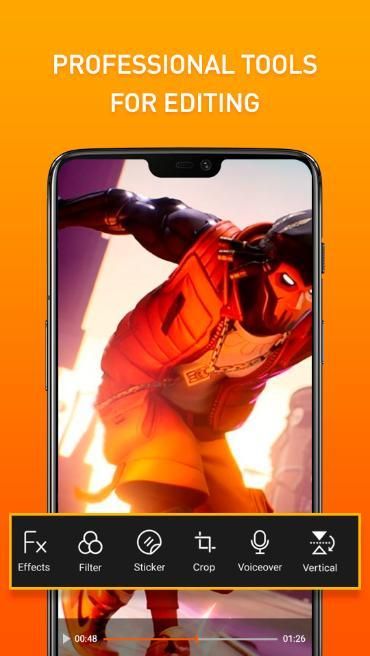
3. Edit video, full screen video editor: Crop video, add music to video, fast & slow video, merge video, ...
4. Screen shot editor: photo editor, photo crop...
Live Recorder,Screen Recorder for Fortnite
:
✰ Quick video editing with just the phone without a computer
✰ You can also record external audio. That makes it very convenient to create tutorial, promotional video.
✰ Record screen of the video call with your lover to capture his or her lovely moments
✰ Record video games to upload to YouTube, Facebook, Instagram
Video Editing
:
✰ Trim video: Remove the middle part of video
✰ Merge videos: Combine multiple videos into one.
✰ Change speed of video: Change your recorded video Speed that you want.
✰ Move video: Move the recorded clip that you want.
Screen Capture
:
✰ My Recorder is not only a screen recorder, video editor, but also an app to capture screenshots.
✰ Screen capture works when recording your screen. Screenshot of a video call with friends or family, record cherish moments.
✰ One tap to capture your screen through floating window or notification bar.
✰ share screencast to your friends.
Share your recording clips with friends on social media
:
✓ VideoShow Recorder/game recorder/video recorder can record your phone screen to HD mode or fast mode. Choose the mode you need.
✓You can also record audio from the mic automatically which makes it convenient to create a personalized video.
Screen Recorder for Fortnite - Video player , Edit
is a stable, high quality screen recorder application for Android, which helps you record phone screen videos smoothly and clearly. With various features like screen capture, video recording, video editing and no need to root, DU Recorder allows you to easily record screen videos such as video games, video calls, live performances and more. Other - make everything simple!
Perekam Video untuk Fortnite - Pemutar video, Edit tangkapan layar tangkapan layar, video profesional dan pengeditan foto, itulah yang akan Anda alami saat menggunakan perekam layar kami dengan aplikasi audio. Teknologi terdepan, menghadirkan pengalaman perekaman layar terbaik .. Jangan ragu untuk mengunduh perekam layar dengan aplikasi facecam!
Perekam Layar untuk Fortnite - Pemutar video, Edit
memungkinkan perekaman layar yang lancar dan stabil. Anda dapat merekam video gim seluler populer; Anda dapat merekam panggilan video dengan keluarga dan teman; Anda juga dapat merekam acara populer di Twitch dan Periscope.
FITUR DARI
Perekam Layar untuk Fortnite:
1. Perekam video untuk Fortnite
✓ Anda dapat dengan mudah menyembunyikan jendela rekam untuk video tanpa bingkai saat merekam atau menangkap layar, mengubah rasio aspek ke layar lebar, vertikal atau persegi.
✓ Ini adalah perekam video layar stabil bagi Anda untuk merekam video, merekam tutorial dari aplikasi apa pun dan menangkap video layar.
✓ Hanya perlu satu sentuhan untuk mulai merekam semua yang ada di ponsel Anda dengan suara, satu ketukan tunggal untuk jeda / melanjutkan kapan saja.
Antarmuka sederhana, super mudah untuk merekam permainan saat bermain, merekam panggilan video atau pertunjukan langsung, menangkap tangkapan layar, layar rekam dan mengedit gambar.
✓Kualitas tinggi dan pengaturan khusus: Resolusi 1440p, Kualitas 12.0Mbps, 60 FPS, dukungan untuk video HD, baik orientasi video portrait maupun landscape. Dengan perekam layar ini dengan audio, Anda dapat mengubah pengaturan video sesuka hati untuk memenuhi kebutuhan Anda dan merekam video atau tangkapan layar yang jelas & halus.
2. Ambil tangkapan layar
✓ Tombol mengambang memungkinkan Anda mengambil tangkapan layar hanya dengan 1 sentuhan
✓ Periksa tangkapan layar Anda dan edit, hapus atau bagikan foto Anda melalui jejaring sosial
3. Edit video, editor video layar penuh: Pangkas video, tambahkan musik ke video, video cepat & lambat, gabung video, ...
4. Screen shot editor: editor foto, pemangkasan foto ...
Perekam Langsung, Perekam Layar untuk Fortnite
:
✰ Pengeditan video cepat hanya dengan telepon tanpa komputer
✰ Anda juga dapat merekam audio eksternal. Itu membuatnya sangat mudah untuk membuat tutorial, video promosi.
✰ Rekam layar panggilan video dengan kekasih Anda untuk mengabadikan momen indahnya
✰ Rekam permainan video untuk diunggah ke YouTube, Facebook, Instagram
Pengeditan Video
:
✰ Potong video: Hapus bagian tengah video
✰ Gabungkan video: Gabungkan beberapa video menjadi satu.
✰ Ubah kecepatan video: Ubah Kecepatan video Anda yang Anda inginkan.
✰ Pindahkan video: Pindahkan klip rekaman yang Anda inginkan.
Tangkapan Layar
:
✰ Perekam Saya tidak hanya perekam layar, editor video, tetapi juga aplikasi untuk mengambil tangkapan layar.
✰ Pengambilan layar berfungsi saat merekam layar Anda. Cuplikan layar panggilan video dengan teman atau keluarga, rekam momen berharga.
✰ Satu ketuk untuk menangkap layar Anda melalui jendela apung atau bilah notifikasi.
✰ bagikan screencast ke teman Anda.
Bagikan klip rekaman Anda dengan teman-teman di media sosial
:
✓ Perekam Video / perekam video / perekam video dapat merekam layar ponsel Anda ke mode HD atau mode cepat. Pilih mode yang Anda butuhkan.
✓You juga dapat merekam audio dari mic secara otomatis yang membuatnya nyaman untuk membuat video yang dipersonalisasi.
Perekam Layar untuk Fortnite - Pemutar video, Edit
adalah aplikasi perekam layar stabil dan berkualitas tinggi untuk Android, yang membantu Anda merekam video layar ponsel dengan lancar dan jelas. Dengan berbagai fitur seperti tangkapan layar, perekaman video, pengeditan video dan tidak perlu melakukan root, DU Recorder memungkinkan Anda merekam video layar dengan mudah seperti permainan video, panggilan video, pertunjukan langsung, dan banyak lagi. Lainnya - sederhanakan semuanya!




9Apps 4.9









