
Following is the introduction of a wonderful App. 20,000+ users downloaded Screen Recorder latest version on 9Apps for free every week! You will feel better when you start playing This hot app was released on 2018-04-22. It get a lot of recognition after release.
The new screen recorder is the most easy-to-use and convenient screen capture application that allows you to record, capture and edit variety of screen capturing videos, game videos, video calls, live shows etc. It is the most flexible and free application with sophisticated design and easy to use functionality.
It does not require root access, no time limit and very easy to use with one action to start and stop recording. You can pause and resume whenever you required using our floating icon.
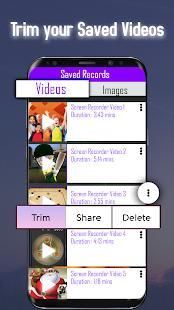
You can always record and preview the quality of the videos and images and adjust resolution by right blend of video editing features. You can always trim unwanted portion, edit and share accordingly.
Key Features:
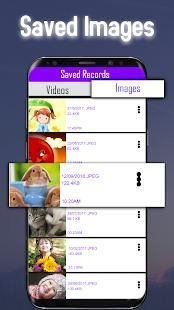
> screen capture(Videos & Images)
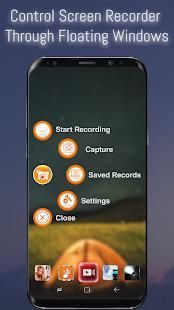
> screen-floating icon to record, capture screen, preview and settings
> hide floating icon for seamless video
> countdown timer to start recording
> unlimited recording time
> stop, pause and show time recording
> trim videos after recording to remove unwanted capture
> compress video for easier sharing
> high quality video mixing
> record sound using MIC for voice mixing
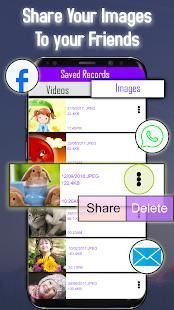
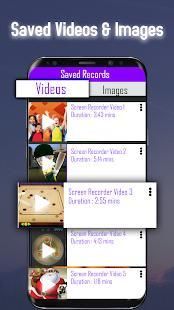
> save and share with friends & family
How to capture the perfect video or image?
• click on the record icon on the home screen and wait for a small float icon
• click on the floating icon to see all recording options
• click record button to start recording
• the timer will setoff as soon as you start recording
• you can hide the recording icon by simply clicking the X
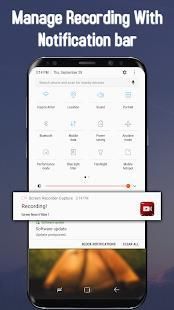
• to stop recording, simply drag the notification bar from top and stop
• now click icon to preview, change setting, and explore other modes
• select videos to trim unwanted portion, save and share with friends.
• use settings button to set video resolution, orientation & bit rate etc.
• once done with recording, just close the application
NOTE: For some devices, enable Overlay permission (permit drawing over other apps option) for the application to capture your screen. This permission allows an app to display on top of other apps.
Perekam layar baru adalah yang paling mudah digunakan dan layar yang mudah aplikasi capture yang memungkinkan Anda untuk merekam, menangkap dan mengedit berbagai layar menangkap video, video permainan, panggilan video, pertunjukan live dll Ini adalah aplikasi yang paling fleksibel dan bebas dengan desain yang canggih dan mudah untuk menggunakan fungsi.
Tidak memerlukan akses root, tidak ada batas waktu dan sangat mudah digunakan dengan satu tindakan untuk memulai dan menghentikan perekaman. Anda dapat pause dan resume setiap kali Anda diperlukan menggunakan ikon kami mengambang.
Anda selalu dapat merekam dan preview kualitas video dan gambar dan menyesuaikan resolusi dengan campuran yang tepat dari fitur editing video. Anda selalu dapat memangkas bagian yang tidak diinginkan, mengedit dan berbagi sesuai.
Fitur Utama:
> Screen capture (Video & Images)
> Ikon layar-apung untuk merekam, screen capture, preview dan pengaturan
> Hide floating ikon untuk video mulus
> Penghitung waktu mundur untuk mulai merekam
> Waktu perekaman terbatas
> Berhenti, berhenti sejenak dan menunjukkan rekaman waktu
> Memangkas video setelah perekaman untuk menghapus capture yang tidak diinginkan
> Video kompres untuk berbagi lebih mudah
> Video berkualitas tinggi pencampuran
> Merekam suara menggunakan MIC untuk pencampuran suara
> Menyimpan dan berbagi dengan teman-teman & keluarga
Bagaimana untuk menangkap video yang sempurna atau gambar?
• klik pada ikon rekam di layar rumah dan menunggu ikon mengambang kecil
• klik pada ikon mengambang untuk melihat semua opsi perekaman
• klik tombol rekam untuk mulai merekam
• timer akan pengurang segera setelah Anda mulai merekam
• Anda dapat menyembunyikan ikon rekaman hanya dengan mengklik X
• untuk berhenti merekam, cukup tarik bar notifikasi dari atas dan berhenti
• sekarang klik ikon untuk pratinjau, perubahan pengaturan, dan mengeksplorasi mode lainnya
• pilih video untuk memangkas bagian yang tidak diinginkan, menyimpan dan berbagi dengan teman-teman.
• tombol pengaturan penggunaan untuk mengatur resolusi video, orientasi & bit rate dll
• sekali dilakukan dengan rekaman, hanya menutup aplikasi
CATATAN: Untuk beberapa perangkat, mengaktifkan izin Overlay (izin menggambar atas pilihan aplikasi lain) untuk aplikasi untuk menangkap layar Anda. Izin ini memungkinkan aplikasi untuk menampilkan di atas aplikasi lain.



9Apps 4.9









