
All high quality mobile apps are available for free download. 20,000+ users downloaded Screen Mirroring latest version on 9Apps for free every week! In my opinion, you will like this app after use it. This hot app was released on 2018-07-20. Get the latest version now!
Screen Mirroring with TV
Now Connect Your TV Screen by Just One Click and Have a Fun….
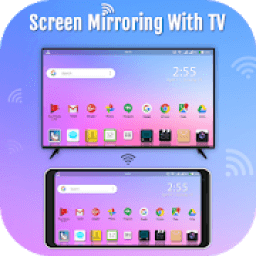
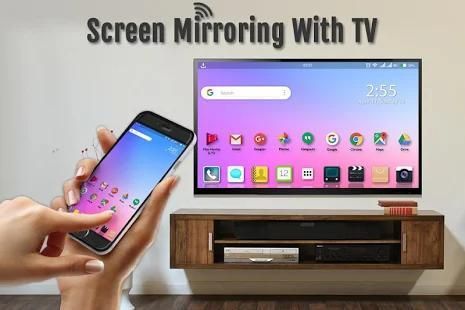
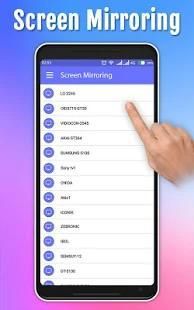
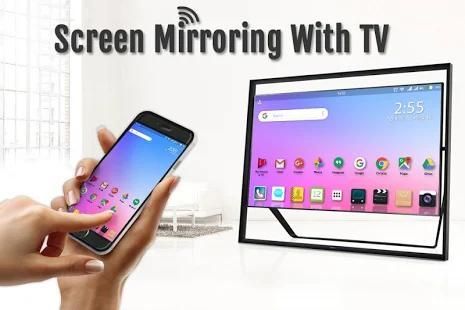
Screen Mirroring with TV App will assist you to scan and mirror your android phone or tab's screen on smart TV/Display or Wireless dongles or adapters.
Screen Mirroring App will assist you to scan and mirror your android phone or tab's screen on smart TV/Display or Wireless dongles or adapters.
Screen Mirroring: Connect Mobile to TV Able to play videos, music, photos, etc in my smartphone with any devices (smartphone, smart TV, laptop, tablet, etc.) at anywhere. With the all-new Smart View app, you can enjoy your personalized Smart Hub experience on your smartphone or tablet with all the benefits of touch. Browse across your favorite live TV and streaming apps more. Discover and launch your movies, shows, sports, music or games directly from your phone without interrupting your viewing experience on the TV.
Screen Mirroring with TV Able to play videos, music, photos, etc. in my smartphone with any devices (smartphone, smart TV, laptop, tablet, etc.) at anywhere.
Screen Mirroring with TV app for android is the best app for mirroring your phone to your TV! Screen mirroring for tv for android is a totally new and professional!
Check your TV weather it supports WIFI Display / Miracast.
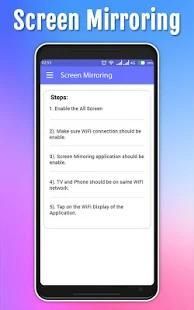
1. Make sure TV is connected to the same WIFI network as your mobile device. You can't connect it with wired connection (LAN).
2. Make sure your Android device version is 4.2 or higher.
3. Make sure your device inbuilt hardware of Miracast.
4. Download and run Screen Mirroring App.
How to use?
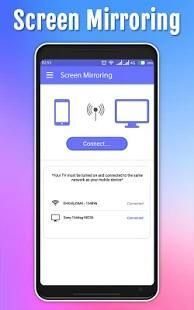
Firstly, App open then click on wi-fi display you will go on cast screen directly.
Enable the TV Miracast.
Tap on start WIFI of the application.
Miracast application should be enabled.
Feature: -
1. A brand-new user interface that unifies your experience across all devices
2. Direct access to your favorite apps on the mobile phone without interrupting TV playback
3. A completely re-designed soft remote that is always accessible
4. Direct deep linking to your entertainment apps including sports, music and games
5. Ability to turn on the TV in Standby mode (Wake on Wireless) for supported models. Need Bluetooth to be ON on the mobile device or tablet.
6. A new game controller
7. An art mode navigation & setting menu for The Frame TV users, to customize Arts or Photos
Screen Mirroring: Connect Mobile to TV App will assist you to scan and mirror your android phone or tab's screen on smart TV/Display (mira cast enabled) or Wireless dongles.
If you have enjoyed your experience with this screen mirroring for smart tv, rate us on play store. Do not forget to share this screen mirroring for smart tv among all your friends who enjoy casting as much as you do.
Both will connect automatically to each other than you can see same mobile screen show on Smart TV.
Screen Mirroring with TV sharing with web browsers screen Mirroring to play games. Screen drawing while mirroring. Mirroring, screen sharing with media players. to make powerful presentation for work, education, or gaming screen cast is used.
If you have enjoyed your experience with this screen mirroring for Samsung smart tv, rate us on play store. Do not forget to share this screen mirroring for Samsung smart tv among all your friends who enjoy casting as much as you do.
If you have any suggestions for us to improve this screen mirroring for Samsung smart tv better, please write to us.
Thank You…
Layar Mirroring dengan TV
Sekarang Hubungkan Layar TV Anda dengan Hanya Satu Klik dan Have Fun a ....
Layar Mirroring dengan TV App akan membantu Anda untuk memindai dan cermin ponsel android Anda atau layar tab pada pintar TV / Display atau dongle nirkabel atau adaptor.
Layar Mirroring App akan membantu Anda untuk memindai dan cermin ponsel android Anda atau layar tab pada pintar TV / Display atau dongle nirkabel atau adaptor.
Layar Mirroring: Hubungkan Ponsel ke TV Mampu memutar video, musik, foto, dll di smartphone saya dengan perangkat (smartphone, smart TV, laptop, tablet, dll) di mana saja. Dengan semua-baru Cerdas View aplikasi, Anda dapat menikmati pengalaman Smart Hub dipersonalisasi di smartphone atau tablet dengan semua manfaat dari sentuhan. Isi di favorit hidup TV dan streaming aplikasi Anda lebih. Temukan dan meluncurkan Anda film, acara, olahraga, musik atau permainan langsung dari ponsel Anda tanpa mengganggu pengalaman menonton Anda di TV.
Layar Mirroring dengan TV Mampu memutar video, musik, foto, dll di smartphone saya dengan perangkat (smartphone, smart TV, laptop, tablet, dll) di mana saja.
Layar Mirroring dengan aplikasi TV untuk android adalah aplikasi terbaik untuk mirroring telepon Anda ke TV Anda! Screen mirroring untuk tv untuk android adalah benar-benar baru dan profesional!
Periksa cuaca TV Anda mendukung WIFI Tampilan / Miracast.
1. Pastikan TV terhubung ke jaringan WIFI yang sama dengan perangkat mobile Anda. Anda tidak dapat terhubung dengan koneksi kabel (LAN).
2. Pastikan versi perangkat Android Anda adalah 4.2 atau lebih tinggi.
3. Pastikan perangkat keras inbuilt Anda Miracast.
4. Download dan jalankan Layar Mirroring App.
Bagaimana cara menggunakan?
Pertama, App terbuka kemudian klik pada wi-fi tampilan Anda akan pergi pada layar cor langsung.
Aktifkan TV Miracast.
Tekan pada awal WIFI aplikasi.
Aplikasi Miracast harus diaktifkan.
Fitur: -
1. Sebuah antarmuka pengguna baru yang menyatukan pengalaman Anda di semua perangkat
2. Akses langsung ke aplikasi favorit Anda pada ponsel tanpa mengganggu pemutaran TV
3. Sebuah benar-benar dirancang ulang terpencil lembut yang selalu dapat diakses
4. Langsung dalam menghubungkan ke hiburan Anda aplikasi termasuk olahraga, musik dan permainan
5. Kemampuan untuk menyalakan TV dalam mode siaga (Wake on Wireless) untuk model yang didukung. Perlu Bluetooth menjadi ON pada perangkat mobile atau tablet.
6. Sebuah game controller baru
7. Sebuah navigasi modus art & menu setting untuk Para pengguna Bingkai TV, untuk menyesuaikan Arts atau Foto
Layar Mirroring: Connect Ponsel TV App akan membantu Anda untuk memindai dan cermin ponsel android Anda atau layar tab pada pintar TV / Display (mira cor diaktifkan) atau dongle nirkabel.
Jika Anda telah menikmati pengalaman Anda dengan layar ini mirroring untuk tv pintar, menilai kami di toko bermain. Jangan lupa untuk berbagi layar ini mirroring untuk tv pintar di antara semua teman yang menikmati pengecoran sebanyak yang Anda lakukan.
Keduanya akan terhubung secara otomatis ke satu sama lain daripada Anda dapat melihat pertunjukan layar ponsel yang sama di Smart TV.
Layar Mirroring dengan TV berbagi dengan web browser layar Mirroring untuk bermain game. Layar gambar sementara mirroring. Mirroring, screen sharing dengan pemutar media. untuk membuat presentasi yang kuat untuk bekerja, pendidikan, atau layar game cor digunakan.
Jika Anda telah menikmati pengalaman Anda dengan layar ini mirroring untuk Samsung tv pintar, menilai kami di toko bermain. Jangan lupa untuk berbagi layar ini mirroring untuk Samsung tv pintar di antara semua teman yang menikmati pengecoran sebanyak yang Anda lakukan.
Jika Anda memiliki saran bagi kita untuk meningkatkan layar ini mirroring untuk Samsung tv pintar yang lebih baik, silahkan menulis kepada kami.
Terima kasih…




9Apps 4.9










