
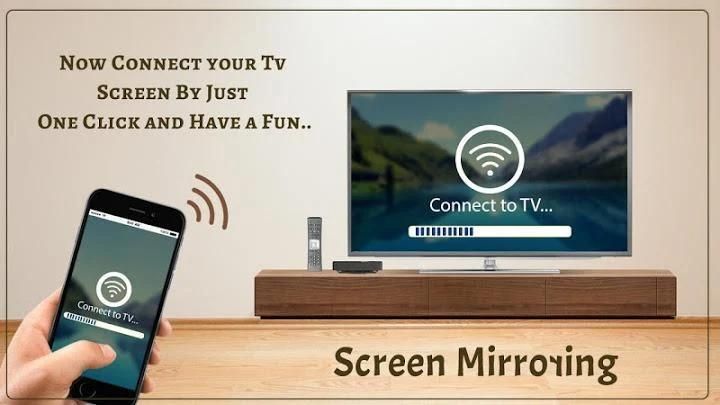
Have you ever read one of those reviews about a app? 20,000+ users downloaded Screen Mirroring With TV latest version on 9Apps for free every week! The app has also been given a bit of a visual makeover, too This hot app was released on 2020-01-13. Come and download it now!
------------------------------
Screen Mirroring With TV : Connect Mobile to TV
------------------------------
Connect Your Mobile Phone with TV By using Screen Mirroring
------------------------------
Screen Mirroring With TV : Connect Mobile to TV
Screen Mirroring App will assist you to scan and mirror your android phone or tab's screen on smart TV/Display (mira cast enabled ) or Wireless dongles or adapters.
Screen Mirroring: Connect Mobile to TV App will assist you to scan and mirror your android phone or tab's screen on smart TV/Display (mira cast enabled) or Wireless dongles or if you have enjoyed your experience with this screen mirroring for smart tv, rate us on play store. Do not forget to share this screen mirroring for smart tv among all your friends who enjoy casting as much as you do.
Screen Mirroring Able to play videos, music, photos, etc in my smartphone with any devices (smartphone, smartTV, laptop, tablet, etc) at anywhere.
Mirror screen does not need extra dongle or cable. Click the “Start”, the Mobile hotspot will be operating automatically. and After hotspot will be operating, connect to AP from other devices.
Screen Mirroring can only play contents but send screen as is such as HDMI, MHL, Miracast and Chromecast. It has been tested and found works on most of android mobiles.
Please follow below steps to mirror your mobile screen to smart TV.
1) Your TV should support Wireless Display or any sort of Display Dongles.
2) The TV must be connected to wifi network same as your phone.
3) The Phone version must be android 4.2 and above.
4) Download and run Screen Mirroring App.
Feature:-
1. A brand new user interface that unifies your experience across all devices
2. Direct access to your favorite apps on the mobile phone without interrupting TV playback
3. A completely re-designed soft remote that is always accessible
4. Direct deep linking to your entertainment apps including sports, music and games
5. Ability to turn on the TV in Standby mode (Wake on Wireless) for supported models. Need Bluetooth to be ON on the mobile device or tablet.
6. A new game controller
7. An art mode navigation & setting menu for The Frame TV users, to customize Arts or Photos
Now Connect Your TV Screen by Just One Click and Have a Fun….
Thanks..
------------------------------
Mirroring Layar Dengan TV: Sambungkan Ponsel ke TV
- ----------------------------
Hubungkan Ponsel Anda dengan TV dengan menggunakan Screen Mirroring
------ ------------------------
Screen Mirroring Dengan TV: Sambungkan Ponsel ke TV
Aplikasi Screen Mirroring akan membantu Anda memindai dan cerminkan ponsel Android Anda atau layar tab pada TV pintar / Layar (mira cast diaktifkan) atau dongle atau adapter Nirkabel.
Pencerminan Layar: Sambungkan Aplikasi Seluler ke TV akan membantu Anda memindai dan mencerminkan ponsel atau tab Android Anda layar pada smart TV / Display (mira cast enabled) atau Wireless dongles atau jika Anda telah menikmati pengalaman Anda dengan mirroring layar ini untuk smart tv, beri nilai kami di play store. Jangan lupa untuk membagikan mirroring layar ini untuk smart tv di antara semua teman Anda yang menikmati casting sebanyak yang Anda lakukan.
Mirroring Layar Mampu memutar video, musik, foto, dll di ponsel cerdas saya dengan perangkat apa pun (ponsel cerdas) , smartTV, laptop, tablet, dll) di mana saja.
Layar cermin tidak perlu dongle atau kabel tambahan. Klik "Mulai", hotspot Seluler akan beroperasi secara otomatis. dan Setelah hotspot akan beroperasi, sambungkan ke AP dari perangkat lain.
Screen Mirroring hanya dapat memutar konten tetapi mengirim layar seperti HDMI, MHL, Miracast, dan Chromecast. Ini telah diuji dan ditemukan berfungsi pada sebagian besar ponsel Android.
Harap ikuti langkah-langkah di bawah ini untuk mencerminkan layar ponsel Anda ke TV pintar.
1) TV Anda harus mendukung Display Nirkabel atau segala jenis Dongles Display.
2) TV harus terhubung ke jaringan wifi yang sama dengan ponsel Anda.
3) Versi Telepon harus android 4.2 dan di atasnya.
4) Unduh dan jalankan Aplikasi Screen Mirroring.
Fitur: -
1. Antarmuka pengguna baru yang menyatukan pengalaman Anda di semua perangkat
2. Akses langsung ke aplikasi favorit Anda di ponsel tanpa mengganggu pemutaran TV
3. Remote lunak yang sepenuhnya didesain ulang yang selalu dapat diakses
4. Tautan mendalam langsung ke aplikasi hiburan Anda termasuk olahraga, musik, dan game
5. Kemampuan untuk menghidupkan TV dalam mode Siaga (Wake on Wireless) untuk model yang didukung. Perlu Bluetooth untuk AKTIF pada perangkat seluler atau tablet.
6. Pengontrol permainan baru
7. Navigasi mode seni & amp; menu pengaturan untuk pengguna Frame TV, untuk menyesuaikan Seni atau Foto
Sekarang Hubungkan Layar TV Anda dengan Hanya Satu Klik dan Bersenang-senang ....
Terima kasih ..





9Apps 4.9










