
Do you believe? 30,000+ users downloaded Screen Mirroring latest version on 9Apps for free every week! And it was enormous fun This hot app was released on 2019-02-21. I believe you’ll enjoy it after use it.
Screen Mirroring App
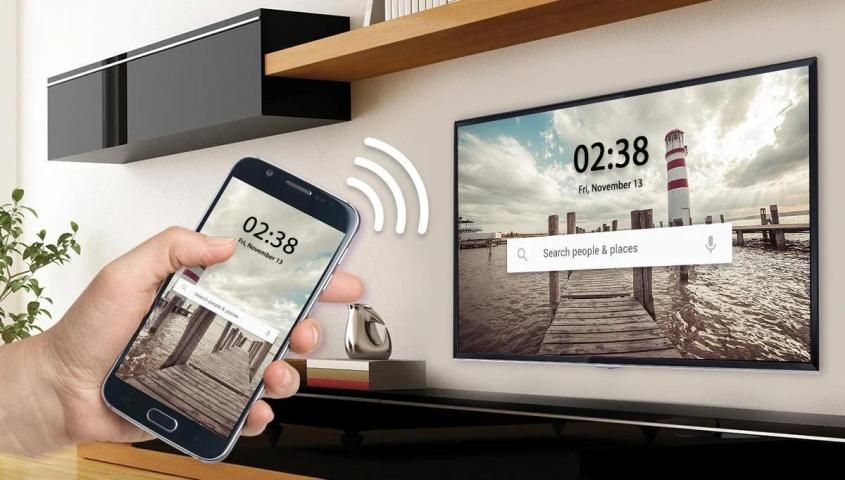
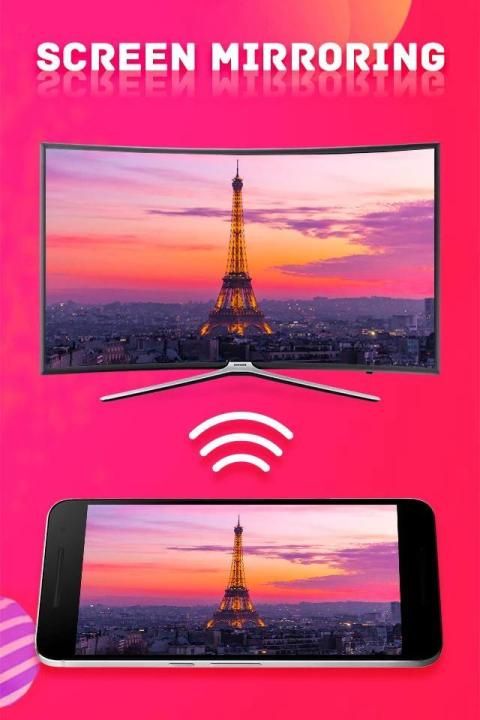
will assist you to scan and mirror your android phone or tab's screen on smart TV/Display (mira cast enabled ) or Wireless dongles or adapters.
This app has been tested and found works on most of android mobiles with android version 4.2 and above.
Screen Mirroring with TV App
will assist you to scan and mirror your android phone or tab's screen on smart TV/Display or Wireless dongles or adapters.
Screen mirroring assistant
app helps to open window in smart TV screen from your phone. Share second screen throw wireless and wifi and connect phone dongles with Samsung smart TV mirroring assistant.
With the all-new Smart View app, you can enjoy your personalized Smart Hub experience on your smartphone or tablet with all the benefits of touch. Browse across your favorite live TV and streaming apps more. Discover and launch your movies, shows, sports, music or games directly from your phone without interrupting your viewing experience on the TV.
Screen Mirroring App
helps to mirror android mobile phone & scan tab screen to display it on smart TV/Display (mira cast enabled ) by wireless, Wifi & Bluetooth dongles or adapters.
Feature:-
->Direct access to your favorite apps on the mobile phone without interrupting TV playback
->Mirroring, screen sharing with UPnP / DLNA video players such as XBMC/KODI
->Simple profile-based interface - easy to enable/disable different profiles for different types of displays
->Streaming timer and stop when lock screen
->Automatically enable Bluetooth and Wi-Fi - quickly connect a keyboard, mouse, and/or game controller
->Disable device backlight and/or vibration - save battery while your device is connected (not compatible with all devices)
->Compatible with Network Tethering (wifi, bluetooth, USB)
->System-wide immersive mode (Android 5.0+)
->Show desktop sites in Chrome by default - browse the real Web, on your TV!
->Load profiles automatically when a display is connected
->All Smart Tv Screen Share & Remote Control
How to use?
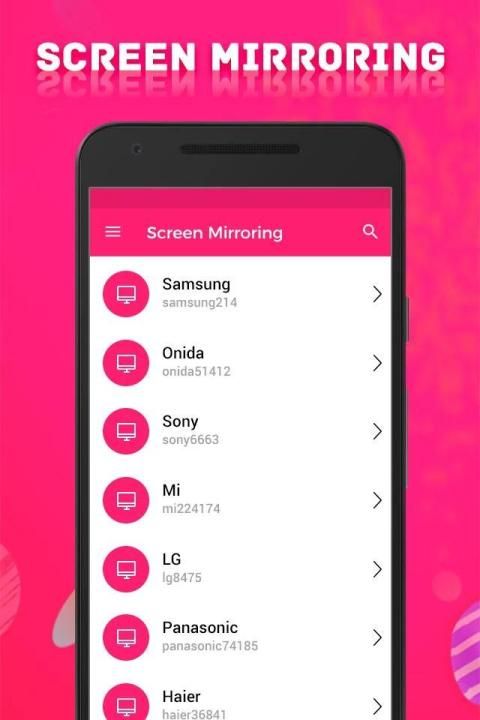
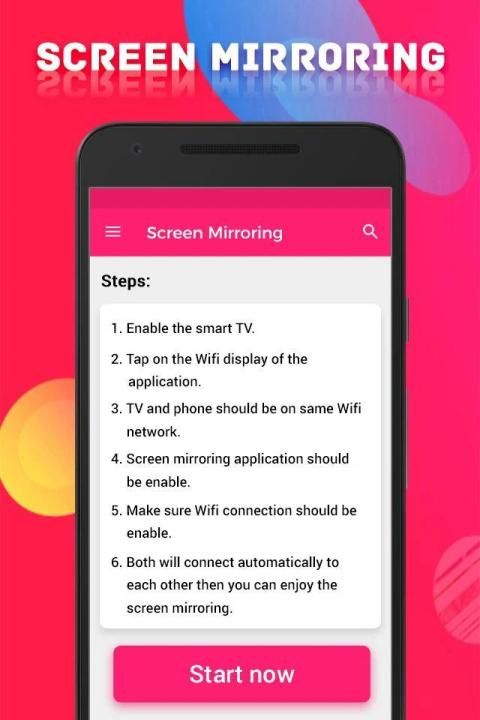
->Firstly, App open then click on Wi-Fi Display you will go on cast screen directly.
->Enable the TV Miracast.
->Tap on start WIFI of the application.
->Miracast application should be enabled.
->Both will connect automatically to each other than you can see same Mobile Screen With Smart TV Mirroring.
Screen Mirroring with TV sharing with web browsers screen Mirroring to play games. Screen drawing while mirroring. Mirroring, screen sharing with media players. to make powerful presentation for work, education, or gaming screen cast is used.
If you have enjoyed your experience with this screen mirroring for Samsung smart tv, rate us on play store. Do not forget to share this screen mirroring for Samsung smart tv among all your friends who enjoy casting as much as you do.
If you have any suggestions for us to improve this screen mirroring for Samsung smart tv better, please write to us.
Thank You…
Aplikasi Pencerminan Layar
akan membantu Anda memindai dan mencerminkan ponsel Android Anda atau layar tab di smart TV / Display (mira cast diaktifkan) atau dongle atau adapter Nirkabel.
Aplikasi ini telah diuji dan ditemukan berfungsi pada sebagian besar ponsel Android dengan versi Android 4.2 dan di atasnya.
Pencerminan Layar dengan Aplikasi TV
akan membantu Anda memindai dan mencerminkan ponsel Android Anda atau layar tab di smart TV / Display atau dongle atau adapter Nirkabel.
Aplikasi
Screen mirroring assistant
membantu membuka jendela di layar TV pintar dari ponsel Anda. Bagikan layar kedua dengan nirkabel dan wifi dan hubungkan dongle ponsel dengan asisten mirroring Samsung pintar.
Dengan aplikasi Smart View yang semuanya baru, Anda dapat menikmati pengalaman Smart Hub yang dipersonalisasi di ponsel cerdas atau tablet Anda dengan semua manfaat sentuhan. Jelajahi lebih banyak TV langsung favorit Anda dan aplikasi streaming. Temukan dan luncurkan film, acara, olahraga, musik, atau permainan Anda langsung dari ponsel Anda tanpa mengganggu pengalaman menonton Anda di TV.
Aplikasi Pencerminan Layar
membantu merefleksikan ponsel android & layar tab pindaian untuk menampilkannya di smart TV / Display (diaktifkan dengan mira cast) melalui dongle atau adapter nirkabel, Wifi & Bluetooth.
Fitur: -
-> Akses langsung ke aplikasi favorit Anda di ponsel tanpa mengganggu pemutaran TV
-> Mirroring, berbagi layar dengan pemutar video UPnP / DLNA seperti XBMC / KODI
-> Antarmuka berbasis profil sederhana - mudah untuk mengaktifkan / menonaktifkan profil yang berbeda untuk berbagai jenis tampilan
-> Streaming timer dan berhenti ketika mengunci layar
-> Secara otomatis mengaktifkan Bluetooth dan Wi-Fi - dengan cepat sambungkan keyboard, mouse, dan / atau game controller
-> Nonaktifkan lampu latar perangkat dan / atau getaran - hemat baterai saat perangkat Anda terhubung (tidak kompatibel dengan semua perangkat)
-> Kompatibel dengan Network Tethering (wifi, bluetooth, USB)
-> Mode immersive di seluruh sistem (Android 5.0+)
-> Tampilkan situs desktop di Chrome secara default - jelajahi Web asli, di TV Anda!
-> Muat profil secara otomatis ketika layar terhubung
-> Semua Layar Pintar TV & Remote Control
Bagaimana cara menggunakan?
-> Pertama, Aplikasi terbuka lalu klik Wi-Fi Display, Anda akan langsung masuk ke layar cast.
-> Aktifkan Miracast TV.
-> Ketuk mulai WIFI aplikasi.
-> Aplikasi Miracast harus diaktifkan.
-> Keduanya akan terhubung secara otomatis satu sama lain daripada Anda dapat melihat Layar Ponsel yang sama Dengan Mirroring TV Cerdas.
Screen Mirroring dengan TV sharing dengan layar browser web Mirroring untuk bermain game. Gambar layar sambil mirroring. Mirroring, berbagi layar dengan pemutar media. untuk membuat presentasi yang kuat untuk pekerjaan, pendidikan, atau pemeran layar game digunakan.
Jika Anda telah menikmati pengalaman Anda dengan mirroring layar ini untuk Samsung smart tv, beri peringkat kami di play store. Jangan lupa untuk berbagi mirroring layar ini untuk Samsung smart tv di antara semua teman Anda yang menikmati casting sebanyak yang Anda lakukan.
Jika Anda memiliki saran bagi kami untuk meningkatkan pencerminan layar ini untuk Samsung smart tv yang lebih baik, silakan menulis kepada kami.
Terima kasih…




9Apps 4.9










