

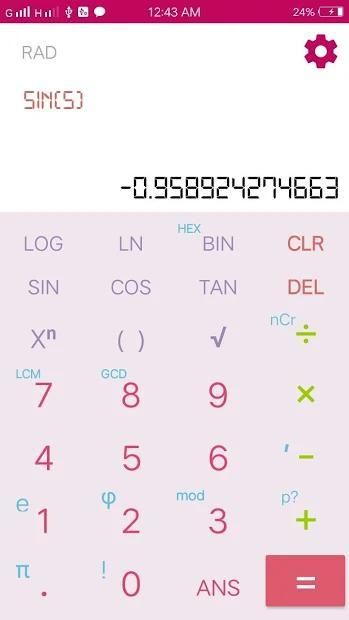
With the updating of mobile application, 20,000+ users downloaded Scientific Calculator latest version on 9Apps for free every week! It shouldn't be surprising to find a app popular faithfully This hot app was released on 2018-10-10. To read more information, you can go to 9Apps.
Scientific calculator
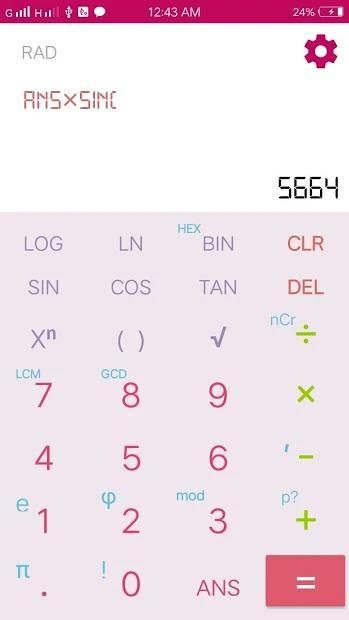
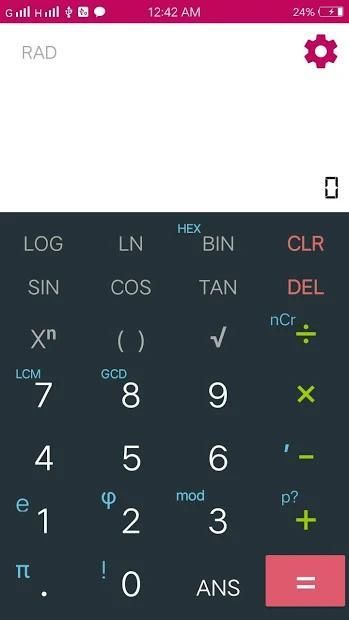
is one of the necessary tool for the students. Every student must have scientific calculator in their cell phone for easy and quick calculations. This smart scientific calculator encodes covers almost everything from simple to scientific calculations making it versatile and perfect choice for university, college and office alike.
Different Modes of scientific calculator
It has two modes for calculations
Scientific calculator mode
Standard calculator mode
- Standard Calculator Mode
Standard mode calculates all your standard mathematical issues including square root
- Scientific Calculator Mode
Scientific mode covers angles, logarithms, degrees and radiant equations to solve, it further has switch mode which allows the students to find exponential (inverse) functions making it easy for all the users to have their solutions for mathematical scientific equations.
Following are some
features
of scientific calculator.
1: Option for Percentage finding.
2: Option for Delete history.
3: Find functions in degrees, radiant and grads.
4: Fixed point display mode option.
5: Performs basic calculations minus, addition, subtraction without any delay.
6: Do scientific functions such as trigonometric, logarithms and exponential functions.
Kalkulator ilmiah adalah salah satu alat yang diperlukan untuk siswa. Setiap siswa harus memiliki kalkulator ilmiah di ponsel mereka untuk perhitungan yang mudah dan cepat. Kalkulator ilmiah pintar ini mengkodekan hampir semua hal, mulai dari perhitungan sederhana hingga ilmiah, menjadikannya pilihan yang serbaguna dan sempurna untuk universitas, perguruan tinggi, dan kantor.
Mode yang berbeda dari kalkulator ilmiah
Ini memiliki dua mode untuk perhitungan
Mode kalkulator ilmiah
Mode kalkulator standar
- Mode Kalkulator Standar
Mode standar menghitung semua masalah matematika standar Anda termasuk akar kuadrat
- Mode Kalkulator Ilmiah
Mode ilmiah meliputi sudut, logaritma, derajat, dan persamaan berseri untuk dipecahkan, selanjutnya memiliki mode pengalihan yang memungkinkan siswa menemukan fungsi eksponensial (terbalik) sehingga memudahkan semua pengguna untuk memiliki solusi mereka untuk persamaan ilmiah matematika.
Berikut ini adalah beberapa
fitur kalkulator ilmiah.
1: Opsi untuk temuan Persentase.
2: Opsi untuk Hapus riwayat.
3: Temukan fungsi dalam derajat, berseri-seri dan lulusan.
4: Opsi mode tampilan titik tetap.
5: Melakukan perhitungan dasar minus, penambahan, pengurangan tanpa penundaan.
6: Lakukan fungsi ilmiah seperti trigonometri, logaritma dan fungsi eksponensial.
Easy to use and user friendly interface.
![How to download Casio fx-991ES Plus 2nd Edition Emulator for PC [2020] screenshot 1](https://i.ytimg.com/vi/hyGf_JpCnMg/mqdefault.jpg)



![How to download Scientific Calculator Emulator for PC [Casio fx-991EX Classwiz - 2020] screenshot 5](https://i.ytimg.com/vi/oNkoolqGHUE/mqdefault.jpg)

9Apps 4.9









