

Welcome to the official store for application World. 20,000+ users downloaded Retouch-Free edition latest version on 9Apps for free every week! All its functions are there and updated. This hot app was released on 2020-03-17. Certainly you will love it after play.
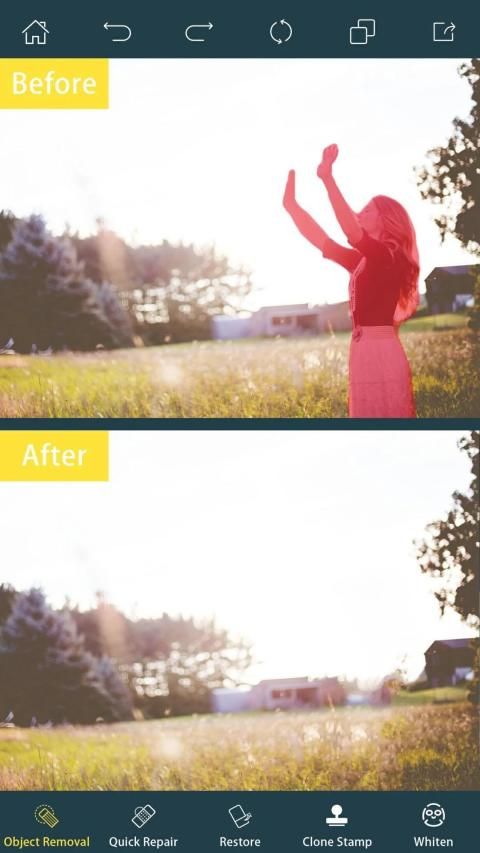
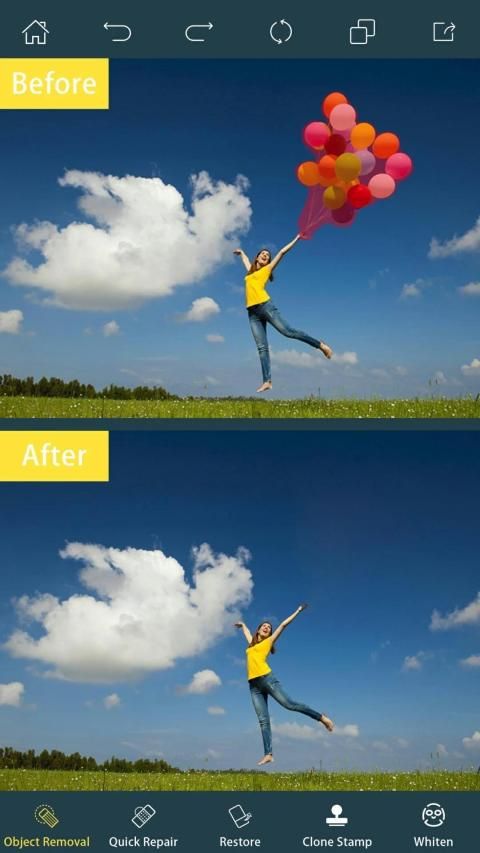
Remove Object from Photo app is a very useful tool that can erase any object, logo, watermark, or date on a picture. Retouch-Free edition helps you improving your pictures in another manner than usual ones..
Removing Objects from Your Photos using the Magical tools of touch-retouch eraser like,object remover tool,,photo inpaint tool, Watermark Remover tools, and others to remove unwanted content from photos.
Photo Stamp Remover - Removes watermarks from your pictures quickly. Remove date stamp or watermark from photo with Photo Stamp Remover tools. Watermark Remover tools[remove watermark video,remove watermark photo].remove logo from video and remove logo from photos with watermark remover from video and photos.
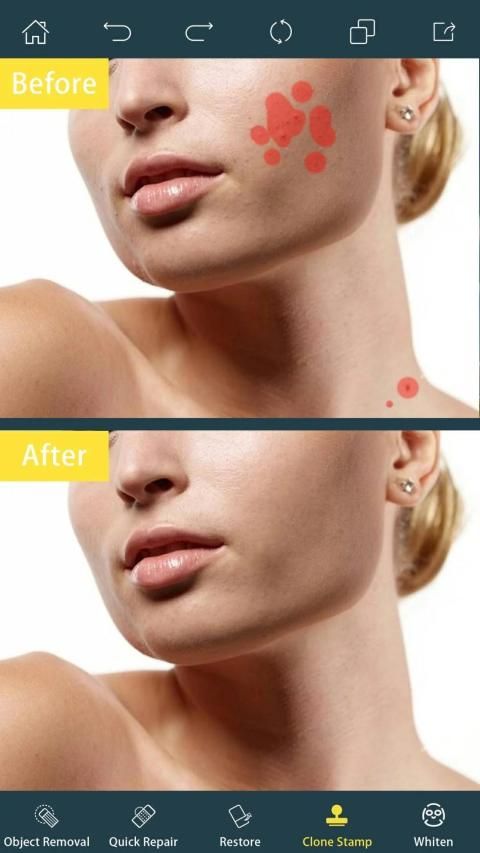
Use Segment Remover. Set your line Thickness and thick for better performance. Remove text from photo, remove stamp from photo, remove logo from photo, remove stickers from photo, remove pimples, remove blemish
What you can do with Quick Object Eraser :
- telephone wires and posts, power lines;
- surface breaks and scratches both straight and curved;
- photobombers, scalado remove, and object remover;
- pimples and skin blemishes with lunapic photo editor;
- retouching human-made objects like stop lights, street signs, trash cans;
- whatever you feel is spoiling your photos.
- Remove Unwanted Objects with Touch Eraser just touch-retouch.
- Watermark Remover online - Photo Stamp Remover
- Remove filter from picture
Object Remover Tools :
1-Retouch: No unwanted objects – no distractions
2-Selective Adjustments: Make local tonal and color corrections
3-Give your pictures a proper look
4-Move Me Let: objects travel around your photos
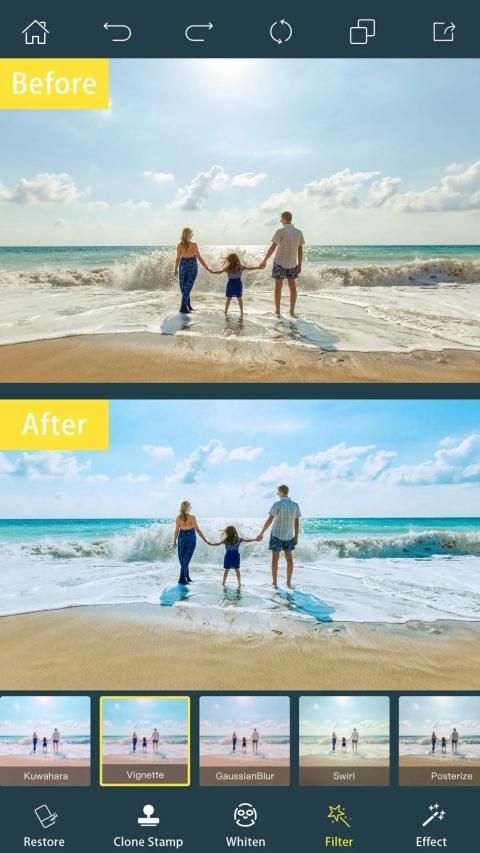
5-Filters: Insufflate your mood into your photos
6-Textures: Add depth and richness to your photos
7-Magic Crop: Explore the unknown with Magic Crop
Remove unwanted object from photo with the Object Removal portrait — select either Brush or Lasso, Select the content to be removed, and then tap the Go button. Remove defects or duplicate objects by using the Removing Clone Stamp tool. Adjust Stamp Size, high snap clean, Remove Image unwanted photos, remove items from photo and Cut out Segment Remover ,Erase background free, magic eraser Image remove line. Use Eraser to wipe out what has just been cloned. Set Eraser Size, Easy eraser Hardness, and Opacity as needed.
Hapus Objek dari aplikasi Foto adalah alat yang sangat berguna yang dapat menghapus objek, logo, tanda air, atau tanggal pada gambar. Edisi Bebas-Retouch membantu Anda meningkatkan gambar Anda dengan cara lain daripada yang biasa ..
Menghapus Objek dari Foto Anda menggunakan alat Magical penghapus sentuh-sentuh seperti, alat penghapus objek ,, alat foto inpaint, alat Watermark Remover, dan lainnya untuk menghapus konten yang tidak diinginkan dari foto.
Photo Stamp Remover - Menghapus tanda air dari gambar Anda dengan cepat. Hapus cap tanggal atau tanda air dari foto dengan alat Penghapus Stempel Foto. Alat Penghapus Watermark [hapus video tanda air, hapus foto tanda air]. Hapus logo dari video dan hapus logo dari foto dengan penghapus tanda air dari video dan foto.
Gunakan Segment Remover. Tetapkan garis Anda Ketebalan dan tebal untuk kinerja yang lebih baik. Hapus teks dari foto, hapus perangko dari foto, hapus logo dari foto, hapus stiker dari foto, hapus jerawat, hapus noda
Apa yang dapat Anda lakukan dengan Penghapus Objek Cepat:
- kabel dan pos telepon, saluran listrik;
- permukaan patah dan tergores lurus dan melengkung;
- photobombers, scalado remove, dan object remover;
- Jerawat dan cacat kulit dengan editor foto lunap;
- retouching benda buatan manusia seperti lampu berhenti, rambu-rambu jalan, tong sampah;
- Apa pun yang Anda rasakan merusak foto Anda.
- Hapus Objek yang Tidak Diinginkan dengan Touch Eraser hanya dengan sentuhan-retouch.
- Penghilang Air online - Penghapus Stempel Foto
- Hapus filter dari gambar
Alat Penghilang Objek:
1-Retouch: Tidak ada objek yang tidak diinginkan - tidak ada gangguan
Penyesuaian 2-Selektif: Lakukan koreksi warna dan warna lokal
3-Berikan foto Anda tampilan yang tepat
4-Move Me Let: objek berkeliling foto Anda
5-Filter: Menambah suasana hati Anda ke dalam foto Anda
6-Tekstur: Tambahkan kedalaman dan kekayaan pada foto Anda
7-Magic Crop: Jelajahi yang tidak diketahui dengan Magic Crop
Hapus objek yang tidak diinginkan dari foto dengan potret Penghapusan Objek - pilih Brush atau Lasso, Pilih konten yang akan dihapus, lalu ketuk tombol Go. Hapus cacat atau duplikat objek dengan menggunakan alat Menghapus Clone Stamp. Sesuaikan Ukuran Perangko, pembersihan dengan snap tinggi, Hapus Foto gambar yang tidak diinginkan, hapus item dari foto dan Potong Segmen Remover, Hapus latar belakang gratis, penghapus ajaib Gambar hapus garis. Gunakan Eraser untuk menghapus apa yang baru saja dikloning. Atur Ukuran Penghapus, Kekerasan penghapus Mudah, dan Opacity sesuai kebutuhan.
Object Remover:
1-Retouch: No extra objects-No interference
2-Selective adjustment: local tone and color correction
3- Give your photos the proper look
4Move Me Let: Objects Move Around Your Photos
5 filters: inject mood into photos
6 textures: add depth and richness to your photos
7 Magic Crops: Explore the Unknown World with Magic Crops



9Apps 4.9










