9Apps provide lots of India android apps. 30,000+ users downloaded Remote for All TV: Universal Remote Control latest version on 9Apps for free every week! It works great even on 2G. This hot app was released on 2018-05-13. Even if you’re not a fan of this app, you’ll love it after reading this page.
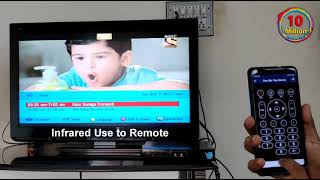
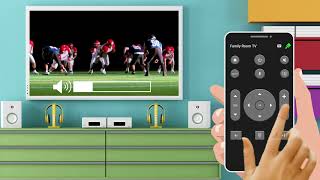
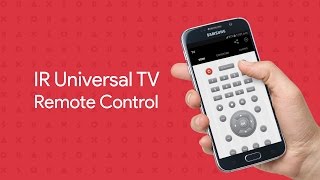
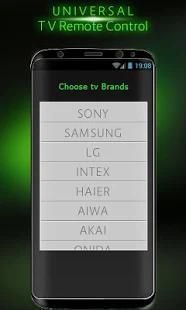
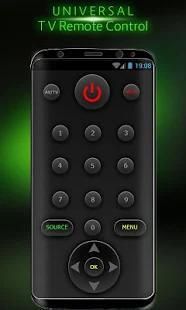
Remote controller for all Brands TV – Universal TV Remote app displays TV remote on android app with functionality like turn on and turn off TV, Volume controller, Channel Changing option and much more. You will be asked to enter the brand name of your TV and then proceed to next screen. Make sure you have internet connection to be able to use this TV remote. Now you have your Own TV remote and need not find with other to get the real TV remote to access Television. Do rate this app and leave your comments along with suggestions
How to use this Universal TV Remote for all Brands of TV
1. Download and install this Universal TV remote
2. Read the terms and condition and about this app
3. Enter the brand name of your TV
4. Check for your wifi connection and turn it on
5. TV remote controller will take 24 hours to activate
6. After 24 hours you will be displayed an option that TV remote is activated
7. Do remembers that this is a prank app and have purely for entertainment purpose only
You TV remote controller will be available to use and share this app with others on social media for entertainment
Remote kontrol untuk semua merek TV - Universal TV remote aplikasi menampilkan TV remote pada aplikasi android dengan fungsi seperti menghidupkan dan mematikan TV, Volume controller, Saluran pilihan Mengubah dan banyak lagi. Anda akan diminta untuk memasukkan nama merek TV Anda dan kemudian melanjutkan ke layar berikutnya. Pastikan Anda memiliki koneksi internet untuk dapat menggunakan remote TV ini. Sekarang Anda memiliki remote TV Sendiri dan tidak perlu menemukan dengan lainnya untuk mendapatkan remote TV nyata untuk mengakses televisi. Apakah menilai aplikasi ini dan meninggalkan komentar Anda bersama dengan saran
Cara menggunakan Remote Universal TV ini untuk semua Merek TV
1. Download dan install terpencil Universal TV ini
2. Baca syarat dan kondisi dan tentang aplikasi ini
3. Masukkan nama merek TV Anda
4. Periksa untuk koneksi wifi Anda dan hidupkan
remote kontrol 5. TV akan mengambil 24 jam untuk mengaktifkan
6. Setelah 24 jam Anda akan ditampilkan pilihan yang jauh TV diaktifkan
7. Do ingat bahwa ini adalah aplikasi lelucon dan memiliki murni untuk tujuan hiburan saja
Anda TV remote kontrol akan tersedia untuk menggunakan dan berbagi aplikasi ini dengan orang lain di media sosial untuk hiburan

9Apps 4.9