
9Apps provide lots of India android apps. 20,000+ users downloaded PlayScore Lite latest version on 9Apps for free every week! It has been a popular app for a long time. This hot app was released on 2018-09-30. Just download it and use on your android phone!
PlayScore works very well but ONLY if you follow the instructions.
If PlayScore does not work on your device please email support@playscore.co before writing a bad review.
On some devices image can come out blurred. To fix, tap and hold camera button. Then choose SYSTEM CAMERA
App will only work if you snap the WHOLE of a FLAT, STRAIGHT page of PRINTED* music in BRIGHT LIGHT.
Please photograph paper, not a screen.
*PlayScore does not support handwritten instrument parts (eg Real Books).
Can take a little practice to get a really good result. Not working? See *troubleshooting* below or send us an email support@playscore.co.
PlayScore is the free (no adds) version of PlayScore Pro. Plays a whole page of printed music with a maximum of 2 staffs per system.
Place music upright in good bright light. Make sure the page is flat
Take photo square-on. Sharp, clear focus essential.
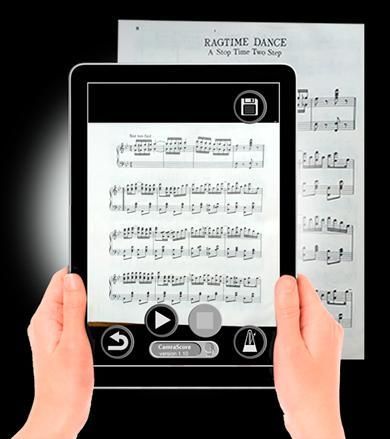
Tap the logo button in the lower centre to scan.
See www.playscore.co for more information.
DEVELOPERS - build optical music recognition into your apps- see www.playscore.co
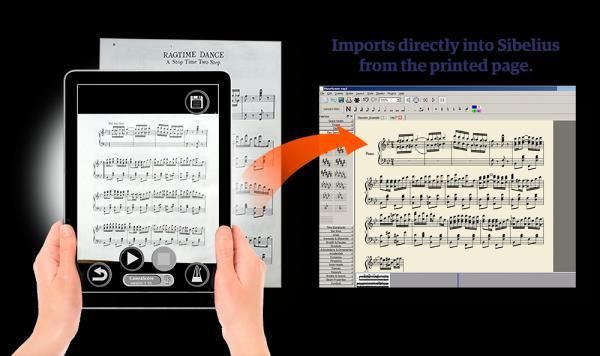
Upgrade to PlayScore pro for unlimited staffs-per-system, the option to load and save music images and the ability to export scores as JPG, MIDI and MusicXML.
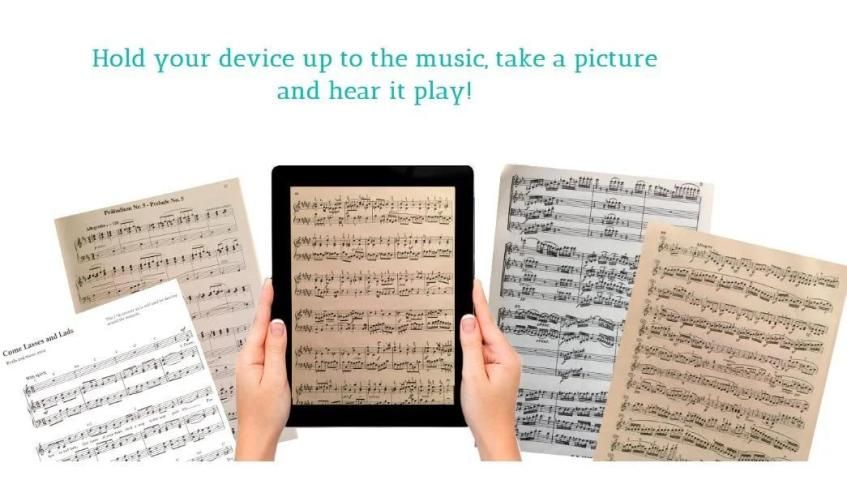
PlayScore takes understands all the symbols of standard music notation and can play all kinds of sheet music and scores directly from a photo
- Want to hear a song from a book
- Play through a Bach fugue
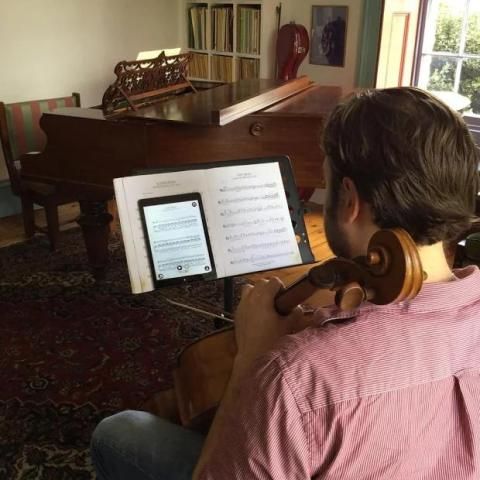
- Listen to your instrumental or voice part
Or just browse through a pile of sheet music? then let PlayScore amaze you!
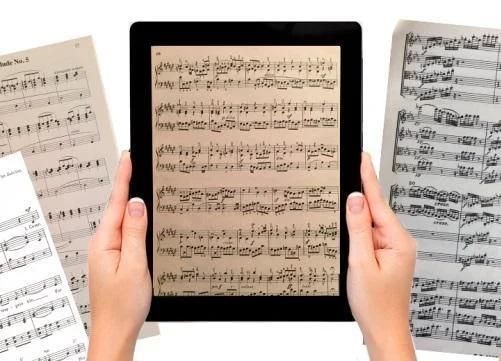
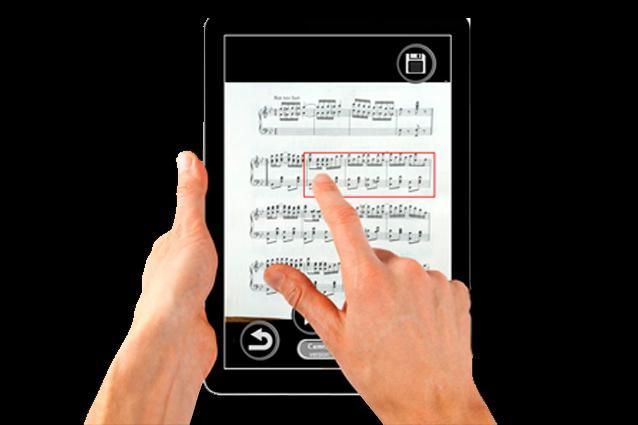
Hold your device up to a page of music in 1 or 2 staffs, take a picture and watch your music come to life as PlayScore Lite plays it right there on the screen, following bar by bar.
PlayScore is recommended by many top classical musicians including John Lubbock CBE (Orchestra of St John), Ian Brown (Nash Ensemble) and top oboist George Caird.
Enjoy the power of this incredible app absolutely free, and if you are impressed as we know you will be, then upgrade to the full app for fantastic features like:
- Support for unlimited staffs
- Load and Save so PlayScore can access printed music from anywhere
- MusicXML and MIDI file output so you can print, transpose and arrange the recognised music in virtually any notation application
Use PlayScore in portrait or landscape
NB Please try PlayScore Lite on your device before you buy the Pro app.
Instructions:
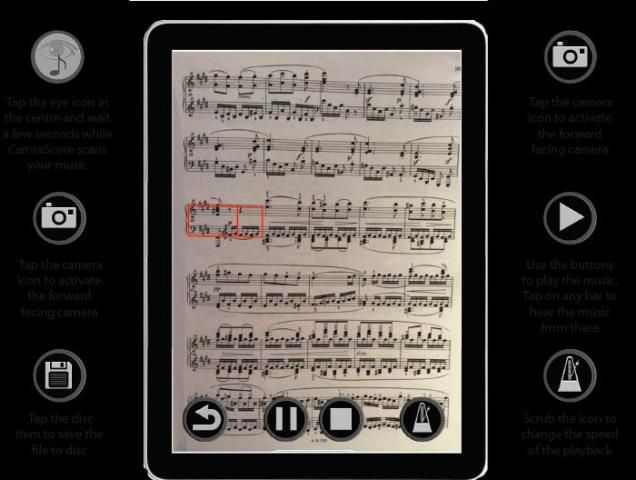
- Tap the camera button
- Take a well focused, well lit picture of one page of music so it fills most of the screen squarely
- Tap the eye button, then Play or tap on a bar.
Troubleshooting
=============
- If you have 1 or 2 staff music but PlayScore seems to think you have more, it is probably because the left edge is curled up at the spine or in shadow. Try more even light, and flatten the page.
- If no music is recognised or music plays poorly: try
-- more light spread evenly
-- better focus. Some cameras take a few seconds to focus fully. Let the focus settle before tapping the sbap button
-- make sure the page sits square on the screen. It is important to have the left edge of the music where the clefs are vertical in the picture and not slanting.
If you still have trouble with PlayScore Lite on your device then please get in touch at support@playscore.co and we will help.
For more information visit www.playscore.co
Preparing for Music Exams?
Associated Board Grade I – VIII, GCSE Music, A-Level music – these are all exams that test your ability to work with music notation.
Want to be better at sight reading? PlayScore will help. Want to practice ear training or sight reading exercises without a teacher on the spot? Or suppose you have a book of pieces and you want to hear them through before deciding what to learn. Now you can find out what they should sound like.
Just snap the music and have PlayScore play it back – slow, fast, as many times as you want. You can repeat tricky passages, play along and more.
PlayScore bekerja sangat baik tetapi HANYA jika Anda mengikuti petunjuk.
Jika PlayScore tidak berfungsi pada perangkat Anda, silakan kirim email ke support@playscore.co sebelum menulis ulasan yang buruk.
Pada beberapa gambar perangkat bisa keluar buram. Untuk memperbaiki, ketuk dan tahan tombol kamera. Kemudian pilih SISTEM KAMERA
Aplikasi hanya akan berfungsi jika Anda memotret SELURUH dari DATAR, halaman LURUS dari musik TERCETAK * dalam CAHAYA CERAH.
Silakan memotret kertas, bukan layar.
* PlayScore tidak mendukung bagian instrumen yang ditulis tangan (misalnya, Buku Nyata).
Dapat mengambil sedikit latihan untuk mendapatkan hasil yang sangat baik. Tidak berfungsi? Lihat * pemecahan masalah * di bawah atau kirim email kepada kami support@playscore.co.
PlayScore adalah versi gratis (tidak ada tambahan) dari PlayScore Pro. Memutar seluruh halaman musik tercetak dengan maksimal 2 staf per sistem.
Tempatkan musik tegak dalam cahaya terang yang baik. Pastikan halamannya datar
Ambil foto persegi. Tajam, fokus yang jelas penting.
Ketuk tombol logo di bagian tengah bawah untuk memindai.
Lihat www.playscore.co untuk informasi lebih lanjut.
DEVELOPERS - bangun pengenalan musik optik ke dalam aplikasi Anda- lihat www.playscore.co
Tingkatkan ke PlayScore pro untuk staf-per-sistem tanpa batas, opsi untuk memuat dan menyimpan gambar musik serta kemampuan untuk mengekspor skor sebagai JPG, MIDI, dan MusicXML.
PlayScore memahami semua simbol notasi musik standar dan dapat memainkan semua jenis musik sheet dan skor langsung dari sebuah foto
- Ingin mendengar lagu dari sebuah buku
- Bermain melalui fugue Bach
- Dengarkan bagian instrumental atau suara Anda
Atau hanya menelusuri tumpukan lembaran musik? biarkan PlayScore memukau Anda!
Pegang perangkat Anda ke halaman musik di 1 atau 2 staf, ambil gambar dan tonton musik Anda menjadi hidup saat PlayScore Lite memainkannya di sana pada layar, mengikuti bar demi bar.
PlayScore direkomendasikan oleh banyak musisi klasik papan atas, termasuk John Lubbock CBE (Orkestra St John), Ian Brown (Nash Ensemble), dan penganut obyektif George Caird.
Nikmati kekuatan aplikasi luar biasa ini benar-benar gratis, dan jika Anda terkesan seperti yang kami tahu, maka tingkatkan ke aplikasi lengkap untuk fitur fantastis seperti:
- Dukungan untuk staf tak terbatas
- Muat dan Simpan sehingga PlayScore dapat mengakses musik cetak dari mana saja
- Output file MusicXML dan MIDI sehingga Anda dapat mencetak, mengubah dan mengatur musik yang dikenal di hampir semua aplikasi notasi
Gunakan PlayScore di potret atau lanskap
NB Silakan coba PlayScore Lite di perangkat Anda sebelum Anda membeli aplikasi Pro.
Instruksi:
- Ketuk tombol kamera
- Ambil gambar yang terfokus dengan baik dan cukup terang dari satu halaman musik sehingga mengisi sebagian besar layar secara tepat
- Ketuk tombol mata, lalu Putar atau ketuk pada bilah.
Penyelesaian masalah
=============
- Jika Anda memiliki 1 atau 2 staf musik tetapi PlayScore tampaknya berpikir Anda memiliki lebih banyak, itu mungkin karena tepi kiri meringkuk di tulang belakang atau bayangan. Coba lebih ringan, dan ratakan halaman.
- Jika tidak ada musik yang dikenali atau musik diputar dengan buruk: cobalah
- lebih banyak cahaya tersebar merata
- Fokus yang lebih baik. Beberapa kamera membutuhkan beberapa detik untuk fokus sepenuhnya. Biarkan fokus menetap sebelum mengetuk tombol sbap
- pastikan halaman duduk persegi di layar. Penting untuk memiliki tepi kiri musik di mana clefs vertikal dalam gambar dan tidak miring.
Jika Anda masih mengalami masalah dengan PlayScore Lite di perangkat Anda, silakan hubungi kami di support@playscore.co dan kami akan membantu.
Untuk informasi lebih lanjut, kunjungi www.playscore.co
Mempersiapkan Ujian Musik?
Kelas Associated Board I - VIII, Musik GCSE, A-Level music - ini semua adalah ujian yang menguji kemampuan Anda untuk bekerja dengan notasi musik.
Ingin menjadi lebih baik saat membaca? PlayScore akan membantu. Ingin berlatih pelatihan telinga atau latihan membaca tanpa seorang guru di tempat? Atau misalkan Anda memiliki satu buku keping dan Anda ingin mendengarnya sebelum memutuskan apa yang harus dipelajari. Sekarang Anda dapat mencari tahu apa yang seharusnya mereka dengar.
Cukup snap musik dan biarkan PlayScore memainkannya kembali - lambat, cepat, sebanyak yang Anda mau. Anda dapat mengulangi bagian-bagian yang rumit, bermain bersama dan banyak lagi.
Faster, greater accuracy, better dynamics, more symbol including tremolo notation





9Apps 4.9











