
There you can get the android apps APK installed on your device. 20,000+ users downloaded Fix Play Services latest version on 9Apps for free every week! More functions were added in this app. This hot app was released on 2019-06-24. You can quickly get it from 9Apps!
Fix Play Services update
is used and installed to update and fix play services error.
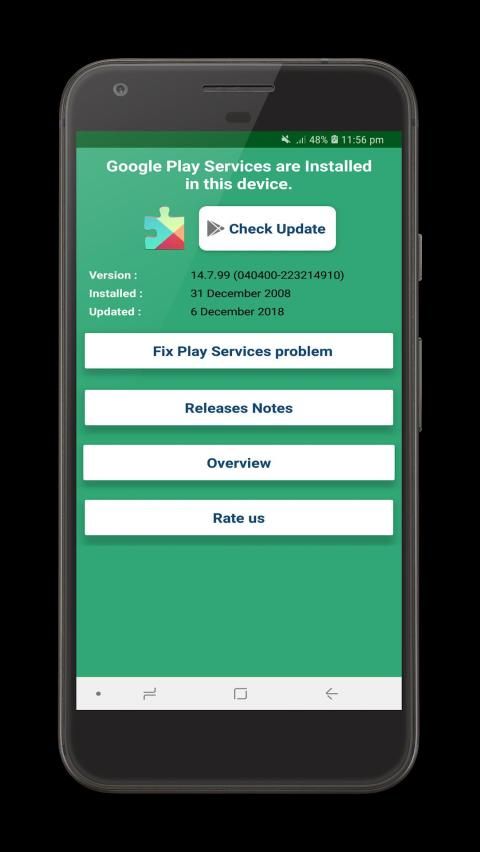
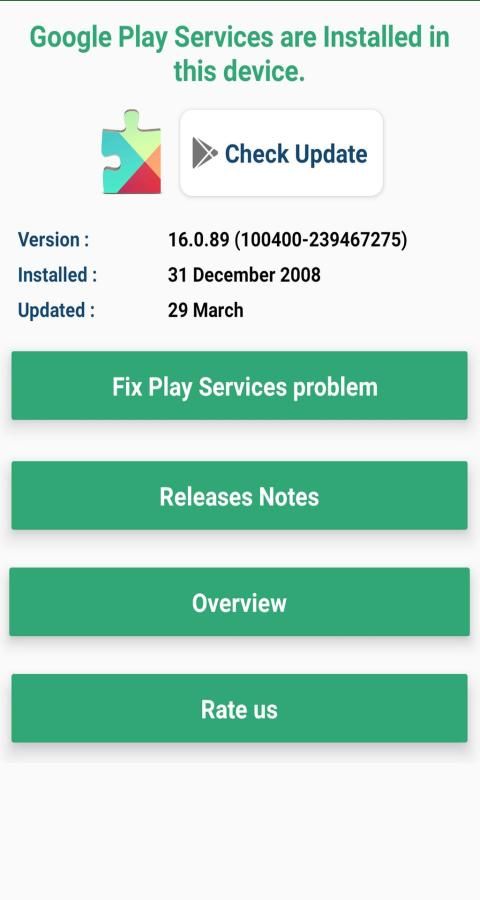
Once the application is installed on your smartphone, you can easily know the
date of the play services, version and date of the last update of your google play service.
Update your play services
by clicking on the link given in the application (Fix Play Services - Info)
If you are facing any error while opening Play store or play services then here you get one stop solution for fixing your play services error.
How to check Google Play Service Update (Info)?
1.
Download Play Services update application
developed by Sticky Creations from Google Play Store.
2. Open the application once it is installed on your android phone.
3. On home screen, check installed play services version, installed date and updated date.
How to Fix Play Services Error?
1. Open Play service application.
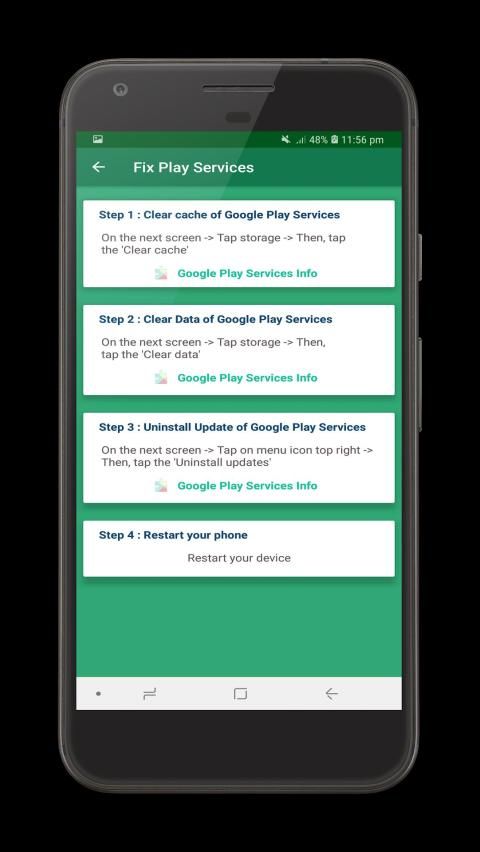
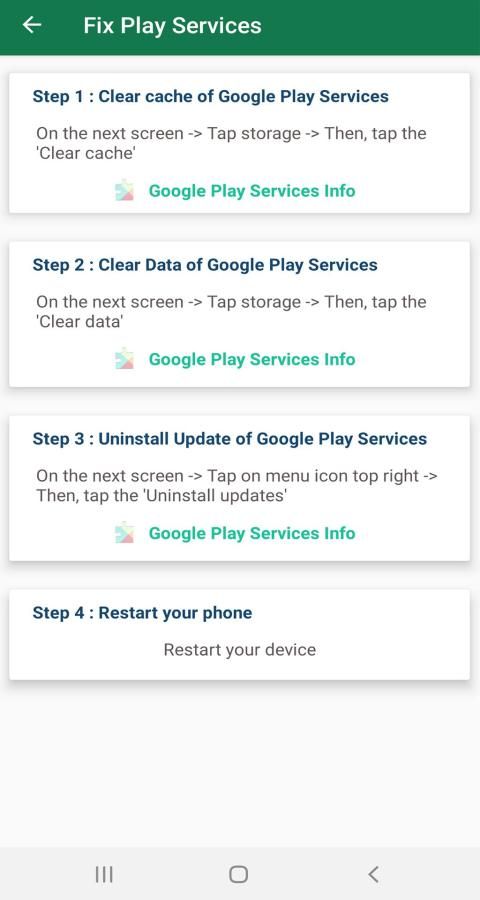
2. Click on Fix Play services problem.
All the instructions are mentioned on the screen.
Step 1 : Clear cache of Google Play Services.
Step 2 : Clear data of Google Play Services.
Step 3: Uninstall Update of Google Play Services.
Step 4: Simply Start your Smartphone.
Features of Play Service Update app
• Overview of the Play Service
• Find and fix play service problem
• Releases note of Play Service
• Find Overview of Google Play services
• Find and update latest version of play services
• One stop solution to fix issues and errors related to the play service.
Please rate Fix Play Service Update - Check new update if you find it useful!
Disclaimer:
• This application is not Google play services but it has information about play services.
• Please note:
Fix Play Services Error 2019- Update & Info
is not affiliated with Google LLC.
Pembaruan Layanan Play Fix
digunakan dan diinstal untuk memperbarui dan memperbaiki kesalahan layanan play.
Setelah aplikasi diinstal pada ponsel cerdas Anda, Anda dapat dengan mudah mengetahui
tanggal layanan bermain, versi dan tanggal pembaruan terakhir layanan google play Anda.
Perbarui layanan bermain Anda
dengan mengeklik tautan yang diberikan dalam aplikasi (Perbaiki Layanan Putar - Info)
Jika Anda menghadapi kesalahan saat membuka Play store atau play service maka di sini Anda mendapatkan solusi satu atap untuk memperbaiki kesalahan layanan play Anda.
Bagaimana cara memeriksa Pembaruan Layanan Google (Info)?
1.
Unduh aplikasi pembaruan Layanan Play
yang dikembangkan oleh Sticky Creations dari Google Play Store.
2. Buka aplikasi setelah diinstal di ponsel android Anda.
3. Pada layar awal, periksa versi layanan putar yang diinstal, tanggal yang diinstal, dan tanggal yang diperbarui.
Bagaimana Cara Memperbaiki Kesalahan Layanan Play?
1. Buka aplikasi layanan Play.
2. Klik pada masalah layanan Fix Play.
Semua instruksi disebutkan di layar.
Langkah 1: Hapus cache Google Play Services.
Langkah 2: Hapus data Layanan Google Play.
Langkah 3: Hapus Instalasi Pembaruan Layanan Google Play.
Langkah 4: Cukup Mulai Smartphone Anda.
Fitur aplikasi Pembaruan Layanan Play
• Ikhtisar Layanan Play
• Temukan dan perbaiki masalah layanan bermain
• Merilis catatan Layanan Play
• Temukan Ikhtisar layanan Google Play
• Temukan dan perbarui versi layanan permainan terbaru
• Solusi satu atap untuk memperbaiki masalah dan kesalahan yang terkait dengan layanan bermain.
Silakan beri peringkat Perbaiki Layanan Pemutakhiran Play - Periksa pembaruan baru jika Anda merasa berguna!
Penolakan:
• Aplikasi ini bukan layanan Google play tetapi memiliki informasi tentang layanan play.
• Harap dicatat:
Memperbaiki Kesalahan Layanan Play 2019 - Pembaruan & Info
tidak berafiliasi dengan Google LLC.
Minor Bug Fixes





9Apps 4.9










