



Discover apps for Android here, 20,000+ users downloaded PlantPlaces.com Mobile latest version on 9Apps for free every week! It is a wonderful app that amazes every player. This hot app was released on 2018-11-03. To read more information, you can go to 9Apps.
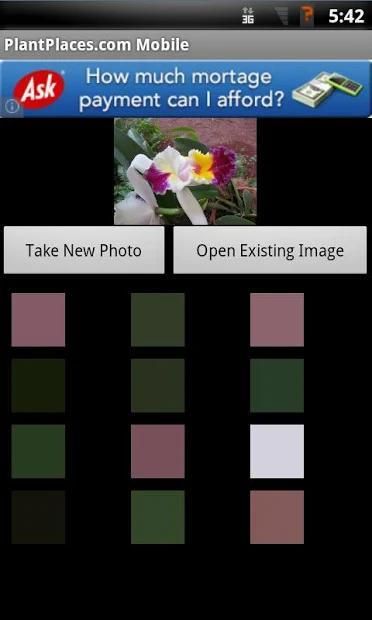
Search plants and flowers by color, using a picture or your phone's camera.
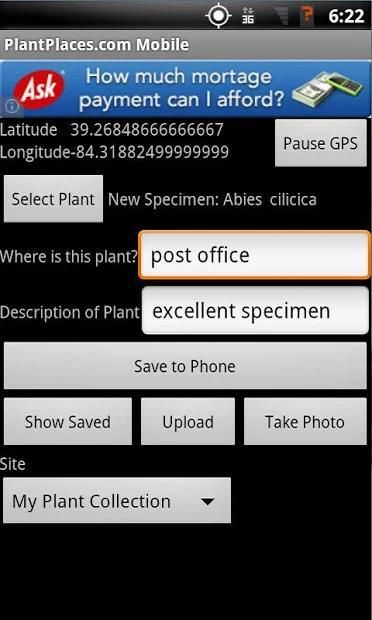
Create your own GPS plant collection.
You can see a map of plants you've GPSed here: http://www.plantplaces.com/perl/sustainabilityreport.pl once you've added a username and uploaded your GPS plant locations. This page shows a list of your uploaded plants and a sustainability rating. The photos of plants that you take with the app will also be visible on the plant detail page, once uploaded and approved.
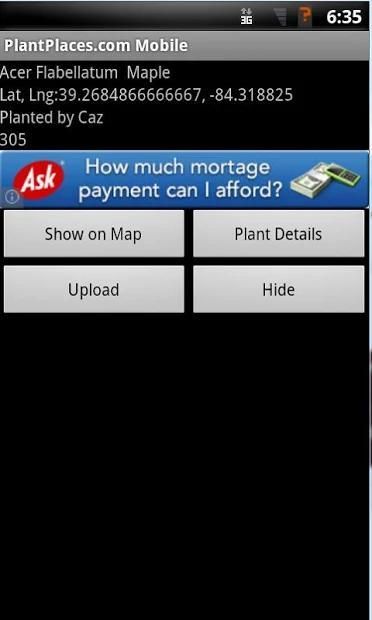
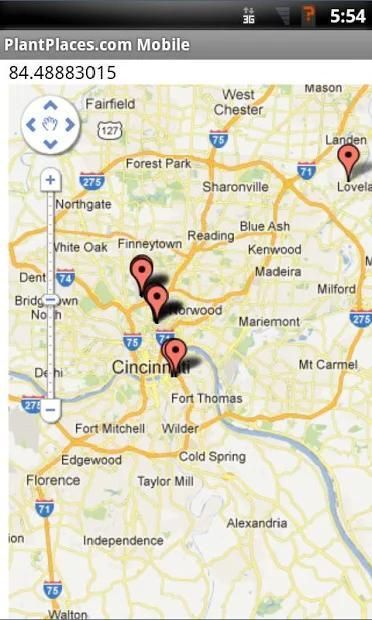
View a map of plants near you.
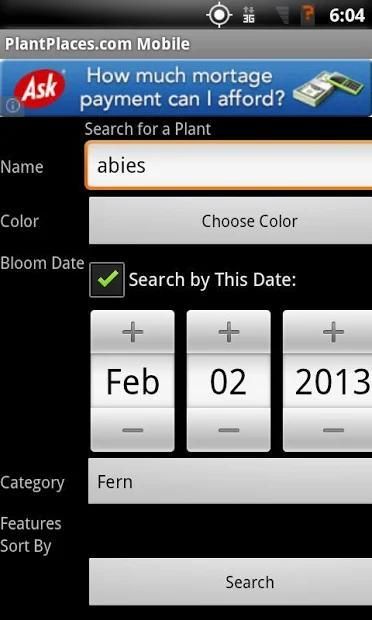
Search for plants by name, color, and bloom date.
See plant places on a map.
If the upload photos and auto sync preferences are selected, the plant photos and GPS positions that you take with PlantPlaces.com Mobile will upload automatically to plantplaces.com, when your phone is plugged-in/charging and on wifi. See more details in the [Preferences] section, below.
The official mobile app of the PlantPlaces.com website.
Finding Plants by Color:
Do you see a plant and want to know what it is? Take a picture, and we'll find the top 16 colors in that picture. Choose a color, and we'll find plants that match that color.
Do you want to match plants to your house? Take a picture of your house, and we'll find flowers, trees, and shrubs with the same color.
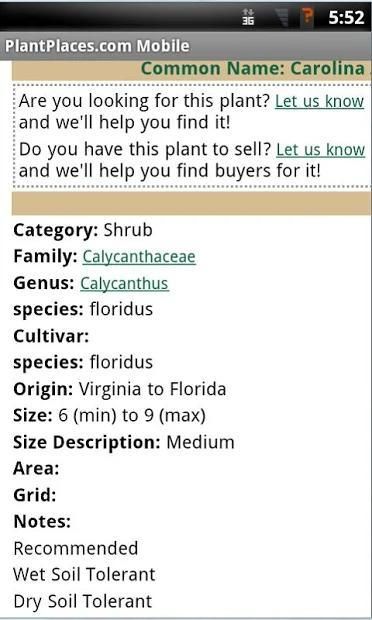
View plant pictures and descriptions from PlantPlaces.com on this free app.
Finding Native, Edible, and Recommended Plants:
Do you want to plant native, edible plants? Search for edible, native, and recommended plants.
Search for plants by bloom date.
Do you see a plant in flower? You can record and submit the bloom date.
Submit GPS, Plants for Sale, and Bloom Dates; Get a Sustainability Report Card:
Submit your GPS plant collection to PlantPlaces.com to see a Sustainability Report Card.
Do you see a plant for sale? You can submit it on PlantPlaces.com Mobile, and it will show on the PlantPlaces.com website.
Services for Nurseries and Retailers:
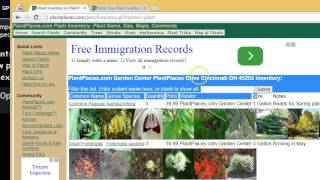
Are you a nursery or plant retailer? You can list your inventory on PlantPlaces.com, and keep it up to date using PlantPlaces.com mobile. PlantPlaces.com users will see the number and price of the flora that you have for sale.
Want a free, web-based list of your plant inventory on PlantPlaces.com? E-mail us to sign up to be a partner - for free - and you can see your list here: http://plantplaces.com/perl/inventory.pl?Partner= You are welcome to use this list on your own website, or anywhere else you'd like to show what you have for sale.
--
Preferences, GPS and Photo Upload:
You can choose to upload GPS positions and photos automatically by selecting the appropriate settings in the [Preferences] page of PlantPlaces.com Mobile for Android.
Auto Synch over Wifi: Will automatically upload GPS when your phone is plugged in/charging AND on wifi. This minimizes data and battery usage.
If this setting is checked, you will not see an "Upload" button on the GPS A Plant screen. If this setting is not checked, you will see an [Upload] button on the GPS A Plant screen, so that you can choose when to upload.
Upload Plant Images: Will upload photos you take of plants. This will ONLY upload photos taken with the PlantPlaces.com mobile app; PlantPlaces.com Mobile does not access photos you have taken with your phone's camera app or other apps outside of PlantPlaces.com Mobile.
If the auto sync settings are not checked, you can choose to upload your GPS positions by clicking the [Upload] button on the GPS screen. Or, if you don't want to upload the photos and GPS positions, you don't have to - you can see them on your Android device..
Username: If you enter a username, this will be associated with the GPS locations and plant photos that you upload. You can then see your sustainability report here: http://www.plantplaces.com/perl/sustainabilityreport.pl However, you do not have to enter a username if you don't want to.
Password: This setting is reserved for future use, and is not currently used.
Cari tanaman dan bunga dengan warna, menggunakan gambar atau kamera ponsel Anda.
Buat koleksi tanaman GPS Anda sendiri.
Anda dapat melihat peta tanaman Anda sudah GPSed sini: http://www.plantplaces.com/perl/sustainabilityreport.pl setelah Anda menambahkan nama pengguna dan upload lokasi tanaman GPS Anda. Halaman ini menampilkan daftar tanaman Anda upload dan peringkat keberlanjutan. Foto-foto tanaman yang Anda ambil dengan aplikasi ini juga akan terlihat pada halaman detail tanaman, sekali upload dan disetujui.
Lihat peta tanaman di dekat Anda.
Mencari tanaman dengan nama, warna, dan tanggal mekar.
Lihat tempat tanaman pada peta.
Jika meng-upload foto dan preferensi sinkronisasi otomatis dipilih, foto tanaman dan posisi GPS yang Anda ambil dengan PlantPlaces.com Mobile akan meng-upload secara otomatis ke plantplaces.com, bila telepon Anda terpasang-in / pengisian dan wifi. Lihat rincian lebih lanjut dalam [Preferensi] bagian, di bawah ini.
Aplikasi mobile resmi dari situs PlantPlaces.com.
Menemukan Tanaman oleh Warna:
Apakah Anda melihat tanaman dan ingin tahu apa itu? Mengambil gambar, dan kita akan menemukan top 16 warna di foto itu. Memilih warna, dan kami akan menemukan tanaman yang cocok dengan warna itu.
Apakah Anda ingin mencocokkan tanaman untuk rumah Anda? Mengambil gambar dari rumah Anda, dan kami akan menemukan bunga, pohon, dan semak-semak dengan warna yang sama.
Lihat gambar tanaman dan deskripsi dari PlantPlaces.com pada aplikasi gratis ini.
Menemukan asli, Goreng, dan Tanaman Direkomendasikan:
Apakah Anda ingin menanam asli, tanaman pangan? Cari tanaman yang dapat dimakan, asli, dan direkomendasikan.
Mencari tanaman berdasarkan tanggal mekar.
Apakah Anda melihat tanaman berbunga? Anda dapat merekam dan mengirimkan tanggal mekar.
Kirim GPS, Tanaman Dijual, dan Bloom Tanggal; Dapatkan Laporan Keberlanjutan Card:
Kirim koleksi tanaman GPS Anda ke PlantPlaces.com untuk melihat Laporan Keberlanjutan Card.
Apakah Anda melihat tanaman untuk dijual? Anda dapat mengirimkannya pada PlantPlaces.com Mobile, dan ia akan menampilkan di situs PlantPlaces.com.
Layanan untuk Pembibitan dan Pengecer:
Apakah Anda pembibitan atau tumbuhan pengecer? Anda bisa daftar inventaris Anda pada PlantPlaces.com, dan tetap up to date dengan menggunakan PlantPlaces.com mobile. Pengguna PlantPlaces.com akan melihat jumlah dan harga flora yang Anda miliki untuk dijual.
Ingin, daftar berbasis web gratis persediaan tanaman Anda di PlantPlaces.com? E-mail kami untuk mendaftar untuk menjadi mitra - gratis - dan Anda dapat melihat daftar di sini: http://plantplaces.com/perl/inventory.pl?Partner= Anda dipersilakan untuk menggunakan daftar ini di situs Anda , atau di mana pun Anda ingin menunjukkan apa yang Anda miliki untuk dijual.
-
Preferensi, GPS dan Photo Upload:
Anda dapat memilih untuk meng-upload posisi GPS dan foto secara otomatis dengan memilih pengaturan yang sesuai di [Preferensi] halaman PlantPlaces.com Mobile untuk Android.
Auto Synch lebih dari Wifi: otomatis akan meng-upload GPS bila telepon Anda terpasang / pengisian DAN pada wifi. Ini meminimalkan data dan penggunaan baterai.
Jika pengaturan ini ditandai, Anda tidak akan melihat "Upload" tombol pada layar GPS A Plant. Jika pengaturan ini tidak dicentang, Anda akan melihat [Upload] tombol pada layar GPS A Plant, sehingga Anda dapat memilih kapan untuk meng-upload.
Upload Tanaman Potret: Akan meng-upload foto yang Anda ambil dari tanaman. Ini HANYA akan meng-upload foto yang diambil dengan aplikasi mobile PlantPlaces.com; PlantPlaces.com Mobile tidak mengakses foto yang telah diambil dengan aplikasi kamera ponsel Anda atau aplikasi lain di luar PlantPlaces.com Mobile.
Jika pengaturan sinkronisasi otomatis tidak diperiksa, Anda dapat memilih untuk meng-upload posisi GPS Anda dengan mengklik [Upload] tombol pada layar GPS. Atau, jika Anda tidak ingin meng-upload foto dan posisi GPS, Anda tidak perlu - Anda dapat melihat mereka pada perangkat Android Anda ..
Username: Jika Anda memasukkan nama pengguna, ini akan terkait dengan lokasi GPS, dan foto tanaman yang Anda upload. Anda kemudian dapat melihat laporan keberlanjutan Anda di sini: http://www.plantplaces.com/perl/sustainabilityreport.pl Namun, Anda tidak perlu memasukkan username jika Anda tidak ingin.
Password: Pengaturan ini disediakan untuk penggunaan di masa depan, dan saat ini tidak digunakan.
More efficient use of battery and GPS.
Maps show plants that you GPS, and PlantPlaces plants.
Cleaner user interface.
Updates for Android 26 (Oreo) and 27.



9Apps 4.9










