

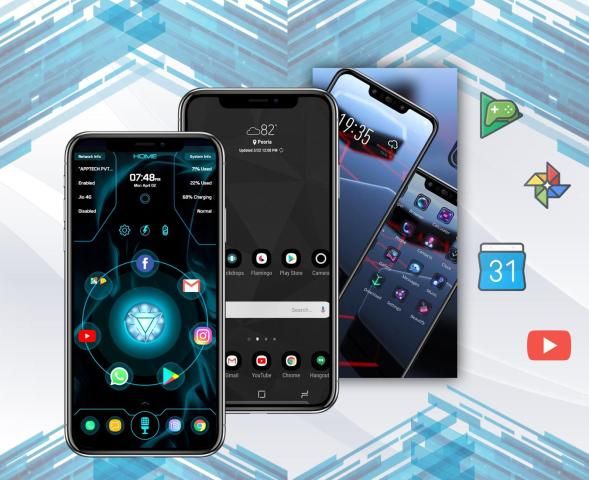

Download the latest application of india here. 20,000+ users downloaded Pie Launcher latest version on 9Apps for free every week! The App has powerful functions. This hot app was released on 2020-02-11. It get a lot of recognition after release.
Pie Launcher is inspired by Android™ 9/10 launcher, adding many useful features, Pie Launcher make your phone look modern, and let you use Android 9/10 launcher feature in the first place.
A Pixel Launcher features: swipe up from dock to review all apps at full screen mode, tint the dock, use the new circular folder style, place the Google Pill and Date widgets and more. PiePie support Android 6.0 to 9.0 style, default is Android P (9.0). To change the launcher style: Access Setting -> Quick Setting -> Launcher Style.
Pie Launcher features:
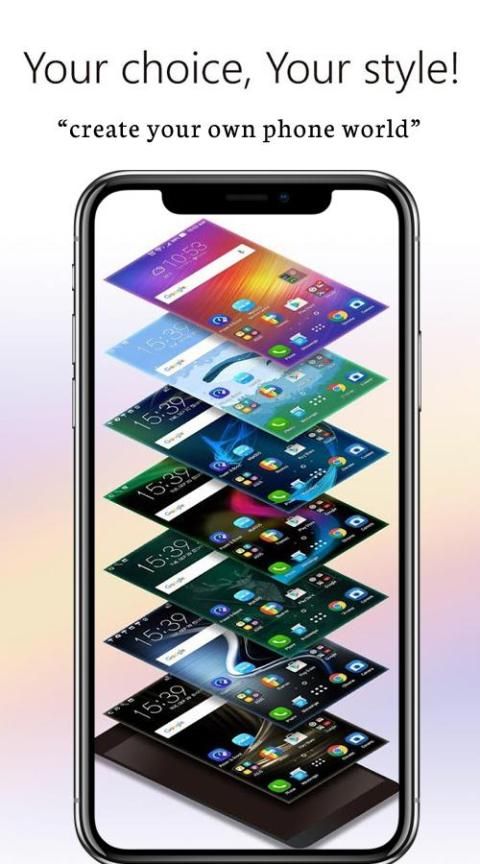
* Theme support, more than 1000+ cool themes
* Icon pack support, support most of the icon pack in Google Play Store
* Base on Android 9/10 launcher code, can run on all Android 5.0+ devices
* Apps drawer is vertical mode by default, it also support horizontal mode
* Pie Launcher support hide unused or private apps
* Pie Launcher support notification dots
* Pie Launcher support - gestures, such as swipe down/up, pinch in/out, double tap, swipe down/up(two fingers)
* Pie Launcher support - Gesture ball(quick ball) function, you can enable it in Launcher Setting, one-handed operation is more convenient
* Pie Launcher support - Gesture feature in Android P 9.0: Swipe up for all app drawer, Swipe down back to desktop
* Pie Launcher support - Full Screen Gesture: Swipe left or right from the edge of the screen will Go back; Swipe up from the bottom of the screen will Go to Home screen; Swipe up from the bottom of the screen and pause will Open Recent
* Many beautiful online wallpapers for your choice
* Many options, you can change grid size, icon size, label size and color, etc
* Handy Android 9.0 launcher feature: swipe up for all app drawer, swipe down back to desktop
* You can lock desktop to avoid being messed up
* Drawer background support light, dark, blur, transparent and custom
* Dock background support rectangle, rounded, arc, platform or none
* Search bar support various style, you have the choice
* Wallpaper scrolling or not option
* Android 9 widgets drawer
Pie Launcher terinspirasi oleh peluncur Android ™ 9/10, menambahkan banyak fitur yang berguna, Peluncur Pie membuat ponsel Anda terlihat modern, dan memungkinkan Anda menggunakan fitur peluncur Android 9/10 di tempat pertama.
Fitur Peluncur Pixel: geser ke atas dari dermaga untuk meninjau semua aplikasi pada mode layar penuh, warna dermaga, gunakan gaya folder melingkar baru, tempatkan widget Google Pill dan Date dan banyak lagi. PiePie mendukung gaya Android 6.0 hingga 9.0, standarnya adalah Android P (9.0). Untuk mengubah gaya peluncur: Pengaturan Akses -> Pengaturan Cepat -> Gaya Peluncur.
Fitur Pie Launcher:
* Dukungan tema, lebih dari 1000+ tema keren
* Dukungan paket ikon, mendukung sebagian besar paket ikon di Google Play Store
* Berbasis pada kode peluncur Android 9/10, dapat berjalan di semua perangkat Android 5.0+
* Laci aplikasi adalah mode vertikal secara default, juga mendukung mode horizontal
* Dukungan Pie Launcher menyembunyikan aplikasi yang tidak digunakan atau pribadi
* Titik pemberitahuan dukungan Peluncur Pie
* Dukungan Peluncur Pie - gerakan, seperti geser ke bawah / atas, jepit masuk / keluar, ketuk ganda, geser ke bawah / atas (dua jari)
* Dukungan Pie Launcher - Fungsi Gesture ball (bola cepat), Anda dapat mengaktifkannya di Pengaturan Launcher, operasi satu tangan lebih nyaman
* Dukungan Pie Launcher - Fitur gerakan di Android P 9.0: Geser ke atas untuk semua laci aplikasi, Geser ke bawah ke desktop
* Dukungan Pie Launcher - Gesture Layar Penuh: Geser ke kiri atau kanan dari tepi layar akan Kembali; Gesek ke atas dari bagian bawah layar akan menuju ke Layar Beranda; Geser ke atas dari bagian bawah layar dan jeda akan Buka Terbaru
* Banyak wallpaper online yang indah untuk pilihan Anda
* Banyak opsi, Anda dapat mengubah ukuran kisi, ukuran ikon, ukuran dan warna label, dll
* Fitur launcher Android 9.0 yang praktis: geser ke atas untuk semua laci aplikasi, geser ke bawah ke desktop
* Anda dapat mengunci desktop untuk menghindari kekacauan
* Laci latar mendukung cahaya, gelap, buram, transparan dan custom
* Dukungan latar belakang dok persegi panjang, bulat, busur, platform atau tidak ada
* Cari bar mendukung berbagai gaya, Anda punya pilihan
* Wallpaper bergulir atau tidak opsi
* Laci widget Android 9





9Apps 4.9









