

Do you believe? 20,000+ users downloaded Phone Touch & Assistive Touch & Virtual Home latest version on 9Apps for free every week! In my opinion, you will like this app after use it. This hot app was released on 2019-01-28. Besides, you can also select other popular apps you like here!
Phone Touch & AssistiveTouch
is an accessibility feature that can help people with motor skill impairments get the most out of their Android devices. With AssistiveTouch enabled, you'll be able to perform actions like Volume up & down,Flashlight Bright, Airplane mode...
Do you miss having a Home button, Back button on the Android devices? Maybe your Home button, Back button isn’t working as expected, or is broken on an Android devices? Or maybe you’d just find it easier to tap on the screen to mimic a Home button, Back button press rather than using the hardware button? You can enable a virtualized onscreen Home Button to use instead with the help of a great Accessibility feature called Phone Touch & AssistiveTouch.
You can use
Phone Touch - AssistiveTouch
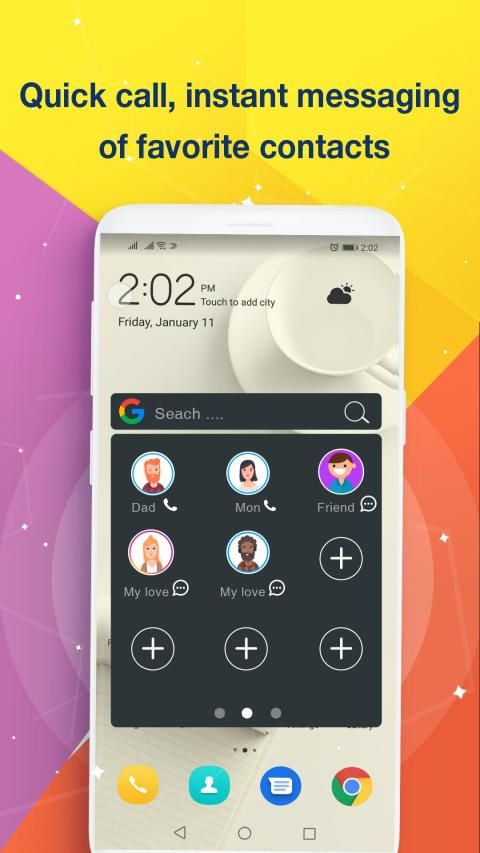
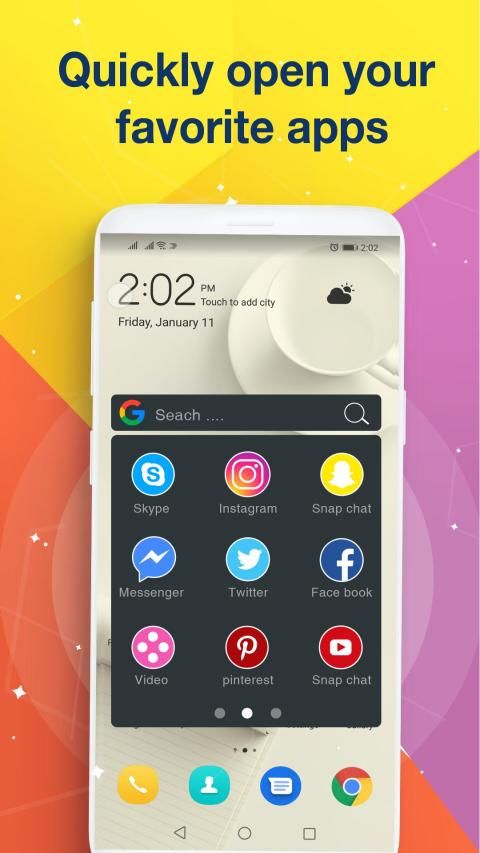
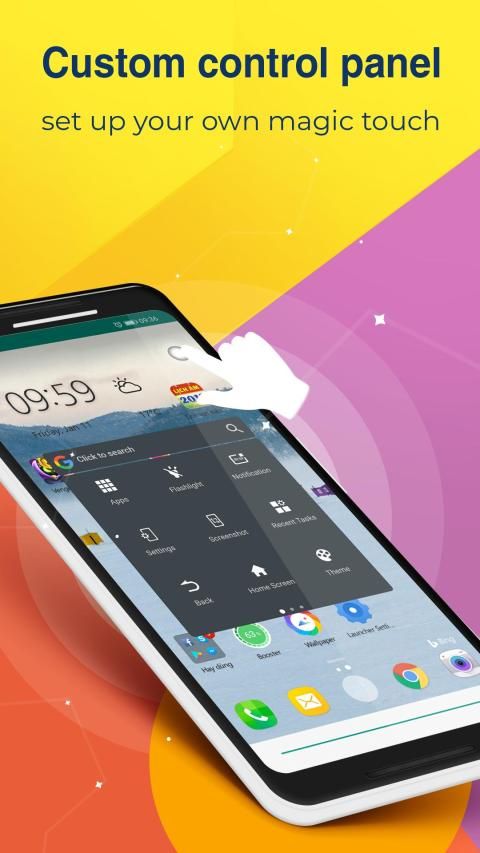
to control your device, help you perform gestures like a quick setting: wifi,Bluetooth,Open Notification,Capture Screenshot,... or Easy touch to open your favorite application, and Easy touch to open your favorite contacts
Phone Touch
- A dark square with a white circle will appear on your screen. This is your shortcut to the AssistiveTouch menu and it'll appear on every screen. You can tap on it to open the AssistiveTouch menu or drag it around the screen and out of the way if you're trying to do something.
How to use
AssistiveTouch
1. Tap the
Assistive Touch
shortcut on any screen.
2. Tap an option:
- Quick touch setting: Set your smartphone quick with your favorite options: on off wifi, Bluetooth, Location, on off Flashlight Bright, GPS, Volume up & down...
- Virtual Home button: easy touch to lock screen and open recent task
- Virtual Back button
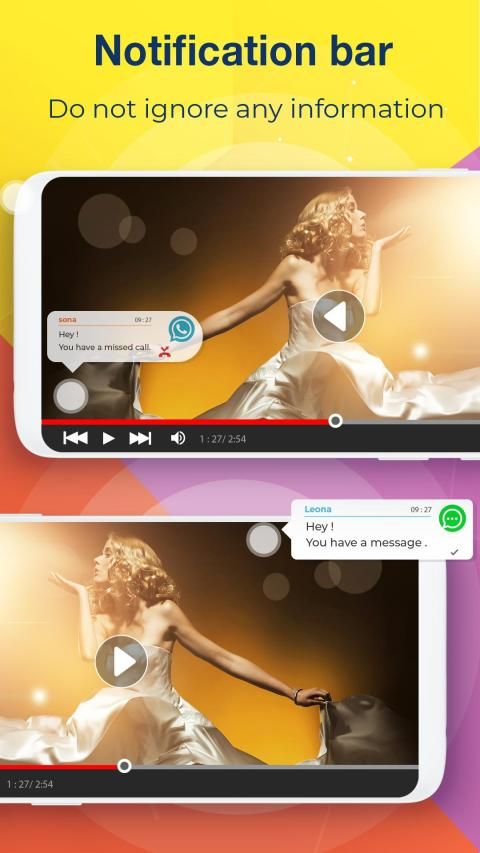
- Notification Center: Brings up Notification Center so you don't have to swipe top from the down.
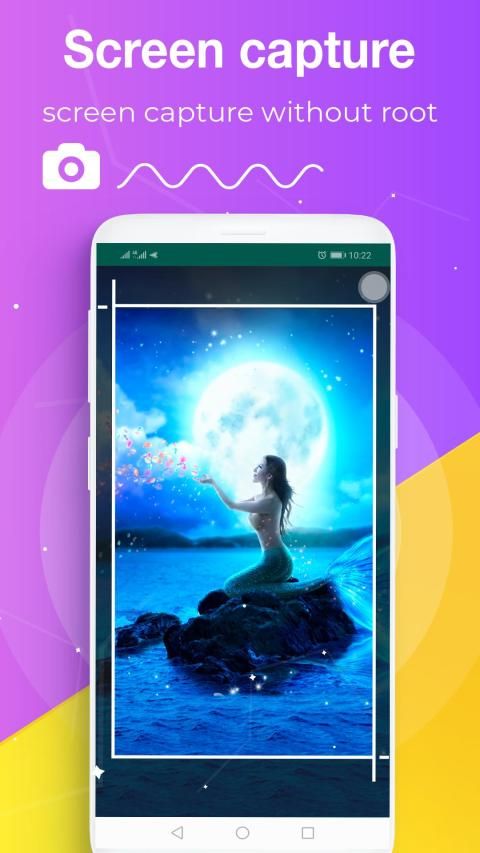
- Capture Screenshot: Take screenshots & create your own Screenshot style.
- Quick access to all the apps: Access quickly to your favorite games, apps and settings with just one touch
- Quick access to all the contacts: Access quickly to your favorite contact and settings with just one touch
- Small & Light: Fast download and installation & it doesn't take too much capacity
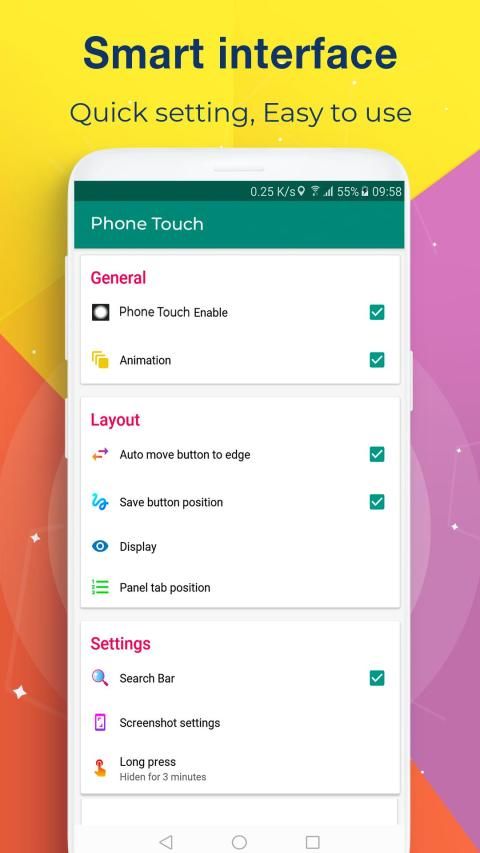
- Customization: You can resize Touch, order the tabs easily and quickly
Permission
This app uses the Device Administrator permission.
- Permission android.permission.CAMERA to turn on Flashlight, not take a photo.
- Permission android.permission.BIND_DEVICE_ADMIN (only "force-lock"): only use for lock the screen function. App does not use the permission for any other purpose.
- Permission android.permission.BIND_NOTIFICATION_LISTENER_SERVICE: It is convenient to get update notifications.
- Permission android.permission.WRITE_SETTINGS: change system settings, create quick installation shortcuts, make it easy for users
- Permission android.permission.PACKAGE_USAGE_STATS: Keep the application running smoothly, restricting conflicts with other applications
- Permission android.permission.ACCESS_NOTIFICATION_POLICY: phone ring status (bell - vibrate - silence)
- We never publicly disclose any personal or sensitive user data related to financial or payment activities or any government identification numbers, photos and contacts, etc
Phone Touch & AssistiveTouch
adalah fitur aksesibilitas yang dapat membantu orang dengan gangguan keterampilan motor memanfaatkan perangkat Android mereka secara maksimal. Dengan AssistiveTouch diaktifkan, Anda akan dapat melakukan tindakan seperti Volume naik & turun, Senter Terang, mode Pesawat ...
Apakah Anda kehilangan memiliki tombol Beranda, tombol Kembali pada perangkat Android? Mungkin tombol Beranda Anda, tombol Kembali tidak berfungsi seperti yang diharapkan, atau rusak pada perangkat Android? Atau mungkin Anda merasa lebih mudah mengetuk layar untuk meniru tombol Rumah, tekan tombol Kembali daripada menggunakan tombol perangkat keras? Anda dapat mengaktifkan Tombol Home pada layar virtual untuk digunakan sebagai gantinya dengan bantuan fitur Aksesibilitas hebat yang disebut Phone Touch & AssistiveTouch.
Anda dapat menggunakan
Sentuhan Telepon - AssistiveTouch
untuk mengontrol perangkat Anda, membantu Anda melakukan gerakan seperti pengaturan cepat: wifi, Bluetooth, Notifikasi Terbuka, Tangkapan Layar, ... atau Sentuh mudah untuk membuka aplikasi favorit Anda, dan Sentuhan mudah untuk membuka kontak favorit Anda
Sentuhan Telepon
- Kotak gelap dengan lingkaran putih akan muncul di layar Anda. Ini adalah pintasan Anda ke menu AssistiveTouch dan akan muncul di setiap layar. Anda dapat mengetuknya untuk membuka menu AssistiveTouch atau menyeretnya di sekitar layar dan keluar dari jalan jika Anda mencoba melakukan sesuatu.
Cara menggunakan
AssistiveTouch
1. Ketuk pintasan
Assistive Touch
di layar mana saja.
2. Ketuk satu opsi:
- Pengaturan sentuh cepat: Tetapkan cepat smartphone Anda dengan pilihan favorit Anda: on off wifi, Bluetooth, Location, on off Flashlight Bright, GPS, Volume naik & turun ...
- Tombol Virtual Home: sentuh mudah untuk mengunci layar dan membuka tugas terbaru
- Tombol Kembali Virtual
- Pusat Pemberitahuan: Memunculkan Pusat Pemberitahuan sehingga Anda tidak perlu menggesek bagian atas dari bawah.
- Tangkap Screenshot: Ambil tangkapan layar & buat gaya Screenshot Anda sendiri.
- Akses cepat ke semua aplikasi: Akses cepat ke game, aplikasi, dan pengaturan favorit Anda hanya dengan satu sentuhan
- Akses cepat ke semua kontak: Akses cepat ke kontak dan pengaturan favorit Anda hanya dengan satu sentuhan
- Small & Light: Unduhan dan instalasi yang cepat & tidak membutuhkan terlalu banyak kapasitas
- Kustomisasi: Anda dapat mengubah ukuran Sentuh, memesan tab dengan mudah dan cepat
Izin
Aplikasi ini menggunakan izin Administrator Perangkat.
- Izin android.permission.CAMERA untuk menyalakan senter, tidak mengambil foto.
- Izin android.permission.BIND_DEVICE_ADMIN (hanya "force-lock"): hanya digunakan untuk mengunci fungsi layar. Aplikasi tidak menggunakan izin untuk tujuan lain apa pun.
- Izin android.permission.BIND_NOTIFICATION_LISTENER_SERVICE: Lebih mudah mendapatkan pemberitahuan pembaruan.
- Izin android.permission.WRITE_SETTINGS: ubah pengaturan sistem, buat pintasan instalasi cepat, buat mudah bagi pengguna
- Izin android.permission.PACKAGE_USAGE_STATS: Menjaga aplikasi tetap berjalan lancar, membatasi konflik dengan aplikasi lain
- Izin android.permission.ACCESS_NOTIFICATION_POLICY: status dering telepon (bell - vibrate - silence)
- Kami tidak pernah secara terbuka mengungkapkan data pribadi atau pengguna sensitif yang terkait dengan kegiatan keuangan atau pembayaran atau nomor identifikasi pemerintah, foto dan kontak, dll.
Optimize and fix bugs



9Apps 4.9











