


Discover apps for Android here, 20,000+ users downloaded Offline for WhatsApp latest version on 9Apps for free every week! More apps are free download here! This hot app was released on 2018-03-29. 9Apps believe you can enjoy yourself in this funny app.
Offline for WhatsApp is best solution to read and
reply
your incoming whatsapp messages,voice message and photo without appearing online and without showing blue arrow and without change last seen.
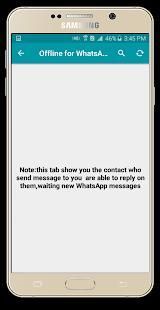
Offline for WhatsApp provide to you a new, simple and easy mechanism to read WhatsApp messages and reply on them without changing your last seen(hidden last seen).
Offline for WhatsApp Features:
1- Receive message and reply without changing your last seen
2- Receive and listen voice message without appear online picture
3- Receive picture without appear online.
How to use:
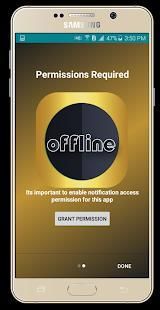
1- Make sure to allow permissions needed.
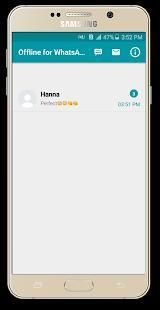
2- Check the WhatsOffline for whatsapp after receiving WhatsApp message.
3- Then Offline for WhatsApp to send/receive whatsapp messages.
IMPORTANT:
-----------------------.
PS: This app is created by us, and it not an official WhatsApp application and not associated with WhatsApp Inc and in no way has to do with its trademark
Note:
-To use this application you device should have the WhatsApp messenger installed on it plus you need an internet connection.
- you need to enable permission Notification access to receiving messages.
Offline untuk WhatsApp adalah solusi terbaik untuk membaca dan
membalas
pesan masuk whatsapp, pesan suara dan foto tanpa muncul secara online dan tanpa menunjukkan panah biru dan tanpa perubahan terakhir terlihat.
Offline untuk WhatsApp sediakan untuk Anda mekanisme baru, sederhana dan mudah untuk membaca pesan WhatsApp dan membalas pada mereka tanpa mengubah Anda terakhir terlihat (tersembunyi terakhir terlihat).
Offline untuk WhatsApp Fitur:
1- Menerima pesan dan membalas tanpa mengubah terakhir Anda terlihat
2- Menerima dan mendengarkan pesan suara tanpa muncul gambar secara online
3- Menerima gambar tanpa muncul secara online.
Cara menggunakan:
1- Pastikan untuk memungkinkan izin yang diperlukan.
2- Periksa WhatsOffline untuk whatsapp setelah menerima pesan WhatsApp.
3- Kemudian Offline untuk WhatsApp untuk mengirim / menerima whatsapp pesan.
PENTING:
-----------------------.
PS: Aplikasi ini dibuat oleh kami, dan itu bukan aplikasi WhatsApp resmi dan tidak terkait dengan WhatsApp Inc dan sama sekali tidak ada hubungannya dengan merek dagang
Catatan:
-Untuk menggunakan aplikasi ini Anda perangkat harus memiliki WhatsApp Messenger diinstal di atasnya ditambah Anda memerlukan koneksi internet.
- Anda perlu mengaktifkan akses izin Pemberitahuan untuk menerima pesan.



9Apps 4.9









