
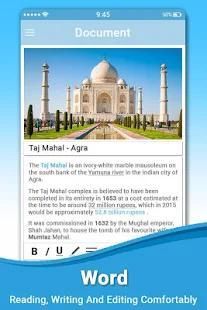
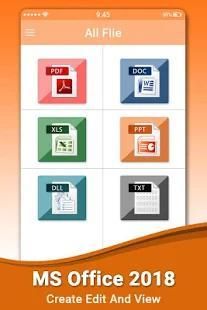
As we all know, 20,000+ users downloaded Office 2018 latest version on 9Apps for free every week! It is the app that defined the best for a generation. This hot app was released on 2018-05-04. If you like it, just download and enjoy this app!
Office 2018
Free app to manage Document Files. Direct List of Documents available in mobile storage. Manage Documents, Filter or Short Document Files with Document Manager & Viewer 2018 Free.
My Office Star 2018 lets you easily view and acess Word, Excel, and PowerPoint documents, and perform advanced PDF operations.
Complete with our integrated file manager, this is the most feature-rich mobile office solution available on Android. My Office Star 2018 is help you find a document for a special categories like office document, pdf, images, apk and video.
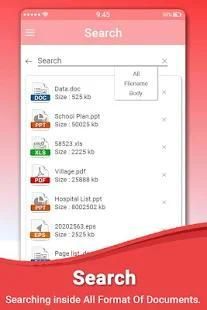
Office 2018 in your mobile. Shortlist xls, pdf, doc, txt files in your mobile. In this app manage PDF, Text, Word, Excel and PowerPoint documents at one place. This is very simple and user-friendly app. Get list of all documents available in your smart phone at single place.
Document Management in your mobile. Shortlist xls, pdf, doc, txt files in your mobile. In this app manage PDF, Text,Word, Excel and PowerPoint documents at one place. This is very simple and user friendly app. Get list of all documents available in your smart phone at single place.
SPREADSHEETS
• Cell formatting options: cell size and alignments, cell/column/row inserts and removal
• Multiple cell types: numeric, date, time, currency, fraction, percentage, scientific & more
• Multiple worksheet support; add/delete sheets
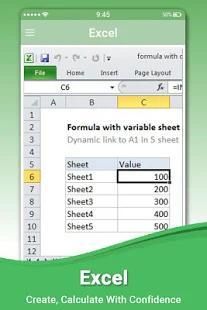
• Chart display and wide range of formulae
PDF, IMAGE FILES & PRINTING
• View, annotate, highlight and share PDF documents
• Convert, export, save Office documents to PDF format
• View and insert major image types (JPG, PNG, GIF)
• Wireless printing supports thousands of printers
FILE FORMATS
• Office: all versions since 1997: Word, PowerPoint and Excel 97, 2000, XP, 2003, 2007, 2010, 2013, 2016 - doc, docx, xls, xlsx, ppt, pptx (view & edit)
• PDF Viewer, PDF Reader, Save as PDF
• JPEG, PNG, GIF,TIFF, BMP images (view); HWP (view)
• Vector WMF and EMF diagrams (view)
WORD
• Paragraph formatting: indent, alignment, bullets, numbering
• Insert images, shapes, and graphics
• Support for tables, shapes, charts (display)
• Reflow mode for easier reading on small device
POWERPOINT
• Comprehensive text, paragraph, content formatting
• Shapes, images, textbox editing
• Insert images, shapes, and graphics
• Slide management and reordering
• Slide transition support
• Slideshow: present directly from mobile device or through a projector
My Office Star 2018 lets you easily view and access Word, Excel, and PowerPoint documents, and perform advanced PDF operations. Complete with our integrated file manager, this is the most feature-rich mobile office solution available on Android. My Office Star 2018 is help you find a document for a special category like office document, pdf, images, apk and video.
COMMON FEATURES ACROSS ALL FORMATS OF OFFICE 2018
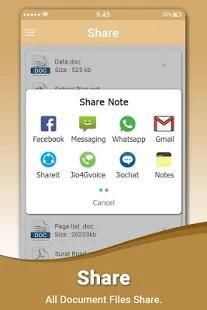
• View, Edit, Create, Share, Save MS Office documents swiftly and securely.
• Editing: copy, cut, paste, undo and redo.
• Character formatting: bold, italics, underline; font style, size, color & highlight.
• Documents may be saved in original file format or converted to PDFs.
• Screen display adapts to fit smartphone or tablet screen and supports multi-touch gestures.
• All file formats include templates to aid new document creation.
• Password Protection support (Office files) – Open, view, edit and re-save encrypted Office documents on your device.
• Cloud support – Open and save documents to the cloud with effortless synchronization with Box, Dropbox and Google Drive.
Disclaimer:
This is an unofficial app. This app and its content are not officially endorsed or produced by, nor associated with or affiliated with the music artist(s) or any associated entities of the artist(s), such as management or record label. All trademarks and copyrights are property of their respective owners. This application has ads that comply with Google Play Policy and Please support the artists and their companies
Thank You.
Office 2018
aplikasi gratis untuk mengelola Dokumen Files. Daftar langsung dari Dokumen tersedia dalam penyimpanan mobile. Mengelola Dokumen, Filter atau pendek Dokumen File dengan Document Manager & Viewer 2018 Gratis.
My Office Bintang 2018 memungkinkan Anda dengan mudah melihat dan acess Word, Excel, dan PowerPoint, dan melakukan operasi PDF canggih.
Lengkap dengan file manager kami yang terintegrasi, ini adalah solusi mobile office yang paling kaya fitur yang tersedia di Android. My Office Bintang 2018 adalah membantu Anda menemukan dokumen untuk kategori khusus seperti dokumen kantor, pdf, gambar, APK dan video.
Office 2018 di ponsel Anda. Shortlist xls, pdf, doc, file txt di ponsel Anda. Dalam aplikasi ini mengelola PDF, Text, Word, Excel dan PowerPoint dokumen yang ada di satu tempat. Hal ini sangat sederhana dan aplikasi user-friendly. Dapatkan daftar semua dokumen yang tersedia di ponsel pintar Anda di tempat.
Manajemen dokumen di ponsel Anda. Shortlist xls, pdf, doc, file txt di ponsel Anda. Dalam aplikasi ini mengelola PDF, Text, Word, Excel dan PowerPoint dokumen yang ada di satu tempat. Hal ini sangat sederhana dan user friendly aplikasi. Dapatkan daftar semua dokumen yang tersedia di ponsel pintar Anda di tempat.
spreadsheet
• opsi format Sel: Ukuran sel dan keberpihakan, sel / kolom sisipan / baris dan penghapusan
• Beberapa jenis sel: numerik, tanggal, waktu, mata uang, pecahan, persentase, ilmiah & lebih
• dukungan worksheet Beberapa; menambah / menghapus lembar
• Layar Chart dan berbagai rumus
PDF, IMAGE FILES & PRINTING
• View, keterangan, sorot dan berbagi dokumen PDF
• Convert, ekspor, menyimpan dokumen Office ke format PDF
• View dan memasukkan jenis gambar utama (JPG, PNG, GIF)
• pencetakan nirkabel mendukung ribuan printer
FORMAT FILE
• Office: semua versi sejak tahun 1997: Word, PowerPoint dan Excel 97, 2000, XP, 2003, 2007, 2010, 2013, 2016 - doc, docx, xls, xlsx, ppt, pptx (tampilan & edit)
• PDF Viewer, PDF Reader, Simpan sebagai PDF
• JPEG, PNG, GIF, TIFF, BMP gambar (tampilan); HWP (tampilan)
• Vector WMF dan diagram EMF (tampilan)
KATA
• format Ayat: indent, keselarasan, peluru, penomoran
• Insert gambar, bentuk, dan grafis
• Dukungan untuk tabel, bentuk, grafik (display)
• Modus Reflow untuk membaca lebih mudah pada perangkat kecil
POWER POINT
• Komprehensif teks, paragraf, format konten
• Bentuk, gambar, editing textbox
• Insert gambar, bentuk, dan grafis
• manajemen Slide dan penataan kembali
• dukungan transisi Slide
• Slideshow: hadir langsung dari perangkat mobile atau melalui proyektor
My Office Bintang 2018 memungkinkan Anda dengan mudah melihat dan akses Word, Excel, dan PowerPoint dokumen, dan melakukan operasi PDF canggih. Lengkap dengan file manager kami yang terintegrasi, ini adalah solusi mobile office yang paling kaya fitur yang tersedia di Android. My Office Bintang 2018 adalah membantu Anda menemukan dokumen untuk kategori khusus seperti dokumen kantor, pdf, gambar, APK dan video.
FITUR UMUM di semua format KANTOR 2018
• View, Edit, Buat, Share, dokumen Simpan MS Office dengan cepat dan aman.
• Editing: copy, cut, paste, undo dan redo.
• format Karakter: tebal, miring, garis bawah; gaya font, ukuran, warna & highlight.
• Dokumen dapat disimpan dalam format file asli atau dikonversi ke PDF.
• Tampilan layar beradaptasi untuk menyesuaikan layar smartphone atau tablet dan mendukung multi-touch gestures.
• Semua format file termasuk template untuk membantu pembuatan dokumen baru.
• Dukungan Perlindungan Password (file Office) - Open, melihat, mengedit dan re-menyimpan dokumen Office dienkripsi pada perangkat Anda.
• dukungan Cloud - Buka dan menyimpan dokumen ke cloud dengan sinkronisasi mudah dengan Box, Dropbox dan Google Drive.
Penolakan:
Ini adalah sebuah aplikasi tidak resmi. Aplikasi ini dan isinya tidak resmi didukung atau dihasilkan oleh, atau terkait dengan atau berafiliasi dengan artis musik (s) atau perusahaan asosiasi dari artis (s), seperti manajemen atau label rekaman. Semua merek dagang dan hak cipta adalah milik dari pemiliknya masing-masing. Aplikasi ini memiliki iklan yang mematuhi Kebijakan Google Play dan Harap mendukung para seniman dan perusahaan mereka
Terima kasih.




9Apps 4.9










