
9Apps provide best free android apps download. 30,000+ users downloaded Control Center OS 13 latest version on 9Apps for free every week! The app is superior that can be used with any of the mobile type. This hot app was released on 2019-10-22. More apps was release recently, you can download them and share with your friends!
❂ With the
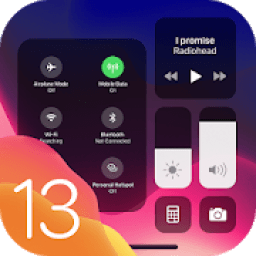
OS 13 Control Center - Phone 11 Pro Max
, you can quickly access multiple settings and apps.
❂ OS 13 is designed to give your phone a whole new look. And take it to a whole new level.
❂ OS 13 Control Center helps you never miss a moment to take a picture with quick access to your camera.
Apple phone continues to make Control Center more useful, with iOS 13 seeing refinements to existing tools plus a new quick-access Dark Mode control.
OS 13 Control Center - Phone 11 Pro Max
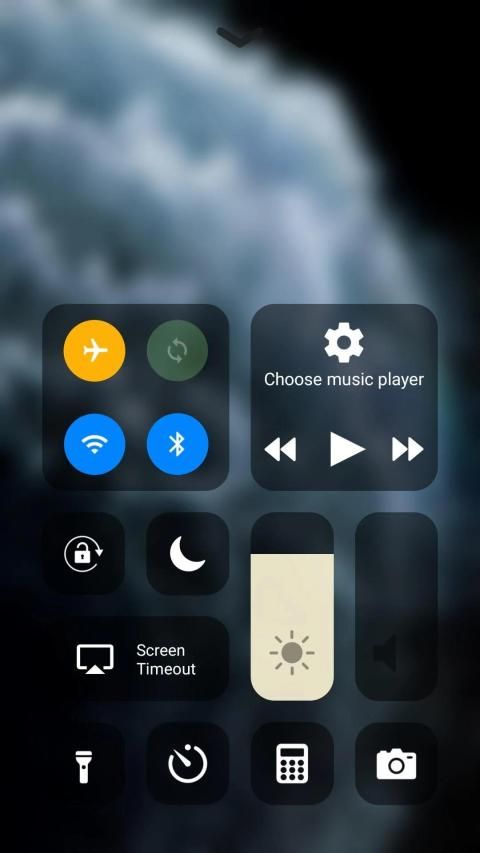
needs setting up with what options you want, but it's extremely useful when you've done that. With the OS 13 Control Center, you can quickly take a picture, turn on lights and more. You can even customize Control Center so you have instant access to the things you do most.
Features
Camera: Quickly take a picture, a selfie, or record video.
Airplane Mode: Instantly turn off cellular connections on your Android device.
Cellular Data: Allow or limit apps and services from using the cellular network to connect to the Internet.
Wi-Fi: Browse the web, stream music, download movies, and more. If you press and hold the Wi-Fi icon, you'll be able to switch Wi-Fi networks.
Bluetooth: Connect to headphones, car kits, wireless keyboards, and other Bluetooth-enabled devices.
Do Not Disturb: Silence calls and notifications. Press and hold to turn on for an hour or until the end of the day. Or turn it on just for an event or while you’re at a location, and it automatically turns off when the event ends or you leave that location.
Rotation Lock: Keep your screen from rotating when you move your device.
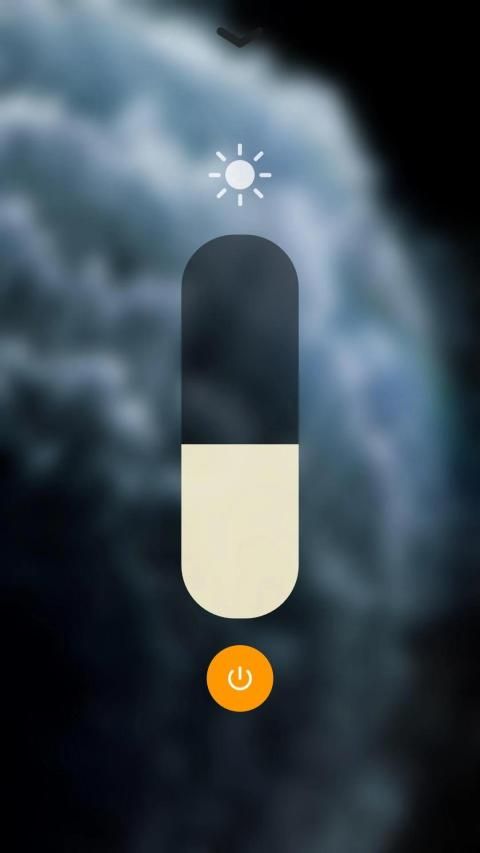
Brightness: Drag the brightness control up or down to adjust the brightness of your display.
The LED flash on your camera doubles as a flashlight, so you can get extra light when you need it.
Alarm: Tap to set an alarm to wake up.country or region.
Calculator: Use the standard calculator to quickly calculate numbers or rotate your device to use the scientific calculator for more advanced functions.
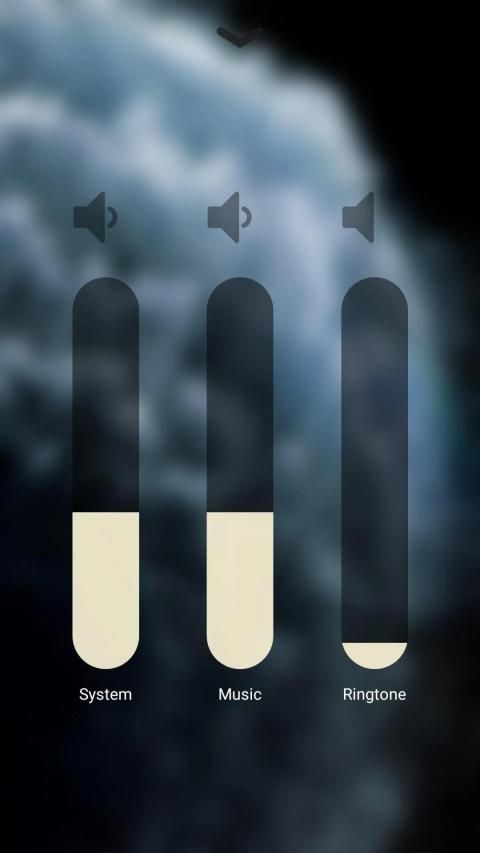
Volume: Drag the volume control up or down to adjust the volume for any audio playback.
Flashlight: Turn the LED flash on your camera into a flashlight. Press and hold the flashlight to adjust the brightness.
️ Open Control Center
Swipe up from the bottom edge of any screen. On Phone 11 Pro Max swipes down from the upper-right corner of the screen.
⚾️ Close Control Center
Tap the top of the screen or press the Home button. On Phone 11 Pro Max swipes up from the bottom of the screen or tap the screen.
OS 13 Control Center - Phone 11 Pro Max
is an excellent customization tool, thanks to which we can bring one of the most useful features of OS 13 to Android. And thanks to the versatility of the Android operating system, we can also customize the look and performance of our control center at our whim.
❂ Dengan
OS 13 Control Center - Phone 11 Pro Max
, Anda dapat dengan cepat mengakses beberapa pengaturan dan aplikasi.
❂ OS 13 dirancang untuk memberikan tampilan baru pada ponsel Anda. Dan membawanya ke tingkat yang sama sekali baru.
❂ Pusat Kontrol OS 13 membantu Anda tidak pernah melewatkan momen untuk mengambil gambar dengan akses cepat ke kamera Anda.
Telepon Apple terus menjadikan Control Center lebih bermanfaat, dengan iOS 13 melihat perbaikan pada alat yang ada ditambah kontrol Mode Gelap akses cepat yang baru.
Pusat Kontrol OS 13 - Telepon 11 Pro Max
perlu mengatur dengan opsi apa yang Anda inginkan, tetapi sangat berguna ketika Anda melakukannya. Dengan Pusat Kontrol OS 13, Anda dapat dengan cepat mengambil gambar, menyalakan lampu, dan lainnya. Anda bahkan dapat menyesuaikan Pusat Kontrol sehingga Anda memiliki akses instan ke hal-hal yang paling Anda lakukan.
Fitur
Kamera: Mengambil foto, selfie, atau merekam video dengan cepat.
Mode Pesawat: Secara instan mematikan koneksi seluler di perangkat Android Anda.
Data Seluler: Mengizinkan atau membatasi aplikasi dan layanan dari menggunakan jaringan seluler untuk terhubung ke Internet.
Wi-Fi: Jelajahi web, streaming musik, unduh film, dan lainnya. Jika Anda menekan dan menahan ikon Wi-Fi, Anda akan dapat beralih jaringan Wi-Fi.
Bluetooth: Sambungkan ke headphone, car kit, keyboard nirkabel, dan perangkat berkemampuan Bluetooth lainnya.
Jangan Ganggu: Heningkan panggilan dan pemberitahuan. Tekan dan tahan untuk menghidupkan selama satu jam atau sampai akhir hari. Atau nyalakan hanya untuk suatu acara atau saat Anda berada di suatu lokasi, dan secara otomatis mati ketika acara berakhir atau Anda meninggalkan lokasi itu.
Kunci Rotasi: Jaga agar layar Anda tidak berputar ketika Anda memindahkan perangkat Anda.
Brightness: Seret kontrol kecerahan ke atas atau ke bawah untuk menyesuaikan kecerahan layar Anda.
Lampu kilat LED pada kamera Anda berfungsi sebagai senter, sehingga Anda bisa mendapatkan cahaya ekstra saat dibutuhkan.
Alarm: Ketuk untuk mengatur alarm untuk bangun. Negara atau wilayah.
Kalkulator: Gunakan kalkulator standar untuk menghitung angka dengan cepat atau memutar perangkat Anda untuk menggunakan kalkulator ilmiah untuk fungsi yang lebih maju.
Volume: Seret kontrol volume ke atas atau ke bawah untuk menyesuaikan volume untuk setiap pemutaran audio.
Senter: Ubah flash LED pada kamera Anda menjadi senter. Tekan dan tahan senter untuk mengatur kecerahan.
️ Buka Pusat Kontrol
Geser ke atas dari tepi bawah layar apa pun. Pada Telepon 11 Pro Max gesek ke bawah dari sudut kanan atas layar.
⚾️ Tutup Pusat Kontrol
Ketuk bagian atas layar atau tekan tombol Rumah. Di Telepon 11 Pro Max gesek ke atas dari bawah layar atau ketuk layar.
Pusat Kontrol OS 13 - Telepon 11 Pro Max
adalah alat penyesuaian yang sangat baik, berkat itu kami dapat membawa salah satu fitur OS 13 yang paling berguna ke Android. Dan berkat fleksibilitas sistem operasi Android, kami juga dapat menyesuaikan tampilan dan kinerja pusat kendali kami sesuai keinginan kami.
Bug fixes and performance improvements



9Apps 4.9









