

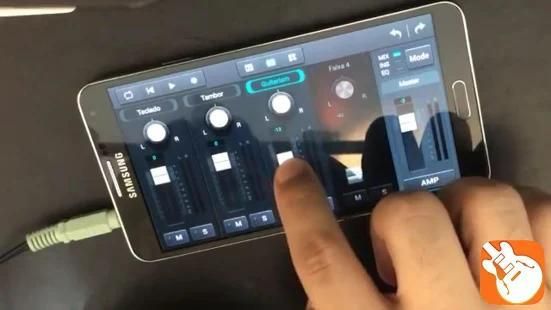
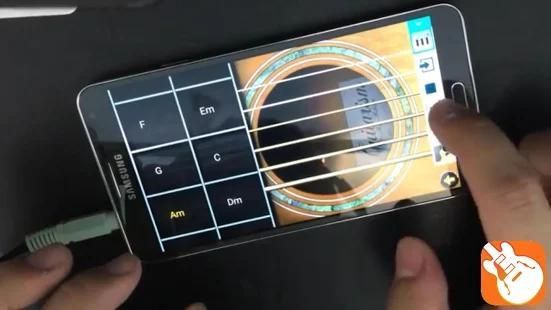
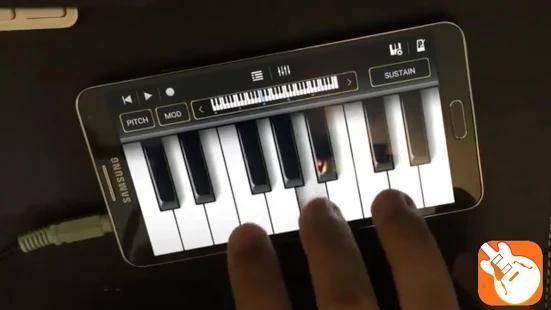
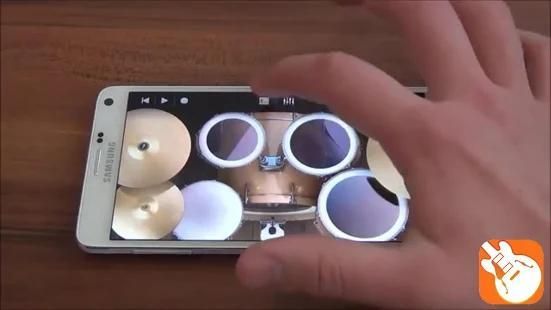
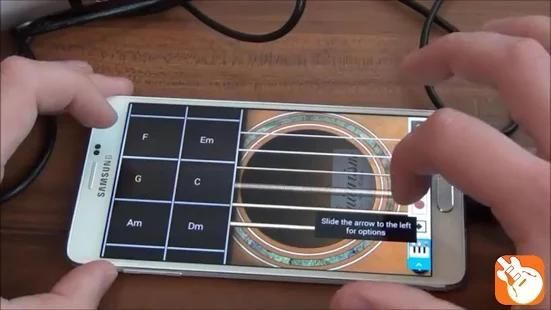
Welcome to our app recommend. 30,000+ users downloaded TUTORIALS GARAGEBAND latest version on 9Apps for free every week! It is a wonderful app that amazes every player. This hot app was released on 2018-08-05. You can find more interesting apps at 9Apps!
Tutorials for Garageband App 2018 is the one of the manual GarageBand live tip fl studio guide you to use garage band online better and we have many more class for free to learn and can easy to download with our manual garageband live .
Garageband Mac or garageband plugins are available for learning too as you will find in the manual and free music maker guide for iOS too. Apple fl studio for garageband and some Mac garage band add on oor garage band online with guitar band.
Table of Contents:
1-Audio Units, install & enable
2-GarageBand v10 Overview
3-Restore Keyboard Shortcuts
4-Mp3 Creation
5-Finding missing controls
6-Reveal the /Library Folder
7-Change Tempo of Imported FIles
8-Setting a Time Signature
9-Enable Multi-Track Recording
10-Set Keyboard Sensitivity
11-Imported file plays too fast
12-PopUp Deletion Danger
13-Finding Track Effect Eqivalents
14-Replace Missing Effects
15-More effects than GB offers
16-Multiple interfaces & USB Mics
17-Fix Sound on 1 speaker
18-Split Stereo Track to 2 Tracks
19-Send Project via Internet
20-Create your Own Smart Controls
21-Locking Tracks in GarageBand
22-Editing without Flex Time starting
23-Display Loops' Tempo & Key
24-Real Track Effect on a Guitar Track
25-Change Imported File s Tempo
26-Export Sections of a GarageBand Project
27-Rename Regions within a GarageBand track
28-Add Effects to a GarageBand Track
29-Create Effect Presets & Instruments
30-Display the Bass or Treble cleff in GarageBand
31-Delete Section with or without a gap in GarageBand
32-Duplicate Automation Control Points
33-Select Multiple Regions
34-Duplicate Regions
35-Duplicating Track's Benefits
36-Detailed View of Regions
37-Region Fine Adjustment
38-Fine Adjust Volume & Tempo
39-Entering MIDI Notes by hand
40-Layering for Fuller sound
41-Make an Instrument to trigger a Sound
42-Move Autmation curves With a Region
Disclaimer : This app is an un-official app and we have made for android user who love to have free music maker like fl studio and learn before use real app. Garageband online is available now for you to test with all tip guide for learn guitar band and piano band.
Tutorial untuk Garageband App 2018 adalah salah satu panduan panduan live tip panduan studio GarageBand Anda untuk menggunakan garasi band online yang lebih baik dan kami memiliki lebih banyak kelas gratis untuk belajar dan dapat dengan mudah diunduh dengan garageband manual kami secara langsung.
Garageband Mac atau plugin garageband tersedia untuk belajar juga seperti yang akan Anda temukan di manual dan panduan pembuat musik gratis untuk iOS juga. Apple fl studio untuk garageband dan beberapa band garasi Mac menambahkan pada garasi band oor online dengan band gitar.
Daftar Isi:
1-Audio Unit, instal & aktifkan
2-GarageBand v10 Ikhtisar
3-Kembalikan Pintasan Keyboard
Penciptaan 4-Mp3
5-Menemukan kontrol yang hilang
6-Mengungkapkan Folder / Perpustakaan
7-Ubah Tempo dari Impor
8-Pengaturan Tanda Tangan Waktu
9-Aktifkan Perekaman Multi-Track
10-Set Keyboard Sensitivity
File 11-Diimpor bermain terlalu cepat
12-PopUp Penghapusan Bahaya
13-Menemukan Efek Lacak Eqivalen
14-Ganti Efek yang Hilang
15-Lebih banyak efek daripada tawaran GB
16-Beberapa antarmuka & USB Mics
17-Fix Sound pada 1 speaker
18-Split Stereo Track ke 2 Trek
19-Kirim Proyek melalui Internet
20-Buat Kontrol Cerdas Anda Sendiri
21-Locking Tracks di GarageBand
22-Editing tanpa Flex Waktu mulai
23-Display Loops 'Tempo & Key
24-Real Track Effect pada Lintasan Gitar
25-Ubah Tempo File yang Diimpor
26-Ekspor Bagian Proyek GarageBand
27-Rename Wilayah dalam trek GarageBand
28-Tambahkan Efek ke Track GarageBand
29-Buat Efek Presets & Instrumen
30-Tampilkan Bass atau Treble cleff di GarageBand
Bagian 31-Hapus dengan atau tanpa celah di GarageBand
Poin Kontrol Otomatisasi 32-Gandakan
33-Pilih Beberapa Wilayah
34-Duplicate Regions
Manfaat 35-Duplicating Track
Tampilan 36-Detil Wilayah
Penyesuaian Halus 37-Daerah
38-Fine Sesuaikan Volume & Tempo
39-Memasuki MIDI Notes dengan tangan
40-Layering for Fuller sound
41-Membuat Instrumen untuk memicu Suara
42-Pindah Autmation Curves Dengan Daerah
Penafian: Aplikasi ini adalah aplikasi tidak resmi dan kami telah membuat untuk pengguna android yang suka memiliki pembuat musik gratis seperti studio dan belajar sebelum menggunakan aplikasi nyata. Garageband online sekarang tersedia bagi Anda untuk menguji dengan semua panduan tip untuk belajar band gitar dan band piano.





9Apps 4.9










