
This article is about hot apps for android. 30,000+ users downloaded Motion Effect on photo latest version on 9Apps for free every week! It has been a popular app for a long time. This hot app was released on 2019-07-25. Certainly you will love it after play.
Movepic brings your photos into life. With various Animated Effects and Beautiful Filters, it is the most creative way to show your loop photos at social media.
【Animation】
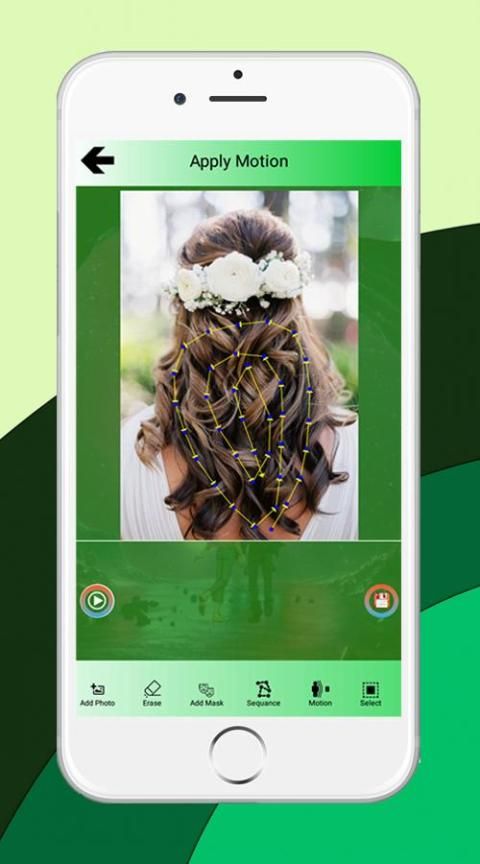
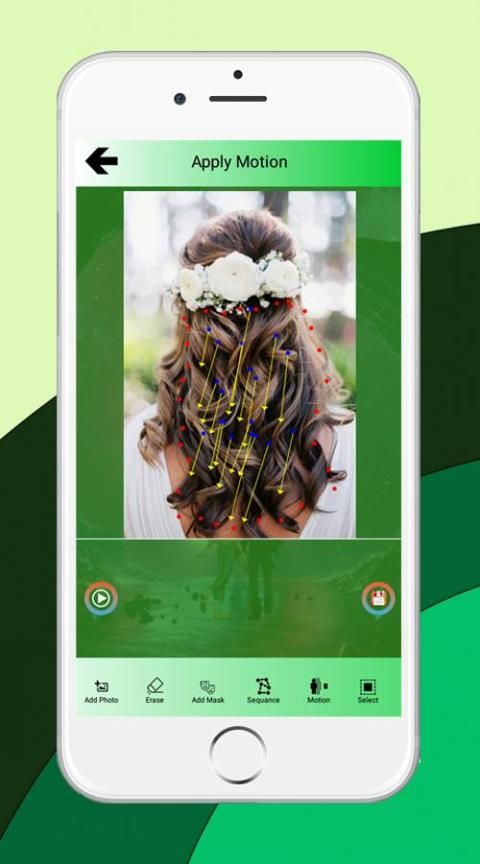
- Animate anything in photos simply by drawing a path.
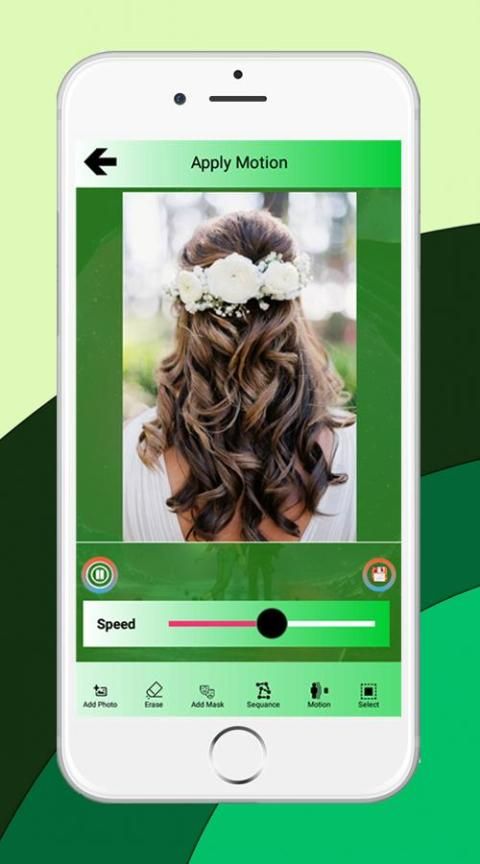
- Adjust the speed of photo animation.
You can make the river flow, clouds move, hair float, and even make fire dance; just unleash your imagination. Create great stop motion photos.
【Filter】
- Add unique filters to beautify your cinemagraphs.
- Add film overlay and give live photos old-school feelings.
We provide quality filters of different themes to fit various situations, like vacation, picnic, cine, daily life, foods, winter, and summer, etc.
【Effects】
- Create moving gifs by glitch effects, pixel effects, trippy, aesthetic, mojo, pixa and psychedelic effects.
- Add Magic effects by animated Stickers.
Combine those effects with animation; you can certainly make a huge difference to photos.
【Text】
- Create animated texts and overlay them on top of your images, or have animated texts stand on their own in a cool poster…
- Text effects: Shadow, Inner Shadow, Stroke, Background, Reflection, Emboss, Mask, 3d text, image texture...Add text to photos!
-Text fonts: choose from 100+ hand picked fonts. Hype your unique text photos at social media.
【Tools】
- Crop and rotate photos as you want.
- Professional Tools to adjust Brightness, Contrast, Hue, Saturation, Sharpness.
We also have advanced tools for you to customize presets. Make your unique story.
The app is easy to use; we have detailed tutorial s for you to get quick hands on photo motion.
Share your masterpieces at social media, like Instagram, Tik Tok, Twitter, Facebook, YouTube, Snapchat etc.
★ FAQ:
1) How does it work?
To obtain this video effect a part of the video is kept still, while another part plays in loop.
2) How can I select the moving and the still part?
With #loopsie you just have to drag your finger over the video.
There are two brush mode (motion / stills) that you can select.
3) How can I shot a good video setup?
#loopsie usually works in every setup, but there are some good common videos scenarios that you can exploit to create some beautiful videos.
Some of these videos scenarios are: waterfalls, water flows, fires, seas, moving backgrounds.
4) What are the differences between Enlight Pixaloop App and Loopsie App
While Pixaloop app creates living photos starting from still images, Loopsie starts from videos.
5) Are you affiliated/connected to Flixel Photos Inc. AKA Flixel? Are you the maker of Cinemagraph (TM) / Cinemagraphs?
No, Loopsie is in no way affiliated or connected with Flixel Inc. (TM) .
Cinemagraph (TM) is a trademark owned by Flixel Inc.
6) What can I do to prevent weird video effects?
The video stabilization algorithm, the autofocus, the high quality encoding and the new camera2 api should automatically prevent glitches and weird video effects. However it's important that you stay as still as possible while taking the video.
Movepic menghidupkan foto Anda. Dengan berbagai Efek Animasi dan Filter Cantik, ini adalah cara paling kreatif untuk menampilkan foto lingkaran Anda di media sosial.
【Animasi】
- Menghidupkan apa pun di foto hanya dengan menggambar jalan.
- Sesuaikan kecepatan animasi foto.
Anda dapat membuat aliran sungai, awan bergerak, rambut melayang, dan bahkan membuat tarian api; lepaskan imajinasi Anda. Buat foto berhenti gerak yang hebat.
【Filter】
- Tambahkan filter unik untuk mempercantik cinemagraphs Anda.
- Tambahkan hamparan film dan berikan foto langsung perasaan jadul.
Kami menyediakan filter berkualitas dari berbagai tema agar sesuai dengan berbagai situasi, seperti liburan, piknik, film, kehidupan sehari-hari, makanan, musim dingin, dan musim panas, dll
【Efek】
- Buat gif bergerak dengan efek kesalahan, efek piksel, trippy, estetika, mojo, pixa dan efek psikedelik.
- Tambahkan efek Sihir oleh Stiker animasi.
Gabungkan efek-efek itu dengan animasi; Anda tentu dapat membuat perbedaan besar pada foto.
【Teks】
- Buat teks animasi dan overlay di atas gambar Anda, atau buat teks animasi berdiri sendiri di poster keren…
- Efek teks: Shadow, Inner Shadow, Stroke, Background, Reflection, Emboss, Mask, teks 3d, tekstur gambar ... Tambahkan teks ke foto!
-Teks font: pilih dari 100+ font yang dipilih sendiri. Hype foto teks unik Anda di media sosial.
【Alat】
- Pangkas dan putar foto sesuai keinginan.
- Alat Profesional untuk menyesuaikan Brightness, Contrast, Hue, Saturation, Sharpness.
Kami juga memiliki alat canggih bagi Anda untuk menyesuaikan preset. Buat kisah unik Anda.
Aplikasi ini mudah digunakan; kami memiliki tutorial terperinci bagi Anda untuk mendapatkan gerakan foto yang cepat.
Bagikan karya Anda di media sosial, seperti Instagram, Tik Tok, Twitter, Facebook, YouTube, Snapchat dll.
★ FAQ:
1) Bagaimana cara kerjanya?
Untuk mendapatkan efek video ini, sebagian video tetap diam, sementara bagian lainnya diputar dalam lingkaran.
2) Bagaimana saya bisa memilih bagian bergerak dan bagian diam?
Dengan #loopsie Anda hanya perlu menarik jari Anda ke atas video.
Ada dua mode kuas (gerakan / gambar diam) yang dapat Anda pilih.
3) Bagaimana saya bisa merekam pengaturan video yang bagus?
#lopsie biasanya berfungsi di setiap penyiapan, tetapi ada beberapa skenario video umum yang bagus yang dapat Anda manfaatkan untuk membuat beberapa video indah.
Beberapa skenario video ini adalah: air terjun, aliran air, api, laut, latar belakang bergerak.
4) Apa perbedaan antara Aplikasi Enlight Pixaloop dan Aplikasi Loopsie
Sementara aplikasi Pixaloop membuat foto langsung mulai dari gambar foto, Loopsie dimulai dari video.
5) Apakah Anda berafiliasi / terhubung dengan Flixel Photos Inc. AKA Flixel? Apakah Anda pembuat Cinemagraph (TM) / Cinemagraphs?
Tidak, Loopsie sama sekali tidak berafiliasi atau terhubung dengan Flixel Inc. (TM).
Cinemagraph (TM) adalah merek dagang yang dimiliki oleh Flixel Inc.
6) Apa yang bisa saya lakukan untuk mencegah efek video aneh?
Algoritma stabilisasi video, autofocus, encoding berkualitas tinggi dan api camera2 baru harus secara otomatis mencegah gangguan dan efek video aneh. Namun penting agar Anda tetap diam saat mengambil video.




9Apps 4.9










