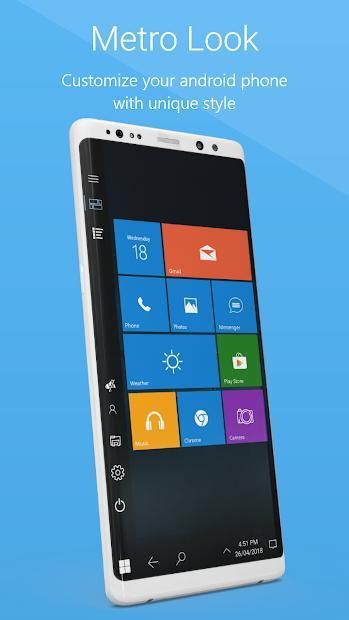
It’s time to update your mobile application. 30,000+ users downloaded Metro 10 Launcher latest version on 9Apps for free every week! When you click, the app will start downloading and wait till it completes installation you can start play. This hot app was released on 2018-11-27. For more mobile apps information, you can go to our official website - 9Apps.
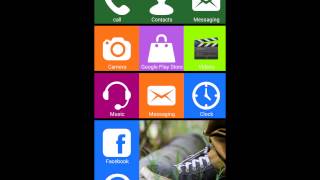
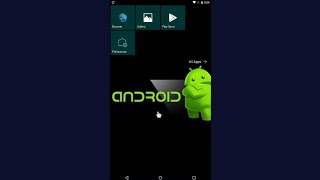
Metro Style Win 10 Launcher is the metro tile version of computer launcher which give a desktop computer style look on your Android? You love the new style of Metro 10 launcher? Check this computer style launcher available for your Android (TM) smart phones.
Desktop Computer Design:
Metro Style Win 10 Launcher for android is here for you. Customize your phone with unique look and feel of the fastest launcher. Amaze your loved one with computer look of your Android and also share it with your loved ones.
Support File manager style
With built-in support of File Explore and File Manager you can search and explore your files and Folders, Copy, Paste, Zip/Unzip, RAR, Delete Files, Share Files and can do lot more...
Explore your file system with this simple and efficient file explorer and file manager in native desktop computer design. You will be amazed at the interface that resembles my computer's windows directory. Metro Style Win 10 Launcher is awesome!
Features:
- Start Menu
- Android application in Stylish Tiles - In Start Menu
- Best application are available on One Click - Create Shortcuts of most used application on Desktop by press and Hold Feature.
- Easy Navigation to the Apps
- Built-In support of File Explorer
- Create Folders, Cut, Copy, Paste, Move, Share etc.
- Listing of all of your drives, SD Card, Storage, audio and video files and pictures in PC style.
- Taskbar
- put the files to Recycle Bin and delete later
- Built-in ZIP support allows you to decompress or extract ZIP/RAR files
- Action Center. Notifier Center: Like Metro 10 launcher, the computer also has a action center bar. You can check the notice of application or system with Notification Center.
Update Features :
- Desktop Widgets
- Android P type desktop menu
- Drag and drop Improved
- Clock Widget
- Weather Widget
- RAM info widget
- Changeable desktop folders
- Live Wallpapers
- Photo tiles changeable
- Task-bar icons removable
- Desktop App Folders
- Weather, Calendar and Photos tiles Added
- Task-bar Transparency option added
- Improved Themes Compatibility
- Multi Tasking Made optional (enable /disable from settings)
- Lock Screen
- Multi Color Support for Task bar and menu
- Themes and Icon Pack - Android TV /Tablet support
- Hide Applications
- Desktop Icons Removable
- Add Applications in Start Menu (Paid Only)
- Change the Start Menu Application (Press and Hold the app to change)
- Change applications in Task-bar (Press and Hold)
- Built-In Gallery Feature added
- Photo Tile changeable
- Widgets in desktop mode
- Built in apps (Photo viewer)
Metro Style Win 10 Launcher adalah versi ubin metro peluncur komputer yang memberikan tampilan gaya komputer desktop di Android Anda? Anda menyukai gaya baru dari peluncur Metro 10? Periksa peluncur gaya komputer ini yang tersedia untuk ponsel pintar Android (TM) Anda.
Desain Komputer Desktop:
Metro Style Win 10 Launcher untuk android di sini untuk Anda. Sesuaikan ponsel Anda dengan tampilan dan nuansa unik peluncur tercepat. Hibur kekasih Anda dengan tampilan komputer Android Anda dan juga bagikan dengan orang yang Anda cintai.
Mendukung gaya Manajer file
Dengan dukungan built-in File Explore dan File Manager Anda dapat mencari dan menjelajahi file dan Folder, Salin, Tempel, Zip / Unzip, RAR, Hapus File, Bagikan File, dan lakukan lebih banyak lagi ...
Jelajahi sistem file Anda dengan file explorer dan file manager yang sederhana dan efisien ini dalam desain komputer desktop asli. Anda akan kagum pada antarmuka yang menyerupai direktori windows komputer saya. Metro Style Win 10 Launcher mengagumkan!
Fitur:
- Mulai Menu
- Aplikasi Android di Ubin Bergaya - Di Menu Start
- Aplikasi terbaik tersedia dalam Satu Klik - Membuat Pintasan dari sebagian besar aplikasi yang digunakan di Desktop dengan menekan dan Tahan Fitur.
- Navigasi Mudah ke Aplikasi
- Dukungan Built-In dari File Explorer
- Buat Folder, Potong, Salin, Tempel, Pindah, Bagikan, dll.
- Daftar semua drive Anda, SD Card, Penyimpanan, file audio dan video dan gambar dalam gaya PC.
- Taskbar
- letakkan file ke Recycle Bin dan hapus nanti
- Dukungan ZIP built-in memungkinkan Anda untuk mendekompresi atau mengekstrak file ZIP / RAR
- Pusat aksi. Pusat Notifier: Seperti peluncur Metro 10, komputer juga memiliki bar pusat aksi. Anda dapat memeriksa pemberitahuan aplikasi atau sistem dengan Notification Center.
Perbarui Fitur:
- Widget Desktop
- Menu desktop tipe P Android
- Seret dan lepaskan Peningkatan
- Widget Jam
- Widget Cuaca
- Widget info RAM
- Folder desktop yang dapat diganti
- Wallpaper Live
- Ubin foto dapat diubah
- Ikon task-bar dilepas
- Folder Aplikasi Desktop
- Ubin Cuaca, Kalender, dan Foto Ditambahkan
- Opsi Transparansi Task-bar ditambahkan
- Peningkatan Kompatibilitas Tema
- Multi Tasking Terbuat opsional (mengaktifkan / menonaktifkan dari pengaturan)
- Layar kunci
- Dukungan Multi Warna untuk Task bar dan menu
- Tema dan Paket Ikon - Dukungan Android TV / Tablet
- Sembunyikan Aplikasi
- Ikon Desktop Dilepas
- Tambahkan Aplikasi di Menu Mulai (Hanya Berbayar)
- Ubah Aplikasi Start Menu (Tekan dan Tahan aplikasi untuk berubah)
- Mengubah aplikasi di Task-bar (Tekan dan Tahan)
- Fitur Galeri Built-in ditambahkan
- Ubin Foto dapat diubah
- Widget dalam mode desktop
- Dibangun di aplikasi (Photo viewer)
Version 1.1
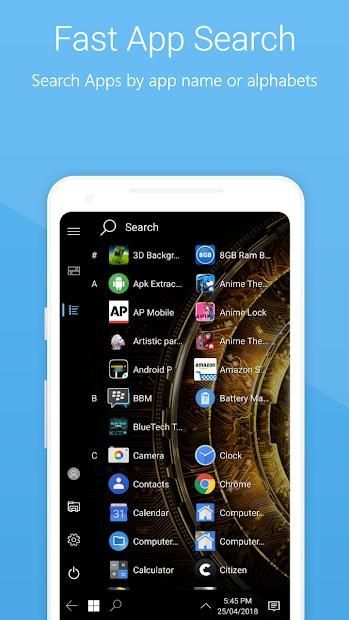
- Search Bar added

9Apps 4.9