I would like to recommend you an application with large number of downloaders. 20,000+ users downloaded MailToSkypeBack latest version on 9Apps for free every week! In addition, the latest version of the app has updated a lot of features. This hot app was released on 2019-05-02. I will tell you how to use this app in the following page.
MailToSkypeBack is an application for Skype Talking with who can not act to answer by the reasons as follows:
A physical reason like aging.
An environmental reason like being busy with other work.
Once this application is installed into the terminal you want to talk to, it automatically does Skype Call back to you when it receives a specific message in Gmail from you.
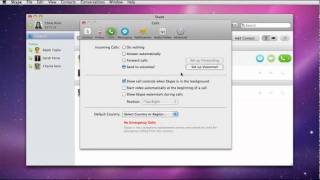
Generally when you need to call a person who cannot act to answer, you can use the Auto Answer of a Skype's settings.
This setting allows you automatically connect to a caller. Bat this operation is done silently.
This means that callee does not notice the connection. And it gives the callee an impression that being watched by others.
If you use this application, the callee notices the connection by the ring-back tone of Skype Calling.
This application also has an advantage for security.
This connection method is same as the method of Remote Access Service called "Call Back".
This method is calling back to pre-registered person, and so it does not allows to call to others.
And the request is in Gmail, which has different path and account from that of Skype, and so account spoofing of both is nearly impossible.
Additionally, this application recognizes the request mail from strings contained in the sender and the subject.
You can preset them freely, and so others can not make a request mail without knowing its settings.
Furthermore, you can use The Contact List Only of a Skype's setting together to strengthen the security.
[How to Use]
1.Install this application into the terminal you want to talk to.
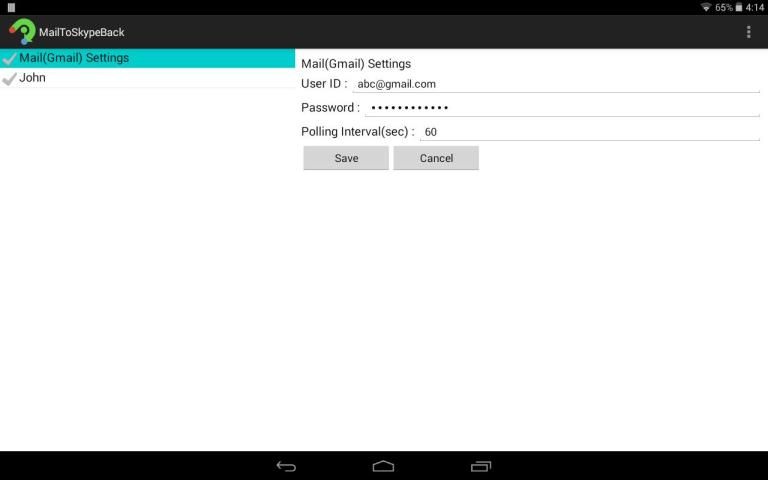
2.You need to configure Gmail settings as follows.
(1)IMAP->Enable.
(2)Allow less secure apps->Enable
(For additional security, consider enabling Google’s two-step verification.)
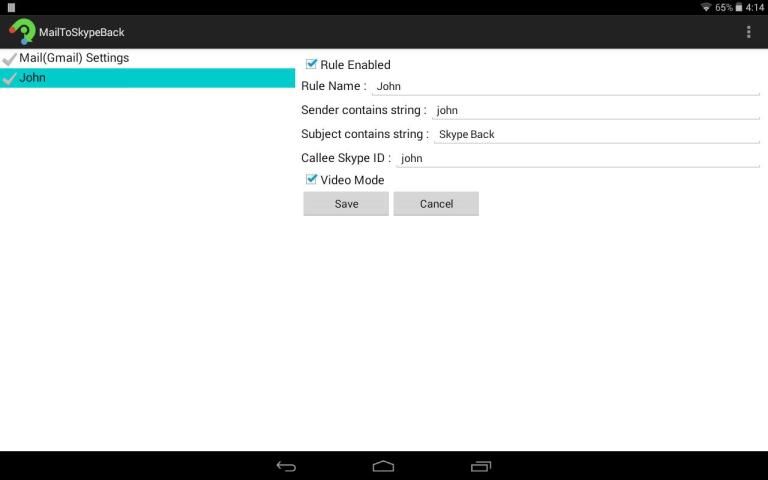
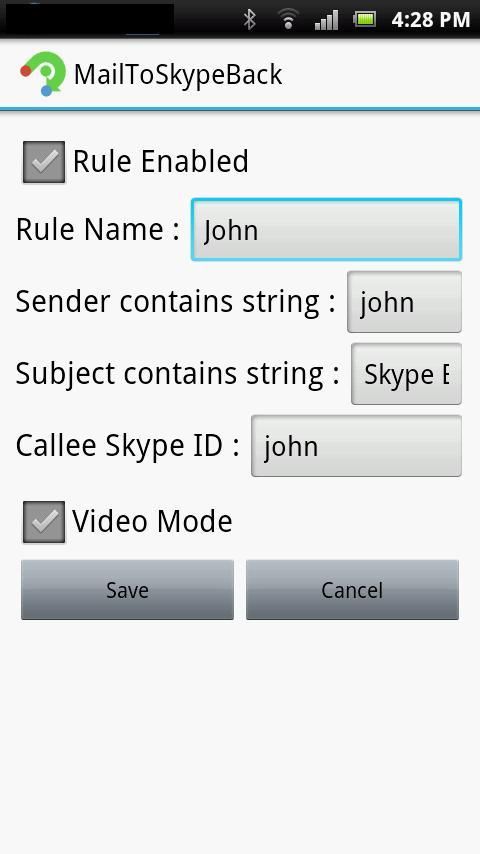
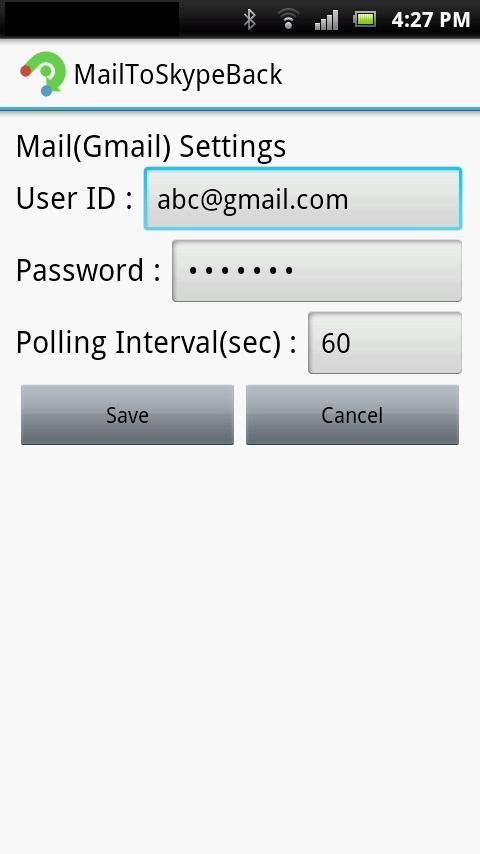
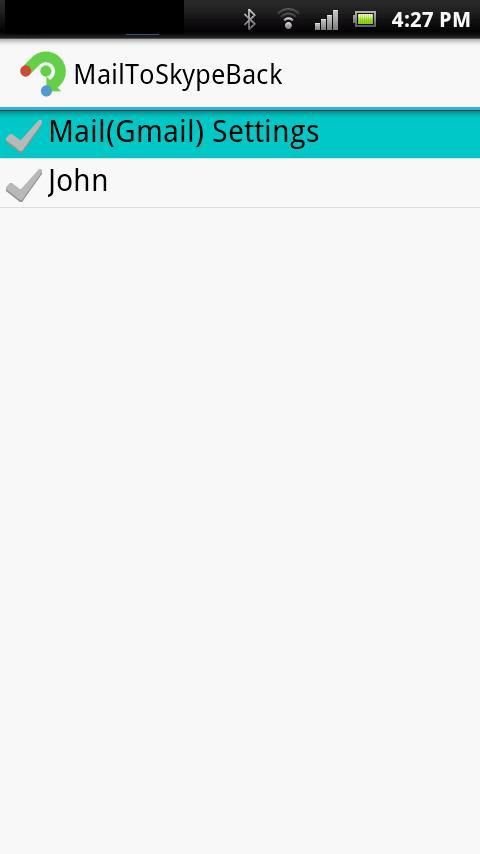
3.Preset the followings.
(1)GMAIL account of the teminal owner
(2)Skype call back request mail sender(your gmail address or name) and subject strings
(3)Skype callee's account ID (your account ID)
4.You send GMAIL with subject strings of (2) to the terminal owner.
5.This application does Skype call back to the account of (3).
6.You answer Skype calling.
MailToSkypeBack adalah aplikasi untuk Skype Berbicara dengan yang tidak dapat bertindak untuk menjawab dengan alasan sebagai berikut:
Alasan fisik seperti penuaan.
Alasan lingkungan seperti sibuk dengan pekerjaan lain.
Setelah aplikasi ini terinstal ke dalam terminal Anda ingin berbicara dengan, secara otomatis tidak Skype panggilan kembali kepada Anda ketika menerima pesan tertentu di Gmail dari Anda.
Umumnya ketika Anda perlu menelepon seseorang yang tidak dapat bertindak untuk menjawab, Anda dapat menggunakan Jawaban Auto pengaturan yang Skype.
Pengaturan ini memungkinkan Anda secara otomatis terhubung ke pemanggil. Bat operasi ini dilakukan diam-diam.
Ini berarti bahwa callee tidak melihat koneksi. Dan memberikan callee kesan bahwa diawasi oleh orang lain.
Jika Anda menggunakan aplikasi ini, callee pemberitahuan koneksi dengan nada dering-belakang Skype Calling.
Aplikasi ini juga memiliki keunggulan untuk keamanan.
Metode koneksi ini adalah sama dengan metode Remote Access Service yang disebut "Panggil Kembali".
Metode ini memanggil orang kembali ke pra-terdaftar, dan sehingga tidak memungkinkan untuk panggilan ke orang lain.
Dan permintaan tersebut di Gmail, yang memiliki jalan yang berbeda dan rekening dari yang Skype, dan akun spoofing kedua hampir mustahil.
Selain itu, aplikasi ini mengakui surat permintaan dari string yang terkandung dalam pengirim dan subjek.
Anda dapat preset mereka secara bebas, sehingga orang lain tidak bisa membuat surat permintaan tanpa mengetahui pengaturannya.
Selain itu, Anda dapat menggunakan The Daftar Kontak Hanya dari pengaturan Skype bersama-sama untuk memperkuat keamanan.
[Cara menggunakan]
1.Install aplikasi ini ke dalam terminal Anda ingin berbicara dengan.
2. Anda perlu mengkonfigurasi pengaturan Gmail sebagai berikut.
(1) IMAP-> Aktifkan.
(2) Izinkan apps- kurang aman> Aktifkan
(Untuk keamanan tambahan, pertimbangkan memungkinkan dua langkah verifikasi Google.)
3.Preset berikut.
(1) akun GMAIL pemilik teminal
(2) Skype menelepon kembali permintaan email pengirim (alamat gmail Anda atau nama) dan string subjek
(3) akun ID Skype callee ini (ID akun Anda)
4. Anda kirim GMAIL dengan string subjek (2) kepada pemilik terminal.
5.This aplikasi tidak Skype panggilan kembali ke rekening (3).
6.You menjawab panggilan Skype.
Testing for settings enabled.


9Apps 4.9