
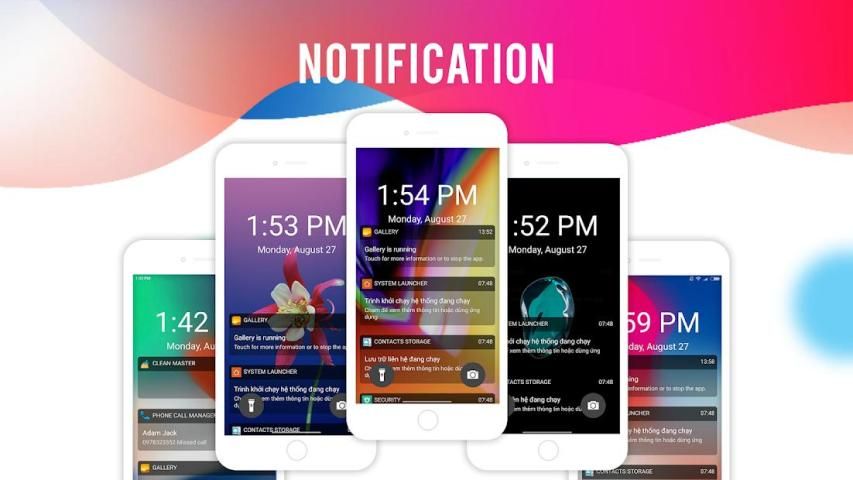
Here provides top Free Android Apps. 20,000+ users downloaded Lock Screen latest version on 9Apps for free every week! It is simply to learn how to use it. This hot app was released on 2018-09-26. You can see more apps release recently on 9Apps.
This is mobile phone that many people want to have,but not every one has the ability to own it.
now this app lock Iphone can realize your dream.
With Lock screen, you will be able to personalize your lock screen with artworks and designer themes. You won't believe your eyes!
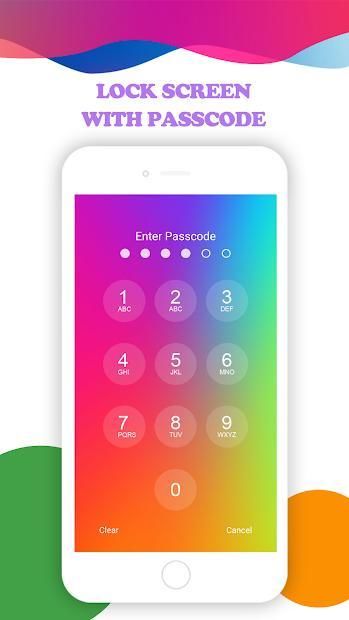
For increased security, you have to just enable pin lock in settings in this application and create own password for unlock phone screen.
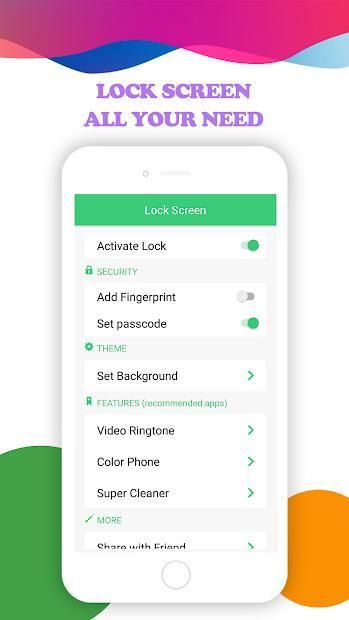
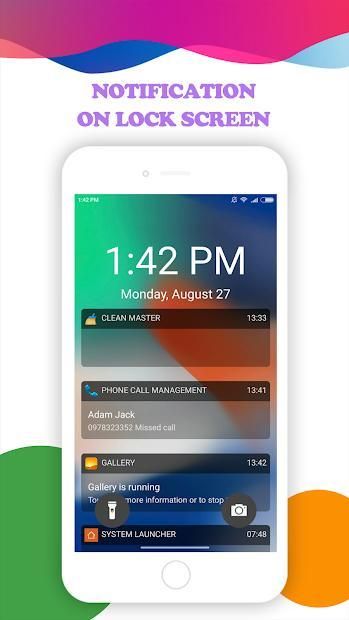
When you open the application there you will see a few settings which will allow you to customize the lock screen of your android phone. Very easy user interface will help you to customize the application. User can customize the lock screen with inbuilt HD-Wallpaprs . You can get the notifications right on your lock screen in the similar way that is available in the X lock screen. You can also open notifications from your lock screen.
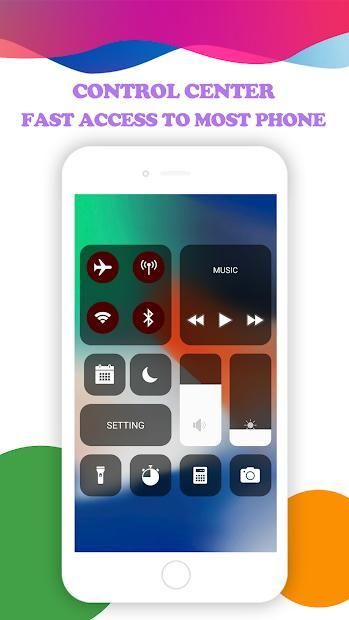
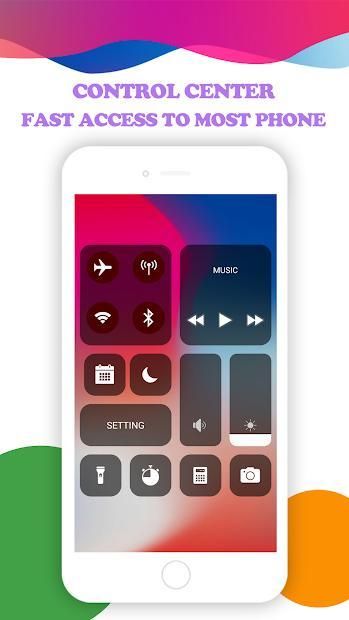
Lock Screen Phone X for OS 11 also once you activate the Phone X lock screen style, you will have access to control center on the top of screen (Control Center OS 11). You can control a lot of things here, like flashlight, Wi-Fi and Bluetooth, settings, brightness and a lot more.
Lock Screen Phone X: Os 11 Lock Screen features a lot of other varieties of the lock screen similar to that of the OS 11 locker. You can also set a pin here, which is asked every time you unlock your phone and this will increase the privacy of your phone. You can activate and deactivate the pin protection with the security options in the app.
Features of the Lock Screen Phone X :
- Phone X type Lock Screen
- Beautiful and Easy UI
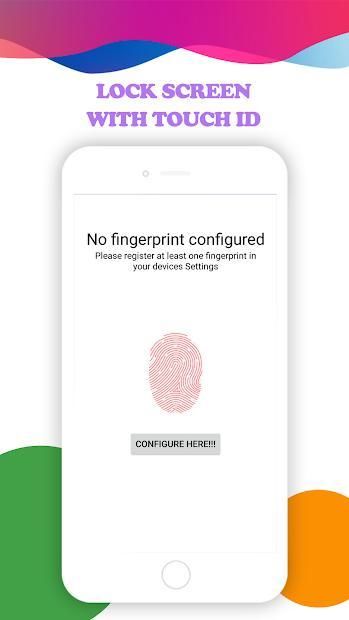
- Unlock Phone with Passcode or Fingerprint
- Lock Screen Customisation
- Support set wallpaper from phone X wallpapers
- Super cool OS 11 lock screens for your android
- Works on most of the android phones
How to Use:
1. Open the app settings, and tick the Enable Screen toggle to enable it.
2. Click the Disable System Lock in case you use the system lock.
3. Click the Set Wallpaper to switch to different beautiful backgrounds.
4. Enable the Pin Lock button box if pin mode is required.
NEW OS 11 Control Center – OS 11 Setting
OS 11 Lock Screen Control Center contain most used switches and looks amazing! iOS lockscreen control your device with only one panel with the New OS 11 Style.
Phone X Lock Screen Wallpapers
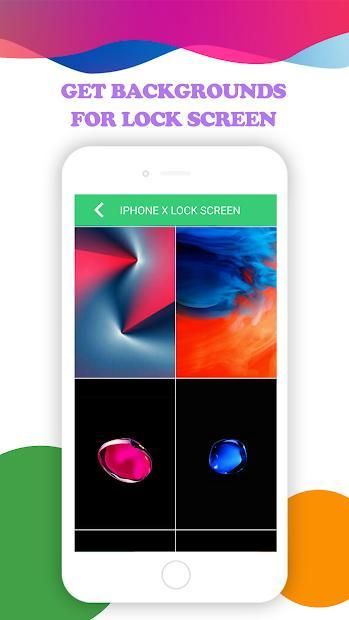
Lockscreen for Phone X bring for you experience all the same great design features from OS 11 on your Android device. With wallpaper for Phone X, you’ll never know the difference! If you want to customize your wallpaper, you can select an image from your gallery and use it as a background picture!
The app features a lot of other varieties of the lock screen similar to that of the OS locker. You can select any one out of them under the option ‘Change Lock Screen’. You can also set a pin here, which is asked every time you unlock your phone and this will increase the privacy of your phone. You can activate and deactivate the pin protection with the security options in the app.
And much more amazing function…
Want an Lock Screen Phone X for OS 11 on your Android? Get OS11 Locker and experience new Phone Lock Screen with notifications, keypad lock screen, and more great features. And don’t forget rate Lock Screen for Phone X 5* in store to support us. Thank for support.
Any kind of suggestions and feedback will be much appreciated for future necessary updates.I will update for app for app more complete.
If you have any query, reach us at : team3aemthanhcongnha11@gmail.com
Ini adalah ponsel yang banyak orang ingin miliki, tetapi tidak setiap orang memiliki kemampuan untuk memilikinya.
sekarang aplikasi ini mengunci Iphone dapat mewujudkan impian Anda.
Dengan layar Kunci, Anda akan dapat mempersonalisasi layar kunci Anda dengan karya seni dan tema desainer. Anda tidak akan mempercayai mata Anda!
Untuk meningkatkan keamanan, Anda harus mengaktifkan pin lock dalam pengaturan di aplikasi ini dan membuat kata sandi sendiri untuk membuka kunci layar ponsel.
Ketika Anda membuka aplikasi di sana Anda akan melihat beberapa pengaturan yang akan memungkinkan Anda untuk menyesuaikan layar kunci telepon Android Anda. Antarmuka pengguna yang sangat mudah akan membantu Anda menyesuaikan aplikasi. Pengguna dapat menyesuaikan layar kunci dengan HD-Wallpaprs built-in. Anda bisa mendapatkan notifikasi tepat di layar kunci Anda dengan cara yang sama yang tersedia di layar kunci X. Anda juga dapat membuka notifikasi dari layar kunci Anda.
Kunci Layar Telepon X untuk OS 11 juga setelah Anda mengaktifkan gaya layar kunci X Telepon, Anda akan memiliki akses ke pusat kendali di bagian atas layar (Control Center OS 11). Anda dapat mengontrol banyak hal di sini, seperti senter, Wi-Fi dan Bluetooth, pengaturan, kecerahan, dan banyak lagi.
Lock Screen Phone X: Os 11 Lock Screen memiliki banyak variasi layar kunci yang mirip dengan OS 11 locker. Anda juga dapat mengatur pin di sini, yang diminta setiap kali Anda membuka kunci ponsel Anda dan ini akan meningkatkan privasi telepon Anda. Anda dapat mengaktifkan dan menonaktifkan perlindungan pin dengan opsi keamanan di aplikasi.
Fitur Telepon Layar Kunci X:
- Layar Kunci X Jenis Telepon
- UI Cantik dan Mudah
- Buka Kunci Ponsel dengan Passcode atau Sidik Jari
- Kustomisasi Kunci Layar
- Dukungan mengatur wallpaper dari wallpaper ponsel X.
- Layar kunci OS 11 super cool untuk android Anda
- Bekerja di sebagian besar ponsel android
Bagaimana cara menggunakan:
1. Buka pengaturan aplikasi, dan centang tombol Aktifkan Layar untuk mengaktifkannya.
2. Klik Kunci Sistem Nonaktif jika Anda menggunakan kunci sistem.
3. Klik Set Wallpaper untuk beralih ke latar belakang cantik yang berbeda.
4. Aktifkan kotak kunci Pin Lock jika mode pin diperlukan.
BARU OS 11 Control Center - OS 11 Pengaturan
OS 11 Lock Screen Control Center berisi switch yang paling sering digunakan dan terlihat luar biasa! Kunci layar iOS mengontrol perangkat Anda hanya dengan satu panel dengan OS 11 Gaya Baru.
Ponsel X Lock Screen Wallpaper
Lockscreen untuk Ponsel X membawa pengalaman Anda semua fitur desain hebat yang sama dari OS 11 pada perangkat Android Anda. Dengan wallpaper untuk Telepon X, Anda tidak akan pernah tahu bedanya! Jika Anda ingin menyesuaikan wallpaper Anda, Anda dapat memilih gambar dari galeri Anda dan menggunakannya sebagai gambar latar belakang!
Aplikasi ini memiliki banyak variasi layar kunci yang mirip dengan yang ada pada OS locker. Anda dapat memilih salah satu dari mereka di bawah pilihan 'Ubah Layar Kunci'. Anda juga dapat mengatur pin di sini, yang diminta setiap kali Anda membuka kunci ponsel Anda dan ini akan meningkatkan privasi telepon Anda. Anda dapat mengaktifkan dan menonaktifkan perlindungan pin dengan opsi keamanan di aplikasi.
Dan fungsi yang jauh lebih menakjubkan ...
Ingin X Screen Lock Phone untuk OS 11 di Android Anda? Dapatkan OS11 Locker dan alami Layar Kunci Telepon baru dengan pemberitahuan, layar kunci keypad, dan fitur-fitur hebat lainnya. Dan jangan lupa Tingkatkan Layar Kunci untuk Ponsel X 5 * di toko untuk mendukung kami. Terima kasih atas dukungannya.
Setiap jenis saran dan umpan balik akan sangat dihargai untuk pembaruan yang diperlukan di masa mendatang. Saya akan memperbarui untuk aplikasi untuk aplikasi yang lebih lengkap.
Jika Anda memiliki pertanyaan, hubungi kami di: team3aemthanhcongnha11@gmail.com
New App




9Apps 4.9










