

This article is about hot apps for android. 30,000+ users downloaded Learn Computer in 30 Days latest version on 9Apps for free every week! This makes the app feel more like a popular merchandise, which is very positive in my opinion. This hot app was released on 2018-03-27. I will tell you how to use this app in the following page.
Learn Computer in 30 Days
Learning computers have become the primary necessity in today’s world. We see computer being used in all phases and parts of life. In this application you will find information related to learning the computer basics and some advanced level topics and these topics will be covered in 30 days.
Precise topics that you will find in this application.
First Day
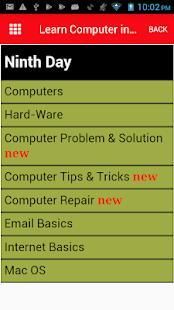
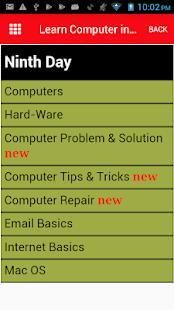
Computers
Hard-Ware
Computer Problem & Solution
Computer Tips & Tricks
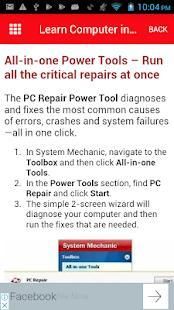
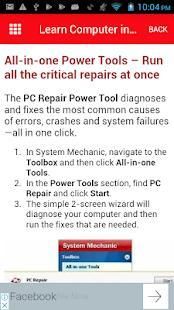
Computer Repair
(4)Email Basics
(5)Internet Basics
(6)Mac OS
(7)Online Safety
(8)Windows
(9)Devices
(10)Digital Skills
(11)Photos and Graphics
(12)Social Media
(13)Using the Cloud
(14)Office 2010
(15)Office 2013
Function keys
Control Keys
Wrist pad
Arrow keys
Mouse
Short Keys
Types of operating systems
Types of computer mice
Computer mouse ports
Email Basics
Internet Basics
How to choose an antivirus software
Printer
Printer interfaces
Browsing history
DVD
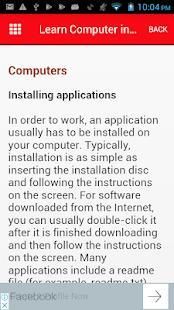
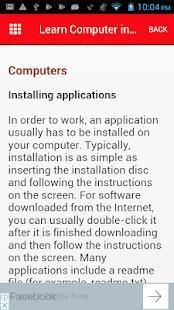
Installing applications
CPU
Common email terms and actions
Bookmarks
Hard drive
Motherboard
Understanding how your browsing activity is tracked
Sharing photos privately
BIOS
Bus
Cache memory
Email attachment etiquette
Taking screenshots
RAM
Sound card
Sound card connections
Peripherals you can use with your computer
How to clear your cache
Updating apps
What is a zip file?
Video card
What is a laptop computer
How is a laptop different from a desktop
The World Wide Web
Setting up profiles on social networking sites
Chassis
Disc drive
Tablet computers
Netiquette Tips
Device driver
Smartphones
Using the Internet to communicate
Saving Images
What are the differences between hardware and software?
Precautions to take when meeting people face to face
Migrating your files and settings
Responding to cyber-harassment and cyber-stalking
Installing peripherals
Connecting to the Internet
Wireless and Mobile Device Safety
Line and Paragraph Spacing in word
Modem
How do I keep my computer healthy?
Wi-Fi hotspot safety tips
Automatic spell check
Paragraph spacing in word
Types of computer modems
Cleaning the mouse
Web browsers
Opening your files with different apps
Hyperlinks in word
Network Interface Card
Cleaning the monitor
Adding column breaks
Local-Area Network
Driving safely with mobile devices
Scanner
Email Basics
Back up your computer
External hard drives
Blu-ray Disc
Operating systems for mobile devices
CD-ROM
What is an application?
Flat-panel display
Desktop computers
Common password mistakes
Blog Basics
Monitor
Laptop computers
Internet safety and privacy
Digital Skills
What is a database?
Liquid-Crystal Display
Tablet computers
Online Phone Calls
Tips for creating strong passwords
Keyboard
Video Chat and Group Calls
If you like this application, please share it with your friends and share the knowledge. Please rate the application.
Pelajari Komputer dalam 30 Hari
belajar komputer telah menjadi kebutuhan utama di dunia saat ini. Kami melihat komputer yang digunakan dalam semua tahap dan bagian dari hidup. Dalam aplikasi ini Anda akan menemukan informasi yang berkaitan dengan belajar dasar-dasar komputer dan beberapa topik tingkat lanjutan dan topik-topik ini akan dibahas dalam 30 hari.
topik yang tepat yang akan Anda temukan di aplikasi ini.
Hari pertama
komputer
Perangkat keras
Masalah Komputer & Solusi
Tips komputer & Trik
Perbaikan komputer
(4) Dasar-Dasar Email
(5) Internet Dasar
(6) Mac OS
(7) Keamanan Online
(8) Jendela
(9) Perangkat
(10) Keterampilan Digital
(11) Foto dan Grafis
(12) Media Sosial
(13) Menggunakan Cloud
(14) Office 2010
(15) Office 2013
tombol fungsi
Keys kontrol
Wrist pad
Tombol panah
Mouse
Keys singkat
Jenis sistem operasi
Jenis tikus komputer
port mouse komputer
Dasar-dasar email
Dasar-dasar Internet
Bagaimana memilih perangkat lunak antivirus
Pencetak
interface printer
riwayat browsing
DVD
aplikasi menginstal
CPU
istilah email umum dan tindakan
bookmark
Perangkat keras
motherboard
Memahami bagaimana aktivitas browsing Anda dilacak
Berbagi foto pribadi
BIOS
Bis
memori cache
Email lampiran etiket
mengambil screenshot
RAM
Kartu suara
koneksi kartu suara
Peripheral dapat Anda gunakan dengan komputer Anda
Cara menghapus cache
aplikasi memperbarui
Apa yang dimaksud dengan file zip?
kartu video
Apa komputer laptop
Bagaimana laptop berbeda dari desktop
World Wide Web
Menyiapkan profil di situs jejaring sosial
Casis
disc drive
komputer tablet
Netiquette Tips
device driver
smartphone
Menggunakan Internet untuk berkomunikasi
menyimpan Images
Apa perbedaan antara hardware dan software?
Tindakan pencegahan untuk mengambil ketika orang bertemu muka dengan muka
Migrasi file dan pengaturan
Menanggapi cyber pelecehan dan cyber-stalking
Instalasi peripheral
Menghubungkan ke Internet
Wireless dan Mobile Device Keselamatan
Line dan Ayat Spasi dalam kata
Modem
Bagaimana cara menjaga komputer saya sehat?
tips keamanan hotspot Wi-Fi
spell check otomatis
spasi paragraf dalam kata
Jenis modem komputer
Membersihkan mouse
web browser
Membuka file Anda dengan aplikasi yang berbeda
Hyperlink dalam kata
Network Interface Card
Membersihkan monitor
Menambahkan kolom istirahat
Local-Area Network
Mengemudi dengan aman dengan perangkat mobile
Scanner
Dasar-dasar email
Back up komputer Anda
hard drive eksternal
Blu-ray Disc
sistem operasi untuk perangkat mobile
CD ROM
Apa adalah aplikasi?
display layar datar
komputer desktop
kesalahan password umum
Dasar-dasar blog
Monitor
laptop komputer
keamanan internet dan privasi
Keterampilan digital
Apa database?
Liquid-Crystal Display
komputer tablet
Panggilan Telepon secara online
Tips untuk membuat password yang kuat
Keyboard
Video Chat dan Panggilan Grup
Jika Anda suka aplikasi ini, silahkan berbagi dengan teman-teman Anda dan berbagi pengetahuan. Silakan menilai aplikasi.



9Apps 4.9










