

Hot applications make large number of downloads. 20,000+ users downloaded Win10 Launcher latest version on 9Apps for free every week! This makes the app feel more like a popular merchandise, which is very positive in my opinion. This hot app was released on 2018-04-18. To read more info about mobile apps, you can click on 9Apps.
You want a Windows Phone OS phone but you only have an Android. Let the Launcher Win 10 New 2018 help you. Launcher Win 10 New 2018 will make your phone look like a Windows Phone 10 phone.
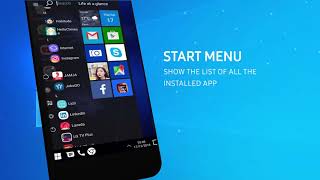
Launcher Win 10 New 2018 is a fast and highly customisable launcher for Android which is styled similar to Windows Mobile devices. This app will change your home screen to look like a Windows device.
Launcher Win 10 New 2018 Features:
- Live tiles (to show notification content in tiles as well as contacts, calendar, clock and gallery)
- Pin apps as tiles to your home screen
- Add widgets to your home screen
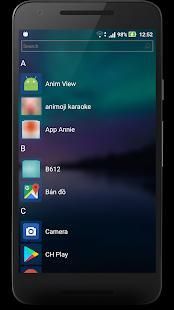
- View all apps installed by swiping over to the All Apps list
- Search through your installed apps
- Recently added apps section
- Landscape mode
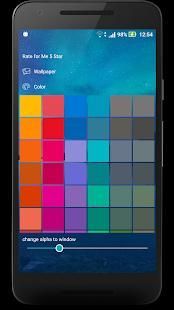
- Change your wallpaper
- Choose your colour for your tiles
- Change the tile transparency
- Choose to show white icons or default icons
- Reposition tiles by tap and hold and then dragging
- Resize tiles
- Preferences to customise the launcher to your liking
Anda ingin Windows Phone OS ponsel tapi Anda hanya memiliki Android. Biarkan Launcher Win 10 New 2018 bantuan Anda. Launcher Win 10 New 2018 akan membuat tampilan ponsel Anda seperti Windows Phone 10 telepon.
Launcher Win 10 New 2018 adalah sebuah peluncur cepat dan sangat disesuaikan untuk Android yang ditata mirip dengan perangkat Windows Mobile. Aplikasi ini akan mengubah layar rumah Anda untuk terlihat seperti perangkat Windows.
Launcher Win 10 New 2018 Fitur:
- ubin Hidup (untuk menampilkan konten pemberitahuan di ubin serta kontak, kalender, jam dan galeri)
- Pin aplikasi sebagai ubin ke layar rumah Anda
- Tambahkan widget ke layar rumah Anda
- Lihat semua aplikasi yang diinstal dengan menggesekkan ke daftar Semua Aplikasi
- Cari melalui aplikasi diinstal Anda
- Baru-baru ini menambahkan bagian aplikasi
- Mode Landscape
- Mengubah wallpaper Anda
- Pilih warna Anda untuk ubin Anda
- Mengubah transparansi ubin
- Pilih untuk menampilkan ikon putih atau ikon standar
- Reposisi ubin dengan tap dan tahan dan kemudian menyeret
- Resize ubin
- Preferensi untuk menyesuaikan peluncur sesuai dengan keinginan Anda

9Apps 4.9