

What makes me unbelievable is that 20,000+ users downloaded Json Files Viewer latest version on 9Apps for free every week! This app is intended for an adult audience. This hot app was released on 2018-11-18. You can enjoy the most completed function of this app.
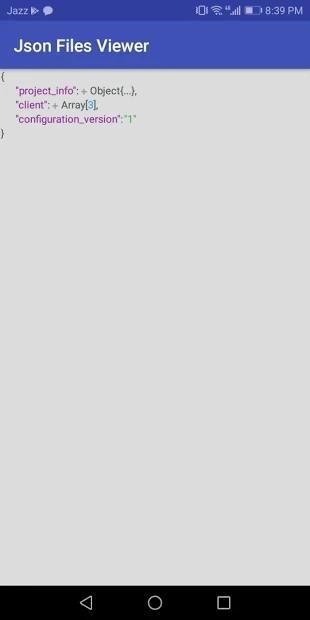
Json viewer or json formatter shows JSON files like a file manager. You can copy data from anywhere in json viewer. Find your json file you can use search option to search your json file quickly. You can easily "paste" button in the app, to quickly paste the text you have copied. Also, you have "copy" button in the menu, to quickly copy the entire text to your clipboard. "Delete" button in the side menu will clear the content.
When You open the app have Read only mode by default, so you do not change the text by accident with the constantly showing keyboard. Easy to switch between Read only mode and Edit mode is located in the top bar. Arrows to move the pointer to any part of the text will be shown in Edit mode. You can switch them off in Settings. Other preferences in Settings will allow you to make the app you own, and feel like home when using it.
Features:
Enjoy fast way to make any JSON easily readable.
This will allow you to easy switch between 2 (or more) JSON
Easy to open JSON files from everywhere (Device Memory, SD Card, Google Drive etc.)
You can open JSON objects in plain text format.
A simple application for viewing, creating and editing JSONs. You can create a JSON from scratch, paste an existing text or download from the web.
Additional features:
-You can load a JSON from a file (requires user's permission)
- You can easily save a JSON to a file (requires user's permission)
- You can share the JSON text to an external application (via ACTION_SEND)
- You can receive JSON text for editing from other applications (via ACTION_SEND)
Json viewer atau json formatter menampilkan file JSON seperti manajer file. Anda dapat menyalin data dari mana saja di json viewer. Temukan file json Anda, Anda dapat menggunakan opsi pencarian untuk mencari file json Anda dengan cepat. Anda dapat dengan mudah "sisipkan" tombol di aplikasi, untuk dengan cepat menempel teks yang telah Anda salin. Juga, Anda memiliki tombol "copy" di menu, untuk cepat menyalin seluruh teks ke clipboard Anda. Tombol "Hapus" di menu samping akan menghapus konten.
Ketika Anda membuka aplikasi memiliki mode Hanya baca secara default, sehingga Anda tidak mengubah teks secara tidak sengaja dengan keyboard yang terus ditampilkan. Mudah untuk beralih antara mode Hanya baca dan mode Edit yang terletak di bar bagian atas. Panah untuk memindahkan penunjuk ke bagian teks mana pun akan ditampilkan dalam mode Edit. Anda dapat mematikannya di Pengaturan. Preferensi lain dalam Pengaturan akan memungkinkan Anda untuk membuat aplikasi yang Anda miliki, dan merasa seperti di rumah saat menggunakannya.
Fitur:
Nikmati cara cepat untuk membuat JSON mudah dibaca.
Ini akan memungkinkan Anda untuk beralih antara 2 (atau lebih) JSON dengan mudah
Mudah membuka file JSON dari mana-mana (Memori Perangkat, Kartu SD, Google Drive, dll.)
Anda dapat membuka objek JSON dalam format teks biasa.
Aplikasi sederhana untuk melihat, membuat, dan mengedit JSON. Anda dapat membuat JSON dari awal, menempelkan teks yang ada atau mengunduh dari web.
Fitur tambahan:
-Anda dapat memuat JSON dari file (membutuhkan izin pengguna)
- Anda dapat dengan mudah menyimpan JSON ke file (membutuhkan izin pengguna)
- Anda dapat membagikan teks JSON ke aplikasi eksternal (melalui ACTION_SEND)
- Anda dapat menerima teks JSON untuk mengedit dari aplikasi lain (melalui ACTION_SEND)





9Apps 4.9









