
Free and secured download of Android apps on 9Apps. 30,000+ users downloaded Image To PDF latest version on 9Apps for free every week! Although you probably won't notice it at first. This hot app was released on 2018-12-06. Read the following paragraph to see more information.
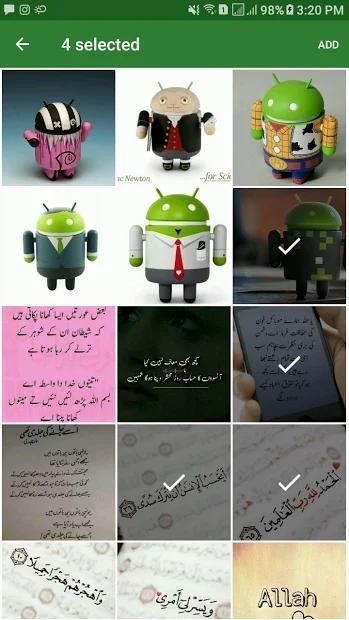
Image to PDF Converter lite Allows you to create multi-image PDF Files from Images/Photos imported from Library, You can Select Multiple Images at one time.
You Can Save PDF inside app, and Use it Offline Anytime.
Convert large size images easily to pdf with same image quality.
You can Share PDF as well.
How to Use:
- Click on + Icon on Home Screen. Select Images that you wants to convert in PDF.
- Click on Save PDF, Give your PDF Name and Save It.
- Go on Saved PDF to access saved PDF Files offline.
- Click on Share to Share PDF File
Gambar ke PDF Converter lite Memungkinkan Anda untuk membuat file PDF multi-gambar dari Gambar / Foto yang diimpor dari Perpustakaan, Anda dapat Memilih Beberapa Gambar sekaligus.
Anda Dapat Menyimpan PDF di dalam aplikasi, dan Menggunakannya Secara Offline Kapan Saja.
Konversi gambar ukuran besar dengan mudah ke pdf dengan kualitas gambar yang sama.
Anda dapat Bagikan PDF juga.
Bagaimana cara menggunakan:
- Klik + Ikon di Layar Utama. Pilih Gambar yang ingin Anda konversi dalam PDF.
- Klik Simpan PDF, Berikan Nama PDF Anda dan Simpan.
- Lanjutkan Tersimpan PDF untuk mengakses File PDF yang tersimpan secara offline.
- Klik pada Berbagi untuk Berbagi File PDF
Version 1.0.1 (Nov 26,18)

9Apps 4.9


![🖼️ How to Convert Image to PDF 2024 [Effortless Conversion] screenshot 3](https://i.ytimg.com/vi/Wh117lBPDvU/mqdefault.jpg)











