


Welcome to the official store for application World. 20,000+ users downloaded Icon Changer latest version on 9Apps for free every week! The app has made a strong effect. This hot app was released on 2018-04-01. For more mobile apps information, you can go to our official website - 9Apps.
Icon Changer app and folder icon comes with latest functionality for every user. This app is able to change inbuilt icon of app and put newly created icon picture on home screen.
Awesome Icon Changer app and folder icon lets you customize your home screen icons with icon packs and your own pictures. It works with most launchers and does not require root !!
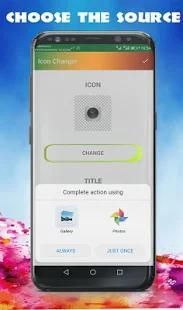
Icon Changer app and folder icon by starting our Icon Changer App. Select the app which you want to change icon. Set the costume icon from our list or pick any image from gallery. App Icon Changer and folder icon helps you to modify your existing app icon and you may change the icon from one app to another. Also make your image as your app icon and give your phone wall a new look.
My Photo Icon Changer app and folder icon comes with latest functionality for every android user !
HOW TO USE :
1. Open ICON CHANGER
2. Choose application or activity to change icons
3. Choose an image from gallery / icon package
4. Icon will be simply changed
Features:
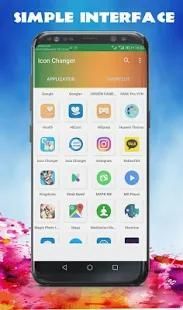
- All installed apps will be list out in our app.
- Choose app to change icon as per your wish.
- Select image or photo from gallery.
- Crop image for icon.
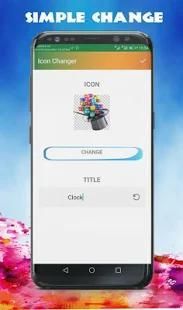
- Give different title to app or customize app name.
- Search app and quickly choose app to customize app icon.
- You can create shortcut for particular song, setting options, contact name.
Icon Editor tool feature:
- Adjust the brightness
- Adjust the contrast
- Change color of the icon
Using this app you can also change the app name. You can add any name you like to the app which will be displayed along with your edited app icon.
Please note that this app only changes home screen icons, not icons in the app drawer of your launcher.
Icon Changer app is always help to more decorate your favorite app.
Thank You
Icon Changer aplikasi dan icon folder dilengkapi dengan fungsi terbaru untuk setiap pengguna. Aplikasi ini mampu mengubah icon inbuilt dari aplikasi dan menempatkan baru dibuat ikon gambar di layar awal.
Mengagumkan Icon Changer aplikasi dan folder ikon memungkinkan Anda menyesuaikan ikon layar rumah Anda dengan paket ikon dan gambar Anda sendiri. Ia bekerja dengan sebagian besar peluncur dan tidak memerlukan akar !!
Icon Changer aplikasi dan icon folder dengan memulai ikon kami Changer App. Pilih aplikasi yang ingin Anda ubah icon. Mengatur ikon kostum dari daftar kami atau memilih gambar apapun dari galeri. App Icon Changer dan icon folder membantu Anda untuk mengubah ikon aplikasi yang ada dan Anda dapat mengubah ikon dari satu aplikasi ke yang lain. Juga membuat gambar Anda sebagai ikon aplikasi Anda dan memberikan dinding ponsel Anda tampilan baru.
Foto Saya Icon Changer aplikasi dan folder icon dilengkapi dengan fungsi terbaru untuk setiap pengguna android!
BAGAIMANA CARA MENGGUNAKAN :
1. Buka ICON CHANGER
2. Pilih aplikasi atau kegiatan untuk mengubah ikon
3. Pilih gambar dari galeri / ikon paket
4. Icon akan hanya berubah
Fitur:
- Semua aplikasi yang diinstal akan daftar di aplikasi kita.
- Pilih aplikasi untuk mengubah icon sesuai keinginan Anda.
- Pilih gambar atau foto dari galeri.
- Tanaman gambar untuk ikon.
- Berikan judul yang berbeda ke app atau menyesuaikan nama aplikasi.
- Penelusuran dan cepat memilih aplikasi untuk menyesuaikan ikon aplikasi.
- Anda dapat membuat shortcut untuk lagu tertentu, pilihan pengaturan, nama kontak.
Ikon fitur alat Editor:
- Sesuaikan kecerahan
- Sesuaikan kontras
- Perubahan warna ikon
Menggunakan aplikasi ini Anda juga dapat mengubah nama aplikasi. Anda dapat menambahkan nama apapun Anda ingin aplikasi yang akan ditampilkan bersama dengan ikon aplikasi yang diedit.
Harap dicatat bahwa aplikasi ini hanya mengubah ikon layar awal, tidak ikon di laci aplikasi dari peluncur Anda.
Icon Changer aplikasi selalu membantu untuk lebih menghias aplikasi favorit Anda.
Terima kasih

9Apps 4.9










